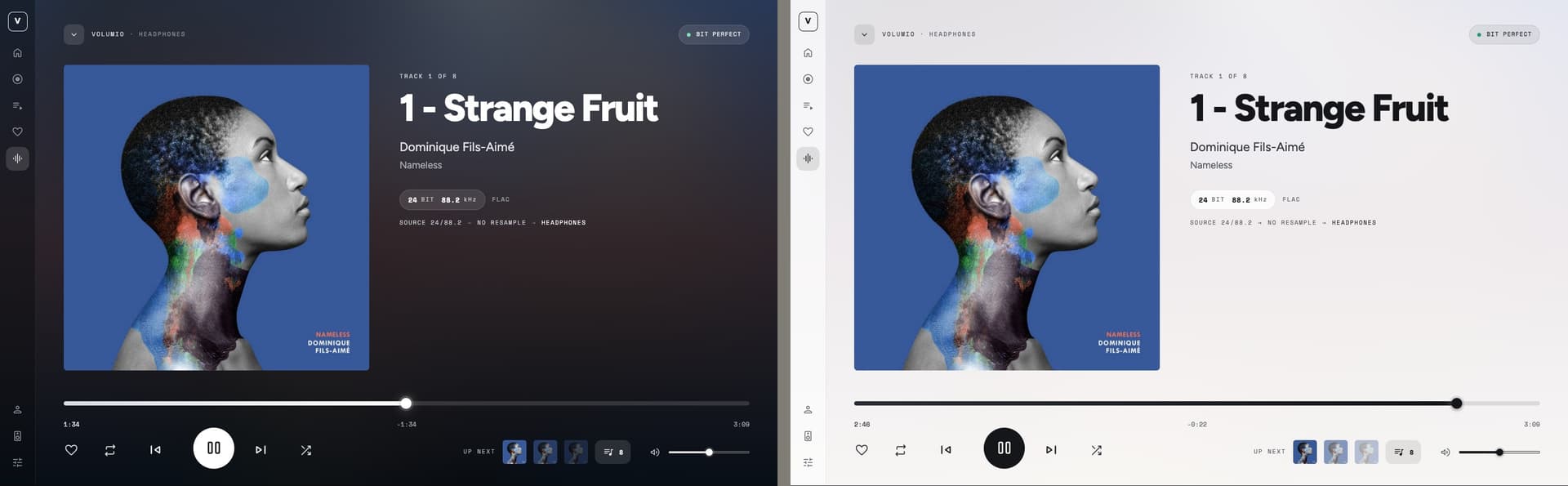
Artwork One: a new interface for Volumio OS (work in progress)

Hi everyone,

Volumio builds beautiful devices, and the platform underneath is excellent. The

interface that ships with Volumio OS, though, looks dated next to the hardware it

runs on. That is what inspired me to build a new one.

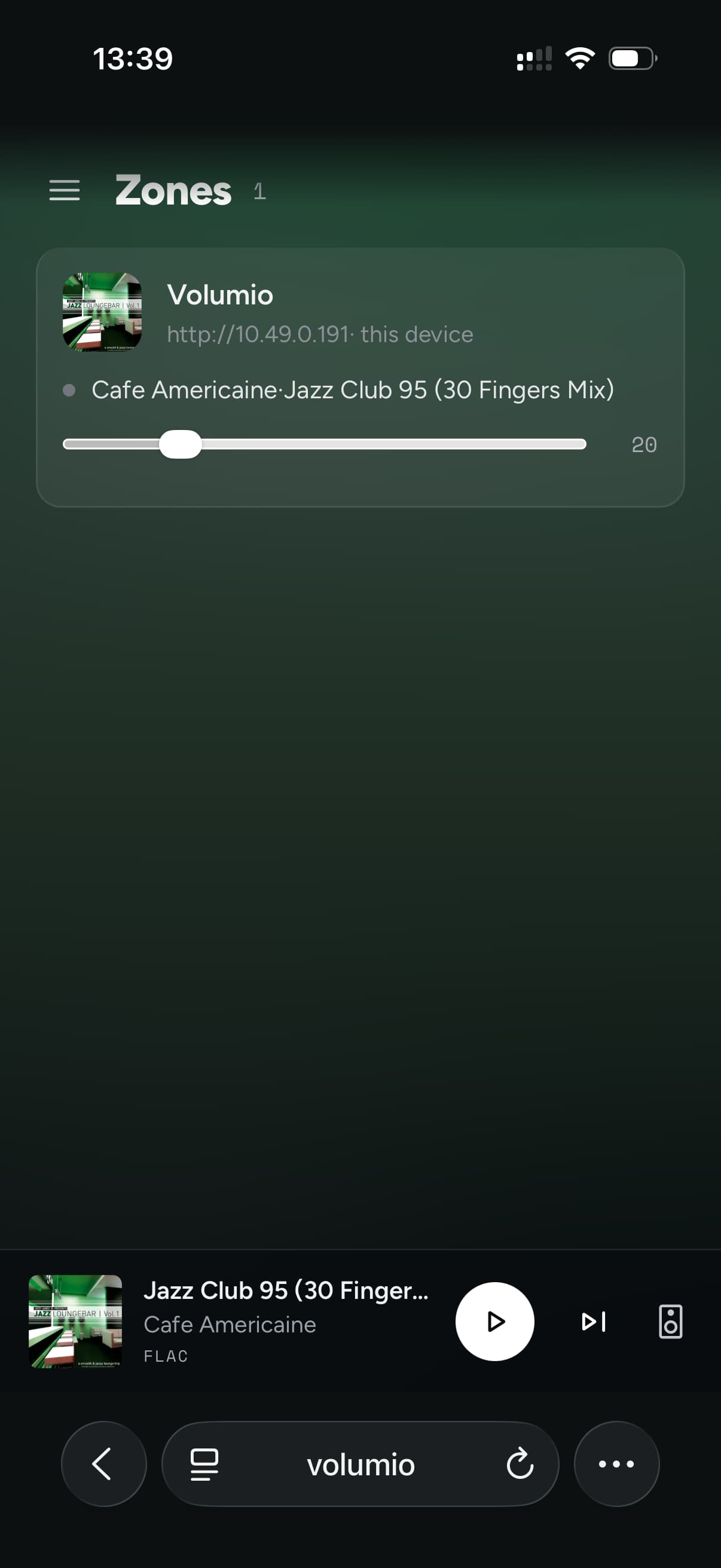
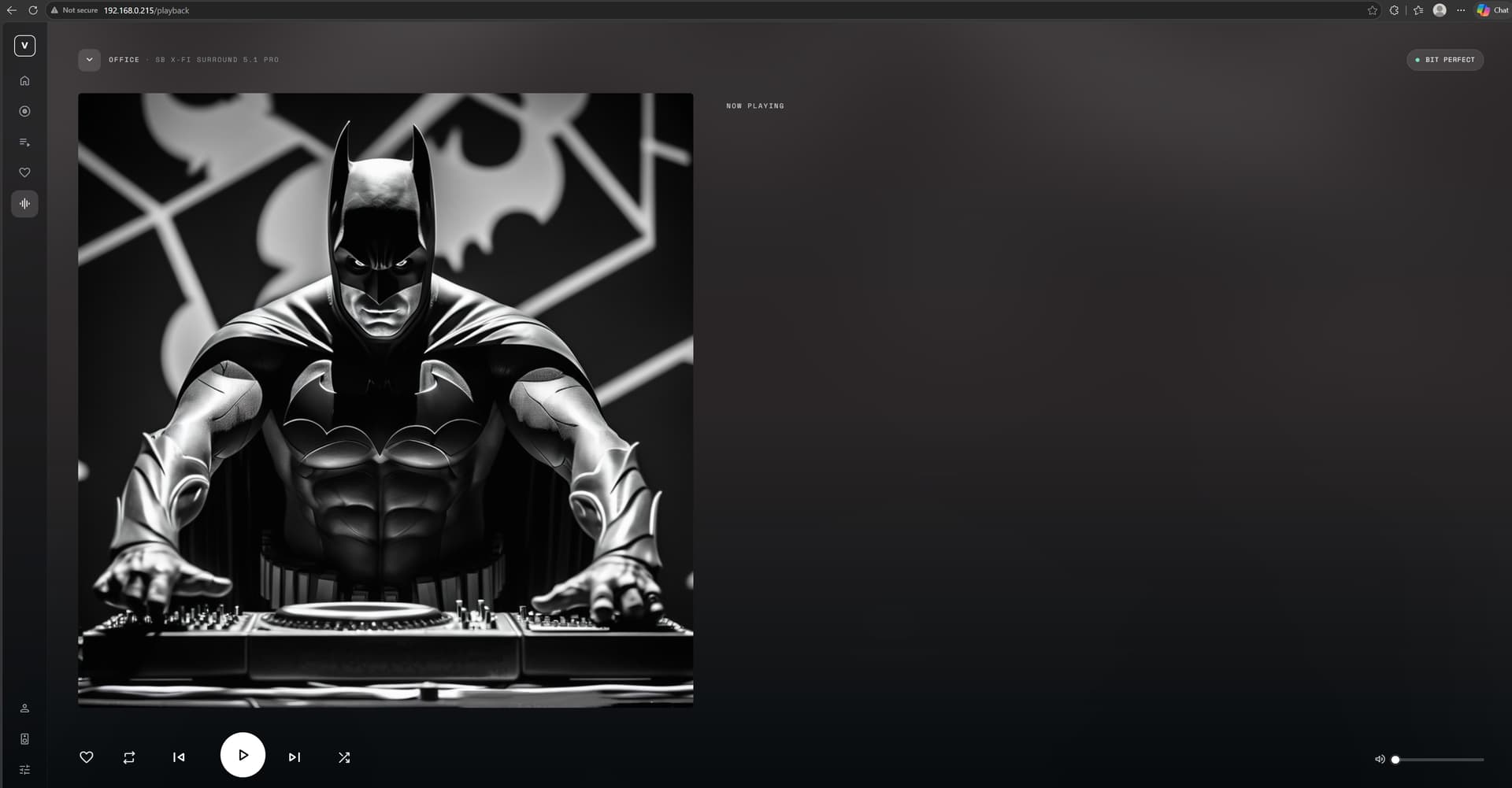
Artwork One turns the record into the interface: the cover fills the screen,

softly blurred, the controls float above it on frosted glass, and the colours are

sampled from the artwork, so the whole interface changes mood with every album.

It is around 90 percent done and I use it daily. Tell me what you think, and what you

would want from an interface like this.

Source, screenshots and details: GitHub - michaltamas/volumio-artwork-theme: Artwork One: a Volumio web interface theme where the album artwork becomes the interface — blurred cover backgrounds, frosted-glass controls and colours sampled from the cover · GitHub

7 Likes

Great. That’s the one I want.

1 Like

Woah, intriguing project you got here and I really like the design!

I just downloaded it to my setup (4.119 on RPi 4). Installation worked flawlessly and really love the design but I did notice some things when playing around:

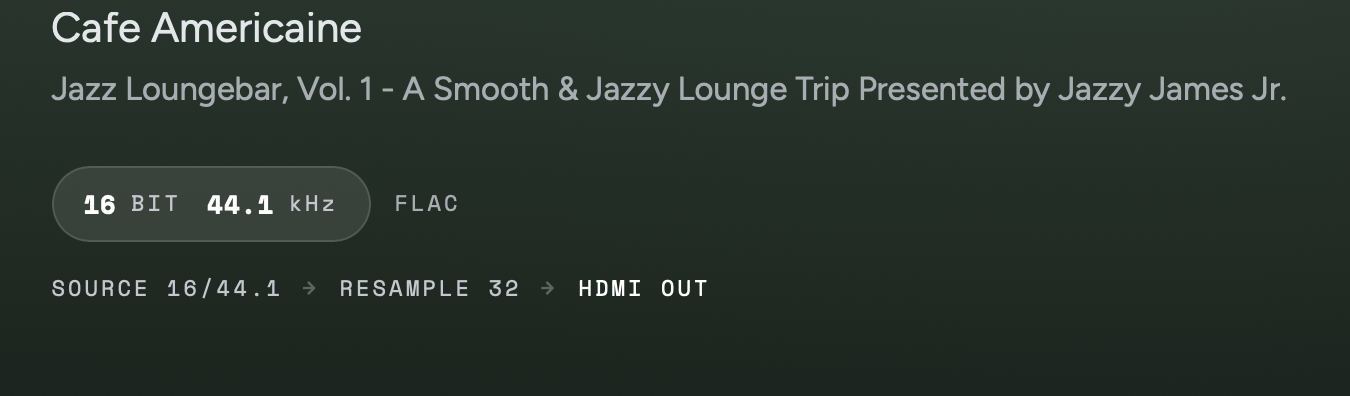
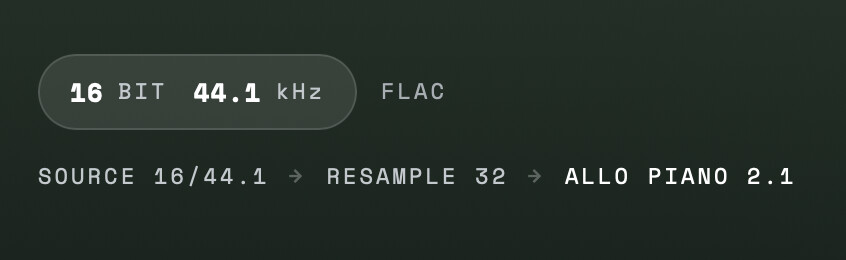
1. Playback path is displayed incorrectly
I use Allo Piano 2.1 in Dual Mono mode with resampling to 32bit which is displayed correctly at the playback settings. On the playback screen however following is displayed:

2. Missing volume bar on playback screen
I’d definitely like to see a volume bar here. It’s shown on the library view but not here. Feels a bit inconsistent and cumbersome if you want to change it quickly.

3. Via mobile phone (iPhone 16, Safari): Volumio Crash on volume change
This is more critical. When changing the volume from the playback screen Volumio crashes and reloads. The volume cannot be changed. See logs below.

Sep 13 13:42:14 volumio volumio[3773]: |||||||||||||||||||||||| WARNING: FATAL ERROR |||||||||||||||||||||||||||||||||||||||||||||||||||||||||||||||||||
Sep 13 13:42:14 volumio volumio[3773]: TypeError: Cannot read properties of undefined (reading 'then')
Sep 13 13:42:14 volumio volumio[3773]:     at Socket.<anonymous> (/volumio/app/plugins/user_interface/websocket/index.js:826:20)
Sep 13 13:42:14 volumio volumio[3773]:     at Socket.emit (node:events:514:28)
Sep 13 13:42:14 volumio volumio[3773]:     at /volumio/node_modules/socket.io/lib/socket.js:503:12
Sep 13 13:42:14 volumio volumio[3773]:     at process.processTicksAndRejections (node:internal/process/task_queues:77:11)
Sep 13 13:42:14 volumio volumio[3773]: |||||||||||||||||||||||||||||||||||||||||||||||||||||||||||||||||||||||||||||||||||||||||||||||||||||||||||||||||
Sep 13 13:42:15 volumio sudo[5032]:  volumio : PWD=/ ; USER=root ; COMMAND=/bin/journalctl '--since=2026-09-13 13:41'
Sep 13 13:42:15 volumio sudo[5032]: pam_unix(sudo:session): session opened for user root(uid=0) by (uid=1000)
Sep 13 13:42:15 volumio sudo[5032]: pam_unix(sudo:session): session closed for user root
Sep 13 13:42:15 volumio volumio-remote-updater[823]: [2026-09-13 13:42:15] [error] handle_read_frame error: websocketpp.transport:7 (End of File)
Sep 13 13:42:15 volumio volumio-remote-updater[823]: [2026-09-13 13:42:15] [disconnect] Disconnect close local:[1006,End of File] remote:[1006]
Sep 13 13:42:15 volumio volumio5-onboarding[1516]: time=2026-09-13T13:42:15.106+02:00 level=ERROR msg="failed reading message" error="websocket: close 1006 (abnormal closure): unexpected EOF"
Sep 13 13:42:15 volumio systemd[1]: volumio.service: Main process exited, code=exited, status=1/FAILURE
Sep 13 13:42:15 volumio volumio5-onboarding[1516]: time=2026-09-13T13:42:15.113+02:00 level=WARN msg="reconnection attempt failed" error="dial tcp 127.0.0.1:3000: connect: connection refused"
Sep 13 13:42:15 volumio systemd[1]: volumio.service: Failed with result 'exit-code'.
Sep 13 13:42:15 volumio systemd[1]: volumio.service: Consumed 51.844s CPU time.
Sep 13 13:42:15 volumio systemd[1]: Started dynamicswap.service - dynamicswap service.
Sep 13 13:42:15 volumio systemd[1]: dynamicswap.service: Deactivated successfully.
Sep 13 13:42:15 volumio systemd[1]: volumio.service: Scheduled restart job, restart counter is at 3.
Sep 13 13:42:15 volumio systemd[1]: Started dynamicswap.service - dynamicswap service.
Sep 13 13:42:15 volumio systemd[1]: Stopped volumio.service - Volumio Backend Module.
Sep 13 13:42:15 volumio systemd[1]: volumio.service: Consumed 51.844s CPU time.
Sep 13 13:42:15 volumio systemd[1]: Started volumio.service - Volumio Backend Module.
Sep 13 13:42:15 volumio systemd[1]: dynamicswap.service: Deactivated successfully.
Sep 13 13:42:16 volumio volumio5-onboarding[1516]: time=2026-09-13T13:42:16.115+02:00 level=WARN msg="reconnection attempt failed" error="dial tcp 127.0.0.1:3000: connect: connection refused"
Sep 13 13:42:16 volumio volumio[5045]: info: -------------------------------------------
Sep 13 13:42:16 volumio volumio[5045]: info: -----            Volumio3              ----
Sep 13 13:42:16 volumio volumio[5045]: info: -------------------------------------------
Sep 13 13:42:16 volumio volumio[5045]: info: -----          System startup          ----
Sep 13 13:42:16 volumio volumio[5045]: info: -------------------------------------------

4. Via mobile phone (iPhone 16, Safari): Can’t escape volume overlay from Home Screen
Volume can be successfully changed from the home screen without the system crashing. However I can’t return from this overlay and need to reload the page in order to escape it.

Looking forward to further updates!

Thank you, this is exactly the kind of report one hopes for, and the log made the crash

easy to find. All four are fixed in v1.3.0.

1. Playback path. It had No resample hard-coded and the Bit perfect badge always

lit, neither of which asked the player anything. Both now read your real playback

settings, so with resampling to 32 bit it reads SOURCE 24/48 → RESAMPLE 32 → <your DAC>

and the badge stays off. Please confirm on your setup, I cannot test an Allo Piano 2.1.

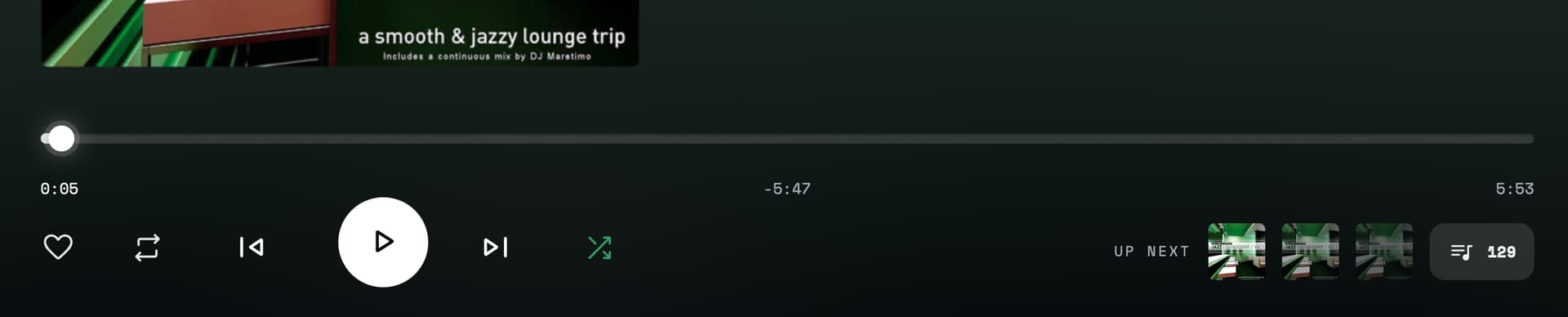
2. Volume on the playback screen. Added, in the header. On phones the speaker button

opens the Zones & Outputs sheet, which carries the volume.

3. The crash. Your log pointed straight at it: the Zones page sent this player’s own

volume as a multiroom command, which a player without the multiroom plugin cannot answer,

so the backend died. It now uses the plain volume command.

4. Trapped in the overlay. That sheet was unstyled Volumio markup covering the whole

screen. It is a bottom sheet now: tap outside or pull it down by the handle to close. The

speaker icon mutes, and the volume slider no longer jumps while you drag it.

Your screenshots also showed the sheet blurred on iOS Safari, fixed as well.

Update and reload the page:
curl -fsSL https://raw.githubusercontent.com/michaltamas/volumio-artwork-theme/master/scripts/install.sh | bash

That was quick! Just had a brief test.

Issue #1: Unfortunately still not showing the correct audio path:

Let me know if I can do anything to diagnose.

Issue #2: Looks good. Could be a bit larger on the header as fine control is difficult but I understand if that’s a design decision.

Issue #3: Solved.

Issue #4: Solved.

New Issues:

Issue #5: Indicator jumps back to preset value at volume overlay
I have the default start up volume set to 20%. When changing the volume on the overlay the volume changes but the indicator will jump back to 20% after 1-2 seconds (actual volume remains on the set value though, so just a display issue). Happens both on mobile and desktop browser.

Thank you, you are making a great tester. All five are fixed now, and sorry for the
regression along the way: the path was reading the wrong field on players with an I2S
DAC, which is exactly the kind of thing I would never have caught on my own hardware.

Update and reload the page:
curl -fsSL https://raw.githubusercontent.com/michaltamas/volumio-artwork-theme/master/scripts/install.sh | bash

I hope it behaves from here. If you run into anything else, or have ideas for
improvements, keep them coming: I am happy to work them in. In the meantime I will carry
on polishing the rest of the interface.

1 Like

Hi @Michal_Tamas. This is AWESOME, and off to a great start. Congratulations! What are the next steps, once fully polished, for it to be UI alternative that can be selected from the Plugins or UI section within Volumio?

All issues solved, looks great!

I won’t have the possibility to test for the next three weeks but certainly will pick up again after that. For now it looks fantastic, great work!

1 Like