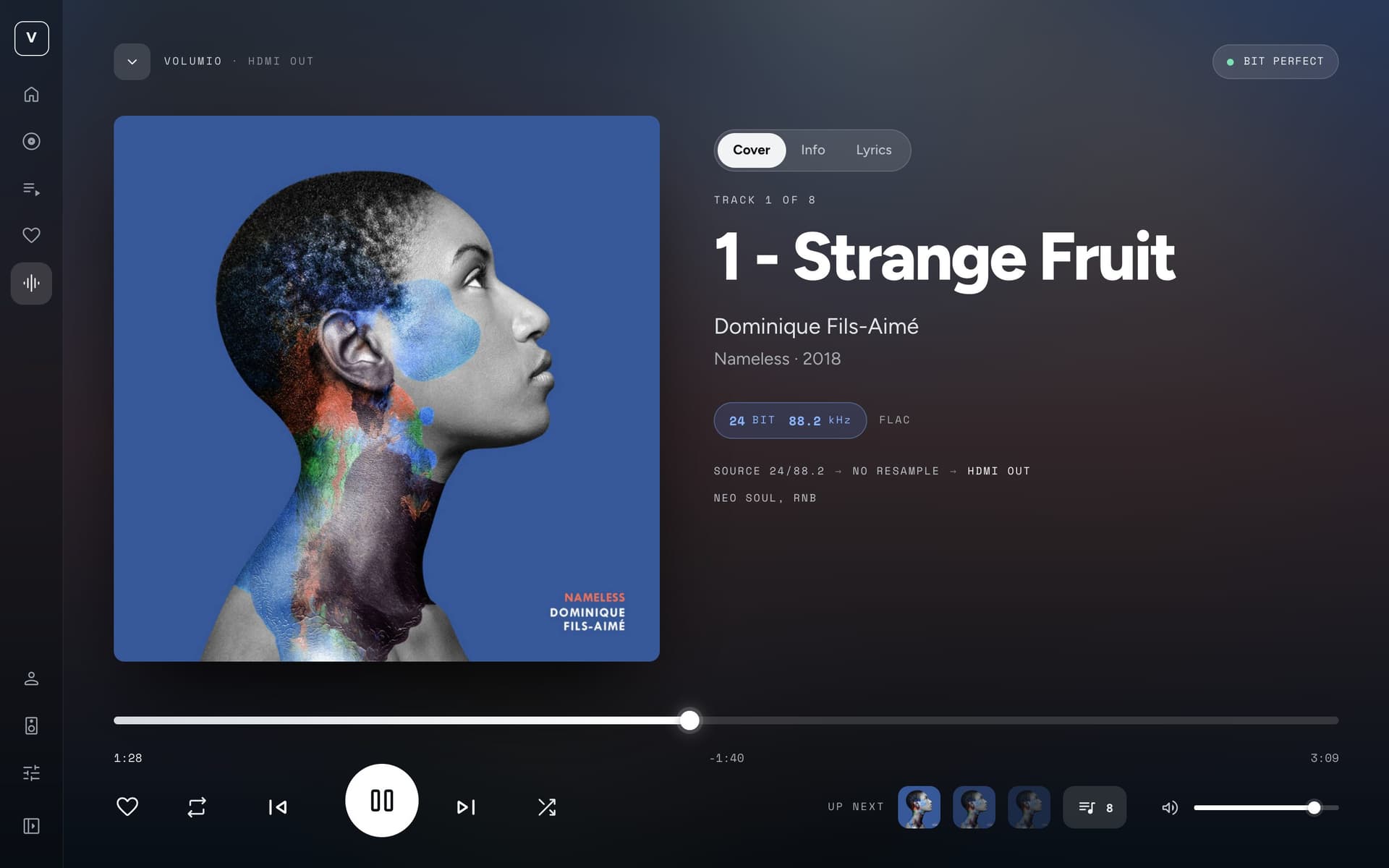
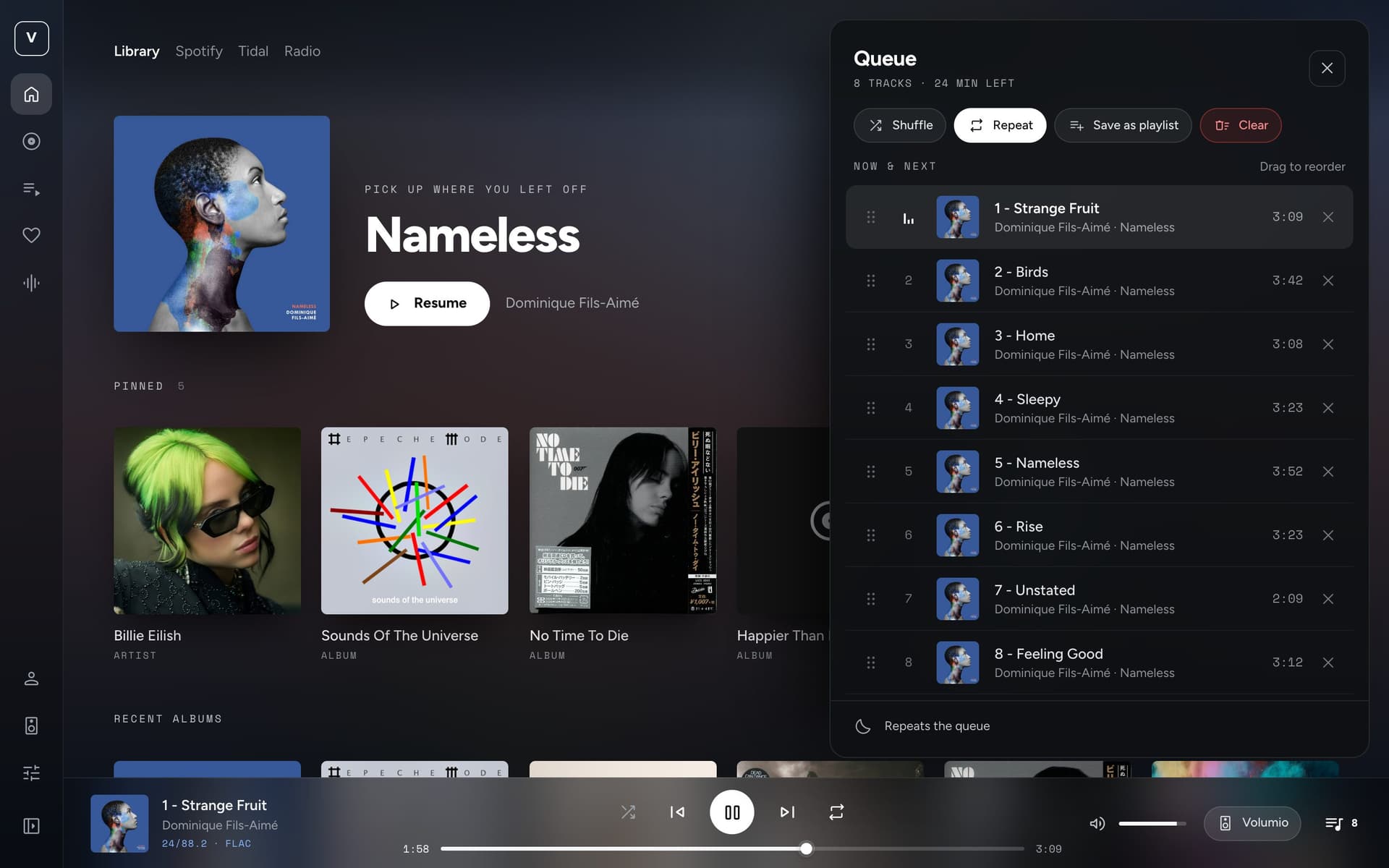
The big one. Since 1.6 the theme has grown the things I wanted on my own player:
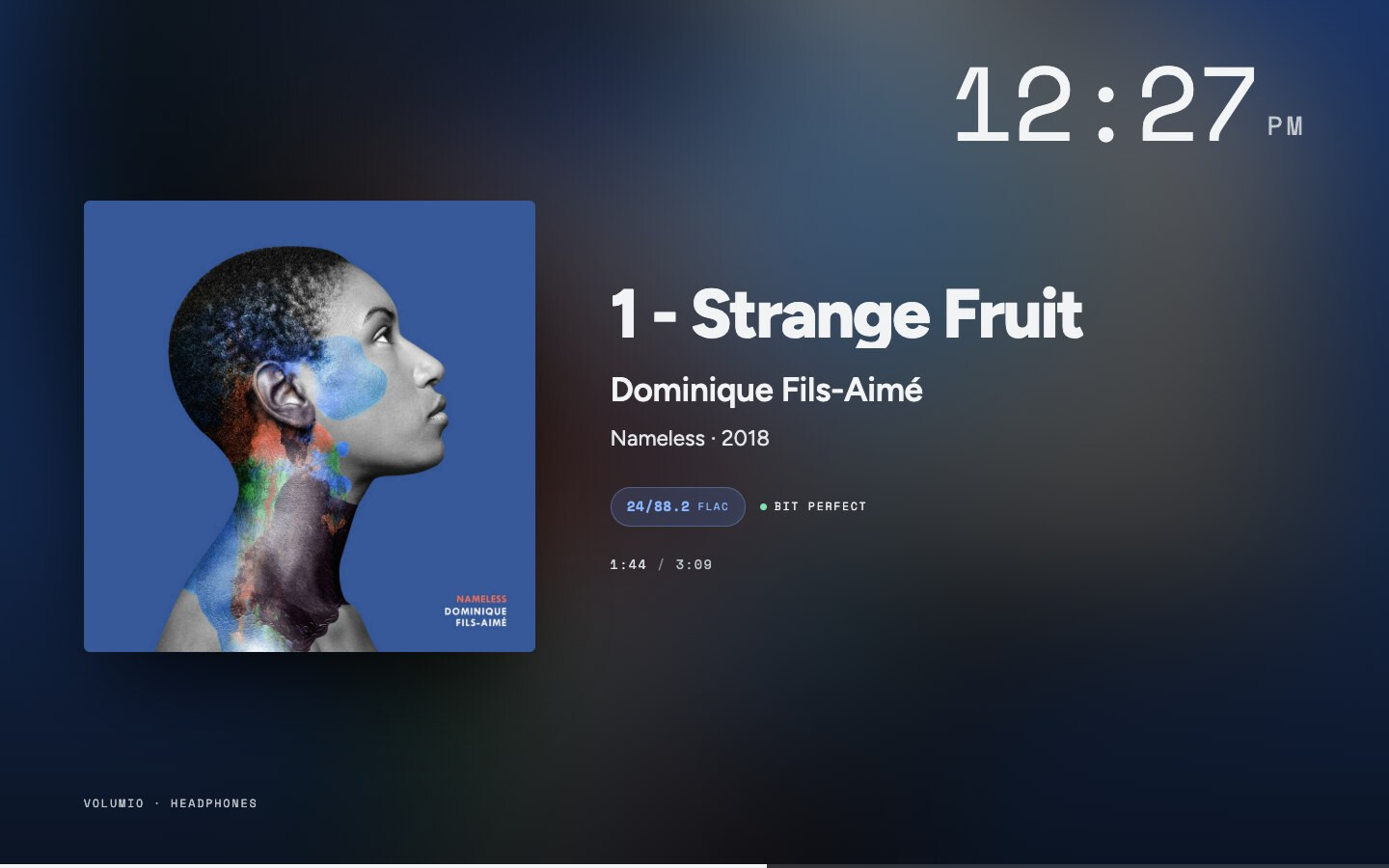
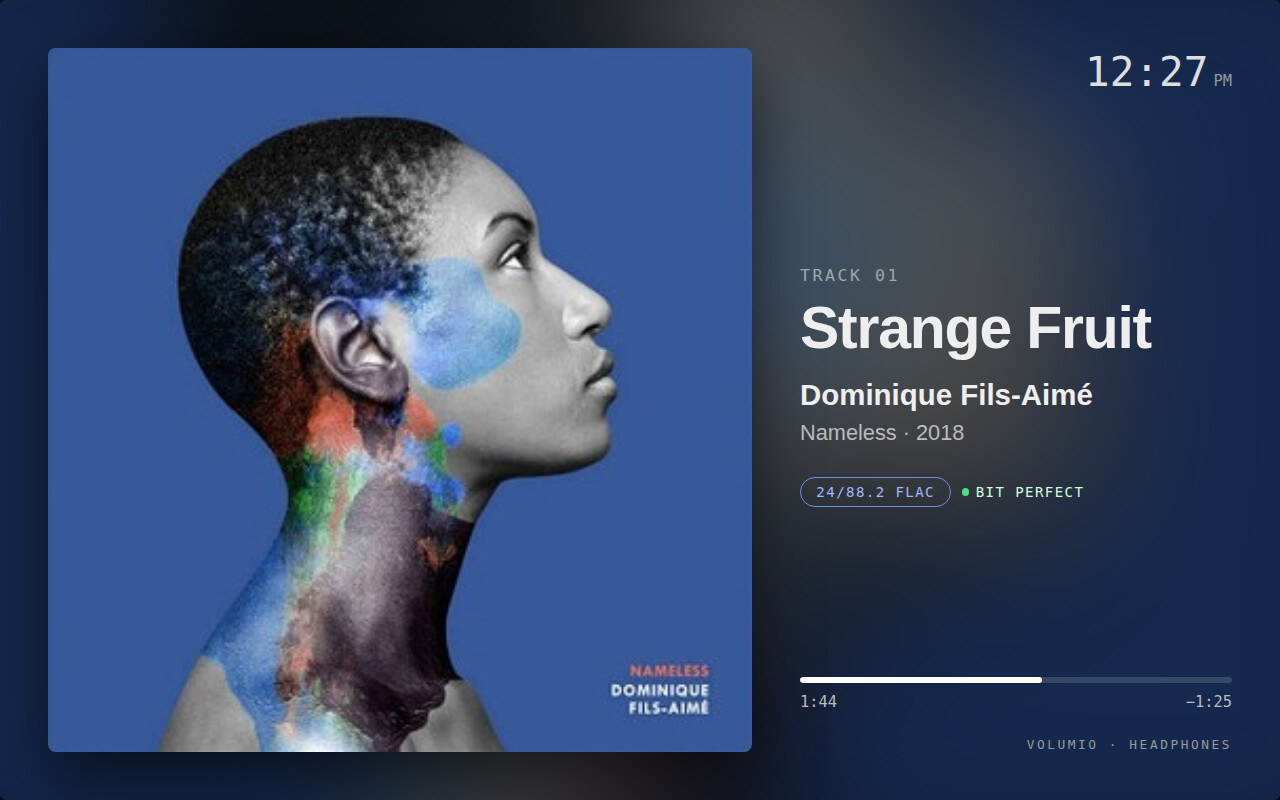
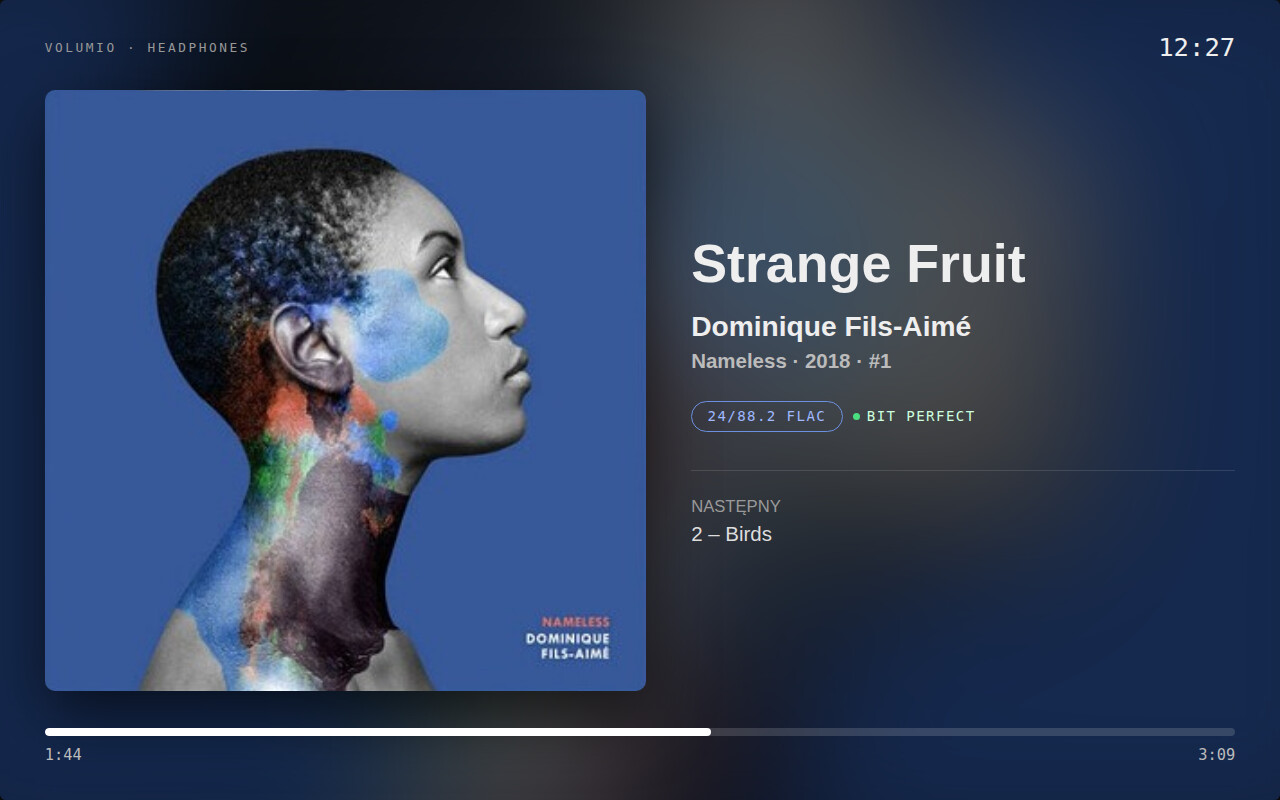
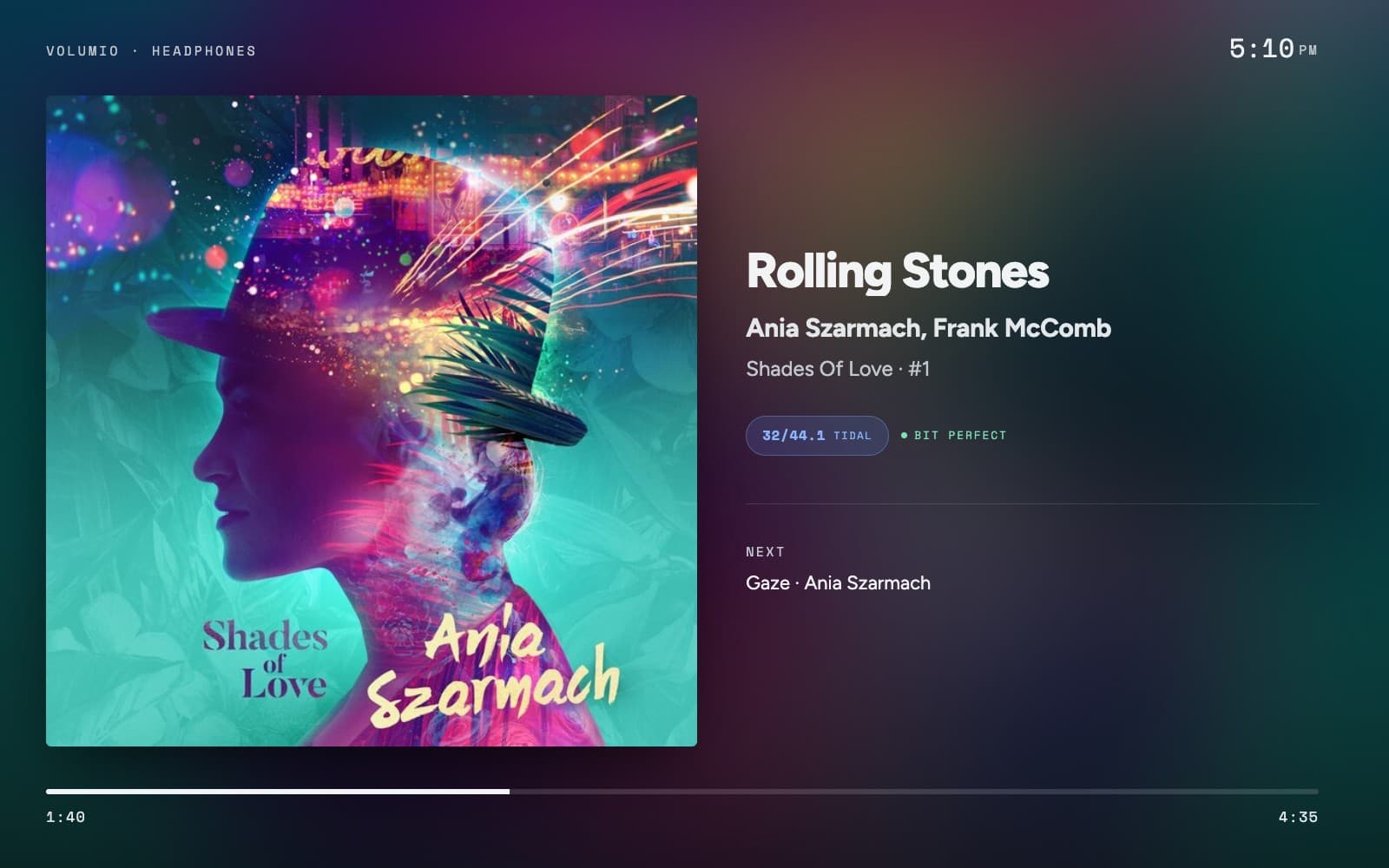
Ambient — after a few minutes without a touch, the player’s own display (HDMI, Touch Display, a TV) gives way to the cover, the essentials and a clock, and comes straight back on touch. Three layouts, night hours that dim it, a slow drift against burn-in.
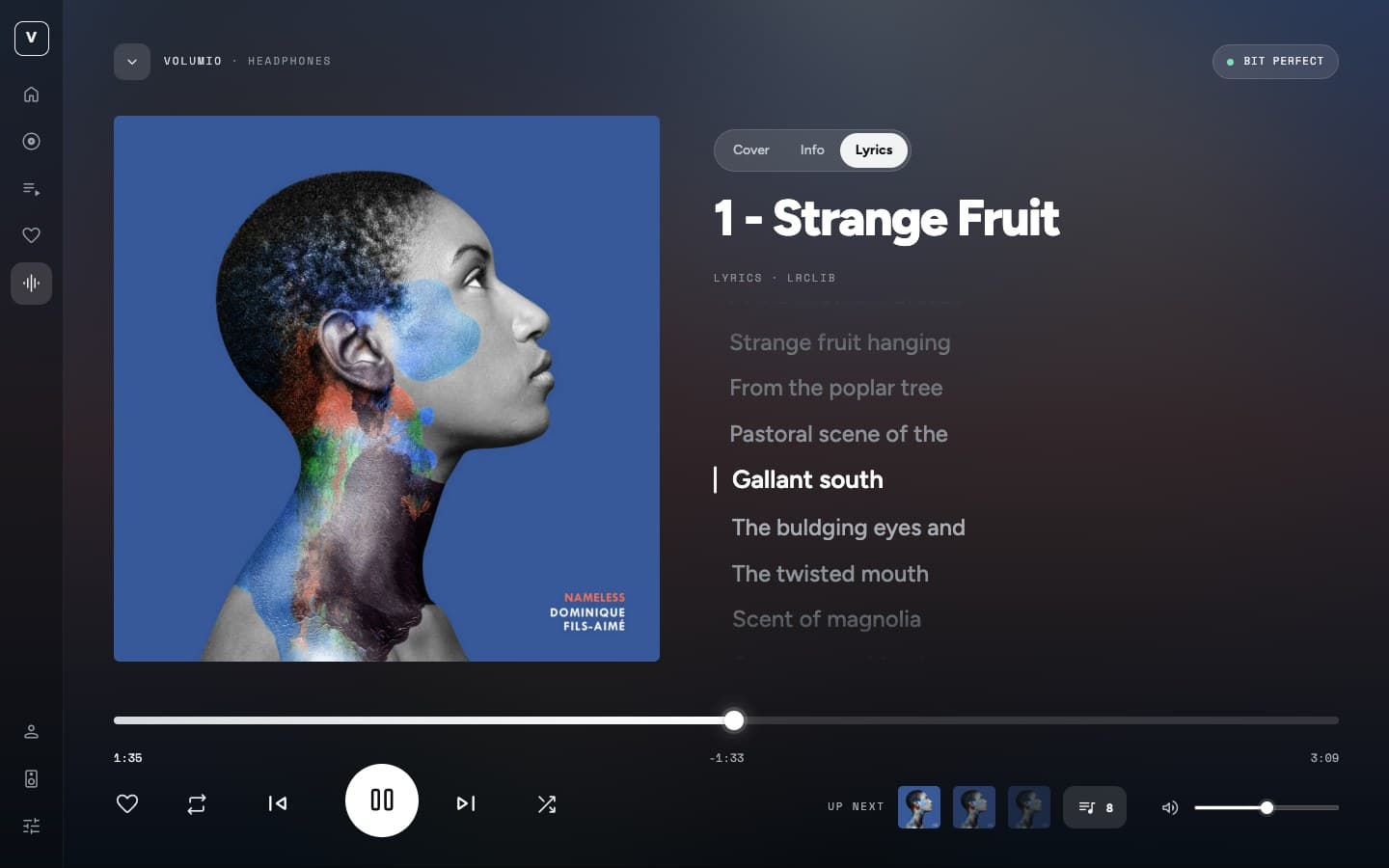
Lyrics — a third face of Now Playing. Synced to the music when LRCLIB has them, a tap on a line seeks there. On the phone they slide up as a panel.
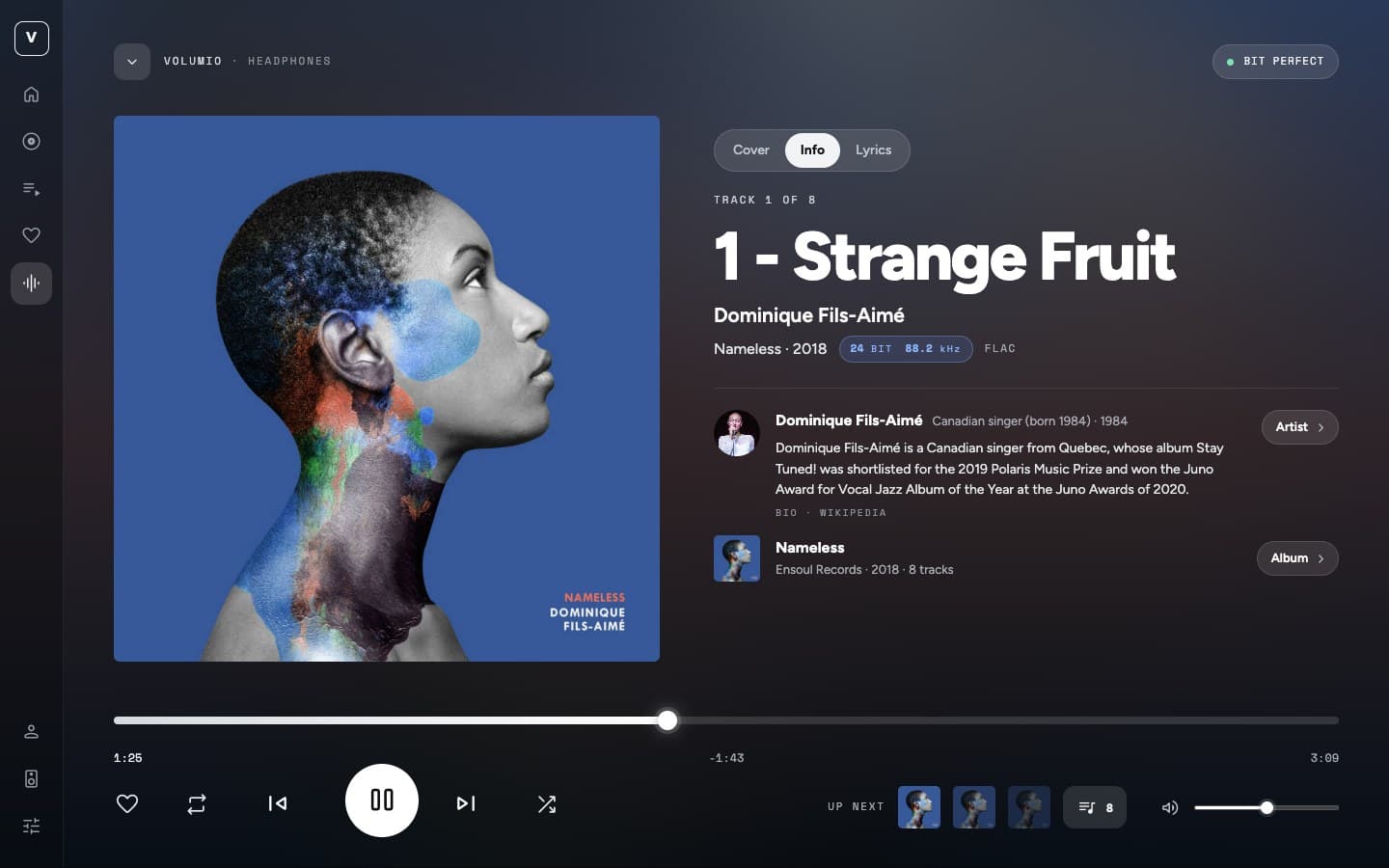
Info — who is playing and what record: the artist’s bio, the album’s label, year and track count, from MusicBrainz and Wikipedia, with a way straight into the library.
Pins on Home, a sleep timer, Play next / Play last with Undo, quality badges (hi-res, DSD, lossless, lossy, radio), album counts in the artists grid, and a search field in Settings that finds any page or section by name.
One thing to know: 2.0 comes with a small plugin.
The interface alone has no place on the player to keep anything, so a choice made in one browser never reached another, and the display on HDMI could not be told anything at all. The Artwork One Companion keeps the theme, the ambient settings and the pins on the player and pushes every change to every screen — set it on the phone, the living-room display follows.
The usual install command puts it in place and restarts Volumio once. No dependencies, nothing sent anywhere. --no-companion skips it and everything still works, per browser.
Hi Michal, thanks for the great work. I have a suggestion for you regarding the layout of the elements on the screen in Ambient mode. It seems to me that there’s currently quite a bit of unused space. I’m just not sure if that’s technically feasible.
Thanks a lot for this, and for taking the time to mock it up. You’ve put your finger on exactly the part I wasn’t at peace with either: the seek bar tucked into the column never felt settled, and the empty band under the text was the cost of it. Your version the cover larger, the bar across the full width at the bottom, the next track under a hairline reads much better, and I really like it. I’m going to implement it along these lines.
Keep the feedback coming, this is precisely the kind I hoped for
Hi @balbuze, thanks a lot for the pointer and for the offer. Having Artwork One in the plugin store would be great.
I read the readme. Artwork One is a theme, not a plugin. It is a third-party UI that Volumio registers in its own list and that you switch in Settings → System. But the store is the only one-click way to get it on a player, so I will wrap it in a plugin, similar to how Stylish Player carries its UI. The plugin will bundle the theme, register it when it starts and remove it when it stops. Version 2.0 already ships a small companion plugin, so half of that is done.
I will follow the steps in the bookworm repo and the submission checklist.
Ok. Just few things
All file must be in the plugin folder.
In the readme of the plugin repo, there’s a linkfor plugin dev. Have a look too.
Install.sh does not need to install node modules. Everything is in package.json
Checking other plugins is a good source of information.
Thanks you.
It does not display information when playing via the Spotify Soloist Connect plugin.
edit - It’s fine after switching to the next track.
edit 1 - wonderful interface!
I just have a question, it might not even be related to the theme.
But during library refresh the ui says that there will be a smal rotating thing somewhere.
I cannot for the life of me find this status thing.
Is it just me thinking wrong in that there should be an object somewhere to show the status of the library rebuild?
Artwork One has been completely rewritten. Earlier versions were a modified copy of Volumio’s old AngularJS interface. Version 3 is a new interface built from scratch in React. It keeps the same look, but it’s much lighter (1.8 MB instead of 7.8 MB), faster and better optimised.
What’s new:
An expandable side menu: one click shows the labels, with your playlists one step away
A Zones page and a side menu with labels
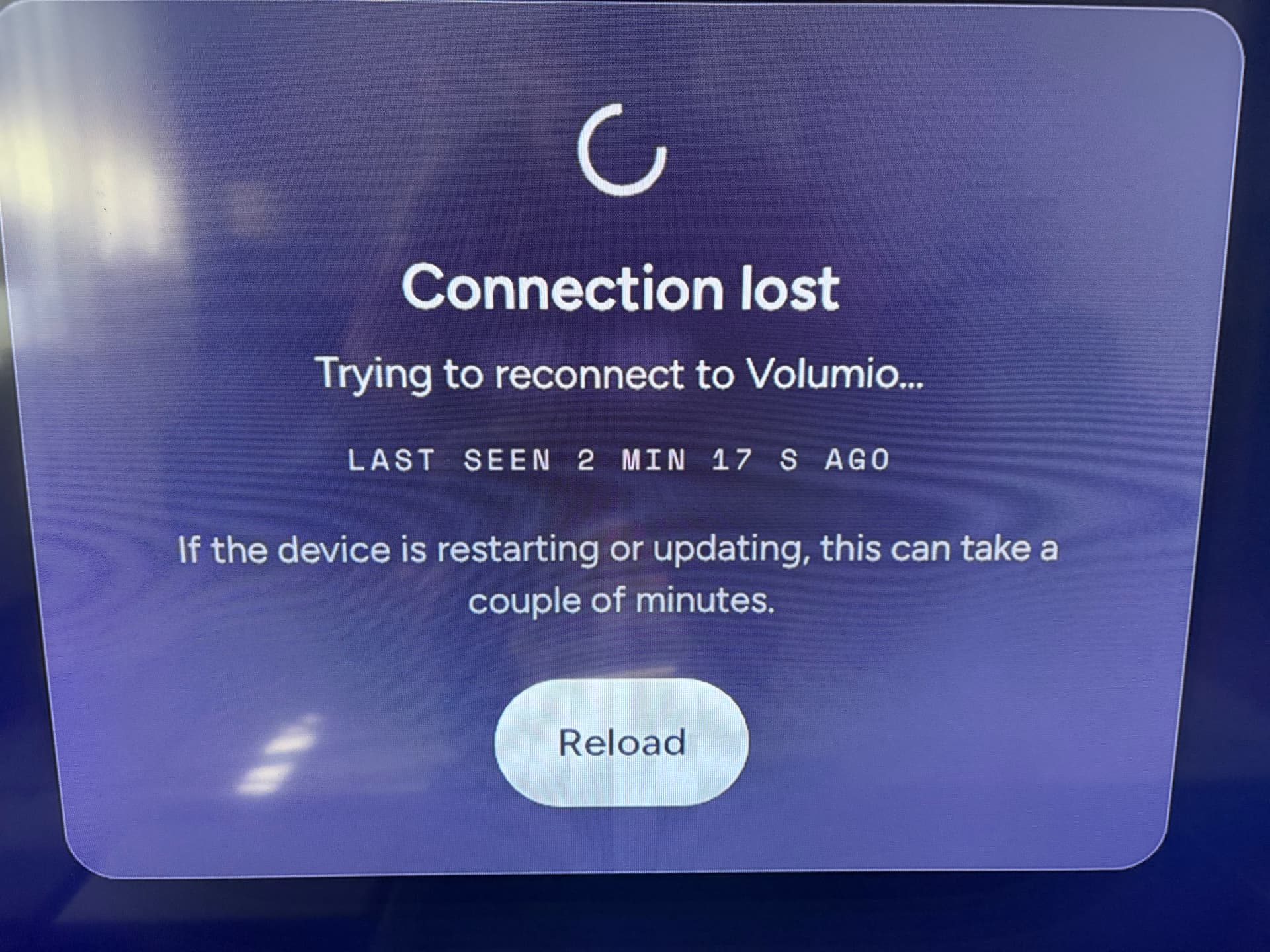
Clear status for a lost connection, AirPlay and other external sources, and library scans
Track count and total time on albums and playlists
Hi @Marius_Rimstad, thanks a lot for reporting this! You weren’t thinking wrong. That message comes from Volumio itself and refers to an icon in its own interface, and Artwork One didn’t show it anywhere.
It’s fixed in the new version, Artwork One 3.0.1. While the library is being indexed, a spinning icon appears at the bottom of the side menu, and in the menu on a phone. Tapping it opens Settings → Sources, which shows Scanning your library… and the counts growing as files are found.
Hi @olivaw, thanks for the suggestions! Good news: both are in the new version, Artwork One 3.0
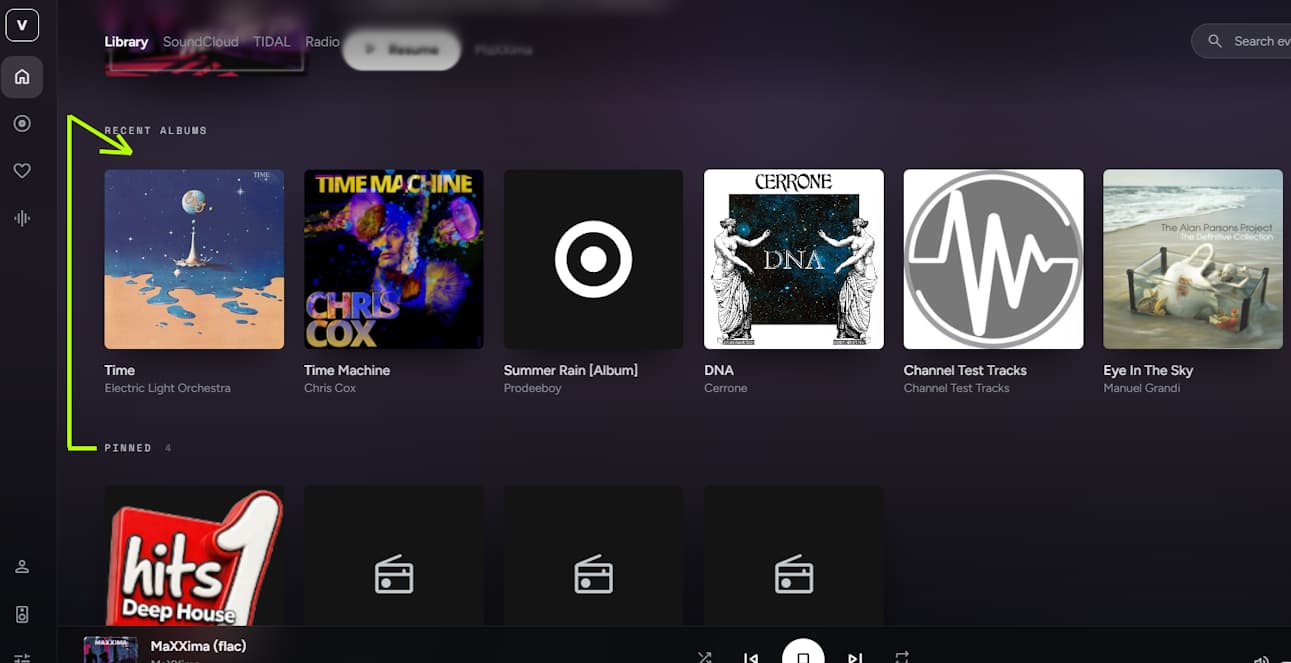
Pinned above Recent albums: on Home, the pinned shelf now comes first.
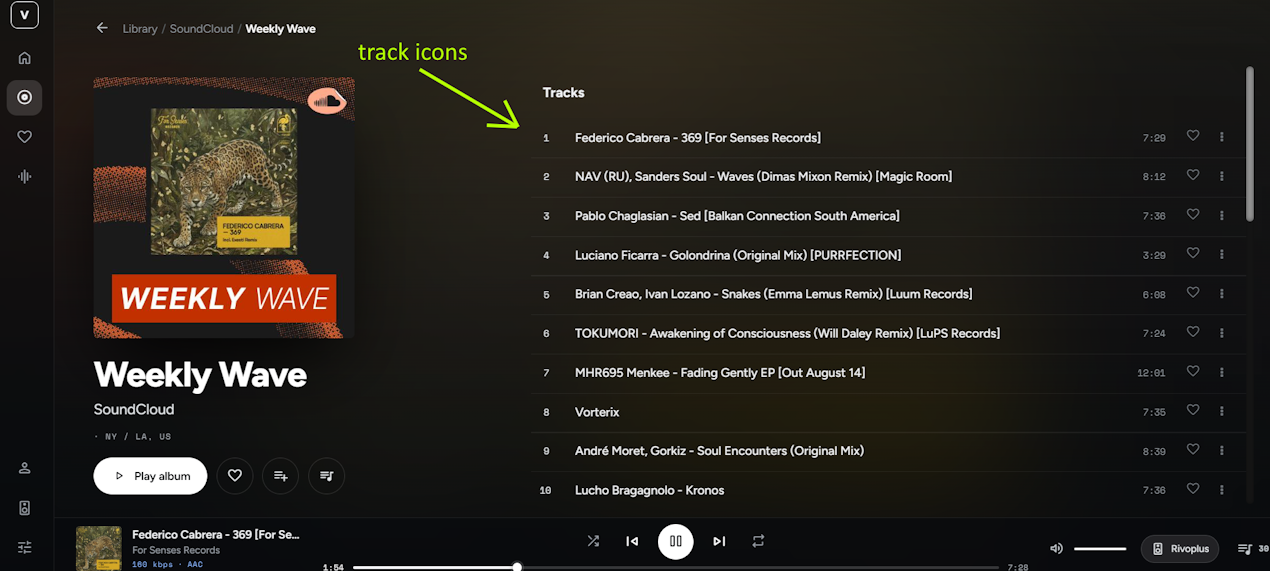
Track artwork and a playback indicator: track rows show each track’s own artwork whenever the source provides it (playlists from Tidal or Spotify, Last 100, Favourites). The track that’s playing gets animated bars, with a small spinner while it loads.
I don’t have the SoundCloud plugin here to test with, so if Weekly Wave still shows no artwork after the update, please post a screenshot and I’ll look into it.
Hi @elvis_detox, I’m really sorry about this, and thanks for reporting it with a photo. It made the cause easy to find. A display connected to the player opens the interface from the player itself, and Artwork One was trying to connect to the wrong port there, so it never got through.
It’s fixed in version 3.0.3. To update, run this over SSH on the player: