Am using my Raspberry Pi based Volumio system as the main source for a modern player piano. As such it MUST operate at a fixed and specific gain value so that the poorly named “analog MIDI” channel is properly interpreted.
I would LOVE to be able to control both the main and accompaniment volume directly via Volumio.
I already have an IR remote emulator in use for some functions of the player and accompaniment system but I have to switch to a separate and rather clunky application on the iPad that is the main controller for the system.
Does anyone know of a pre-existing plug-in with potential for this sort of use? I of course have an original remote for the PianoForce player to copy any necessary codes.
I have no problem constructing a dedicated IR controller if required and [believe] I can devise a way to have it physically connected to the Raspberry Pi via USB without an unsightly arrangement via a small mirror attached to an inconspicuous 3D printed holder. Otherwise it would have to be controlled indirectly via LAN either wirelessly or direct connection to one of the mesh system nodes.
Thanks in advance for any guidance/assistance.
I am having some difficulties to understand what your precise ask is.
- You want a fixed startup volume for Volumio?
- You want an IR controller to control it via IR?
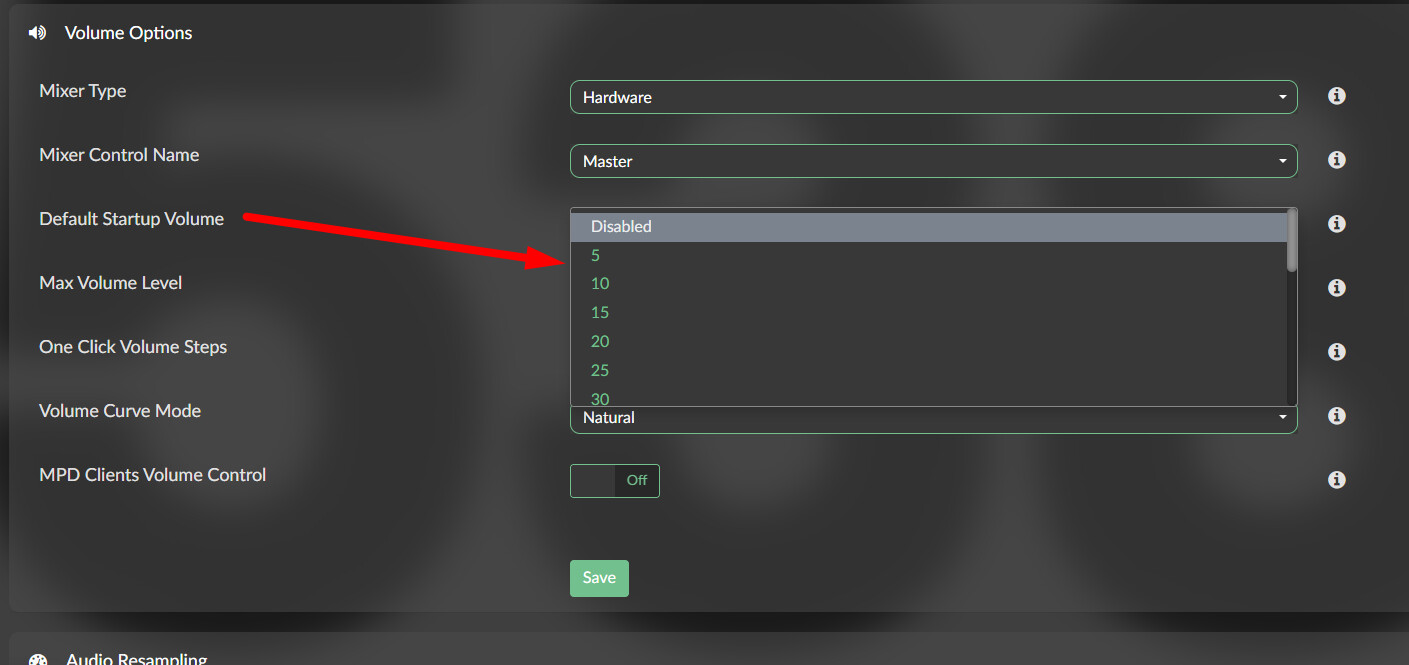
1.You can fix the startup volume in the Playback settings:
2. There is a plugin IR Remote Controller which comes with a bunch of preconfigured RC’s. If you want a very specific RC, like the one from PianoForce player you need to
create you own lircd.conf and
lircrc file.
mkdir /data/plugins/system_hardware/ir_controller/configurations/PianoForce
And copy both files there.
Thank you. I’ve already set default startup and maximum volume levels to a proper value.
The audio output of the Raspberry Pi’s audio “hat” connects to the player piano.
The two channel signal from the Pi to the player has special encoding on one of the channels based upon its general encoding type. The other channel is either blank in the case of a solo piano piece or contains ordinary audio (synced to the physical piano). An “AMI” for (analog MIDI interface) accessory supplied by the player manufacturer then identifies the type of signal routes the “AMI” to the player solenoids and audio (when present) to its mono audio output. The “AMI” encoding is the reason that the Volumio volume must be fixed; if it is too low of a level the physical piano will not play–if too high the physical play is accompanied by an obnoxious squeal. I can’t simply adjust “the” audio channel alone via Volumio because like the encoding it can be on either the left or the right channel.
I have a working system, I’d just like to get the most basic control (volume) back into Volumio instead of using another app.
The IR emulator system is currently set up to control volume and accompaniment volume on the PianoForce player as well as a linked pair of high capacity (300 & 400 disk) changers used that acts as a “live” source to Volumio via a Toslink to USB adapter. It also controls the miniDSP 2x4 crossover/sound processor and one pair of small loudspeakers that make up a part of the complex accompaniment system. None of these are frequently used and some functions are omitted as they require visual feedback from the display on the CD changers or could potentially damage the system if used during actual operation I also use Toslink to connect the player’s audio output to the miniDSP 2x4 so there is no electrical connection between the player and the accompaniment system.
In this state the ONLY way to adjust the volume of both the physical piano and the accompaniment is via the PianoForce player. Of course it has an IR remote but as often as not I’m not in the same space as the piano when it’s playing so a use an IR remote emulator and its own software to control the volume. (The PianoForce also has an app that allows full control via the wireless LAN but it is a TERRIBLE app that repeatedly looses connection.)
What I’m looking for an a Volumio plug-in that gives me at least one (main volume) command that can be routed to either my existing remote emulator or–if necessary–a dedicated custom IR emitter. Two controls would be better as the accompaniment level can be adjusted independently of the main volume that affects both the player and the accompaniment. The purpose is to avoid switching apps and using the PianoForce app as little as possible.
Forgot to mention that I’ve already investigated and installed that IR Remote plug-in. The problem is that it works in the wrong direction with the IR commands controlling the Volumio and not Volumio controlling another device. Or did I miss something?
Maybe a community member who dealt with a similar setup can chip in, as I don’t have a solution in place.
Thank you again @Wheaten
The rather unusual nature of the setup is exactly why I asked here [nearly] first after a reasonably thorough examination of the available plug-ins.
I’m adapt if old-fashioned programmer. Unfortunately though the two languages with which I have excellent familiarity (machine language for x86 CPUs and Visual Basic 6) are archaic. I generally stopped programming in 2008 just as I was about to migrate to another language (likely “C” as it seems most familiar to the PLC I learned but never used outside of University).
VB6 and C, so you went to school in the early 2000’s?
Try 1980s-90s after teaching myself IBM-BASIC, IBM-BASCOM and rudimentary MASM. Other than machine language the only language taught at my admittedly second-rate state University was PL/C explained to me as a sort of “all-purpose structured programming environment.” Meanwhile I was writing programs for profit using “Quick Basic” with some select machine language routines. My professors utterly eschewed BASIC because the “B stands for ‘beginners.’”