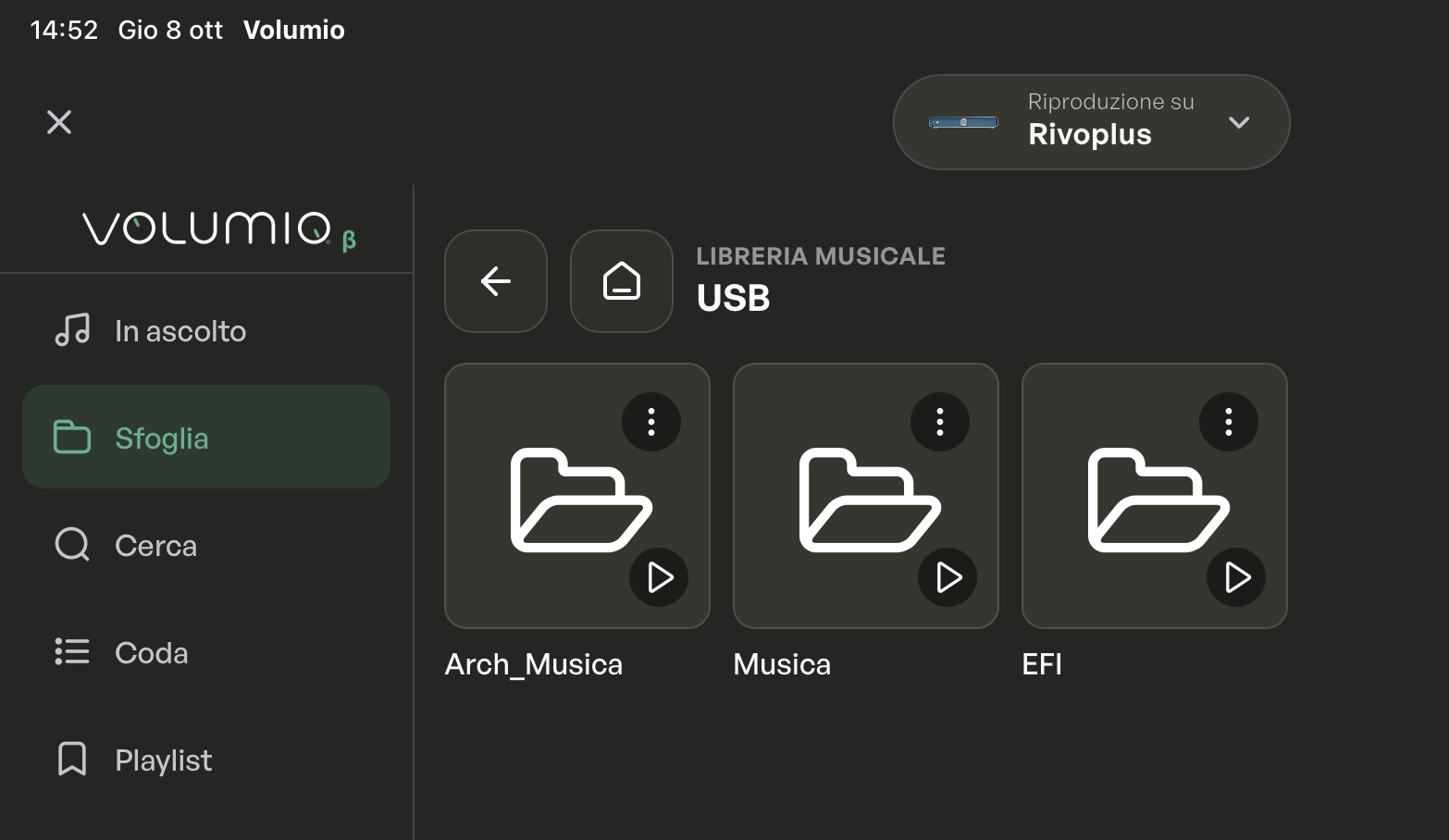
My software has just recently updated to version 4.208. Now I can no longer select usb out on my Rivo + and usb no longer works.
What to do?
Best regards Lars
My software has just recently updated to version 4.208. Now I can no longer select usb out on my Rivo + and usb no longer works.
What to do?
Best regards Lars
Hi @Damo1, thanks for the report.
After an update it’s worth checking the playback settings, as they may have changed. Please try:
1. Go to Settings > Playback Options, select your DAC again as the Output Device, and press Save.
2. In Volume Options, check the Mixer Type: if you control the volume from your DAC or amplifier, set it to None. Save again.
3. If you have a screen connected via HDMI and don’t use it, go to Settings > System > Video Output Options and set User Interface via HDMI to Off.
4. Restart the Rivo and test again.
If the glitch still happens, please open a support ticket here: Jira Service Management
Include a log taken right after the glitch (open http://rivo.local/dev in a browser and click “Send logs of bug report”), so our team can look into your specific case.
Hi @Lidsmoes, sorry for the trouble.
The USB output only appears in Playback Options when the DAC is detected. Please try:
1. Make sure your DAC is switched on before you power on the Rivo+, then restart the Rivo+.
2. Go to Settings > Playback Options, select your DAC as the Output Device and press Save. Then restart and give it a few minutes.
3. If it still doesn’t appear, try another USB port and, if possible, another USB cable. It’s also worth checking whether a firmware update is available for your DAC.
If none of this helps, please open a support ticket here: Jira Service Management
Include your DAC model and a log (http://rivoplus.local/dev > “Send logs of bug report”), so our team can check what’s happening after the update.
Hello Marco
Thank you for your help. I have followed your instructions and it works well now.
Best regards Lars
Happy to report that V4 is now working much better, I am especially liking the new Nova UI. I think my issue with search crashes are now also resolved, things are looking up 
Rivo Plus updated to version 4.208; now it doesn’t see (icon does not appear) the CD player connected via USB and so I can’t play or rip. (same configuration as before, with version 3, when ripping worked). The CD player reads (led blinking) and ejects the disc, so the connection works…
You should post a log. Debian Bookworm is way more critical (read less forgiving) on power (over) usage. But without log it’s just guessing.
Please paste the generated URL.
As @Wheaten said, having the log would be the best option. Just to be safe, first you can try to see if increasing the speed from Settings → Sources → CD Playback and Ripping → gear icon changes anything, but it’s more likely a power issue. Also try changing the USB port
@Wheaten , @Zabriskije thanks; this is the log:
http://logs.volumio.org/rivoplus/m9jkJ17.html
The port is the same as before (when the Rivo “saw” the CD) and the other port is occupied by the hard disk.
Changing the speed does not achieve any results…
The situation got worse. At a certain point the application stopped reading the contents of a folder, and then it only read a few folders, but the files in those folders still wouldn’t be read. I tried rescanning the hard drive, and now it read all the folders. I started an album, then added another to the queue, and it started giving the message that it couldn’t decode. From then, whatever I did in the application, the connection was immediately lost, again and again, and turning it off and on again would give the message “player restarted,” but then it would continue to lose the connection. I disconnected the CD player, but the situation remained unchanged, and now I can’t use the Rivo anymore…
I’ve passed both logs on to the development team so they can check what’s going on. I’ll let you know as soon as I have an update.
Edit:
I checked the log regarding the CD drive, and it’s correctly detected by the system:
Bus 001 Device 003: ID 0e8d:1806 MediaTek Inc. Samsung SE-208 Slim Portable DVD Writer
Could you try using the other USB port to see if you can get it working that way?
It looks like FusionDSP is most likely the problem. The reason you keep seeing those disconnections is that the plugin crashes and the device reboots. I know it might be tricky, but if you can manage it in time, try disabling FusionDSP as soon as you get connected to the device.
Otherwise, the other option is a factory reset.
@Zabriskije The reason I had enabled the DSP plugin was that the Rivo was again unable to play files. This was a problem that had already occurred immediately after installing version 4 and that was solved by enabling the DSP. This time it didn’t work, and now, after disabling the plugin, it no longer crashes but no longer plays anything from the hard drive, always with the same “failed to decode” message or without any message at all.
With the radio it plays…
Could you please restart the device, reproduce the issue, and then send the log again? This is to better isolate the problem now that FusionDSP is disabled.
@Zabriskije I rebooted the Rivo - the hard drive wasn’t seen in the correct format (see attached image), so I did a new scan - now the files play, but there’s no sound (not even with the radio). Compared to a few days ago, the system seems less stable (sometimes a new window opens without any text, and I have to go back and forward again for it to appear). I also changed the output (from USB to i2s) to another DAC and amplifier but still no sound.
http://logs.volumio.org/rivoplus/KvHUKjr.html
.
Thanks for the log, I’ve shared it with the dev team. I’ll let you know as soon as I have an update.
Edit: It looks like Volumio isn’t setting the volume correctly. Try switching back to Preciso and set the volume mixer in Playback Options to Software or None if you’re using I2S.
As advised in Nova post,I am again raising some findings here:
NEXT>>>> well, the problem now escalates> with ANY (even with Music Library Super Search disabled bc of 5000+ albums- issue being reported already) ‘search’ actions , Volumio gets killed/ not responsive (please check the log attached). When is this quirk to be finally solved???
http://logs.volumio.org/rivo/mk1jfVA.html
Restart is the only solution left…
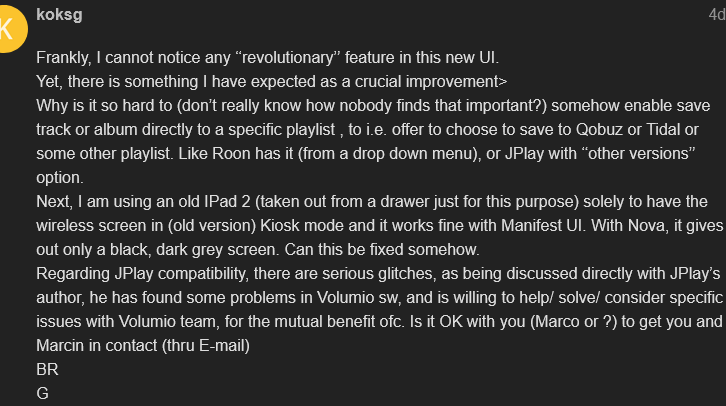
Saving tracks and albums directly to streaming service playlists and the JPlay integration aren’t on our roadmap at the moment, though we appreciate the offer to get in touch with Marcin. As for the library issues, we’re actively working on a fix for MPD, but we don’t have an ETA yet.
Okay, your ‘‘roadmap’’ is not maybe to my liking, but how about to, instead being occupied of what and where some button to place in UI, you start to deal with a serious stuff.
Again and again, Rivo Volumio UI gets stuck after any search attempt (even when media library super search disabled), cannot play anything, have to do a soft restart, which by the way together with powering on and getting ready now takes minutes- a lot more than before (sometimes even with two sound alarms alaming readiness).
So search command in general regularly makes problems!
Funny enough, JPlay does play thru, while Volumio app stuck! Pitty you won’t discuss it with that Polish guy, i.e. he has found what’s wrong in Volumio’s UPnP in seconds by examining JPlay’s logs I’ve been sending to him.
Well, I am in minority obviously, seems most users do not have more than one streaming service (if any),saving track and albums in their libraries in Volumio only, don’t mind to fast search an album but prefer time consuming scrolling (yes and in the very stuttering behavior in IOS app) down the lists…
Log hopefully to describe the search issue:
http://logs.volumio.org/rivo/9d6FYcF.html
The issue has already been identified, problem is the fix is a bit tricky to implement because it affects a core part of the system and requires a lot of effort, but we’re actively working on it. I’ve also sent the new log to the dev team, and if you’d like to share the information you mentioned, it would be more than welcome.