Thanks for your report guys, yes there’s a performance issue deriving from the latest wifi code. We’re coordinating on how to fix it .
Thanks for your patience and feedbacks!
Thanks for your report guys, yes there’s a performance issue deriving from the latest wifi code. We’re coordinating on how to fix it .
Thanks for your patience and feedbacks!
4.080 seems really ok. The best Tidal connect stability in history I think  WiFI stable. 2nd day without any problem. Undervoltage only during startup. Should be so many attempts to start mpd in idle? It seems it tries all the time after boot:
Dec 15 10:53:49 volumio123 upmpdcli[21935]: Could not open config: /tmp/upmpdcli.conf
Dec 15 10:53:49 volumio123 systemd[1]: upmpdcli.service: Main process exited, code=exited, status=1/FAILURE
Dec 15 10:53:49 volumio123 systemd[1]: upmpdcli.service: Failed with result ‘exit-code’.
Dec 15 10:54:04 volumio123 systemd[1]: upmpdcli.service: Scheduled restart job, restart counter is at 755.
Dec 15 10:54:04 volumio123 systemd[1]: Stopped upmpdcli.service - UPnP Renderer front-end to MPD.
Dec 15 10:54:04 volumio123 systemd[1]: Started upmpdcli.service - UPnP Renderer front-end to MPD.
Dec 15 10:54:04 volumio123 upmpdcli[21965]: Could not open config: /tmp/upmpdcli.conf
Dec 15 10:54:04 volumio123 systemd[1]: upmpdcli.service: Main process exited, code=exited, status=1/FAILURE
Dec 15 10:54:04 volumio123 systemd[1]: upmpdcli.service: Failed with result ‘exit-code’.
Dec 15 10:54:19 volumio123 systemd[1]: upmpdcli.service: Scheduled restart job, restart counter is at 756.
Dec 15 10:54:19 volumio123 systemd[1]: Stopped upmpdcli.service - UPnP Renderer front-end to MPD.
Dec 15 10:54:19 volumio123 systemd[1]: Started upmpdcli.service - UPnP Renderer front-end to MPD.
Thanks @Nerd:
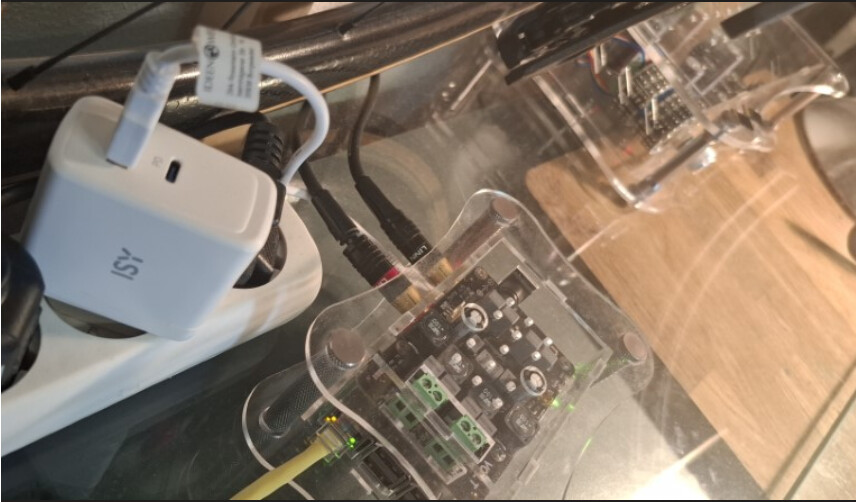
After replacing my power supply with a 65W charger and using a thicker cable that is only 10 cm long instead of the previous 60 cm charging cable, I have not experienced any undervoltage messages or playback dropouts (at least so far). Not even when I have Fusion DSP activated, which, in combination with the Allo Boss DAC, is certainly a particularly vulnerable configuration due to its “super capacitor” in the analog path. Thank you very much for this crucial hint!
Edit (17.12.): After just a few hours of listening, I believe that the improved power supply has not only eliminated the stuttering, but also improved the sound quality, which I understand to be technically plausible given my setup (Raspberry Pi 3B Rev. 1.2 and Allo Boss 1.2 with a previously borderline power supply). It’s great to have this fixed 
Hi. Does the WiFi card Tp-Link Archer T3u Plus work with Volumio 4?
Is the Volumio 4 compatible with the UsBridge Sig?
Please look her, I think it will solve your issue:
Love the new version, much snappier and reliable. Two issues tho.
No sound comes out of any of my streamers when DSP plugin is activated. It can be installed but not activated, then music stops. Un-installed and re-installed with restarts in between on all units with no luck
Second one is that I can not connect them to Wifi, only ethernet works. Tried connecting to wifi while on ethernet. I enter the password. it says restarting network or so but it does not connect.
I Use 3x Raspberry Pi 4b with pi2aes / Audiophonics i2s hat/ no hat just USB to a dac.
Volumio version: 4.073.
I had the same problem with Wifi 4.073,
update to 4.081 or 4.080 seems fix the Wifi problem.
ah okok! thank you! will try to figure out how! embarassing how little i know after all the years with volumio! Hope to have a solution to DSP soon also, miss tweaking the iems! 
Sorry if this is a redundant bug report about WiFi. I have an RPi 5 / 8GB and I am unable to connect with the onboard wireless to either my 2.4 or 5 GHz networks.
This looks relevant in the logs:
Dec 19 01:42:17 volumioden wpa_supplicant[2432]: nl80211: kernel reports: Registration to specific type not supported
The WiFi does work. I can connect to my home network in RaspiOS with nmcli in Trixie.
Here is the bug report:
http://logs.volumio.org/volumio/36gL64K.html
Perhaps there is information you can use. Thanks!
EDIT: This is v 4.081 by the way.
Updated 4.071 to 4.083 over OTA and had no issues.
Raspberry 5
HiFiBerry DAC+ Pro
NFS share over Wifi
I’ve been running it a few days and have had to do a hard reboot a few times to get connectivity to the webgui. The most recent time was yesterday morning around 9am I was streaming web radio and then found the gui lost connectivity when I went to change the volume. I went and unplugged/plugged power and came back up with no issue.
Here is the log I took
https://logs.volumio.org/volumio/jZdQAyp.html
Rapberry pi 4
hifiberry dac
rpi 7" screen
wifi dongle T3u archer
All working on 4.081
Thanks for the dongle fix
I doubt we have this release yet. I have not seen this episode yet.
Kind Regards,
@nerd lol sorry I must of gotten access to a pre pre alph release
JK it is 4.081 sorry. I see there is a 4.082 available I’ll give that a try and keep testing.
Dear Volumionauts,
Volumio 4.082 includes a significant redesign of the wireless networking system. We are looking for community feedback to validate behavior across different hardware configurations. As explained before, Single Network Mode is in effect.
What changed
The wireless daemon has been rebuilt to improve reliability of:
What to test
How to report
Success: Device model, WiFi adapter (onboard or USB model), what worked
Failure: Device model, WiFi adapter, what failed, log link from /dev or content of /tmp/wireless/log.
KNOWN LIMITATION
RTL8822BU-based USB WiFi adapters have driver-level issues with hotspot mode that are not Volumio-specific. If you need USB WiFi with hotspot support, MediaTek-based adapters (such as Alfa AWUS036ACM) are wider adopted by linux communities and have better kernel support.
Kind Regards,
Rebooting router while connected via WiFi: success
Raspberry Pi 3 Model B Plus Rev 1.3
Onboard wifi adapter
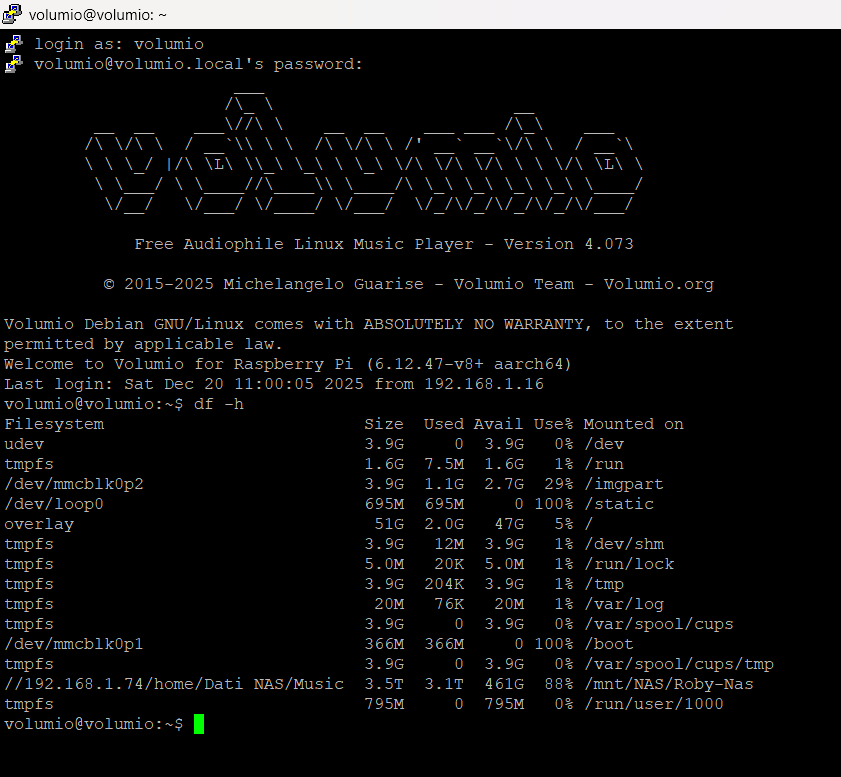
@Wheaten @nerd Hi, our dear GURU. I installed Volumio 4 on my sd Rpi5, and all was ok.
But if i want modify my userconfig.txt, by Putty or Filezilla , it became impossible and the modification fails! As if it was read only system…!
Could you help me?
Which version are we talking about?
Volumio 4.073
I can’t find/replicate any issues with V4.073 as you described.
Is it possible you modified /boot/userconfig.txt as sudo?
What is the output of: ls -als /boot/userconfig.txt