I thought an issue with the files/tags too, but I’ve worked through checkiong them and can’t find an issue (at least with The Cars).
I never use AlbumArtist except for Various Artists on a VA album. I only use Artist on normal albums.
I’ve retyped the Artist field and Album field to ensure no strange characters/spaces/etc. It didn’t fix the problem.
I have carefully hunted down any cue files and removed them some time ago (they were triggering errors in flacsquisher that I run on the Volumio backup drive to create mp3 files for my car head unit). The affected albums definitely don’t have cue files.
Running that ffprobe command gave an error about grep options,
volumio@volumio:~$ ffprobe -hide_banner “/USB/MUSIC/The Cars/The Cars/01”*.flac 2>&1 | grep -E
Usage: grep [OPTION]… PATTERNS [FILE]…
Try ‘grep --help’ for more information.
volumio@volumio:~$
Other self-titled albums do not show this problem.
Additional info - I added two new albums today, Darren Hanlon - Hello Stranger and Darren Hanlon - Life Tax
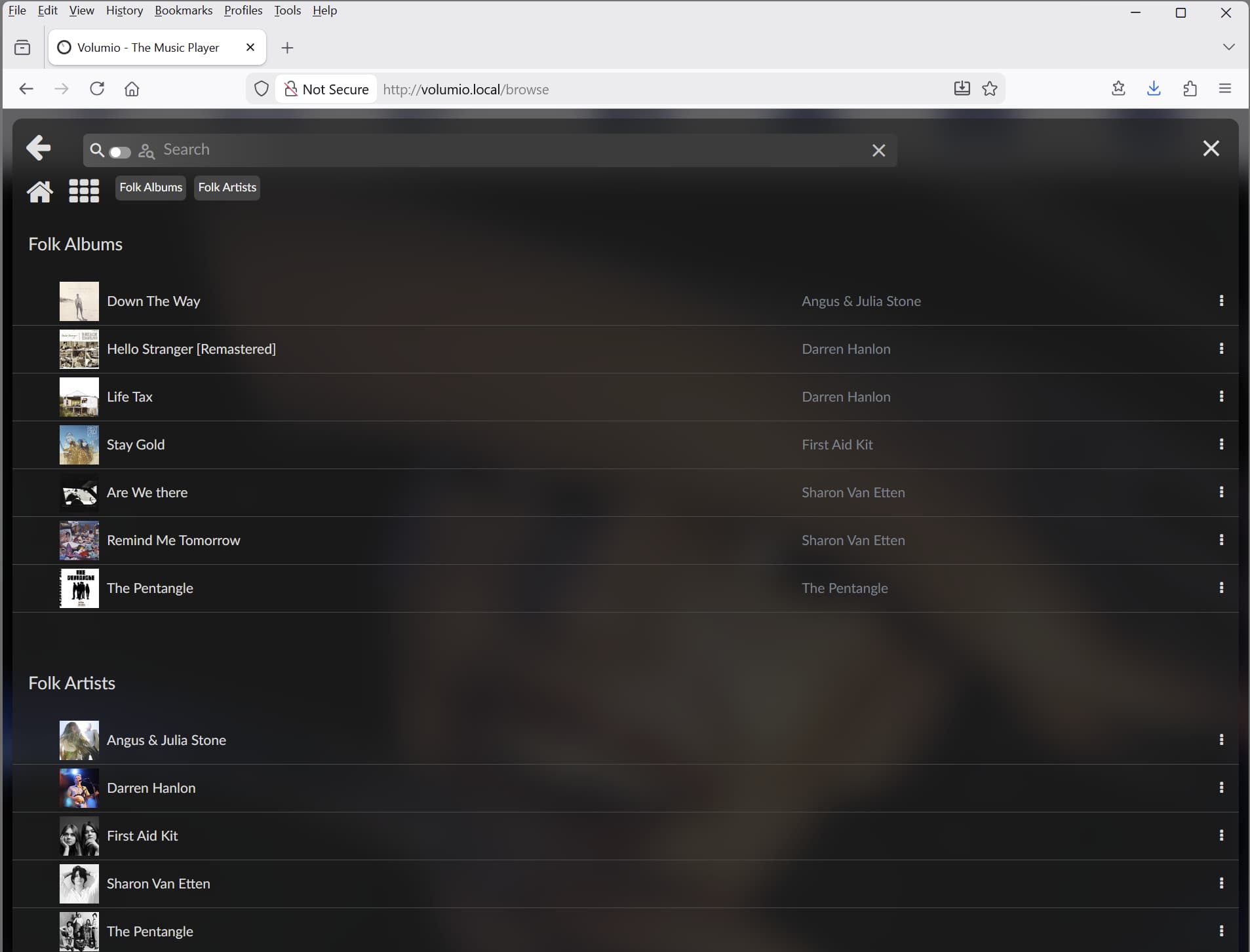
Neither the artist or the albums show in Artist view. The artist and both albums show in Genre (folk) view.
To further rule out tags as the issue, I copied the Artist tag from a working The Cars album (Candy-O) and pasted it to the failing self-titled album files , resaved, then did a music database update. The self-titled album is still not showing in Artist view.
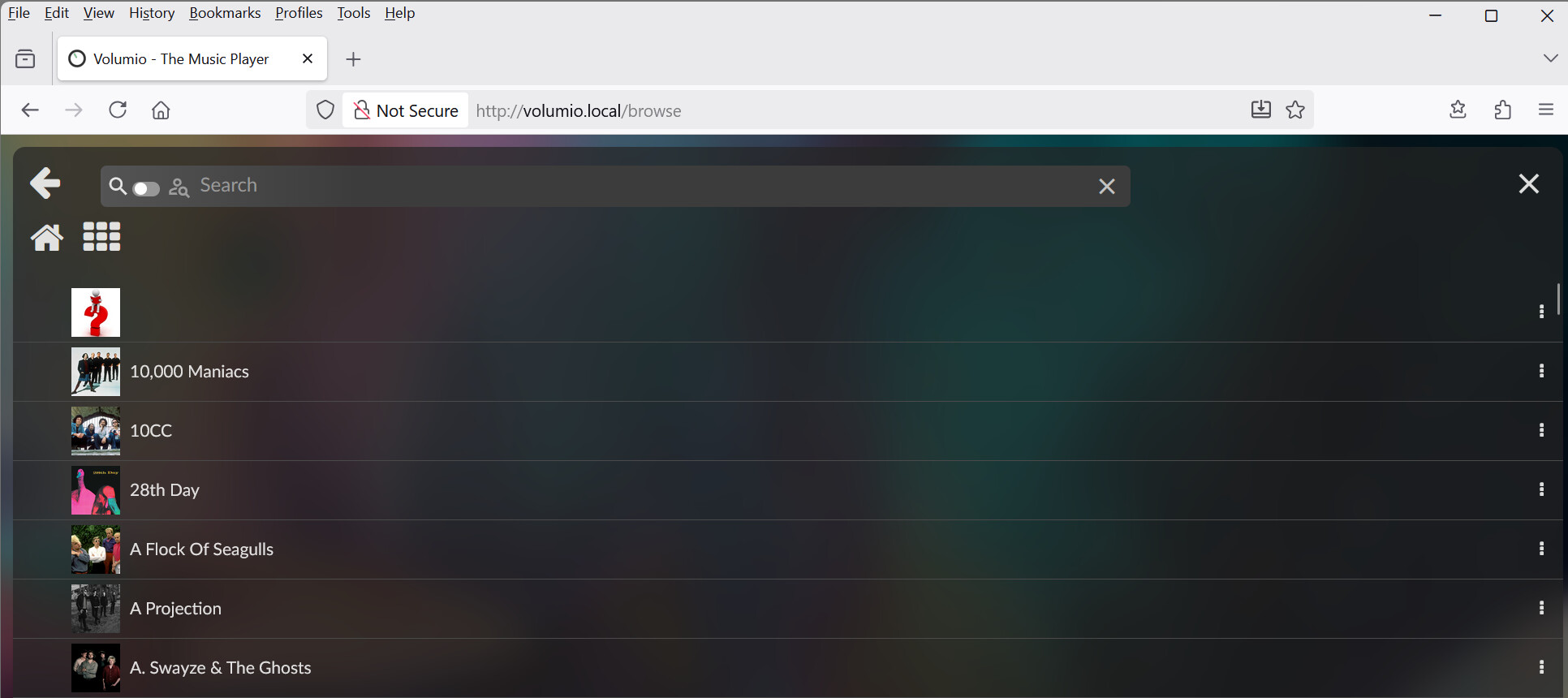
I think I found the source of your mystery folder problem in the log.
At line 30313:
Dec 12 11:28:17 volumio volumio[1460]: info: CURURI: artists://%20
That %20 is URL-encoded SPACE character. Your mystery folder is literally an artist entry named " " (single space character).
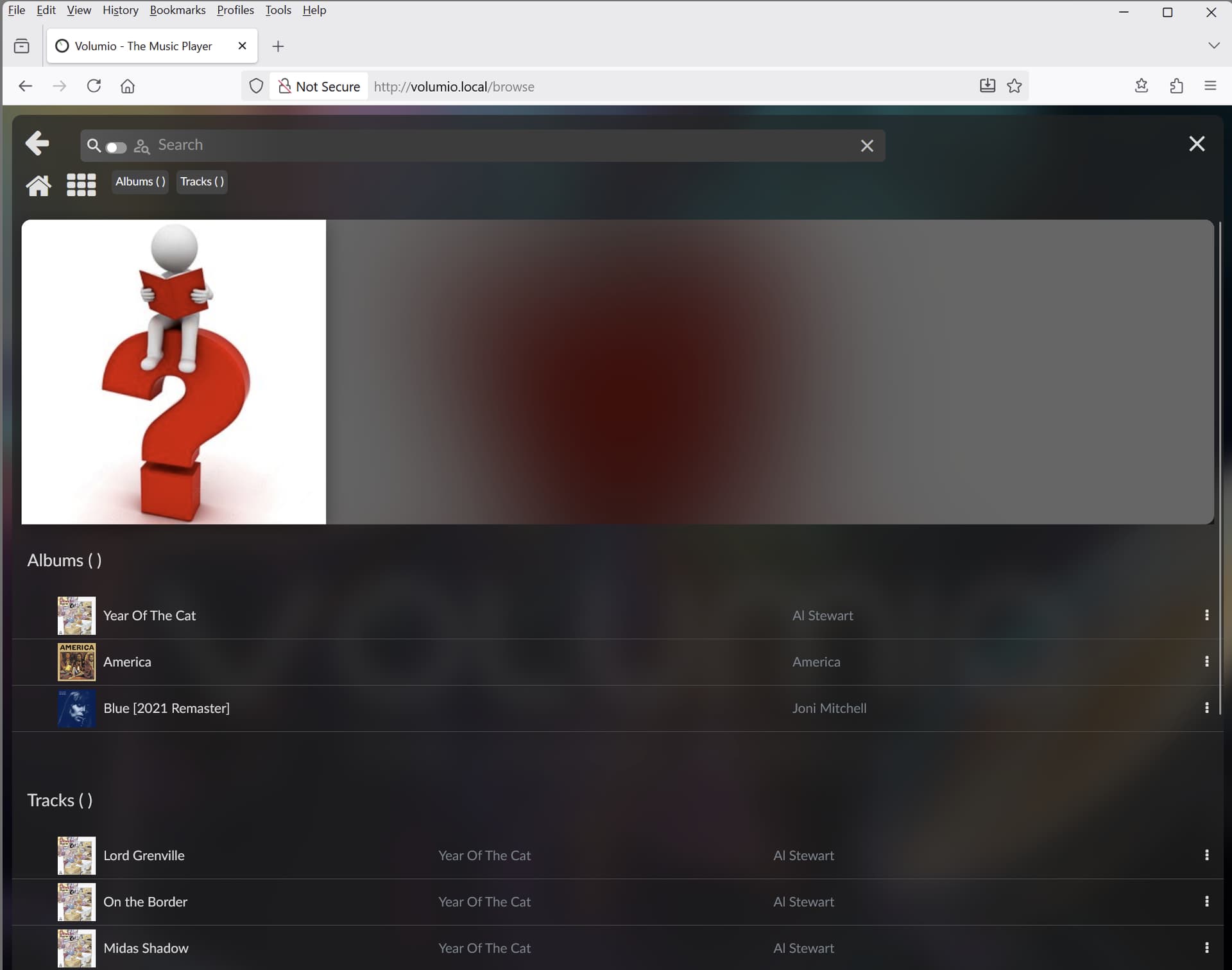
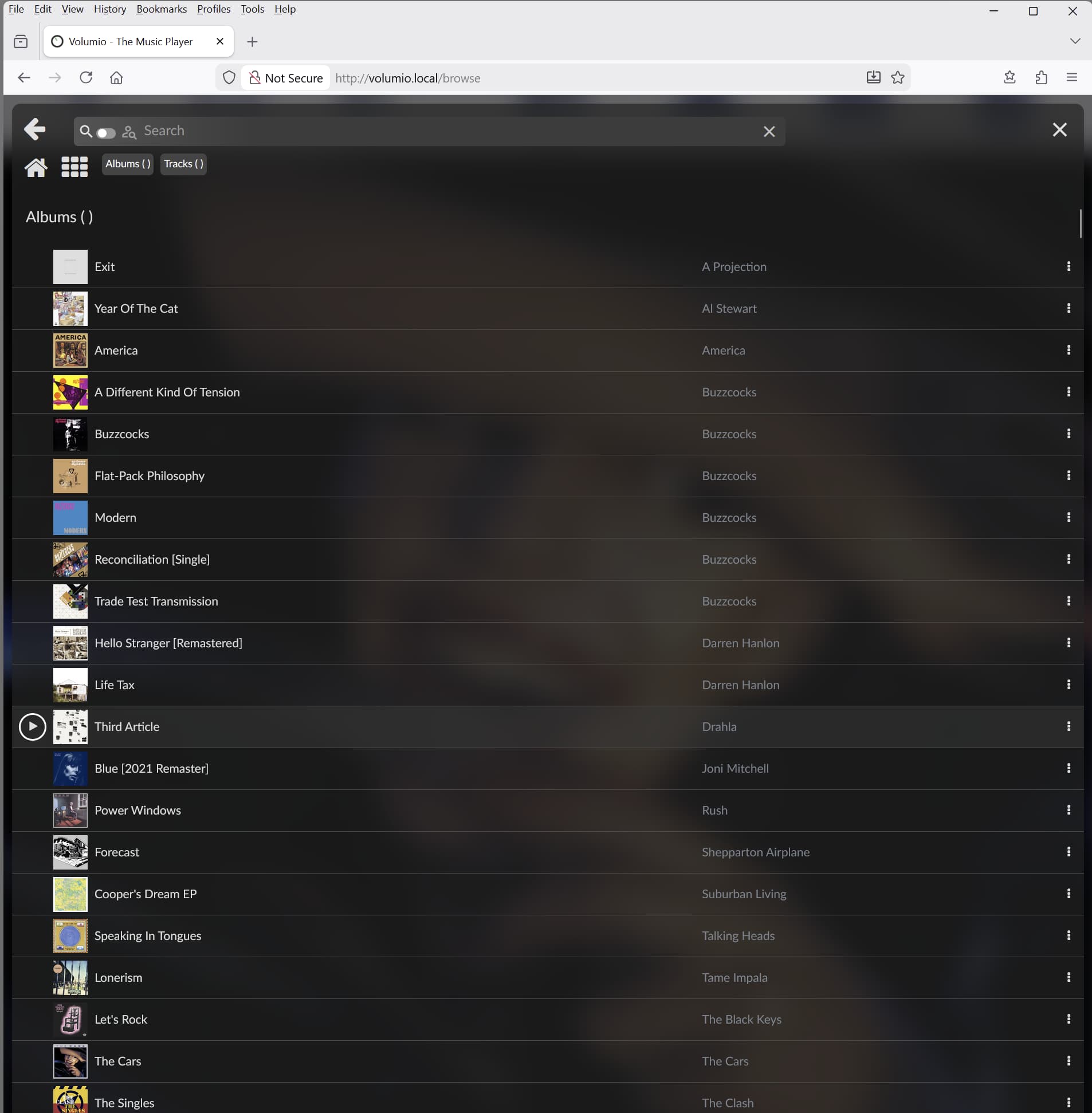
When you browsed into that folder, Volumio returned these albums:
A Projection - Exit
Al Stewart - Year Of The Cat
America - America
Buzzcocks - A Different Kind Of Tension, Buzzcocks, Flat-Pack Philosophy, Modern, Reconciliation, Trade Test Transmission
Plus The Cars and Darren Hanlon albums you mentioned earlier.
What is happening here:
The affected files have an AlbumArtist tag that EXISTS but contains only whitespace - a space character, not empty, not absent. When MPD encounters an AlbumArtist tag with any content - including whitespace - it uses that value for artist grouping instead of falling back to the Artist tag.
This explains your observation:
Artist column displays correctly - Artist tag is populated and fine
Albums group under invisible name - AlbumArtist = " " (space)
Genre view works normally - uses Artist tag, not AlbumArtist
Other self-titled albums unaffected - they have no AlbumArtist or have it populated correctly
Look for ALBUMARTIST in the output. Affected files will show something like ALBUMARTIST= (with whitespace after equals). Working files will either have no ALBUMARTIST line or show a proper artist name.
Suggestion:
Use your tagging application (Mp3tag, MusicBrainz Picard, Kid3, etc.) to either:
Remove the AlbumArtist tag entirely from affected files
Populate AlbumArtist with the correct artist name
After fixing tags, rescan your library in Volumio.
@SO3D Option one:
Mount it on a VESA bracket and twirl like you’re auditioning for Dancing with the Screens. Bonus points for jazz hands.
Option two:
Channel your inner debt collector: grab that monitor like it owes you three months’ rent and spin it like a roulette wheel. Clockwise, counterclockwise heck, throw in a freestyle pirouette if you’re feeling spicy.
Option three:
If you’re craving something less chaotic (but still a little wild), brace yourself and… read this: Volumio 4 Feedback Thread - #3 by nerd.
It’s not as thrilling as option two, but hey, knowledge is power and sometimes power rotates screens.
We need your help, so we can help you. Just stating “How can I rotate a screen” lacks some details.
Well done, that is exactly what the issue was.
It’s weird, I’ve actually seen it happen in MP3Tag occassionally when I’ve selected a field and used backspace to remove it. I thought I always noticed it happen and used backspace or delete to clean it up, but apparently I didn’t see it sometimes.
For some reason I wasn’t checking AlbumArtist when I was looking for issues with the tagging in my mystery folder bands/albums.
I appreciate your detective work and assistance, thank you
I just bought a raspberry pi 5 8Go with a DAC raspberry dac pro (iqaudio dac pro) , I’m on volumio OS , the latest version from the official website, I’m currently trying to connect the WiFi but he don’t want to…
Wired with ethernet no issue, but impossible to have the wi-fi…




 just read again
 thank you for your fast answer ! Really appreciated
  WiFi is working , wired too !