System Logs
http://logs.volumio.org/volumio/qkj9zVk.html
Acer Chromebox running Volumio 4, connected to Topping E70 Velvet DAC, via USB, shows PCM instead of DSD when playing DSF files.
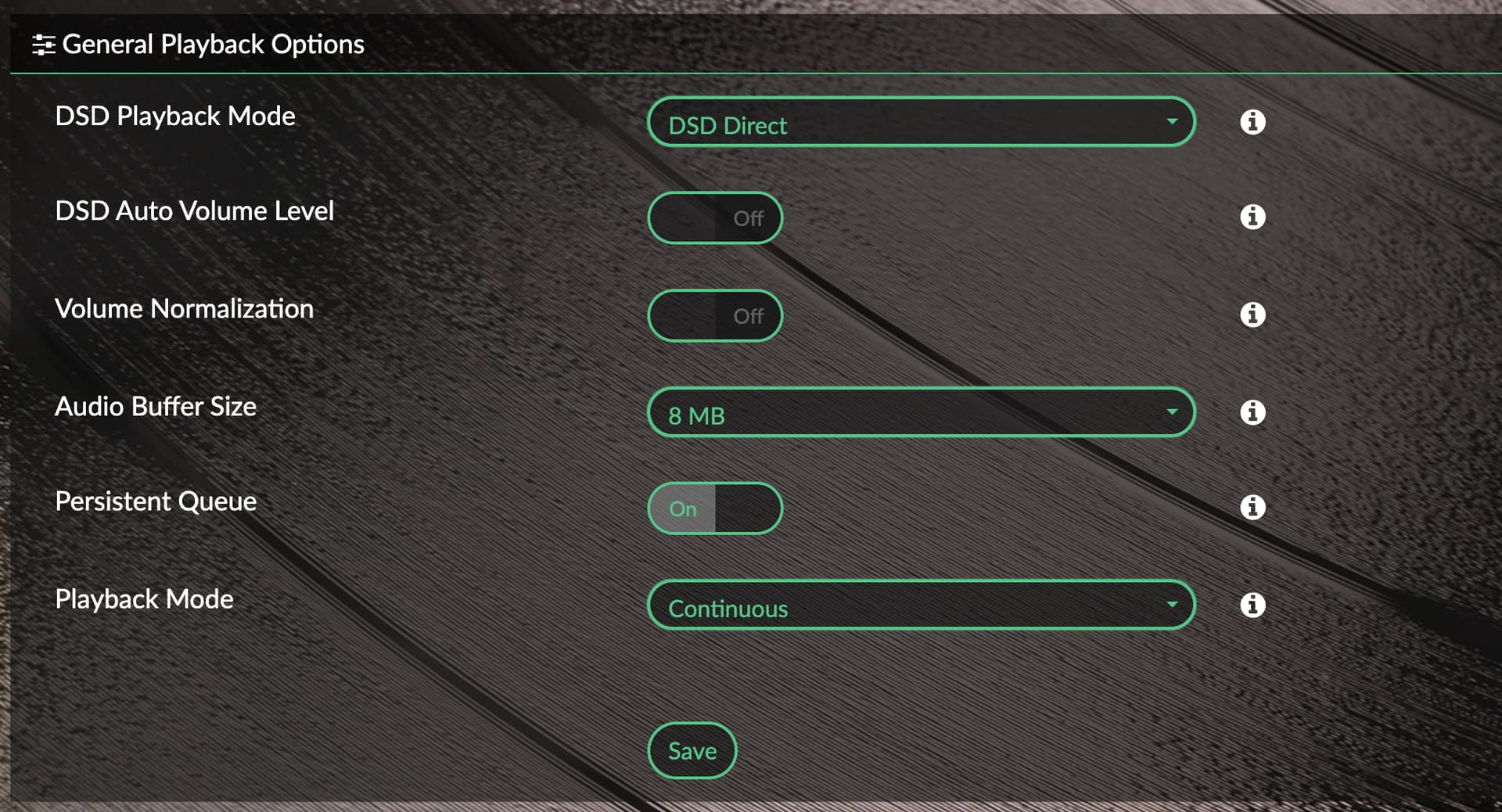
Playback options says DSD direct.
System Logs
http://logs.volumio.org/volumio/qkj9zVk.html
Acer Chromebox running Volumio 4, connected to Topping E70 Velvet DAC, via USB, shows PCM instead of DSD when playing DSF files.
Playback options says DSD direct.
What is the output of:
cat /proc/asound/card
cat: /proc/asound/card: No such file or directory (while playing DSD music)
Sorry mistyped a ‘s’
cat /proc/asound/cards
 0 [PCH            ]: HDA-Intel - HDA Intel PCH
                      HDA Intel PCH at 0xcedd0000 irq 127
 5 [Velvet         ]: USB-Audio - E70 Velvet
                      Topping E70 Velvet at usb-0000:00:14.0-6, high speed
Hoping this is the correct line, don’t have a E70:
aplay -D hw:Velvet,0 --dump-hw-params /dev/zero
Should return something like: FORMAT: S16_LE S24_LE S32_LE DSD_U16_LE
Playing raw data '/dev/zero' : Unsigned 8 bit, Rate 8000 Hz, Mono
HW Params of device "hw:Velvet,0":
--------------------
ACCESS:  MMAP_INTERLEAVED RW_INTERLEAVED
FORMAT:  S32_LE SPECIAL DSD_U32_BE
SUBFORMAT:  STD
SAMPLE_BITS: 32
FRAME_BITS: 64
CHANNELS: 2
RATE: [44100 768000]
PERIOD_TIME: [125 1000000]
PERIOD_SIZE: [8 768000]
PERIOD_BYTES: [64 6144000]
PERIODS: [2 1024]
BUFFER_TIME: (20 2000000]
BUFFER_SIZE: [16 1536000]
BUFFER_BYTES: [128 12288000]
TICK_TIME: ALL
--------------------
aplay: set_params:1352: Sample format non available
Available formats:
- S32_LE
- SPECIAL
- DSD_U32_BE
So we know that your DAC is properly identified by the kernel as it listed “DSD_U32_BE”.
Do you have SW Volume control enabled? If Yes set the mixer to None
Disable pluigns:
PeppyMeter Screensaver
Stylish Player
Now Playing
Music Services Shield
peppymeterbasic
Disable:
Multiroom if enabled in sources
Test again.
I was using hardware mixer setting.
However the culprit seems to by my own Stylish Player plugin 
We build a ALSA contribution layer for streaming audio for the spectrum analyzer. I will need to work with @balbuze to fix this 
Love the irony 
Yeah needs to run via/over AAMPP.
Since you can’t touch the audiopath for DSD, you need to create a pipe to drive your Spectrum.
But indeed @balbuze is the go-to person, he’s the Harry Potter on this subject,
I spoke too soon. When I attach the USB it sometimes shows DSD (2.8Mhz), but when I start playing DSF files it reverts back to PCM (352khz).
It’s not my plugin, it’s something else.
please try with a fresh install and no plugins installed and no SW volume control enabled. You will see that DSD works as it should
Tried a USB boot to fresh OS (no plugins, no mixer). Still the same. Tried different USB ports too.
It’s ok. I have another device that does DSD via USB so not too concerned.
How much better does dsd really sound vs 96kHz, did you do a blind test?
If you have a good resolving system (amp, DAC, speakers all capable of bringing out the details from DSD) yes it is noticeable. It’s hard to describe but there is some smoothness, and more details to the sound with DSD.
I have 1 Album in DSD and Flac. I will try and do a A/B if possible.
The problem with SACD is most titles are either Classical music or JAZZ. Very little popular music is on SACD so it’s a bad investment if you are not a fan of the 1st two genres. Your entire component chain needs to be clean sounding to take advantage of SACD / DSD format.
Not worth it on AVRs (even though most of them can process DSDs) or cheap BluRay with analog out. You would need something like an Oppo BDP-105 for multi channel (5.1) DSD output or a high end AV processor like Marantz to take advantage of multi channel SACDs/DSD.
Have you tried setting to DoP instead of DSD direct. I had this problem, where in Volumio 3 DSD would work, but in 4, I have to use DoP. This is for an I2S/IIS connected DAC.
Yes tried both. Still shows PCM on the Topping. Not sure if that’s expected, the sampling range is around 328khz or arounds.
My Zidoo Z9X can do DSD native to the same DAC, so it’s definitely the DAC.