Hi Guys,
can someone explane me why the NEW VERSION Version 4.239 have to small fonts ???
Have RPI5 with 7"display, i must n plugins Scale turn to 150 to 160 so i can read whats play
have everyone asolution or is this normal for this version…THX
Hi Guys,
can someone explane me why the NEW VERSION Version 4.239 have to small fonts ???
Have RPI5 with 7"display, i must n plugins Scale turn to 150 to 160 so i can read whats play
have everyone asolution or is this normal for this version…THX
Nothing has changed on font sizes.
I expect this is entitled to your display. But without data impossible to guess.
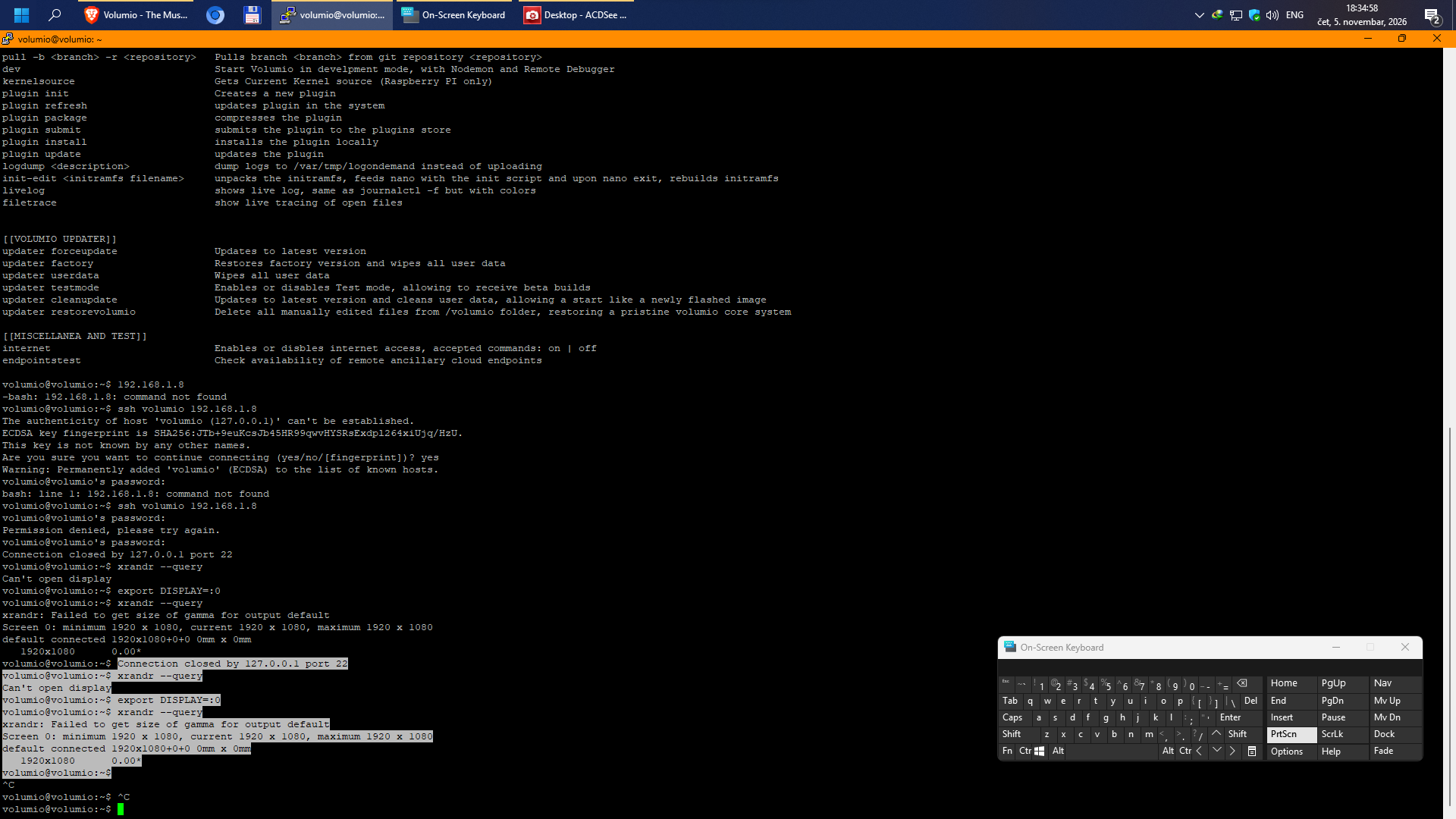
export DISPLAY=:0 xrandr --queryhi i have 7" Display here is the link
need the output of my 2nd ask in order to help you
I hope I don’t have to write into USERCONFIG like on the RPi4.
volumioconfig.txt (1.0 KB)
i use Filezilla
config.txt (270 Bytes)
this is in boot section
Thanks for sharing. This shows that there is only one resolution available. So I expect you have always used the scaling to increase readability? But got reset by the update/install.
If your screen supported multiple resolution the output would be something like this
Screen 0: minimum 320 x 200, current 1280 x 800, maximum 16384 x 16384
DSI-1 connected primary 1280x800+0+0 (normal left inverted right x axis y axis) 0mm x 0mm panning 1280x800+0+0
1920x1200 60.00 + 59.88 59.95
1920x1080 60.01 59.97 59.96 59.93
1600x1200 60.00
1680x1050 59.95 59.88
1400x1050 59.98
1600x900 59.99 59.94 59.95 59.82
1280x1024 60.02
1400x900 59.96 59.88
1280x960 60.00
1440x810 60.00 59.97
1368x768 59.88 59.85
1280x800 59.99* 59.97 59.81 59.91
1280x720 60.00 59.99 59.86 59.74
1024x768 60.04 60.00
960x720 60.00
928x696 60.05
896x672 60.01
1024x576 59.95 59.96 59.90 59.82
960x600 59.93 60.00
960x540 59.96 59.99 59.63 59.82
800x600 60.00 60.32 56.25
840x525 60.01 59.88
864x486 59.92 59.57
700x525 59.98
800x450 59.95 59.82
640x512 60.02
700x450 59.96 59.88
640x480 60.00 59.94
720x405 59.51 58.99
684x384 59.88 59.85
640x400 59.88 59.98
640x360 59.86 59.83 59.84 59.32
512x384 60.00
512x288 60.00 59.92
480x270 59.63 59.82
400x300 60.32 56.34
432x243 59.92 59.57
320x240 60.05
360x202 59.51 59.13
320x180 59.84 59.32
My display is max resoulution 1024x680
Hey @djoksim1,
This will be easy to decipher. Back up the stock volumio config file with
sudo cp /boot/volumioconfig.txt /boot/volumioconfig.txt.bak
then open it with
sudo nano /boot/volumioconfig.txt
and insert one line containing exactly [all] immediately above the line [pi3], changing nothing else. Reboot and run ls -l /dev/dri/. If card0 appears with the stock file otherwise untouched, the only difference is that the two [0x…] sections above have been closed before [pi3], which is the whole theory in one line; if it does not appear, say so here, that is a result too. This is a test, not a fix: volumioconfig.txt is replaced on every update, so afterwards restore it with sudo cp /boot/volumioconfig.txt.bak /boot/volumioconfig.txt, remove the # from your userconfig.txt line again, and reboot, so your player is back on the interim measure that survives OTA.
This is what the part of the file should look like:
[pi2]
dtoverlay=vc4-kms-v3d
# Pi 3A+ (0x9020e0): Before applying to [pi3], apply with lower 128MB contiguous memory setting
# Pi 3A+ has only 512MB RAM and suffers boot issues otherwise
[0x9020e0]
dtoverlay=vc4-kms-v3d,cma-128
[0x9020e1]
dtoverlay=vc4-kms-v3d,cma-128
# Release serial scope
[all]
# Continue after releasing serial scope
[pi3]
dtoverlay=vc4-kms-v3d
[pi4]
dtoverlay=vc4-kms-v3d
[pi5]
dtoverlay=vc4-kms-v3d
Let me know if this solves your problem or if we need to dig further.
Kind Regards,
I yend you link from my display
no its the same
My display is max resoulution 1024x680
i see the same but the resoulution on 7"display is My display is max resoulution 1024x680 i send ou the site where i buy it and his says resoulution 1024x680
on RPI4 userconfig .txt i change to
max_framebuffers=2
disable_overscan=1
config_hdmi_boost=7
hdmi_group=2
hdmi_mode=87
hdmi_drive=1
hdmi_cvt=1024 600 60 6 0 0 0
and his works, but you are right , on RPI5 i dont scale the resolution to 100 (default) my is that the problem
Hey @djoksim1,
Please do the following and post exact result of:
cat /proc/cmdline
cat /boot/volumioconfig.txt
cat /boot/userconfig.txt
This will determine next moves.
Kind Regards,
i try it in Putty the display on my streamer with 7"touch screen is still small