After new tidal (app) update 13mar
Tidal connect stopped working with volumio rivo
@marco_volumio @DED are you aware of this
Regards
Zojo
After new tidal (app) update 13mar
Tidal connect stopped working with volumio rivo
@marco_volumio @DED are you aware of this
Regards
Zojo
Hi @Zojo
I think something else is wrong.
Tested Tidal Connect On both Android as iOS with the Rivo, but it’s working for me.
Please create a support ticket with Volumio, as Rivo owner you’re entitled to premium support.
@Wheaten
Thx for replying
Want can be wrong? Tidal close down when i try to use connect
/Zojo
Hard to tell
We community members don’t have access to the resources needed to support Volumio hardware.
For that matter support is handled by Volumio’s core team.
Usually I can get tidal of the work again by disabling tidal connect and enabling it again in sources. I have set a fix fixed IP for the Rivo Plus, but that does not always help. It does reduce the times that Tidal just doesn’t see the Rivo Plus. I find this all hardly acceptable behavior.
Hi guys we are sorry to hear that. When it comes to Connects, there are many things that can influence their behavior (above everything some special network setups or your ISP).
Open a support ticket (providing the info required) and our support team will help you out. In this cases the way for us to solve your issue is to get some additional info for diagnosing where the root cause is.
New RivoPlus
Logged on tp Tidal, when trying to play a song I get the following error:
Failed to decode
http://127.0.0.13245?
data=Tidal://song/494398…&sound
Quality=LOSSLESS, got HTTP status:404
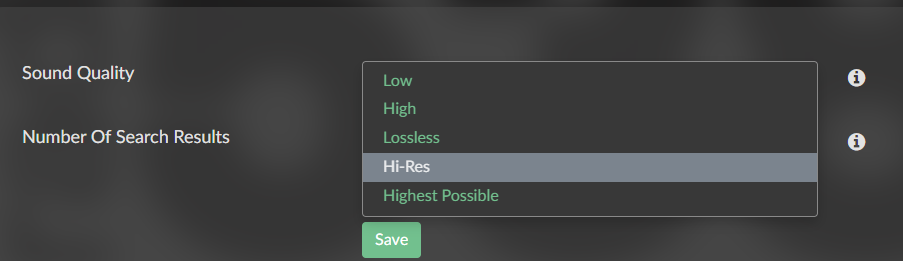
What setting are you using for Sound Quality in Tidal on the Rivo-plus?
Instead of “Highest Possible”, select “Hi-Res”
Same message except Quality now equals HI-RES now rather than LOSSLESS…