I have a RPI4 with an SMSL D1 DAC. I would like to control the volume on it from the app and hoped I could reach this by setting it to software volume control. But that seems not to be the case. Anyone any thoughts?
1 Like
Please go to Playbackoptions. under “Volume Options” choose Mixertype = Software
That’s exactly what I did, but it doesn’t help. So, that’s why I asked. Is there something else I must change to make it work?
- Switch to USB on the SMSL D1.
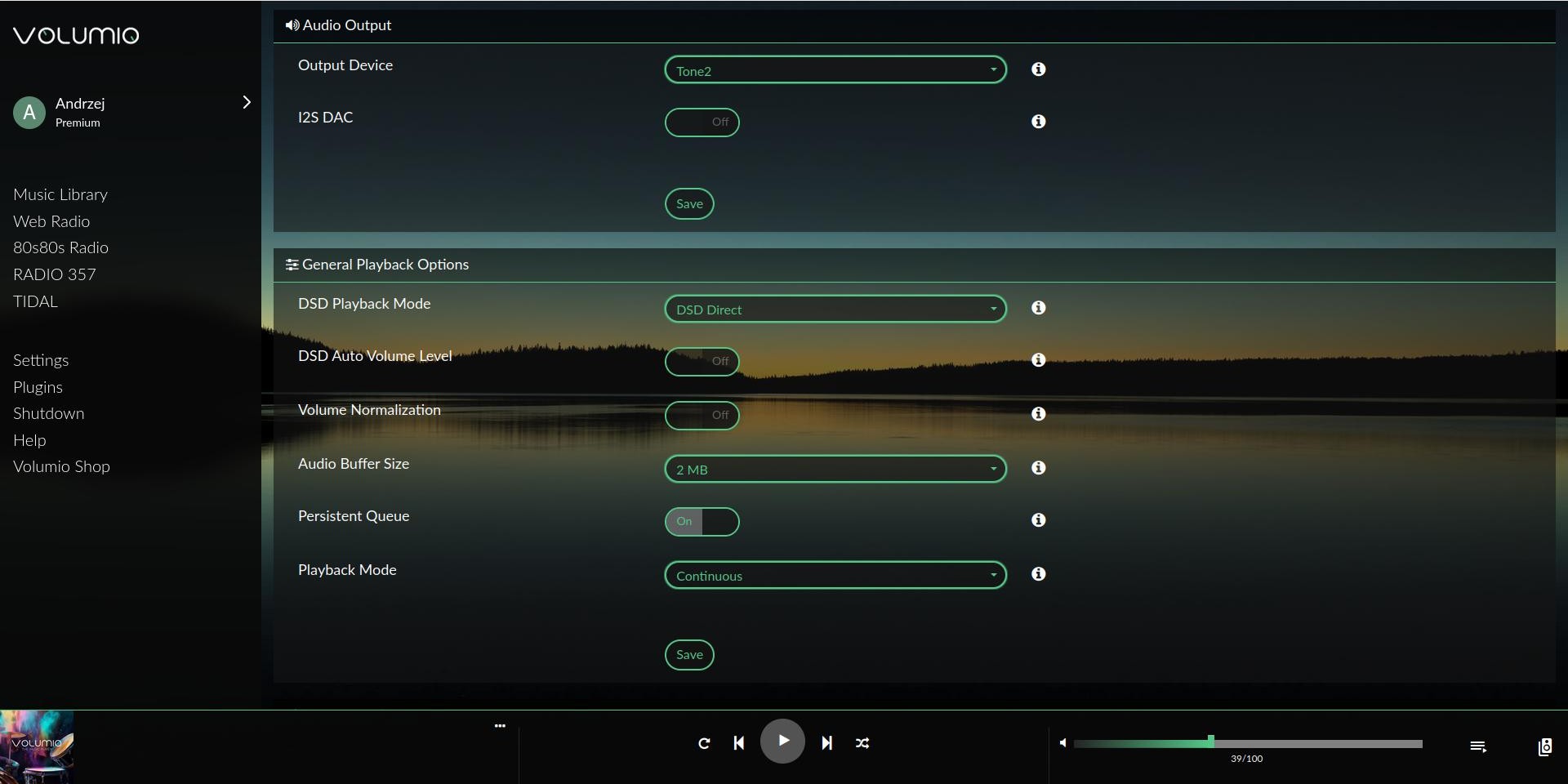
- In Volumio - Settings - Playback Option - Output Device, your SMSL D1 or similar device should be connected via USB.
I have Tone 2 because I have a Khadas Tone 2 connected via USB to my Raspberry PI.
Every setting change requires saving.
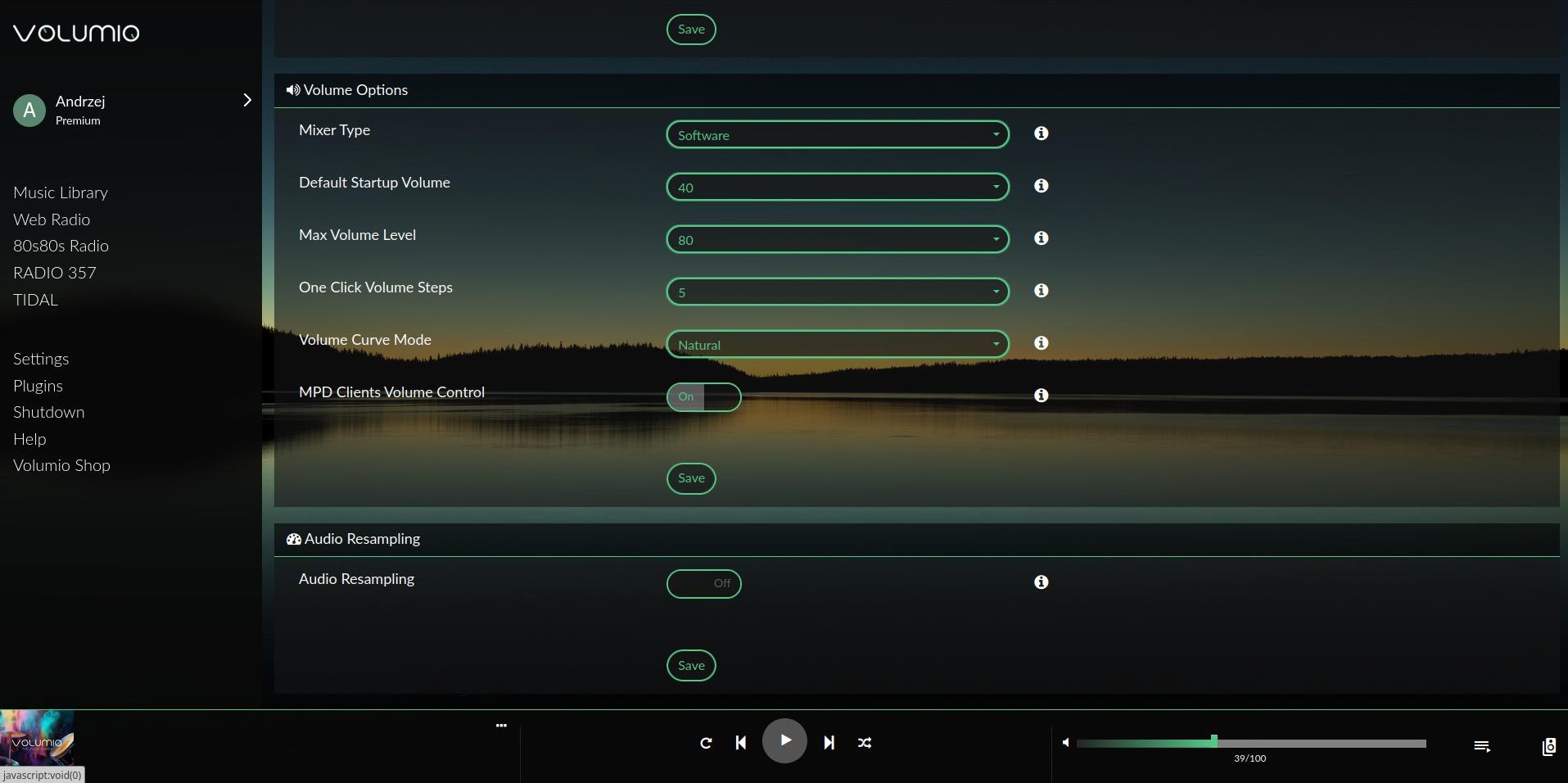
- Then, in these options, check if you have:
a. Mixer Type - Software
- Then, in these options, check if you have:
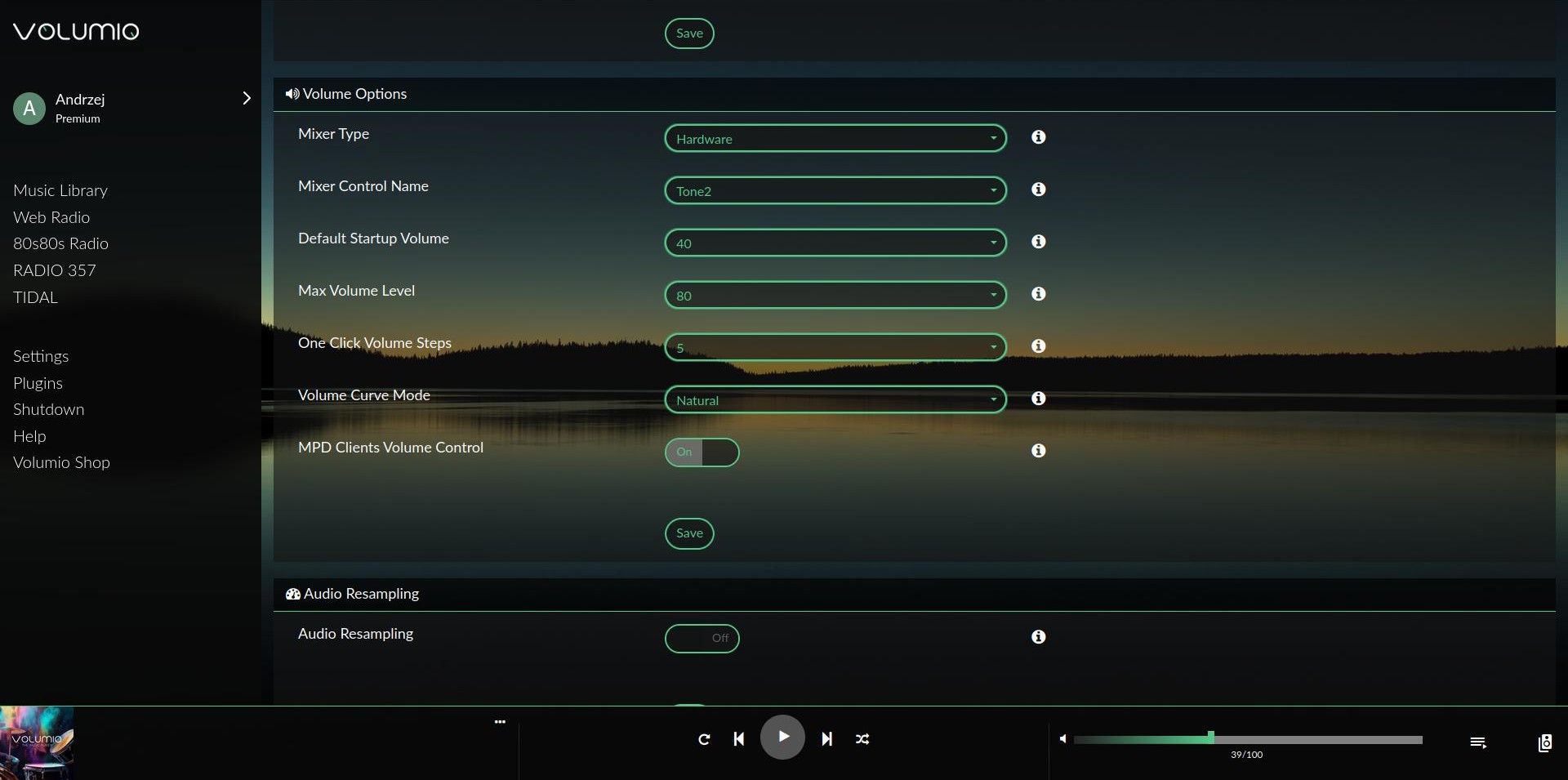
a. Mixer Type - Hardware
b. I have Tone 2, yours should be SMSL D1 or similar.
Thanks a lot for your help.
Software volume control is now working with your input - i tried it before but I guess I missed something somewhere.
Hardware volume control is not working here, but I think the SMSL D1 doesn’t support that.