I have been using my Rivo+ for about 6 months and love it. But I control it via my Mac mini desk top computer using Safari web browser. This works but would love to have a dedicated control especially when I get a phone call and need to mute the music (I hate having to find the correct tab in Safari to mute the Rivo+).
What are the advantages of the touchscreen besides the dedicated interface?
Is the app on the touchscreen better that what I get from Rivoplus.local?
What touchscreen should I consider?
Is there a better way to solve my problem than buying a separate touchscreen?
A connected screen shows the same as the web interface. For me it’s only eye candy never use it to control the device.
But you can control it via touchscreen.
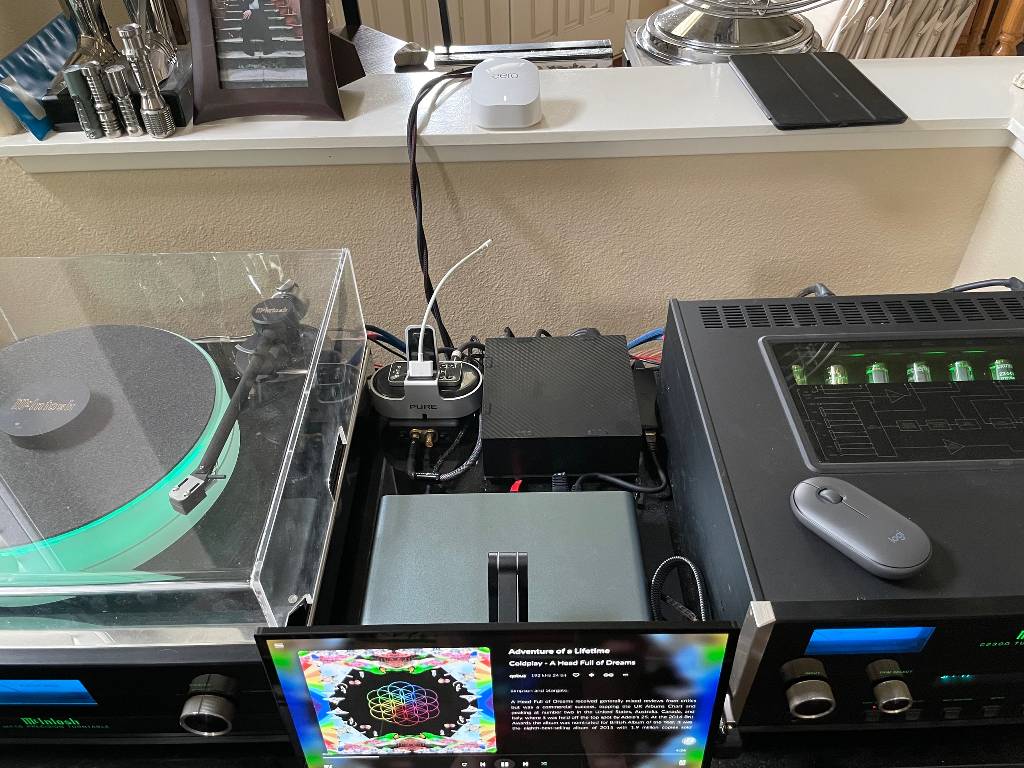
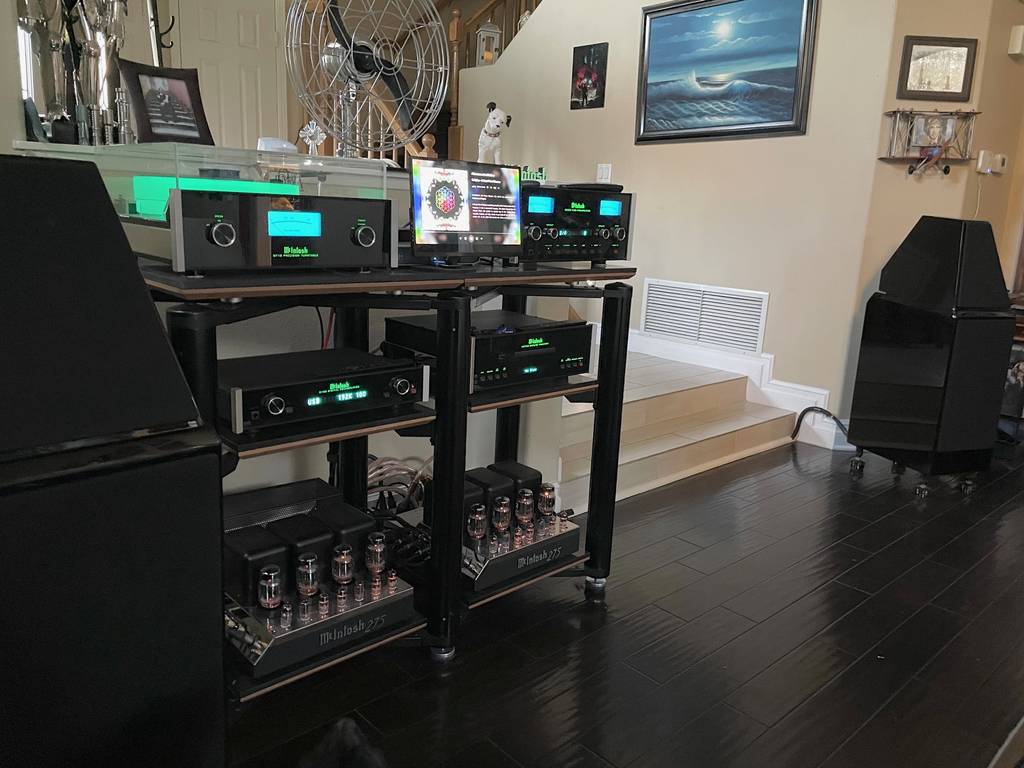
I have a Rivo+ monitor display using HDMI connection to the Rivo+. The Screen must be 4K to work. Mine is a 13.5" 4K OLED touch screen, but, I use a blue tooth mouse with it and you can plug in the mouse dongle to one of the USB connection on the back of the Rivo+ - ie. if I want to use the monitor to control the Rivo+. Note: I never got the monitor touch screen to work, but, I do not care, because I do not want to smudge up the screen with my fingers, and the mouse is just on top of my preamp and simple to use. The display is really nice. For Rivo+ control, I use my iphone and ipad, but, I really like the look of the OLED screen. For the monitor, I ended up using the Rivo+ HDMI connection for the display and a separate 5 volt DC LPS for the power to the monitor. Here are a couple of pics.
Thanks for the reply and input. I never thought of using a bluetooth mouse in lieu of a touchscreen. You have a very nice system. My Rivo+ feeds my headphone amp (6’ from my chair) and my headphones. I am in a desktop location and I don’t want another mouse on my desk. I was thinking of a touchscreen held by a monitor arm over the clutter of my desk. (I hate to see desktop videos of people with clean desktops, it makes me feel inferior). With a touchscreen suspended above my cluttered desk, I could just reach over to the touchscreen and pause my music when my phone rings. That’s my thoughts, still have not taken any action. Hoping someone has some more wisdom that I can learn from.
Hi Grog, thanks !! Good luck on your search. Note: I tried multiple monitors. I only got a 4K monitor to actually Display. My monitor was a 4K OLED touch screen monitor and I could not get the touch screen to work. I think it has to do with the USB-C requirement on the 4K touch screen monitors. All 4K touch screen monitors seem to require the display and touch screen to be connected with the same USB-C connection. The one I ended up with also has an HDMI connection and this is what I had to use with the Rivo+, but, it does not enable the touch screen. So, bottom line, a USB-C display/touch screen connection is not available on the Rivo+, you need to use the HDMI connection. I tried a HDMI to USB-C converter with power and that also did not work for the touch screen. I also tried other combinations like a HDMI connection and a USB A to C converter from the Rivo+ to try to enable the touch screen, but, that did not work also. Personally, I think the Rivo+ is setup to work with a 4K TV with HDMI and not so much with a small non-4K touch screen that can be connected only with HDMI. The display will not show up unless it is a 4K screen and the 4K touch screen monitors seem to require a USB-C single connection for Display and touch screen to work. Note however: the 4K monitors do seem to have another USB-C connection just for power, ie. one USB-C connection for Display, touch screen, & power, and one USB-C connection for just power, and one HDMI connection just for display. I believe you can install software on the Rivo+ to get other Displays to work, ie. like a small HDMI touch screen, but, I do not know how to do it, nor what to install.
Note: I will also add that when using the monitor to control the Rivo+, ie. like scrolling 1000 sounds songs in my playlist, my iphone is much faster than my 13.5 inch 4K touch screen monitor.
Hi,
I’ve bought an old Samsung 10’ Tab (for 20€) , upgraded it to LineageOS 18 , put it on a metal support (4€ in a well known chinese market place,) and use it to control my Volumio Pi. I love it😋