Rivo+ Power On and Off

Greetings!

The Rivo+ is on my short list. One question I have is managing power on/off.

Can I turn the Rivo+ on, or wake it up, without physically pressing the button and without the Volumio app? For example, can I turn it on and off with a power distribution unit? That will definitely turn it off by removing power, but will it power on and wake up when power is supplied?

Or, will Roon wake it up when music is played?

If none of that, can it be left on 24/7?

I see there is a trigger out. A trigger in would solve this problem.

Thanks…Pete

Hi

I have the Rivo

I turn mine on via Tidal with no problems but it is in standby mode

I don’t think you can turn it on with a power distribution block. If it goes off you have to press the button

Hope that helps

Hi,
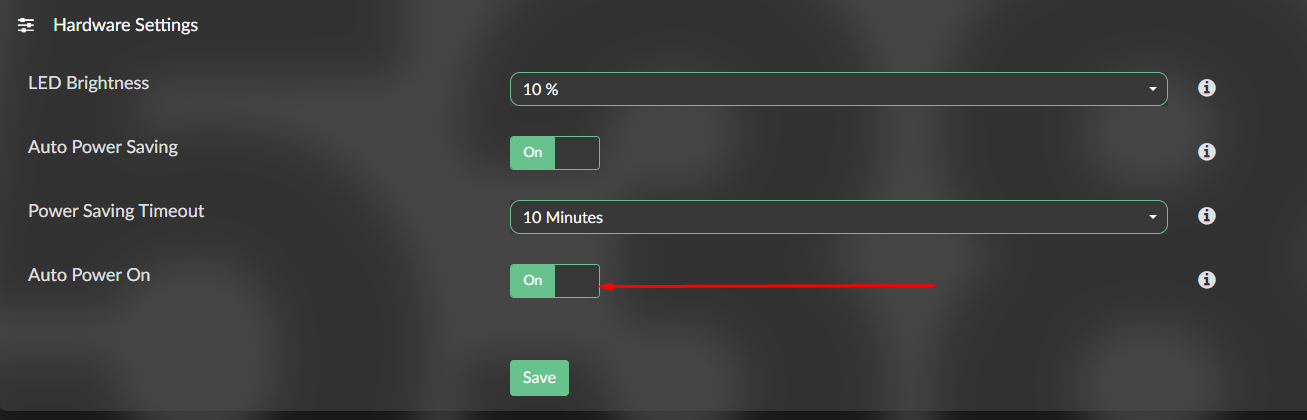
To be confirmed by @Darmur for Rivo+, but the option “Auto power on” do the trick on other Volumio HW


I use it on Integro to power on with the switch of the power block.

With the Rivo, when set Auto Power On, the Rivo starts when power is applied.
I don’t think there is any different behavior with the Rivo+

Auto Power On option is available on Rivo+ too

When set, the device will initiate the boot process when power is applied, basically skipping the press of the power button

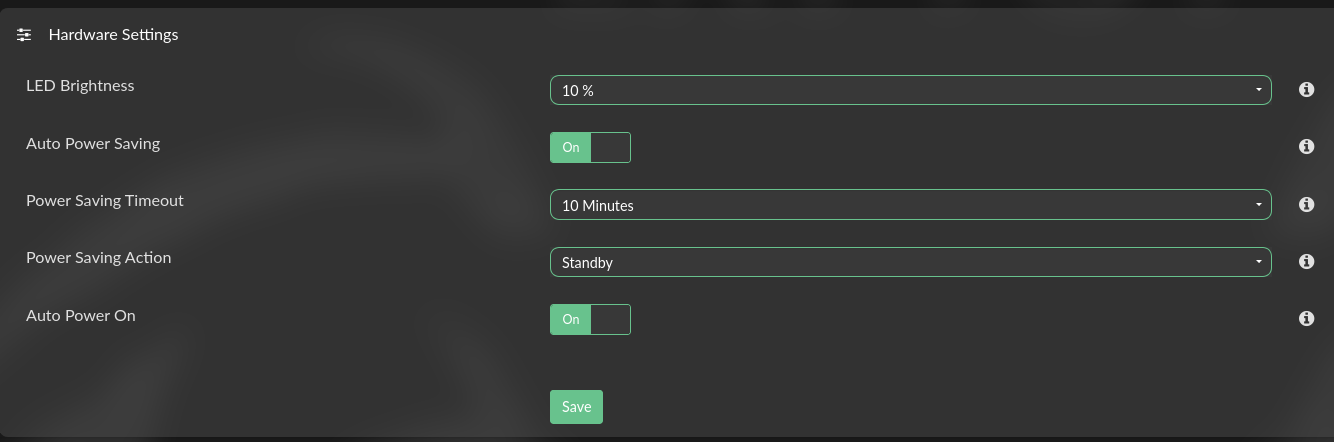
Besides that, it is also safe to leave it on 24/7, taking advantage of the Power Safe Mode and the automatic switch to active when a playback is started (either from the app or via Roon)

Thanks to all for the positive responses. Just the answer I was looking for!

I’ve just bought Volumio Rivo. I was going to reduce the led brightness and to set power saving but I ca’t find the above settings :frowning:

Maybe in later firmware versions it was removed?

it’s under system

That’s what I thought - but don’t see this setting under system


Strange:

@DED any suggestions?

is your device a brand-new one or you got it second hand?

if it’s a second-hand one with external antennas, changing the LED dimming value is not supported.

if it is a brand new one (or a second-hand with internal WiFi antennas), there is a problem with the communication between the SBC running Volumio and the control-unit on the MainBoard.

in that case, please try turn the device off and then disconnect the power supply, wait for a few minutes and then connect it again, then press the button to boot. If you still don’t see the option for changing the LED dimming, please contact our customer support, the device must be repaired (for free if still under warranty).

Thanks for the reply.
I’m afraid - i’t was a second hand purchase. The led light is rather strong - especially it the night in the sleeping room.

But - it’s a pitty, that Volumio didn’t mark the “newer” version somehow. It is confusing.

are the wifi antennas internal or external?