nerd
June 10, 2026, 6:59am
22
Hey @gvida ,
Volumioconfig is clean - Pi Screen Setup did strip the conflicting display directives correctly. So the on-disk configuration is in order.
Yet the kernel is not binding the vc4 KMS driver. To narrow this down, please SSH in and paste the output of these four commands:
ls /dev/dri/
cat /boot/cmdline.txt
ls /boot/overlays/vc4-kms-v3d-pi4.dtbo /boot/overlays/vc4-kms-dsi-7inch.dtbo
sudo dmesg | grep -iE "vc4|drm|dsi|kms|bcm2708_fb" | head -40
Kind Regards,
gvida
June 11, 2026, 2:38pm
23
volumio@volumio:/$ ls /dev/dri/
volumio@volumio:/$ cat /boot/cmdline.txt
ls /boot/overlays/vc4-kms-v3d-pi4.dtbo /boot/overlays/vc4-kms-dsi-7inch.dtbo
volumio@volumio:/$ sudo dmesg | grep -iE “vc4|drm|dsi|kms|bcm2708_fb” | head -40
gvida
July 3, 2026, 4:02pm
24
Hi since the logs a sent you i did not get any response from you.
Is there a way to help me for resolving my issue?
I count on you
Thank you very much.
@gvida @nerd is doing this in his free time.
nerd
July 3, 2026, 5:57pm
26
Hey @gvida ,
To move forward we need to reset the display stack and isolate one plugin at a time. Please do the following, in this order.
Open the Now Playing plugin settings. In the “Volumio Kiosk (Local Display)” section, switch the kiosk target back to the Touch Display default (undo the earlier “Set to Now Playing” action). Save.
In Plugins - Installed Plugins, disable the following so the button reads OFF:
Touch Display
Now Playing
System information
FusionDsp
Leave Pi Screen Setup enabled.
Reboot from the web UI power menu.
After the boot completes, look at the 7" display. Report which of the following you see:
a) The Volumio boot logo followed by the tty1 console with the QR code and IP address
If (a) - enable only Touch Display from the plugin page, reboot, and after boot post two things:
Paste the full output.
If (b) or (c) - report which of the two, and stop there. Do not enable any further plugins.
As @Wheaten pointed out - please be patient.
Kind Regards,
gvida
July 8, 2026, 1:39pm
27
HI nerd
Sorry If you considered I was not patient, this was not at all what my message wanted to be. I really appreciate your support and job you all do.
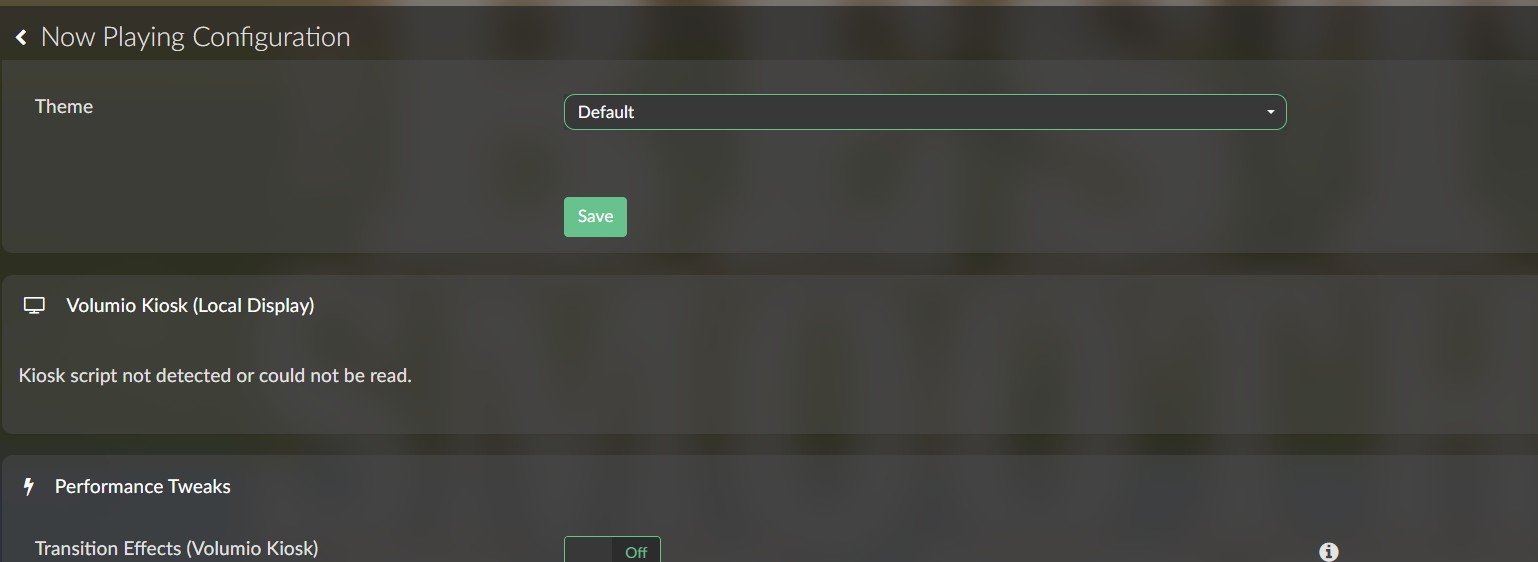
going to the now playing plugin as you can see I have an error message “kiosk script not detected”, so I cannot do any switch as suggested.
May I have to poursuit to the next steps 2 and then …
Sincerly yours
Georges
gvida
July 8, 2026, 1:52pm
28
HI these are the steps I did.set off
Touch Display
Now Playing
System information
FusionDsp
reboot
back to plugins page , touch display is set on automatically (no action from me)
gvida
July 15, 2026, 2:02pm
29
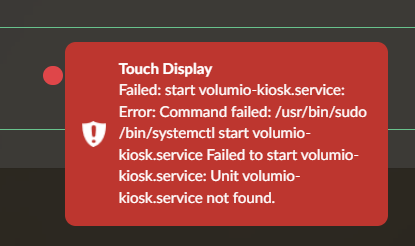
Hi in addition when switch off touch-display I get this error message.
I also tried to uninstall it, but get the error and the plugin does not diseaper from the pluging list.
Hope this will help.
LuSzTi
July 24, 2026, 10:00am
30
Hi all.
I don’t want to start new thread so I’m writing here.
Log: http://logs.volumio.org/volumio/YGkaXjO.html
disable_hdmi=1
I found here [PLUGIN] Touch Display - #1768 by Kampf_Keks_3000
Offset gets bigger when touching more on right side of the screen.
Any ideas how to fix an issue? @nerd @Wheaten
gvida
August 4, 2026, 2:20pm
31
HI
I created a new memory card and did a fresh installation. I do not know why, but volumio works now as expected.
Sorry for that, thanks for your support anyway.