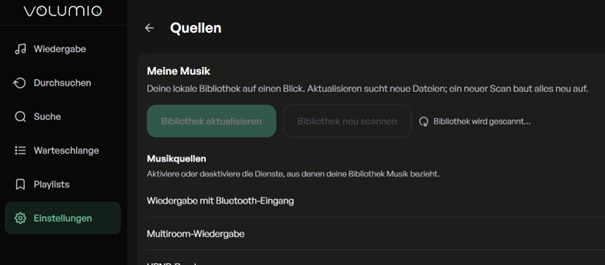
Problem with building Music Library

@vdrn

After several more attempts, here is the current status:

  • Mounting large NAS volumes fails.*
  • I have therefore limited my NAS volumes to 1.3 TB; even then, the scan sometimes runs indefinitely, but in that case fortunately, after restarting the Rivo+, everything is there and ready to play.*

* The interesting question, of course, is: where is the limit? At what number of tracks (i.e., files or pieces of music?) does the system collapse? And why does it make a difference whether the same number of music tracks is distributed across several volumes or contained within a single one?

Nota bene: I think it would be appropriate for the developers of Volumio themselves to weigh in on this.

Best regards, Tim

Without logs we can’t draw any conclusion as mentioned by @nerd in a previous post. When you create your library and import stalls, that’s the moment to get a log and post it here.

I run my files (68000+) from a NAS (2* 2*6TB in raid), file sizes varies from 20MB to 2.1GB without issues. (Not the collection you have, just for info)

As Rivo+ owner you’re entitled to premium support. you can request this support via: Support chat: Volumio

@Wheaten

thanks for your reply.

In post 16 there is a log-file. If it is not informative - perhaps because I chose the wrong time to generate it (I am unable to interpret the contents of the log file) - I will upload a new one.

Thank you also for pointing out that I am entitled to Premium Support.

Best regards

The log from post 17 contains a lot of CIFS error, which might be starting point for Volumio:

CIFS VFS: No task to wake, unknown frame received! NumMids 2

image

Hey @TimRS,

Thanks for the log from your post of 30 October (28GvwOT). I went through all of it. Here is what it shows, what it does not show, and the current working theory.

What the log shows

Three network drives were added and scanned in that session:

  • Jazz: scan finished at 15:00:43 with 29,091 songs. The scan indicator cleared 10 seconds later.
  • Instrumental: scan finished at 15:19:21 with 43,040 songs in total. The indicator cleared 18 seconds later.
  • Pop: scan finished at 18:24:22 with at least 167,805 songs in total. The indicator never cleared.

At the end of every scan, Volumio asks MPD for its status. That reply is what switches the “Scanning library” indicator off. After the Pop scan, the reply never arrived, and at 18:24:33 the connection between Volumio and MPD was reset.

MPD itself kept running, and the library stayed browsable afterwards. That matches what you described: the scan finished and the music was playable, but the indicator kept spinning.

Two more facts from the log:

  • The log storage was 100% full (20 MB). MPD’s own log stops at 17:34:47, so MPD’s side of the 18:24 event is missing.
  • Not everything was excluded on Pop. 18 ISO files in Genesis/_SACD were opened, and video files (.mov, .mp4, .flv, .swf) were added to the library.

About the CIFS messages

@Wheaten pointed out the message CIFS VFS: No task to wake, unknown frame received! NumMids 2. There are 1,254 of them, all during scans. Every dumped frame is the same SMB2 message: the NAS sending an oplock break notice for a file the Rivo+ had already closed.

The Linux kernel developers classified this as a false alarm and silenced it in kernel 5.12. The Rivo+ runs kernel 4.9, so it still prints it. I found no link between these messages and the stuck indicator.

Working theory (not yet confirmed)

Two facts first:

  • After every scan, Volumio asks MPD for the complete song list in one single response, to build the Albums view.
  • MPD caps a single response at 80 MiB (the max_output_buffer_size setting in Volumio’s MPD configuration). If a response would exceed that, MPD closes the connection.

The theory is that the Pop response exceeded this cap. MPD then closed the connection, the status reply queued behind it was lost, and the indicator never cleared.

If this is right, it answers your question. What matters is the total number of tracks in the library, and how much tag data each one carries. Neither the size in TB nor how the tracks are spread across volumes should matter. In your log, 43,040 tracks completed normally and 167,805 did not, so the threshold sits somewhere between those two numbers.

The same completion pattern appears in another large-library report on different hardware (CM4, NFS), so it does not look specific to the Rivo+ or to CIFS.

How to confirm or rule it out

If you are comfortable with SSH (you can enable it via http://<rivoplus_IP>/dev), one command checks it. Run it while the library contains the large volume(s), after a reboot and without starting a rescan:

timeout 180 bash -c 'exec 3<>/dev/tcp/127.0.0.1/6600; printf "search album \"\"\n" >&3; cat <&3' | tail -n 1

  • If the output is “OK”, MPD delivered the full list and the theory is wrong.
  • If the output is anything else, such as a cut-off song line, MPD dropped the connection mid-response.

Either way, please post the output, plus a fresh log link from http://<rivoplus_IP>/dev taken right after the command.

In the meantime: nothing in the log points to a damaged database. The stuck indicator is a state held in Volumio’s backend, which fits your observation that a restart makes the library usable again. Completing the .mpdignore coverage on Pop is still worthwhile, because it removes non-audio files from the scan.

Kind Regards,

@nerd

Sorry, I’ve had too much to do at work and haven’t managed to take the next steps or get through your workout.
There should be an update tomorrow.

Best regards, Tim

SQ 2026-11-08: Volumio 4.244 · Nova 0.261103.0

I am posting my results here, covering the period from Fri, Nov 6, 21:28:57 CET to Sun, Nov 8, 01:17:44 CET:

(1) After SCAN: Jazz, Instrumental

http://logs.volumio.org/rivoplus/dLupcJ9.html

(2) After SCAN: Jazz, Instrumental, Pop1 (scan icon spins; verified that the last track is playable; log created)

http://logs.volumio.org/rivoplus/F5WXK8R.html

(3) After SCAN: Jazz, Instrumental, Pop1+2

http://logs.volumio.org/rivoplus/FdpOief.html

(4) After SCAN: Jazz, Instrumental, Pop1+2+3 (scan icon spins → log created) *

http://logs.volumio.org/rivoplus/gSZWr77.html

* some elements are missing on the dev page:

Follow-up check: Pop3 is not in the library, then it appears in its entirety; the last track is playable, and the sources overview is present.

(5) When setting up the drive mount for Pop4, a “connection lost” message appears.
It connects after 10 seconds; the notification regarding the mounting and updating of the library arrives with a delay.
The sources overview remains unchanged! Then, a “connection lost” message appears again, followed by the spinning scan icon, yet the sources overview remains unchanged → Log created:

http://logs.volumio.org/rivoplus/tz7hBTr.html

After another 10 seconds, the sources overview begins to update.
After scanning Jazz, Instrumental, and Pop1+2+3+4 (scan icon spinning → Log created):

http://logs.volumio.org/rivoplus/GEVu0KE.html

Pop4 is now fully present in the library, the last track is playable, the scan icon has disappeared, and the sources overview is visible!

(6) When setting up the drive mount for Pop5, a “connection lost” message appears.
The NAS drive “AudioPop5” is no longer visible in the preview; the scan notification appears with a slight delay. There is no scan icon, and the overview does not update. After navigating to a different menu item and returning to SOURCES, flashing placeholder fields appear, followed by a “connection lost” message.
Log created:

http://logs.volumio.org/rivoplus/19FDV2E.html

A notification (in a large window!) stating “Updating music library” appears. After clicking “Got it,” flashing placeholder fields appear, and the scan icon begins to spin. After approximately 20 minutes, a log was created:

http://logs.volumio.org/rivoplus/7tbEQv5.html

Another log after approximately 60 minutes? Minutes

http://logs.volumio.org/rivoplus/ygG2nbb.html

SOURCES are suddenly being displayed correctly again, though there is no overview:

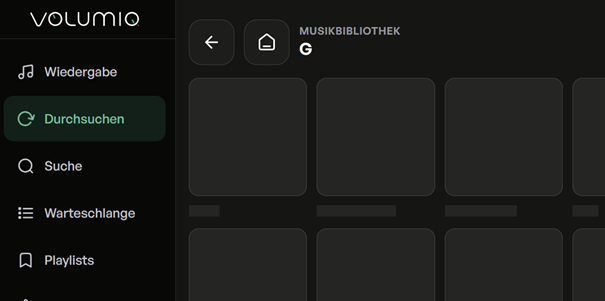
Pop5 is not yet listed in the library; the other drives (Jazz Pop1–4) are present, but the second directory level just flashes:

Since nothing is happening, I perform a RESTART.
The scanning icon disappears, the SOURCES overview is back, and all tracks are present and playable [** see below].

The next day, I turn on the Rivo+. The SOURCES overview is missing; all drives are visible in the library, but I cannot access the second directory level (see above).
Is the system updating in the background? I made some changes to individual albums (directly on the drives) after the state mentioned above [** from above]. Log created:

http://logs.volumio.org/rivoplus/3DFIg9h.html

After 30 minutes of no activity, I trigger a library update. A small notification window appears, but there is no scanning icon. No update takes place. Log created:

http://logs.volumio.org/rivoplus/K1LZBJg.html

Nothing changes.
So, I shut the unit down completely (Lineo5).
Restart. Everything is back (SOURCES overview, subdirectories accessible, tracks playable).
What is going on here?

Hours later, I initiate an update; a small notification window appears, the scanning icon spins, and it takes 20 minutes for the SOURCES overview to change.
The update appears to be finished, but the scanning icon keeps spinning. Log created:

http://logs.volumio.org/rivoplus/nLfpl3r.html

In the library, the updates are partially visible (directory names appear, but cover art does not).
The scanning icon just keeps spinning indefinitely.

After a restart, I can only reach the second directory level* when using a PC, while on an iPad or Android device, I cannot even access the first level!

http://logs.volumio.org/rivoplus/MFLEsEg.html

* My directory structure: MUSICLIB ->Jazz ->A to Z ->Artist / Band ->Album ->Editions

At this point, I haven’t made any further attempts.

If this procedure is actually useful, I’d be interested to hear any feedback, suggestions, etc.
If it’s not helpful at all, then just forget about it.

@Nerd
I’m going to look into the SSH check now.
Best regards, Tim

@Nerd
I’m going to look into the SSH check now.
When I click the “ENABLE” button under “SSH” on the dev page, nothing visible happens—is that correct?
Also, where do I enter the command (“timeout 180 bash …”)?

Best regards, Tim

Hey @TimRS,

Thank you, the step-by-step logging was very useful. The 13 logs show clearly what is going on.

What the logs show

  1. At the end of every scan, Volumio asks MPD for a single list of every song in the library. It uses that list to build the Albums view, and the scan icon only clears after it has been handled. MPD limits a single reply to 80 MB.
  • With Jazz, Instrumental and Pop1 to Pop3, the list was delivered. Volumio then needed several minutes to process it: up to 6 minutes after a scan, and up to 9 minutes after a restart. During that time the scan icon keeps spinning and library pages are slow or show placeholders.
  • With Pop4 and Pop5 added, the list is larger than the limit. On all three starts on 7 November, MPD logged “Output buffer is full” and closed its connection to Volumio.
  1. On two of those three starts (14:40 and 23:30), the system watchdog then stopped MPD, and nothing restarted it. With MPD not running, the library cannot be browsed and “Update library” does nothing. That is the state shown in 3DFIg9h, K1LZBJg and MFLEsEg. On the 16:37 start MPD survived, which is why everything worked again after that power cycle.

  2. The “connection lost” messages are a separate problem. When the dialog for adding a network drive opens, Volumio searches the network for shares. Three times (21:31, 23:34 and 00:19) that search crashed the Volumio backend, which then restarted. Each restart also restarts MPD and requests the song list again. That is why the notifications arrived late afterwards.

  3. Two smaller points:

  • After the Pop4 scan, the scan icon disappeared at 00:14 because you started playback, not because the scan finished at that moment.
  • In nLfpl3r, the library update you started at 16:49 was still running when you created the log at 17:23 (MPD was scanning Pop2). The spinning icon was correct at that time.

About SSH

You did nothing wrong. ENABLE gives no confirmation on the page, and the command has to be typed into a separate SSH program. You no longer need it: MPD logged the answer itself on three starts, so please skip that test.

In the meantime

In your logs, the library worked with Jazz, Instrumental and Pop1 to Pop3. Once Pop4 and Pop5 were added, it failed at every start. If you keep all drives connected, some starts may leave the library unusable until the next restart.

Kind Regards,

@nerd

Based on the detailed and prompt information you provided (and on a Sunday, no less - thank you very much!), I conclude that:
a) my library is simply too extensive
b) there are too many album covers
c) …
In other words, would it help if I added the extension *.jpg (maybe all the graphic-formats?) to the .mpdignore file (so that the cover images remain available for use in other programs), while preventing MPD from running into issues because of them?

Best regards, Tim

Don’t add .jpg/.png to the .mpdignore list — you’ll disable Volumio from showing your local covers and/or additional artwork. You can add other unrecognizable types (.bmp, .webp, .gif, .tif, etc.) for a speed-up in processing and overall UX, but that won’t solve the primary issue: the MPD max_output_buffer_size cap you’ve already hit.

You should definitely finish adding the remaining non-audio, video, and ISO folders to the .mpdignore list, though.

I’ve done some digging in the meantime and this problem is long-standing one.

@Wheaten, the same issue was already diagnosed here: your suggestion was to raise max_output_buffer_size — maybe worth trying here too?

Another one here:

I also found independent confirmation with measured numbers — snapMULTI, Oct 2026: 65 MiB response on 78k tracks, same cap, raised to 128 MiB, verified on hardware.

Same failure mode, different project — MPD caps a single client response, and once the library reply exceeds it, the client is dropped. Volumio ships at 80 MiB, which covers most libraries but not 78k+ track collections where the reply alone is ~65 MiB and leaves zero headroom for metadata overhead.

@volumio Per the team’s 2020 comment about a custom database engine — is that still in the pipeline, or is raising the buffer the only option for now?

I’ve done this already. Active for the whole process posted in #27.

I will try to push the buffer size to the limit :upside_down_face:

Thanks for researching - then I don’t feel so alone.

Best regards, Tim

Glad it helped. For what it’s worth, the digging and the buffer stuff were really aimed at @Wheaten and @nerd — not at you. I’d hold off on any technical changes until they weigh in. If removing a drive gets you back to a working state in the meantime, that’s the safest path.

And honestly, this thread is a good spot to keep everything in one place — the logs, the diagnosis, the fix, the source reference — in case the team does eventually address it. Easier to point to one thread than dig through five.

Hey @TimRS and @vdrn,

A short follow-up on the buffer suggestion and the “where is the limit” question.

Where the limit is

The limit is not a fixed number of tracks or volumes. What counts is the total size of the single song list that Volumio requests after each scan, and that depends on how much tag data each track carries. In Tim’s logs, more than 172,000 tracks still fit within 80 MB. A library with more tag data per track reaches the limit sooner. Spreading the same music across several volumes does not change the size of the list.

The .mpdignore work is confirmed in the logs: no ISO files and only one video file were picked up.

Please hold off on max_output_buffer_size

  • On Volumio 4.244, /etc/mpd.conf is rewritten from Volumio’s own template every time the system starts (Tim’s logs show this at every boot). It is rewritten again whenever playback, resampling or music library settings are saved. Editing the file and then rebooting, as the older instructions describe, is undone by the reboot itself. The result would look like “no change”, and that would be the wrong conclusion.
  • A larger limit only addresses the first problem in my previous post. It does not remove the minutes Volumio needs to process the list, or the watchdog stopping MPD. Tim’s longest delays (6 to 9 minutes) happened with lists that were still below 80 MB.
  • MPD sets aside memory up to that limit for large replies, and Volumio also runs on boards with as little as 512 MB of RAM. This is not a value to raise blindly, or “to the limit”.

For now, the smaller setup (Jazz, Instrumental, Pop1 to Pop3) is the safest working state, as @vdrn suggested.

Kind Regards,

@vdrn @nerd @Wheaten

I am persistent - some might even say stubborn.

Yesterday:
On my PC: after adding “Jazz” and “Pop 1–5” via the user interface (Artwork One by Tamas), the system stopped responding after the final drive (Pop 5) was processed; the scan effectively got stuck in an infinite loop.

http://logs.volumio.org/rivoplus/8qsener.html

After a restart, my LIBRARY was once again inaccessible. I’ve now switched to my iPad. Upon switching to the “Nova” (sic!) interface, all five added drives appeared in the list, and I was able to listen to music for two hours (browsing through various directories and albums). The album art is displayed correctly, too. Switching to the Spotify plugin to listen to music also worked.
I am—pleasantly—baffled.
How long will this state last?

22h
I’m back at my PC.
I open my LIBRARY, but all I see are blinking placeholders!
The tracks from the Spotify playlist I was listening to earlier are still in the QUEUE, and I can still play them. http://logs.volumio.org/rivoplus/iuoeFmu.html

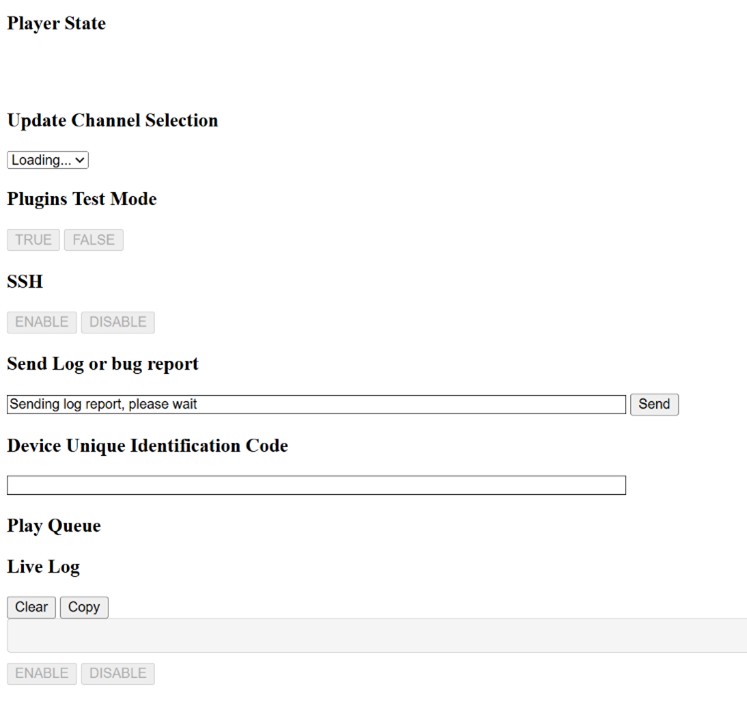
On the dev side I see:

Player State
{“status”:“pause”,“position”:11,“titleDie Paradeartistvon BrückenalbumWeit weg von fertigalbumarthttps://i.scdn.co/image/ab67616d0000b273dfee7094a44c3ad80acccaa3urispotify:track:0wt560zl4TSym3JbPutKY9trackTypespotifycodecoggseek”:20968duration":340samplerate320 kbpsbitdepth16 bit",“channels”:2,“random”:null,“repeat”:null,“repeatSingle”:false,“consume”:false,“volume”:100,“dbVolume”:null,“disableVolumeControl”:false,“streamspotifyvolatile”:false,“servicespop”}

and:

Play Queue

  1. Auf anderen Wegen
    Service: spop Uri: spotify:track:6GyBgO7IGH7nBdhbogEYnT Artist: Andreas Bourani Album: Hey Albumart: https://i.scdn.co/image/ab67616d0000b27377dabc857505b1ec2ccf963e

  2. Grell

Service: spop Uri: spotify:track:2zTBzwUlWRWIMVCNBMf4Y7 Artist: Killerpilze Album: Grell Albumart: https://i.scdn.co/image/ab67616d0000b273bdf415c9a1755554316c0c90
3. Dings
Service: spop Uri: spotify:track:7jARmBBO3Knlu1tT62lZi9 Artist: Chakuza Album: Dings Album Art: https://i.scdn.co/image/ab67616d0000b273bbb8b27935a08859945116b2
4. Hier oben (…Jupp)
Service: spop URI: spotify:track:4HWzD4B4NsEwzeTzRlQiNR Artist: Jupiter Jones Album: Jupiter Jones Album Art: https://i.scdn.co/image/ab67616d0000b27311c7b10f412ebe49b38d4758
etc.

I switch to the FAVORITES I’ve created; I can see them, but I cannot play them.
Switching to the queue: it is, naturally, empty again.
When I open my library, I only see blinking placeholders!

I check my iPad - which I had stopped using around 9:30 PM (up until which point, as mentioned, I had been listening to music). When I open a directory, I see only blinking placeholders, just as I did on the PC.

http://logs.volumio.org/rivoplus/hJsWoWy.html

Cold restart: SETTINGS shows blinking placeholders!

http://logs.volumio.org/rivoplus/Fdi1UjX.html

About 10 minutes later, it works again!
SOURCES shows “SQ” from “Scan Jazz” and “Pop1-5,” with a lower total count (see below)

All (!) drives are back; only 3 subdirectories (P through S on ‘Pop4’) are missing. Playback works fine. :astonished_face:

This remains the case as of today, November 10th. :face_with_peeking_eye:

For the time being, I am avoiding any updates (whether to address the missing directories or to add new music files) as doing so would likely cause the database to fail.

@nerd

You wrote “What counts is the total size of the single song list that Volumio requests after each scan, and that depends on how much tag data each track carries.“
→ What is meant by “tag data” (metadata)? I’m familiar with this from MP3 files, where elements like cover art, release date, genre, codec info, etc., can be embedded as metadata. If that’s the case, does it follow that for a FLAC file containing only raw music data, the tag size would be “0”?

Alternatively, is there a way to prevent the system from reading this tag data? I don’t need it, and I’ve actually deleted it from some of my files.

Why is the limit—which is ultimately the deciding factor for whether a music library can be integrated—set so low, at 80 MB?

Best regards to all of you, Tim

Hey @TimRS,

Thank you for the four new logs. Being stubborn is exactly what this needed.

Network

I checked all of your logs for network drop-outs. There are none: the wired connection never dropped, and all network drives stayed mounted the whole time.

What the logs show

8qsener (9 Nov, 13:21 to 17:09)

  • Adding a network drive starts a rescan of the whole library, not just the new drive. Pop5 was finished at 16:35. The rescan then carried on through the other drives and was still running when you created the log at 17:09. This was not a loop: a full rescan of this library takes hours.
  • Shortly after startup, Volumio restarted itself three times. Each time, the browser on your PC asked for the Albums view before Volumio’s connection to MPD was ready.

iuoeFmu and hJsWoWy (9 Nov, from 18:31)

  • Each time the Albums view was opened again while the album list was still being built, the requests piled up and MPD dropped the connection (18:32, 18:40 and 18:43). Browsing by folders still worked, which is why you could keep listening.
  • At 19:38 a library search made MPD stop responding, and the system watchdog stopped MPD at 19:39. It was not restarted, so from then on only Spotify could play. The library, your favourites and the queue all need MPD. That is the placeholders and the empty queue you saw.

Fdi1UjX (cold restart)

  • MPD was running, and Volumio spent more than 10 minutes processing the album list. That is your “about 10 minutes later, it works again”.

Not covered by the logs

  • The missing P to S folders on Pop4. None of the logs covers the moment Pop4 was rescanned, so I cannot say why.
  • The boot partition was marked as not properly unmounted. That happens when power is removed without a shutdown. Where possible, please use Shutdown in the menu before switching off.

Your questions

  1. “Tag data”: in this list, every song is several lines of text: the file path, the file date, the date it was added, the audio format, the duration, and the text tags (artist, album, title, track, date, genre and so on). Cover art is not included. A FLAC without any tags still takes roughly 200 bytes, because the path and technical lines remain. Your paths are long: about 95 bytes on average on Pop5.

  2. There is no setting in Volumio to stop tags from being read, and it would not help: the Artists and Albums views are built from those tags. Removing them makes the list a little smaller but leaves those views empty.

  3. MPD’s own default limit is 8 MB, and Volumio already uses ten times that. Volumio also runs on boards with only 512 MB of RAM, and MPD can set aside memory up to that limit for each connection. The real problem is not the limit but asking for the whole library in one reply.

Pull requests opened

These pull requests are open for the Volumio developers based on what your logs are showing. There is no ETA: review, merging and release are up to the Volumio team.

In the meantime

With your current setup (without Instrumental), the library works as long as only one album list is requested at a time. Based on your logs:

  • After a restart or a scan, leave the Albums view alone for about 10 minutes, and do not open it repeatedly while it is loading.
  • Avoid the library search for now. Folder browsing works.
  • If the library shows only placeholders and does not recover, MPD is no longer running, and a restart is needed.
  • Avoiding updates is sensible for now. Adding a drive rescans the whole library, which takes hours.

Kind Regards,

Hi Tim,

From my understanding, “tag data” means the metadata fields MPD indexes from each file — title, artist, album, year, genre, composer, etc.

Your FLAC idea won’t fully work though: even with zero embedded tags, the file’s path is always included in the reply, so the size never drops to zero.

What counts toward that 80 MB limit is all of it added together — every file’s path plus every metadata field, for every track in the library, in one single reply. More files, longer paths, more tags per file — any of those push you over.

Stripping tags across 170k files plus renaming folders is… more of a life sentence than a fix.

The smaller setup is the pragmatic answer for now. And the iPad-works / PC-breaks / cold-restart-recovers pattern you’re seeing is the same root cause, just surfacing at different times depending on how the request is made.

Hang in there, they’ll fix it eventually :wink:

Hi nerd,

the pieces of the puzzle are slowly coming together—at least for someone like me, who is a layperson when it comes to IT and software.
As a music lover and a bit of a “nerd” about my collection, I’ve structured my music library to include as much information as I deem necessary. This results in deep directory structures, long folder names, and long filenames. And that’s exactly what’s causing me trouble here. To give you a shocking example:
“m:\E-Musik_Dirigenten Orchester\z Les Arts Florissants, Christie & Agnew - Harmonia Mundi Collection (1982-2018)\Airs sérieux et à boire 3 - N’espérez plus, mes yeux… - Christie\15 - Pièces pour le violon à 4 parties de différents autheurs_ Prélude pour l’Allemande cromatique & Allemande cromatique.flac”
Given the sheer volume of music I’ve collected and digitized over time, this ends up overwhelming a system like MPD.

My conclusions based on your - once again - very extensive and helpful information:
I need to have more patience with Volumio.
I need to reduce the number of tags.

Last but not least:
Great that you created numerous requests. I hope as much of this as possible gets fixed. So that it benefits me and as many other users as possible.
Until then, I’ll be patient - and listen to music :vulcan_salute:

Best regards.

Hey @TimRS,

You call yourself stubborn. I’ll see your stubborn and raise you obsessive; my nickname is a hint.

One correction before it becomes a plan: please do not strip your tags. Volumio builds its Artists and Albums views from them, so removing them gains very little and empties those views.

In your case the paths weigh just as much. Your example path alone is about 320 bytes in that list, more than three times the average path on your Pop5 drive, and every track carries its path. Please do not start renaming your collection either: #345 reads the album list in portions, so once it is merged, the total size of the list no longer matters.

So your first conclusion is the right one: patience, and music. The tips from my previous post still apply until then.

And since you have earned it: your library is the reason, well, the trigger, for this:

MPDantic reads a library the way MPD does, one folder at a time, and points at whatever MPD silently trips over: CUE sheets, playlists, tags MPD cannot read, and files it should not be opening at all. It checks tags and fixes the obvious mistakes; it never strips them. A first preview is close. A collection like yours, with deep folders, long names and a lot of care in the tags, would be the perfect stress test if you are up for it once the preview is out.

Kind Regards,