Problem with building Music Library

My Rivoplus is running Volumio 4.209 and Nova 0.261021.1.

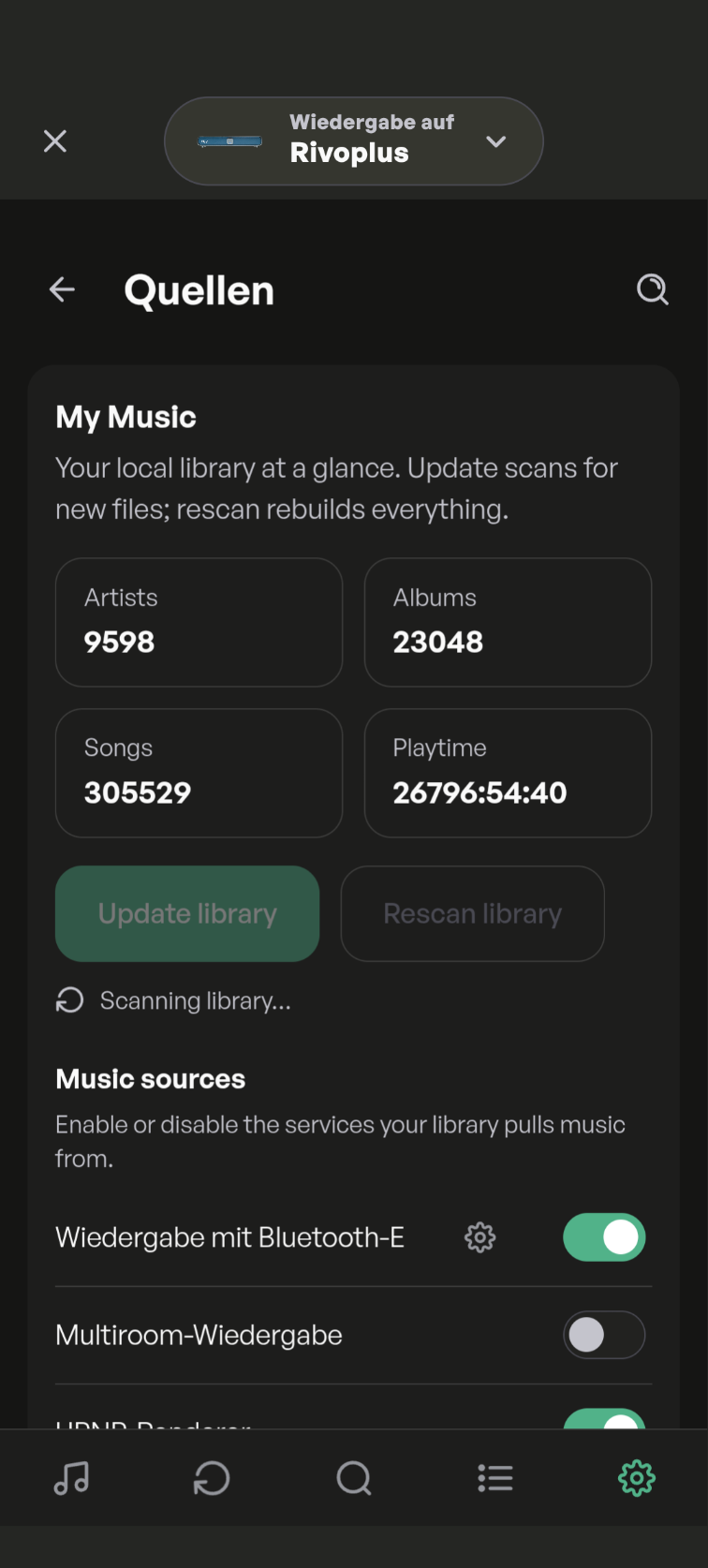
I have added my music, which is stored on a NAS. Both drives (‘Pop’ and Musik’) are being scanned, and the items from both are being counted:

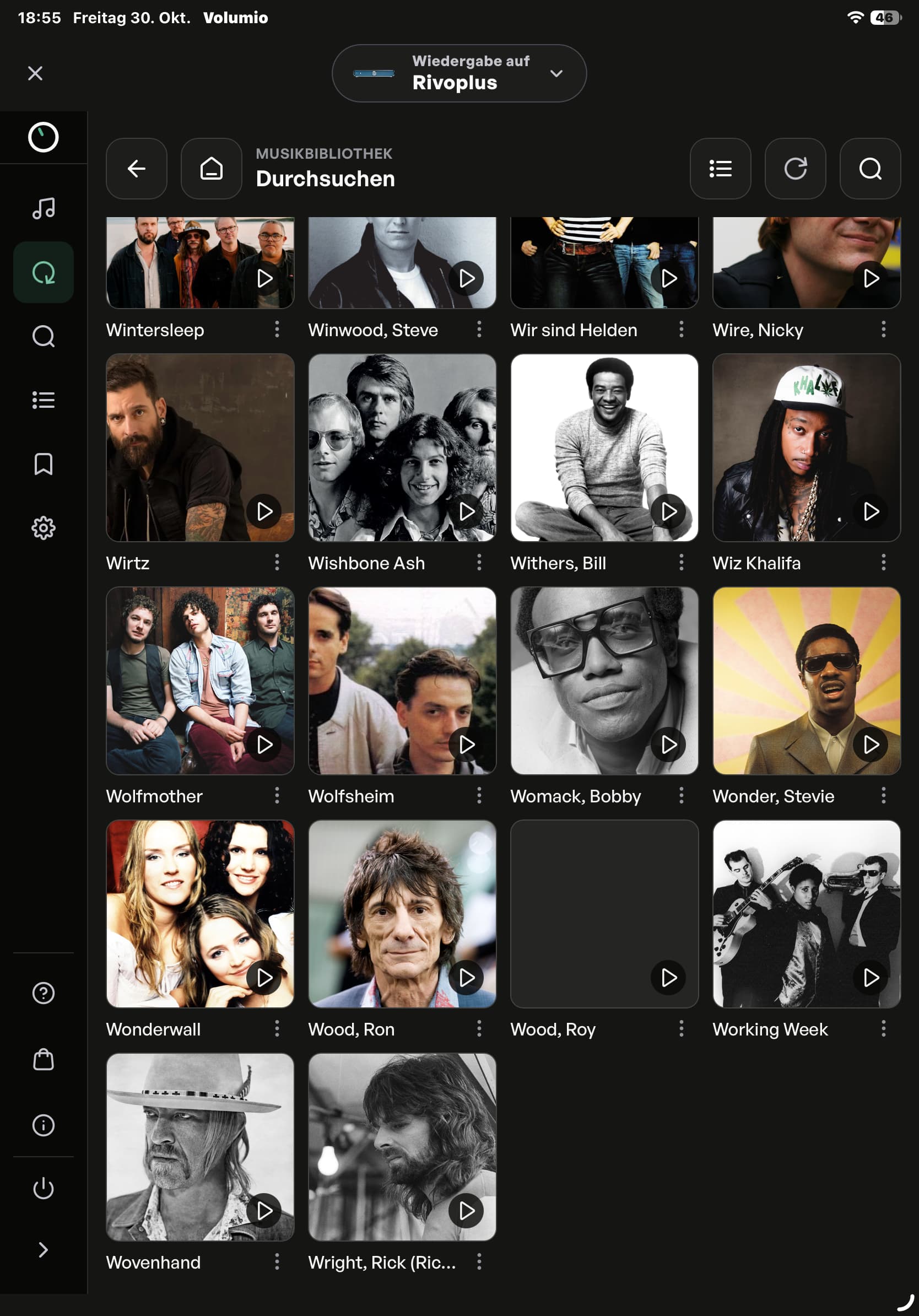
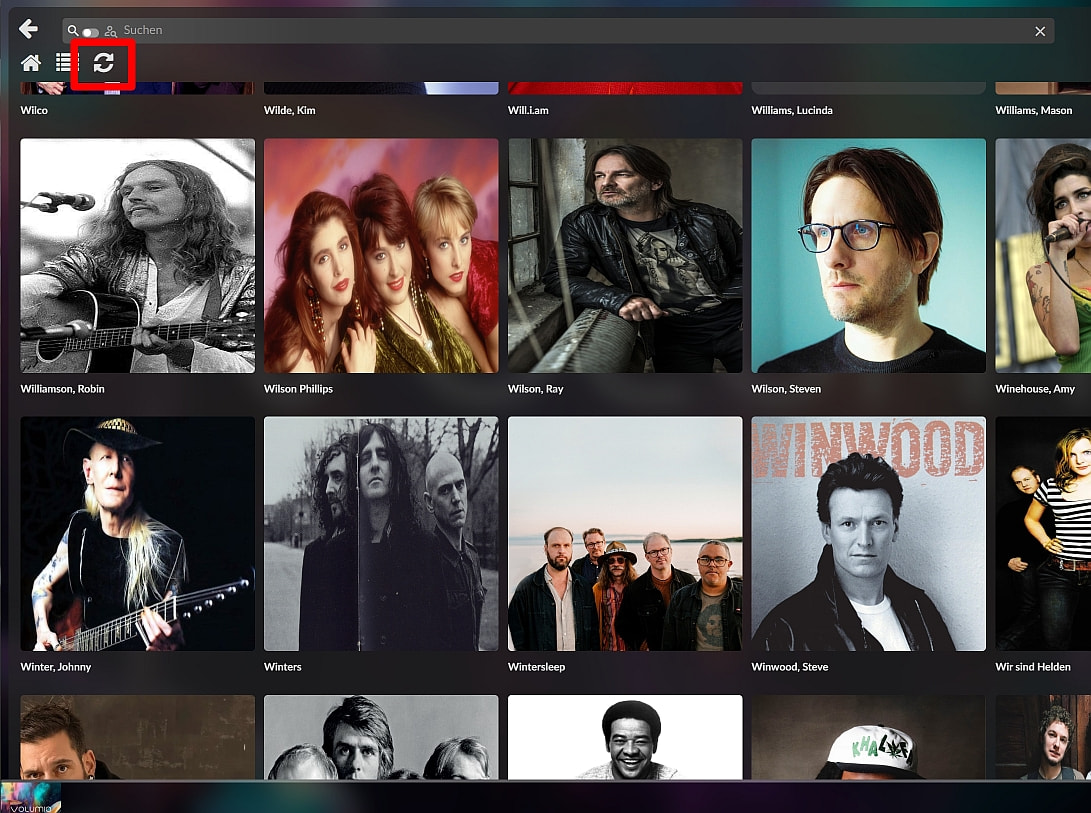
However, under ‘Browse’ both in ‘Music Library’ and ‘Albums’ only the results from the first added drive (‘Pop’) are listed:

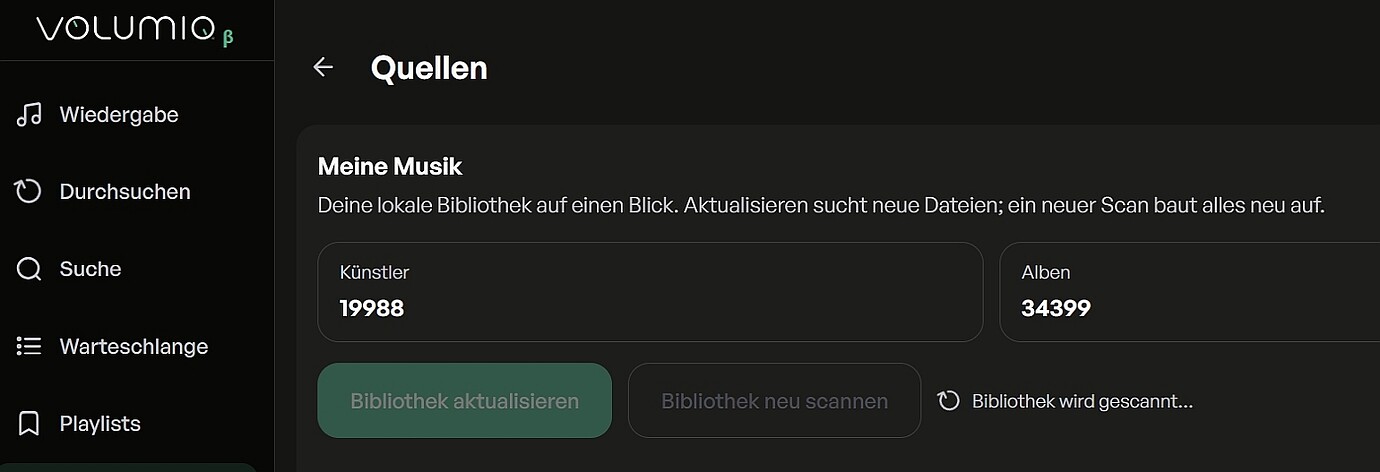
Furthermore, the scanning process continues indefinitely:

…and can only be stopped by performing a restart.

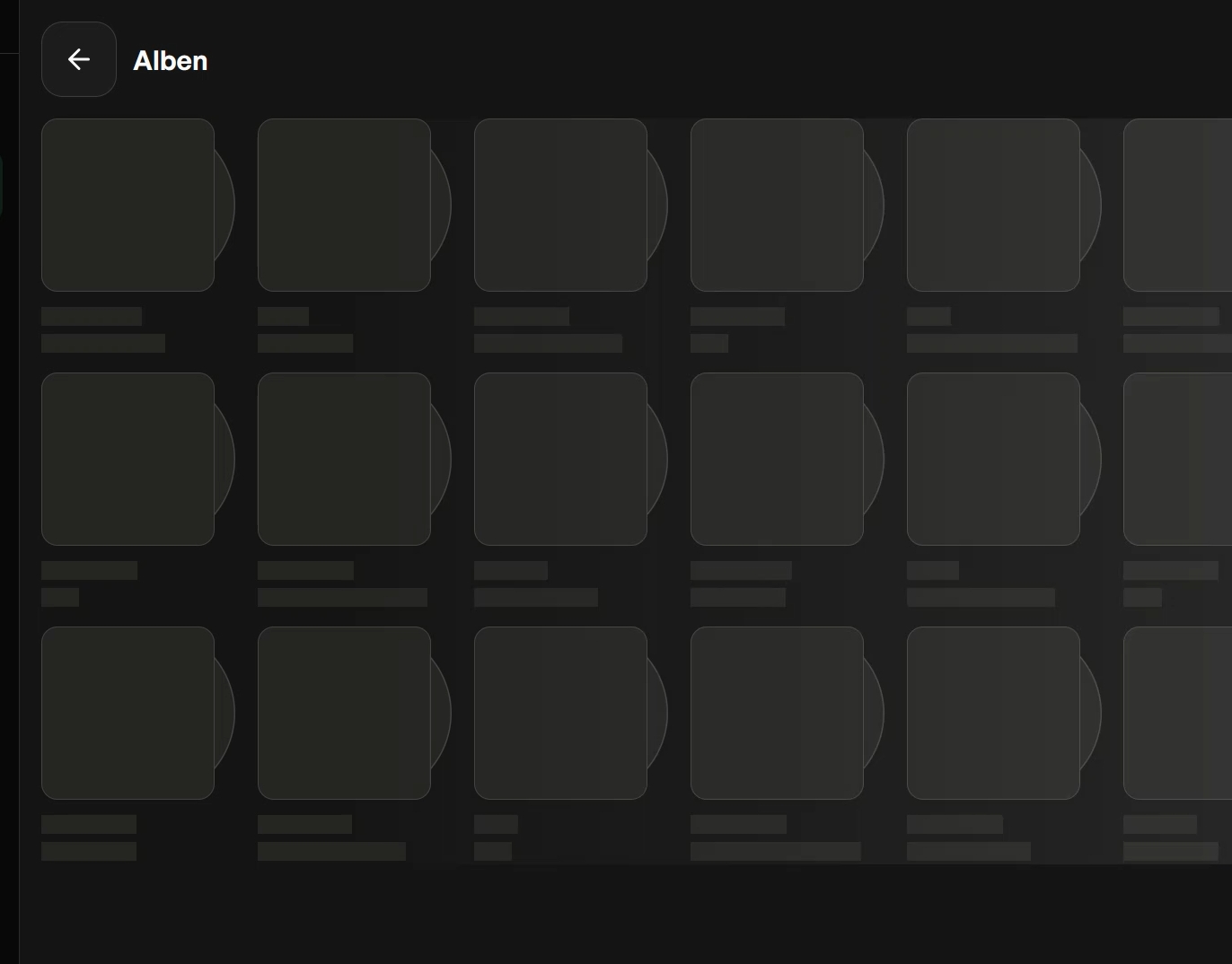
Finally, when I started up my Rivoplus today, not only had the list of scanned artists, tracks, etc., disappeared, but the ‘Music Library’ and ‘Albums’ sections now look like this:

http://logs.volumio.org/rivoplus/U5j75VE.html

Thanks in advance for your help.

Kind regards, Tim

Hi, do you have any large non-music files present in your library, especially archive files or video files?

Hi vdrn,

thanks for your reply.

Both drives contain ISO files (SACD), 34 and 83 files, respectively, with a maximum size of 5 GB. There are also 8 MTS files (Blu-ray A), which can be up to 15 GB in size.

The initial scan did not cause any issues; all directories/albums were accessible.

[ However, there was one limitation: only the first mounted drive (‘Pop’) appeared in the lists. While the second drive (‘Musik’) was scanned, meaning its files were processed, it did not show up in the overviews. ]

Kind regards

MPD or Volumio’s own scanner can badly choke on large non-music files. Try moving those ISO and MTS files out of Volumio’s scan scope temporarily, then fully rescan the library and see if that solves the issue (I had similar issues with large archives and video files). If it turns out to be the same case for you, you can put .mpdignore files (that contain your pre-defined ignore list of file types) in the problematic folders, and all problematic files will be skipped automatically, without you having to permanently keep those files in a separate location. Good luck!

Not sure what that means, but I now have Pop Muzic by M in my head.

Was ich bis jetzt geprüft habe: tatsächlich hat Volumio Probleme mit großen Dateien (ab 1GB?). Habe eine kleine Musikbibliothek angelegt und mit und ohne eine 4gb-iso-Datei gescannt.
Danke, vdrn, für den Hinweis.

Aber, ich bin jetzt raus mit dem Volumio Interface.
Warum? Weil es hakt und buggy ist.
z.B.:

Jetzt habe ich - zum Thema hier - zwar erreicht, dass eine (Mini-)Bibilothek gescannt wurde, ich die Musik auch abspielen kann, ja sogar ein Aktualisierungsscan des Laufwerks funktioniert.

Aber ich kann kein weiteres Netzlaufwerk hinzufügen. Volumio zeigt mir meine NAS-Laufwerke (in der Vorabsuche ‘In deinem Netzwerk gefunden’) nicht mehr an. Das hatte ich bisher noch nie! Auch das Hinzufügen funktioniert nicht. Ein Neustart des Rivoplus ändert daran nichts. Auch kein Zurücksetzen auf Werkseinstellungen.

Hey @TimRS,

This is a gentle reminder of the standing requirement in this community. We communicate in English here. Expecting volunteers donating their personal time to translate for you is simply unrealistic and despite of the content may simply be left ignored. There is sufficient number of tools available in public domain to assist you with translations.

Kind Regards,

Ahhh, the joy of a factory reset that resets everything except the thing you actually wanted to fix :cowboy_hat_face: Welcome to Volumio’s Halloween Party :jack_o_lantern:

One step forward, two steps back
Straight line is always better than that
Listen to the rhythm of life and…
Debug

It happened to many of us… many times. Anyway, to get us started, a few things that would help narrow it down:

About the drives (when they were working):

  • Did you add them via the “Found in your network” auto-detect, or did you type in the address manually?
  • Do you remember if it said “CIFS” or “NFS” when you added them? (It’s shown in the drive details.)
  • Were there any extra settings or options filled in, or was it just username/password and you were good?

About what changed:

  • Did anything happen around the time it stopped working — a NAS update, a router update, a Volumio update, or did you change anything on the NAS side?

Easy check you can do right now:

  • Can you log into your NAS admin page from a browser? (Usually you type its IP address in.) If yes, just tell me what brand/model it is and what IP it shows — that’s enough to get us moving.

No need to answer everything at once — whatever you remember is a start.

Hi vdrn,

I took a look at MPD on GitHub. It seems complicated to get it running on Windows.
Still, I’d be willing to give it a try if things ultimately don’t work out with the Volumio interface.

SQ Volumio 4.231 · Nova 0.261027.0
I haven’t performed any updates to my NAS, router, or Volumio (though see below!)

Regarding your questions:

  • I mount my NAS drives using the “Add network drive” button. Usually, when I click it, my NAS systems appear via the automatic network scan (“Found on your network”). Yesterday, for the first time, that didn’t happen. But—would you believe it—today, right now, they’re back! No matter. I mount my music collection by manually entering the IP address, path, etc., anyway.
    I use CIFS and add “vers=2.0” in the advanced options.

It’s working right now! But I don’t quite trust it.

I also tried mounting two drives.
That worked.
However, they are very small (a total of 18 albums with 325 tracks).

My actual music collection consists of 30,107 albums with 431,814 tracks on Drive A, and 20,282 albums with 262,220 tracks on Drive B.

I suspect this volume of data might be too much!? Regardless of the size of individual files—though I’ll likely have to exclude any files larger than 1GB.

I truly appreciate your help.

Hi nerd,

I will keep this in mind again in the future.

Kind regards

Get Rid of all ISO files , I used to have problems until I recoded them to FLAC files with "SACD extract"into FLAC files . Be sure to remove all of them . I still have some problems sometimes , rivo + doesnt load the library , but it is much better now , good luck

Hi,

You don’t need to install MPD on Windows. MPD is not a separate program — it’s built into Volumio. Your Windows machine / NAS just shares the files; Volumio’s internal MPD engine reads them over the network. You never touch MPD directly. The GitHub repo is for the developers, not for end users.

On your CIFS setting:

You’re already using vers=2.0 , which is exactly what Volumio’s own documentation recommends as the safe default. Keep it as-is.

On the Nova NAS issue you reported:

You already reported the bug with network drive mapping (syntax errors, settings not applying) in the Nova thread. Your issue with the second drive not appearing under Browse may or may not be related to Nova specifically. The quickest way to tell: switch to Manifest (Settings → System → UI Theme → Manifest → Save). If it works under Manifest, it’s Nova; if it doesn’t, the problem is deeper (mount or scan).

Tip: There’s a quirk where the first “Save” click is ignored. Click Save while keeping Nova selected first, then switch to Manifest and Save again.

On the library size (~700,000 tracks):

MPD can handle that many files, but:

  • The first scan will be very slow — potentially many hours over a network share. That’s normal. Subsequent scans are faster.
  • Non-audio files can cause MPD to stall or abort mid-scan. ISOs, video files, and other non-audio files don’t just slow things down — they can break the scan entirely. At your library size, excluding them isn’t optional.

The fix — .mpdignore files on your Windows share:

The filename must be exactly:

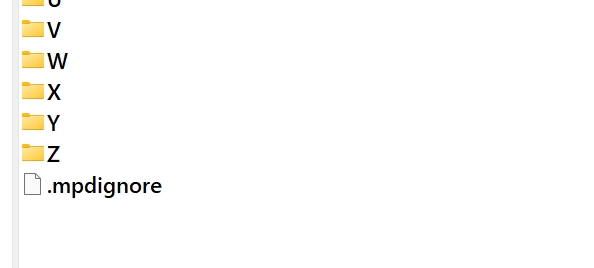
.mpdignore
  • It starts with a dot (that’s part of the name, not an extension).
  • It has no extension — not .mpdignore.txt , not .mpdignore.notepad , just .mpdignore .

To create it correctly on Windows:

  1. In File Explorer, go to View → Show → File name extensions (toggle it on).
  2. Right-click → New → Text Document .
  3. Rename it to .mpdignore . Windows will warn “If you change the file name extension, the file might become unusable” → click Yes .
  4. Verify in the filename column that it says .mpdignore and not .mpdignore.txt .

What to write inside (open in Notepad):

Option A — skip the entire folder (if it’s purely junk):

*

Option B — skip specific file types (if the folder also contains music):

*.iso
*.img
*.zip
*.rar
*.7z
*.tar
*.gz
*.bz2
*.mp4
*.mkv
*.avi
*.mov
*.wmv
*.flv
*.webm
*.m4v

Example with your folder structure:

Music\
  Rock\
  Jazz\
  ISOs\        ← put .mpdignore here with just *
  Videos\      ← put .mpdignore here with just *

On the Rivoplus hardware:

It has 2 GB RAM and 16 GB eMMC. For 700k tracks it won’t crash, but if it starts swapping the scan will crawl. The .mpdignore files will help here too — fewer files to scan means less memory pressure.

TL;DR:

  • No MPD install — it’s already in Volumio
  • Keep vers=2.0 , it’s correct
  • Switch to Manifest as a diagnostic for the Nova issue you reported
  • Put .mpdignore files in the junk folders on your Windows share
  • First scan will take a long time — be patient
I actually built a Windows PowerShell tool for my private use that prepares your music library (especially messy ones) and, among other things, deals with exactly this issue you’re experiencing. It auto-creates .mpdignore files and seeds them to every folder in a flash. It also handles auto-correcting covers, staging one-file rips for splitting via .cue files, etc. — basically everything that gave me headaches dealing with Volumio’s steep learning curve. It might actually be useful to release, but I have to do a final check of everything, so I’ll probably need another week.

Hi vdrn,
thanks a lot for your detailed tutorial!

A quick update:
I’m in the process of implementing everything. At times, it looked like I had succeeded, but I’m still running into issues with at least one of the two (very large) volumes I’m trying to mount.

Best regards, Tim

Hey @TimRS,

Glad to hear the .mpdignore files already helped. Here are a couple of additional things that have resolved similar “scan never finishes / library incomplete after restart” issues for me and others with large NAS libraries:

1. Adjust your CIFS mount options

In Volumio go to Settings → Network Mounts and edit the mount for your NAS. In the Mount Options field, add:

vers=2.0,nounix,noserverino,iocharset=utf8

What each does:

Option Why it helps
vers=2.0 Forces SMB2 instead of letting the client auto-negotiate. Avoids protocol mismatches that cause silent scan failures.
noserverino Prevents the client from relying on server-side inode numbers. This is the main fix for “Stale file handle” errors and incomplete indexing during long scans.
nounix Disables CIFS Unix Extensions (POSIX ACLs, locks, symlinks, uid/gid). If the NAS implementation is inconsistent, these cause hangs.
iocharset=utf8 Ensures non-ASCII filenames are handled correctly. (Volumio applies this by default, but it’s good to be explicit.)

After saving, restart Volumio and let the scan run to completion.

2. Keep the .mpdignore files in place

Since your library contains large ISOs, video, and archive files, make sure you have .mpdignore files in the relevant folders (or a top-level one) excluding those file types. This dramatically reduces the number of files MPD tries to parse.

3. Let the scan finish

With the mount options above, the scan should no longer hang. Give it time — large libraries over SMB2 can take a while on the first full scan.

If it still misbehaves after this, the next step would be checking the NAS-side SMB settings (e.g., ensuring “Oplocks” and “Leases” are disabled on the share) and sharing the NAS model so we can look for model-specific quirks.

Hope that gets you sorted!

Hi vdrn,

I have scanned all volumes/directories (with the exception of the two largest ones).

  • only FLAC, WAV, MP3, APE, WV, M4A, MID, WMA, OGG, JPG, PNG, and BMP formats are permitted; all other formats have been excluded using .mpdignore.

Screenshot 1

  • the maximum file size is 2 GB (*.wv).
  • the exclusion worked as intended—I verified this via ->Browse ->My Library.
  • the scan completed successfully and did not get stuck in an infinite loop.

Result: No issues; even the 2 GB *.wv file plays correctly.

Next, I scanned one of my large volumes/directories (containing approximately 16,000 albums and 300,000 tracks).
Result: The scan finished after 12 hours - the counts for albums, etc., remain stable, and ->Browse ->My Library displays all subdirectories, albums, and tracks, which I am able to play.
However, the loading indicator (with the text “Scanning library”) continues to spin (an infinite loop).

I repeated the entire process three times - including a test with the second large volume - and the result was always the same.

Here is the log file for this state:
http://logs.volumio.org/rivoplus/28GvwOT.html

Based on my experience so far, after some time (likely by tomorrow morning), the overview of the artist/album/track counts disappears, and ->Browse ->My Library shows only blinking, empty placeholders for the directory preview.

At this point, I can no longer access the directories or play any music.
Furthermore, I cannot initiate a new scan because the buttons are greyed out. A factory reset is the only solution; a simple restart does not resolve the issue.

If you have the time and leisure to take a look at this, I would appreciate it.

Best regards, Tim

P.S.: I wrote this before reading your last post. I will take a thorough look at this.

Another attempt using the options you suggested (vers=2.0,nounix,noserverino,iocharset=utf8) while using the ‘Manifest’ skin. Unfortunately, the same problems persist. Once the scan is complete, I can initially see the content; the refresh spinner appears, and after a few minutes, the content disappears.

Hi vdrn,

I’m not sure what to make of the Volumio GUI. This morning, I started up the Rivoplus to run some further tests, and the overview of artists/albums, etc., has reappeared; my music is also present in the library, and I can even play it.
Naturally, I find myself wondering: how long will this last?

@TimRS As a normal user like you, at this point I’m almost running out of ideas BUT it could be that in your case the list is just too huge to render properly. And that gave me idea for something else. This great guy from above quote has recently made an alternative visual theme called Artwork One that, among other things, in its latest version deals with better handling of large databases. Could you give it a try and install this theme (you’ll find it in plugins section), then activate it and see if problem will persist?

Another advice to rule out NAS side would be if you have the option to put that problematic folder on a different, removable drive (e.g. external USB disk), plug it in and see if you’ll encounter the same behaviour.

Good luck.

@vdrn

Well, you’ve still got a few arrows in your quiver (a German idiom). I’ll certainly take you up on your suggestion regarding the Artwork One interface.
Right now, I can hardly believe my eyes: I’ve scanned one large volume and two small ones, and -so far - everything is still working.
I’m about to mount the last small volume.
After that, I’ll go all in and include the second large one :face_with_peeking_eye: .