Downloading plugin at https://plugins.volumio.workers.dev/pluginsv2/downloadLatest/touch_display/volumio/buster/armhf
END DOWNLOAD: https://plugins.volumio.workers.dev/pluginsv2/downloadLatest/touch_display/volumio/buster/armhf
Creating install location
Unpacking plugin
Checking that the plugin is suitable for this version of Volumio The plugin can be used with this version of Volumio
Checking for duplicate plugin
Copying plugin to location
Installing necessary utilities
Re-synchronizing package index files from their sources
Hit:1 Index of /debian buster InRelease
Ign:2 Index of /raspbian buster InRelease
Err:3 Index of /raspbian buster Release
404 Not Found [IP: 93.93.128.193 80]
Hit:4 https://deb.nodesource.com/node_14.x buster InRelease
Reading package lists…
Running apt-get update failed
Plugin failed to install!
Cleaning up…
Removing dependencies
Reading package lists…
Building dependency tree…
Reading state information…
Reading package lists…
Building dependency tree…
Reading state information…
Reading package lists…
Building dependency tree…
Reading state information…
Reading package lists…
Building dependency tree…
Reading state information…
Reading package lists…
Building dependency tree…
Reading state information…
Reading package lists…
Building dependency tree…
Reading state information…
Reading package lists…
Building dependency tree…
Reading state information…
Package ‘chromium-browser’ is not installed, so not removed
0 upgraded, 0 newly installed, 0 to remove and 2 not upgraded.
Reading package lists…
Building dependency tree…
Reading state information…
Package ‘openbox’ is not installed, so not removed
0 upgraded, 0 newly installed, 0 to remove and 2 not upgraded.
Reading package lists…
Building dependency tree…
Reading state information…
Deleting /opt/volumiokiosk.sh
Deleting /data/volumiokiosk
Deleting /data/volumiokioskextensions
Deleting /lib/systemd/system/volumio-kiosk.service
Enabling login prompt
Done
Removing plugin directory /data/plugins/user_interface/touch_display
An error occurred while installing the plugin Error
Removing temporary directory /tmp/touch_display-cONbVC3Q2l
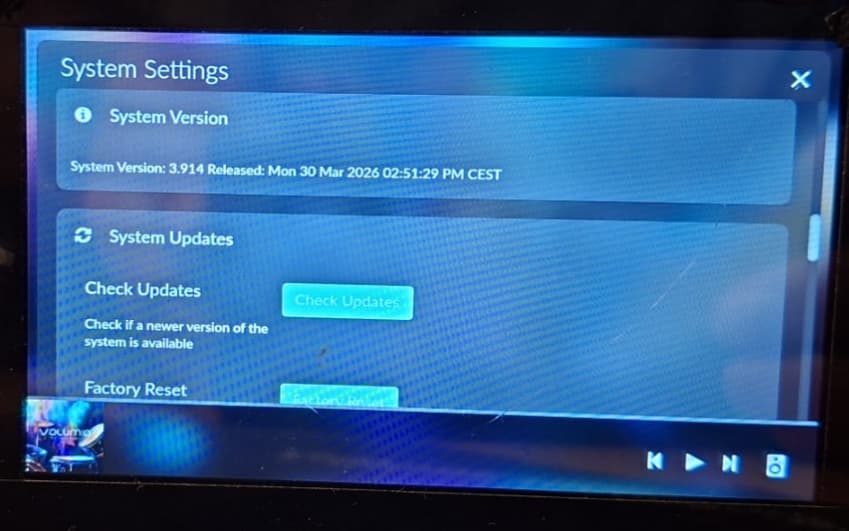
You’re running an outdated version of volumio 3 (3.7xx). Latest released version 3 was V3.912.
Debian Buster is EOL, so Debian moved all it’s binaries to an archive branch.
Either upgrade to the latest version of Volumio 3 or move to Volumio 4.
I tried to install this SunFounder 10.1 touch screen on my Raspberry PI4 running Volumio Music Streamer, but everytime I started it I get the Logo from Volumio and the message that it was starting it but after a minute or 2 the screen will turn black and with an RQ code on the top left corner. Am I missing something why I am not getting the Volumio Screen?
The Buster release is 3.6.0. There is no option to roll back to an earlier version.
Remove the plugin and reboot the device.
Verify that the Raspberry Pi’s date and time are correct by running in the shell: date
If the date and time are correct, reinstall the plugin and test again.
An incorrect system date is a common cause of installation and certificate-related issues, so it’s worth checking before troubleshooting anything else.
Without a log it’s difficult to troubleshoot. Keep in mind support is a bare minimum as V3 is EOL.
I have the RPI-3b with the 3.912 and try to add the plugin Touch Display
it would be nice to select the different version of the plugin see here the LIVE LOG
with a clean install 3.912
Install V3.6.0. There is no technical reason to fall back to older ones.
I gave instructions what to do, if you decide to provide zero feedback on them, supports stops.
i have install a fresh 4.119 on my RPI3b and now installing the plugin Touch Display
i have change the userconfig the same as t use with the old version of the plugin Touch Display
A few months ago I upgraded my RPi5 to a CM5. SC1592 version with carrier board, SC1967. I’m running Volumio version, 4.119. Since then my Freenove 5in touch screen has stopped working, and my config file no longer works. I can see the touch screen “boot” if it is dark enough, other than that I get nothing. I have tried both DSI connections, but as I understand it, you’re supposed to use DSI 0.
But here’s the output of cat /boot/config.txt cat /boot/userconfig.txt
cat /boot/config.txt
initramfs volumio.initrd
gpu_mem=128
gpu_mem_256=32
gpu_mem_512=32
gpu_mem_1024=128
max_usb_current=1
[pi5]
usb_max_current_enable=1
[all]
include volumioconfig.txt
include videoconfig.txt
include userconfig.txt
I tried the Pi Screen setup which has info for the Freenove, but I can’t get it to work, and I’m not sure I was doing it right. I tried with and without the “Touch Display” plugin enabled, and also with just the “Touch Screen” plugin alone.
Oddly enough, the TV works for display from the HDMI connection, which worked also before I got the Freenovce to work with the Pi5.
I’ve been living with it like this since February, so…
finally it works, i have change RPI the time sudo date -s “$(wget -qSO- --max-redirect=0 google.com 2>&1 | grep Date: | cut -d’ ’ -f5-8)Z”
and use a new SD card to make an image install the Thouch Display and it work fine