[Plugin] PeppyMeter/Spectrum Screensaver for VOLUMIO Bookworm

A huge thank you to @nerd and @Wheaten for their hard work! You brought us so much joy and satisfaction. PeppyMeter/PeppySpectrum version 3.1.1 is now running perfectly, smoothly and stably.

Thank you again!

Version 3.1.1 is quick and easy to install, requiring no separate installation of Python components, resulting in significant convenience and ease of use.

Hi, @Gelo5 It will be fantastic if you could develope some 1480*320 skin with cassette tape deck !

1 Like

After the new year. Now I’m fixing the skins one by one.

5 Likes

Thanks for the help @Wheaten !
During my testing with the FM/DAB Radio plugin and PeppyMeter screensaver, I observed the following behavior:

  • The FusionDsp Integration option only appears after installing the FusionDSP plugin.
  • When FusionDsp Integration = ON, the PeppyMeter screensaver works correctly during FM/DAB Radio playback, even if the FusionDSP plugin itself is disabled.

When FusionDsp Integration = OFF, the ALSA Configuration options become available:

  • Modular ALSA
    → PeppyMeter screensaver works normally.
  • DSD Native (bit-perfect audio)
    → PeppyMeter screensaver does not respond.

This is only based on my observations.
My understanding of the internal audio pipeline may be incorrect, so please feel free to correct me if any of the above behavior is expected or works as designed.

I have attached logs showing the different configurations, which may help with further investigation. http://logs.volumio.org/volumio/RxOt3U7.html

Dear Volumionauts,

PeppyMeter Templates - New Community Repository


Big news for PeppyMeter users - we now have an official community templates repository with a browsable catalog.

Bookmark This:

https://github.com/foonerd/peppy_templates/blob/main/catalog/README.md

Browse all available skins organized by screen resolution. Find what fits your display, download, install.

Why This Matters

Over the years, PeppyMeter templates have been scattered everywhere - forum attachments, personal shares, random links, some lost entirely. Finding the right template for your resolution meant digging through old threads or asking around.

No more.

This repository brings everything under one roof with:

  • Single location for all templates
  • Organized by resolution (800x480, 1920x1080, etc.)
  • Clear install instructions for every template
  • Preview images so you know what you’re getting
  • Automatic catalog updates when new templates are added

Credits

Thanks to @Gelo5, @Wheaten, and @Balbuze who have been maintaining community threads and template collections over the years. Their work kept the template community alive. This repository aims to simplify their contribution efforts - no more manually updating forum posts or maintaining separate catalogs. If I missed anyone - I do unreservedly apologize.

Important: Compatibility Note

Templates created for PeppyMeter 2.2.1 (the old Volumio 3 plugin) may not work with the current version. The plugin was completely rewritten for Volumio 4 - different Python version, different libraries, different configuration options.

If you have old templates that don’t work, they may need updating. Post in the forum and the community can help figure out what needs changing.

Want to Contribute?

Community, you, need template creators! If you’ve designed skins or want to start:

  1. Fork the repository: https://github.com/foonerd/peppy_templates
  2. Add your template zip to the correct category/resolution folder
  3. Submit a Pull Request
  4. That’s it - automation handles the README and catalog entry

Full guide: https://github.com/foonerd/peppy_templates/blob/main/CONTRIBUTING.md

Not familiar with Git? Ask around in the community - someone with GitHub experience may be able to help.

The Road Ahead

This will take time. Many templates need to be tracked down, tested, and converted. Some may need fixes for compatibility. But having a single maintained collection benefits everyone:

  • Users find what they need quickly
  • Creators get proper attribution and visibility
  • Maintenance becomes manageable
  • Nothing gets lost in old forum threads

If you have templates to contribute or know of templates floating around - share with the community or ask a friend who knows the process.

Kind Regards,
6 Likes

Thank you for sharing. I successfully installed 3.1.1 on X86. The fingerprint swing is normal, but the spectrum beat rhythm is too slow. What is the reason? I have tried setting it up in several places and it is still the same.

All spectrum displays showed sluggishness and a lack of dynamism.

Is there no way around it? 3.X system version 2.2.1 is normal.

@Fire

Please play with the settings, they are not just to decorate the plugin settings page.

1 Like

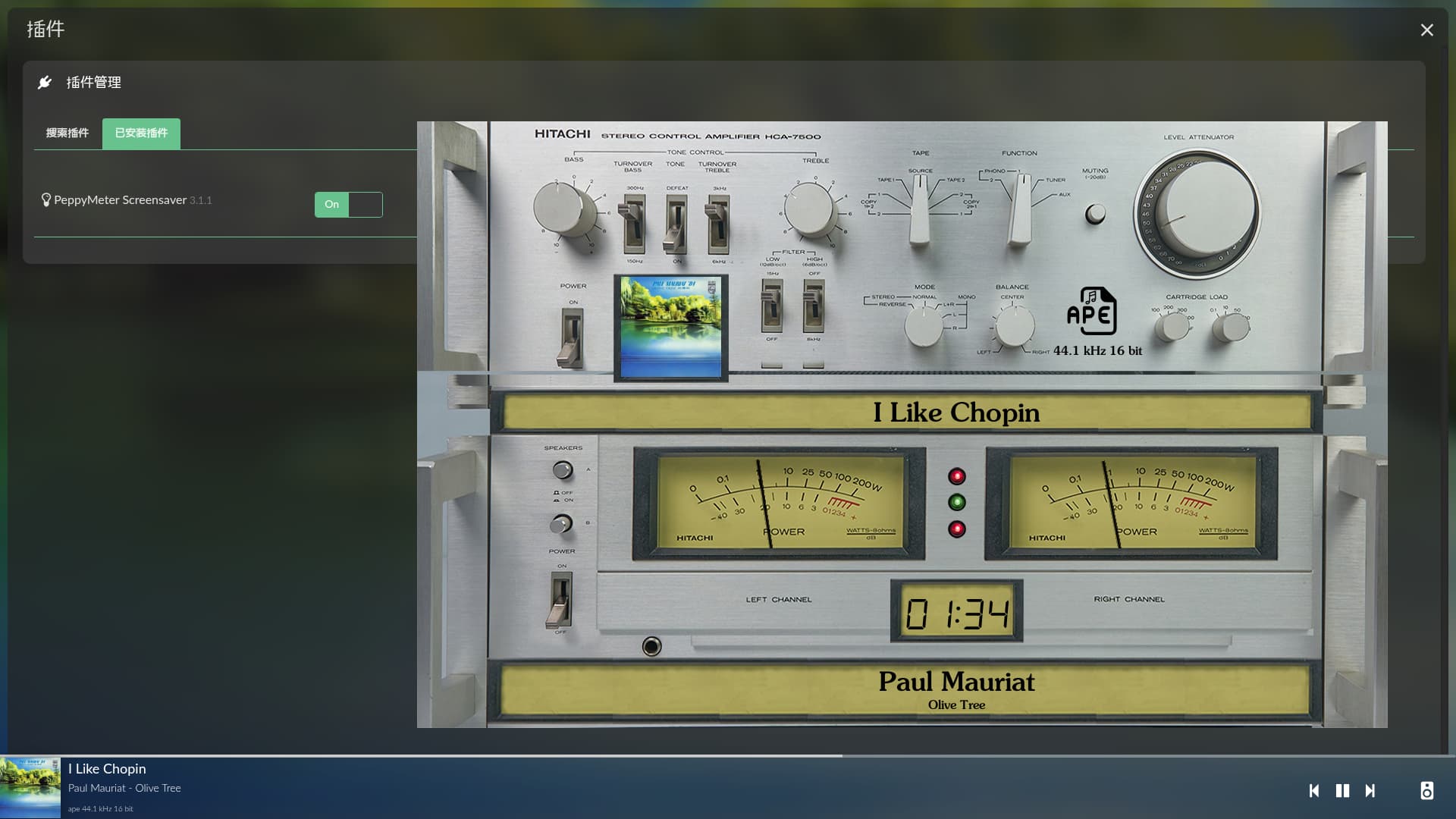
3840x2160, 1920x480 - updated (@nerd github)

Thanks, it works now. Another problem is that the update intervol value can only be set to 1, and anything after 2 or 2 will not good. 1 is too fast, 2 is too slow

RPi5. Volumio 4.084 + PeppyMeter Plugin 3.1.1
skin : 1920x1080_140g5_casette_780.zip
Frame Rate 30
Update Interval : 2
Rotation Speed : High (15FPS)
Cassette spool speed : set to 5

Thanks to @Wheaten @Gelo5 @nerd @2aCD and others,
Happy New Year to everyone !

3 Likes

If you’ve ever seen a real cassette recorder, you’ll know where the error in this animation lies: the tape is spinning in the wrong direction.

1 Like

@dewen

Hi, I think you need to set the rotation CCW.
I guess that’s also the reason I can’t understand a word Santa is singing :rofl:

1 Like

Depends if you have an auto-reverse tape deck…

Right, if you’re sure it’s auto-reverse, then that’s true. :smile:

Unless you have this one, then it doesn’t matter at all :slight_smile:

image

3 Likes

The mood is good for the end of the year. Happy New Year! :crazy_face: :champagne:

4 Likes

Happy new year ! Things are moving fast oj this thread :slight_smile: .

1 Like

1280x800 (M+S)- updated :champagne: :champagne: