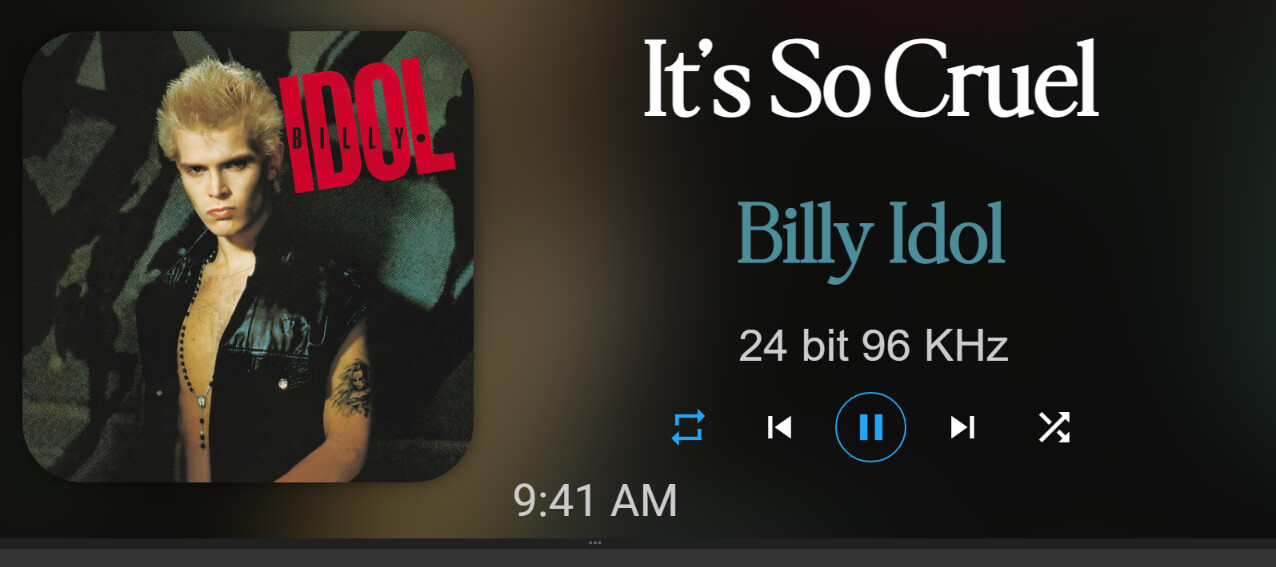
I noticed that too. I added a big space to compensate.
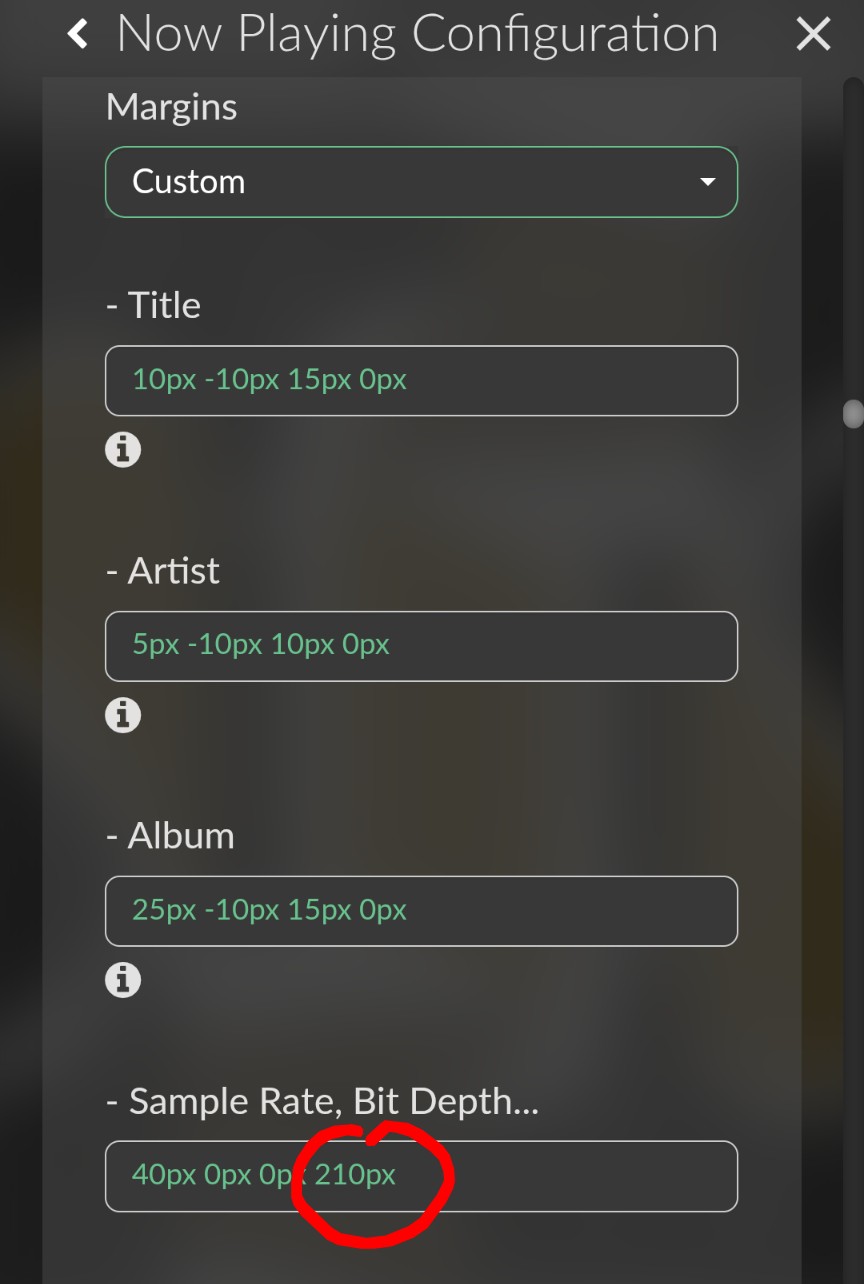
This has been fixed in v1.1.1
Thanks @patrickkfkan
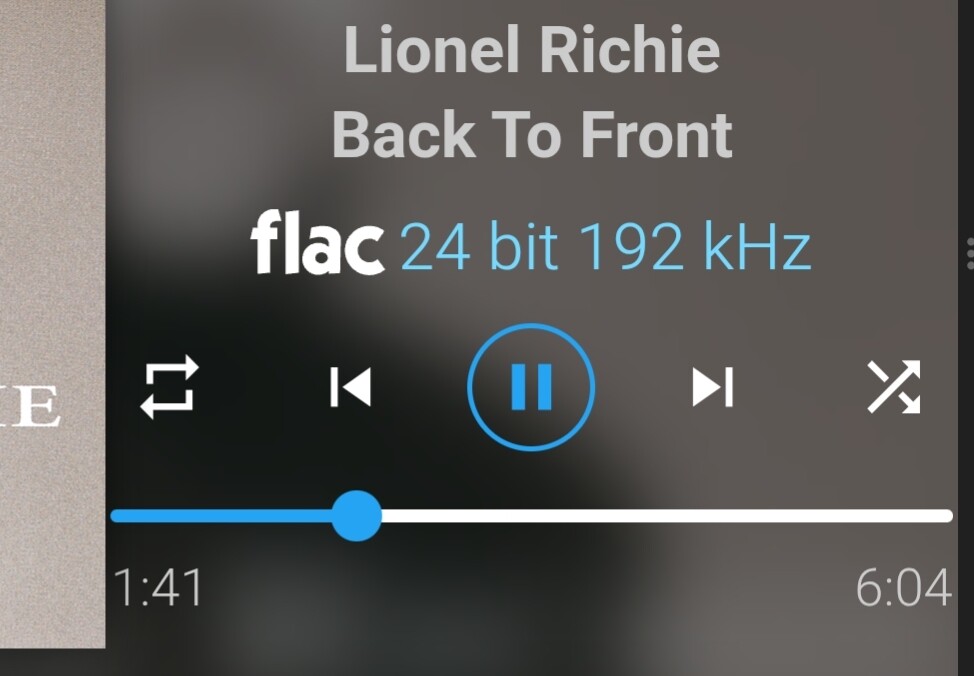
I noticed another issue, which is most likely not a plugin issue but something more general. Sometimes (not always), when automatically switching to the next track, the track’s bitrate information is lost, leaving only the format. Pause - Start during track playback resets the bitrate information. This issue occurs simultaneously on web volumio.local in the Android mobile version and on the built-in display
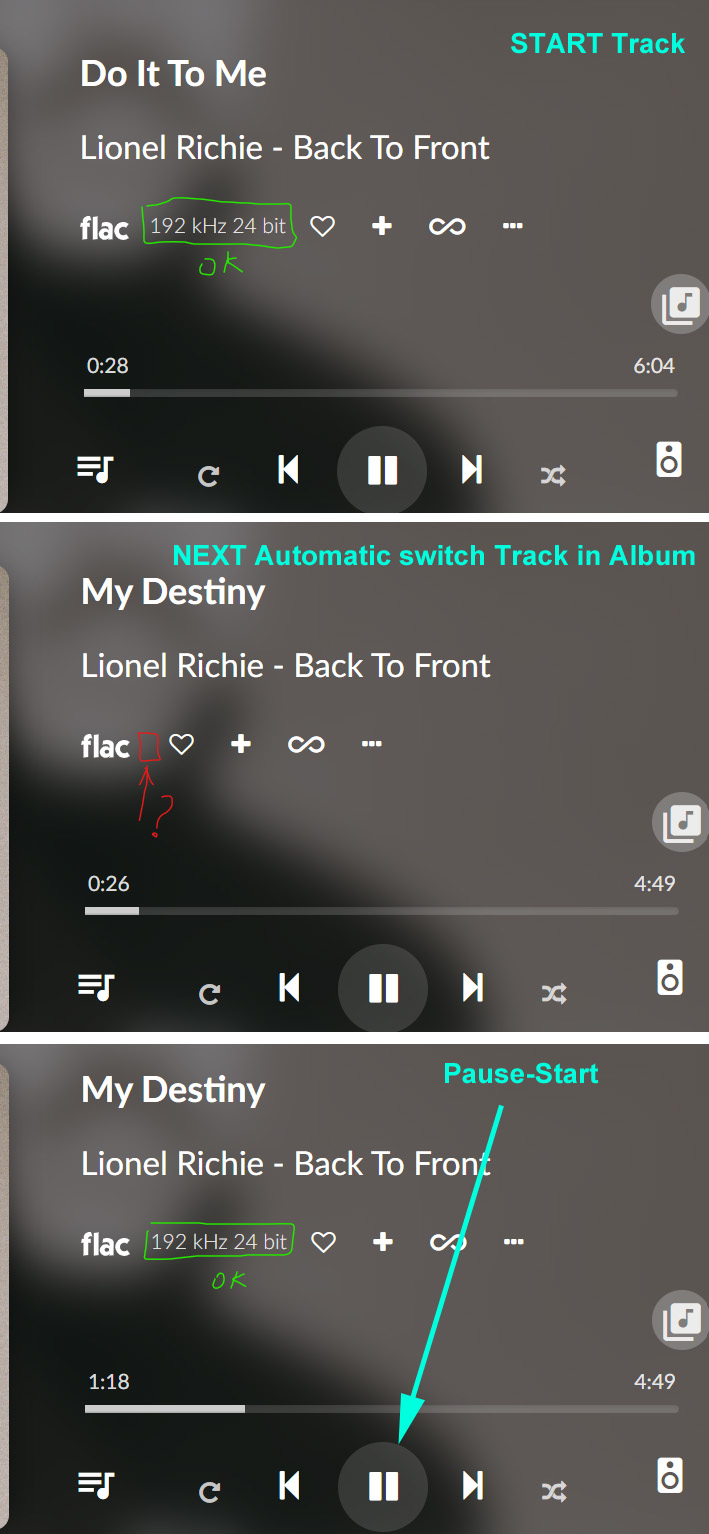
– Raspberry Pi 5 Model B Rev 1.0, Version of Volumio: 4.119
This isn’t a plugin! This is a long-known VOLUMIO bug.
Hello everyone,
I am getting the following error after a clean installation of Volumio 4.119 and Now Playing 1.0.6 (also 1.1.1): “Failed to load font from http://127.0.0.1:4004/font ARIAL.TTF: A network error occurred”.
When I leave the font on default in the Now Playing settings, everything works as it should and I do not get the error message. As soon as I set the font to custom and choose a font, the error message reappears after saving, and the default font remains, while Now Playing displays the default font.
What could be the cause of this error message?
My previous configuration was a Raspberry Pi 3b 2GB with Volumio 3.874 and Now Playing 0.76, and that worked perfectly without errors.
I am using a
Raspberry Pi 4b Rev 1.5- 4GB
Regards, Jan.
Tested your plugin - loopings good! One or two questions: can I configure it to show coverart only? Have generated the genius token, entered it but it loads and displays ”no album info found”
I am using an old Apple cinema display 20 inch as display connected to Rivo. The resolution is somewhat off - the right side is outside of the display. How to adjust resolution so it matches the display?
A Bug ?
I’m using Volumio ( 4.119) and Now Playing (1.0.6) With a external screen (waveshare 10 .6) connected to the HDMI.
Everything works great, day in day out. …Mostly
I use Volumio with a persistent queue, so every time Volumio loads up, Now playing will always display the first track cover on screen as it should, except on occasion it doesn’t. It will just display Volumio’s default “No artwork Picture”, but only the first track’s cover is ever missing. ( if there are any other tracks in the queue from the same album, they are missing too). The rest display as they should and have never gone missing.
Key points…
The amount of reboots before the first track artwork disappears varies. Can be 3, been as high as 10.
Artwork only ever goes missing on the physically connected kiosk screen.(only for Now Playing)
Connect to Now playing on another machine via port 4004 the art work is still there.
Switch the kiosk screen from now Playing back to Volumio screen art work is still there.
Fixes…
If I save the queue as a Playlist, clear the queue, delete the contents of /data/volumiokiosk/Default/Cache reboot, then reload the newly created playlist the the artwork for the first track in the queue is back for another 3 - 10 reboots
A Shift F5 will bring back the artwork the first time after the above. If I try shift F5 after the artwork disappears again it doesn’t fix it.
Log from the first time the artwork goes missing. http://logs.volumio.org/volumio/LaMTuQL.html
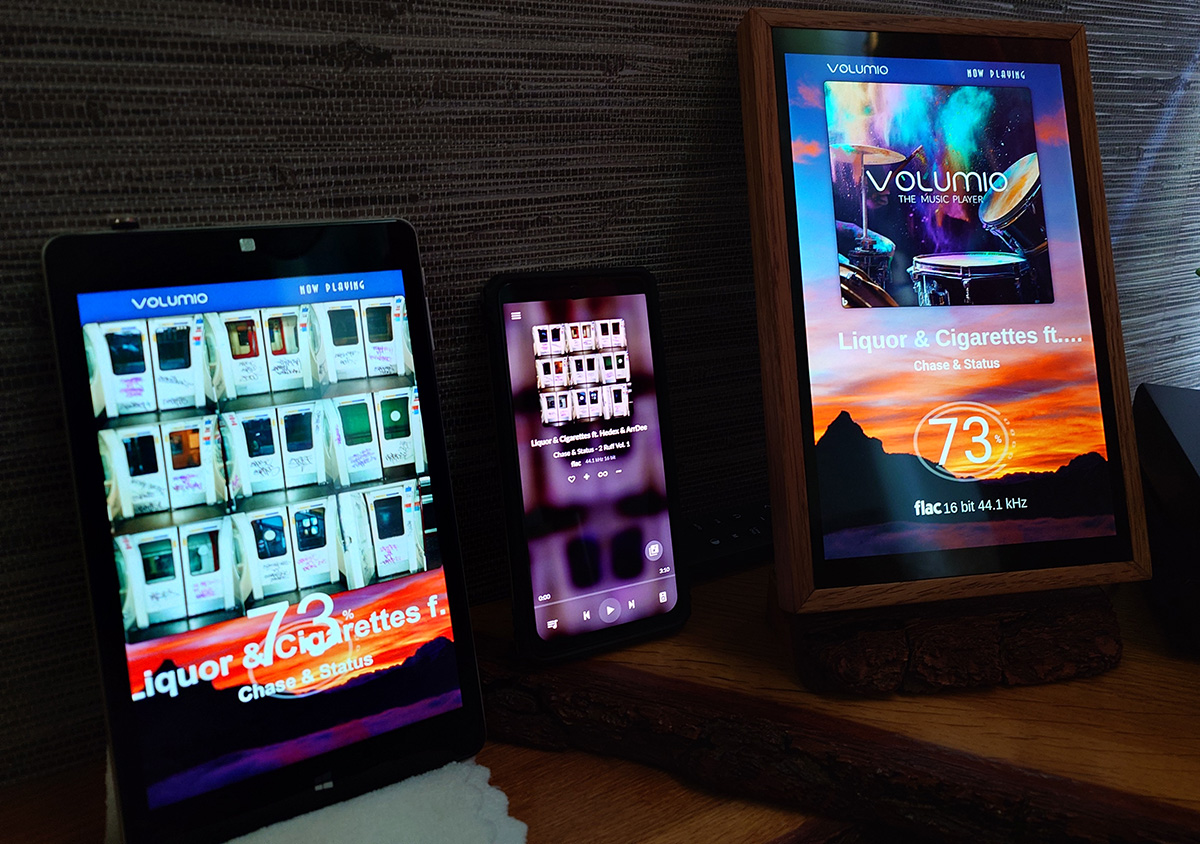
Left to right.
- Wifi connected tablet to Now Playin port 4004
- WiFi connect phone Volumio’s main screen
- kiosk screen for Now Playing
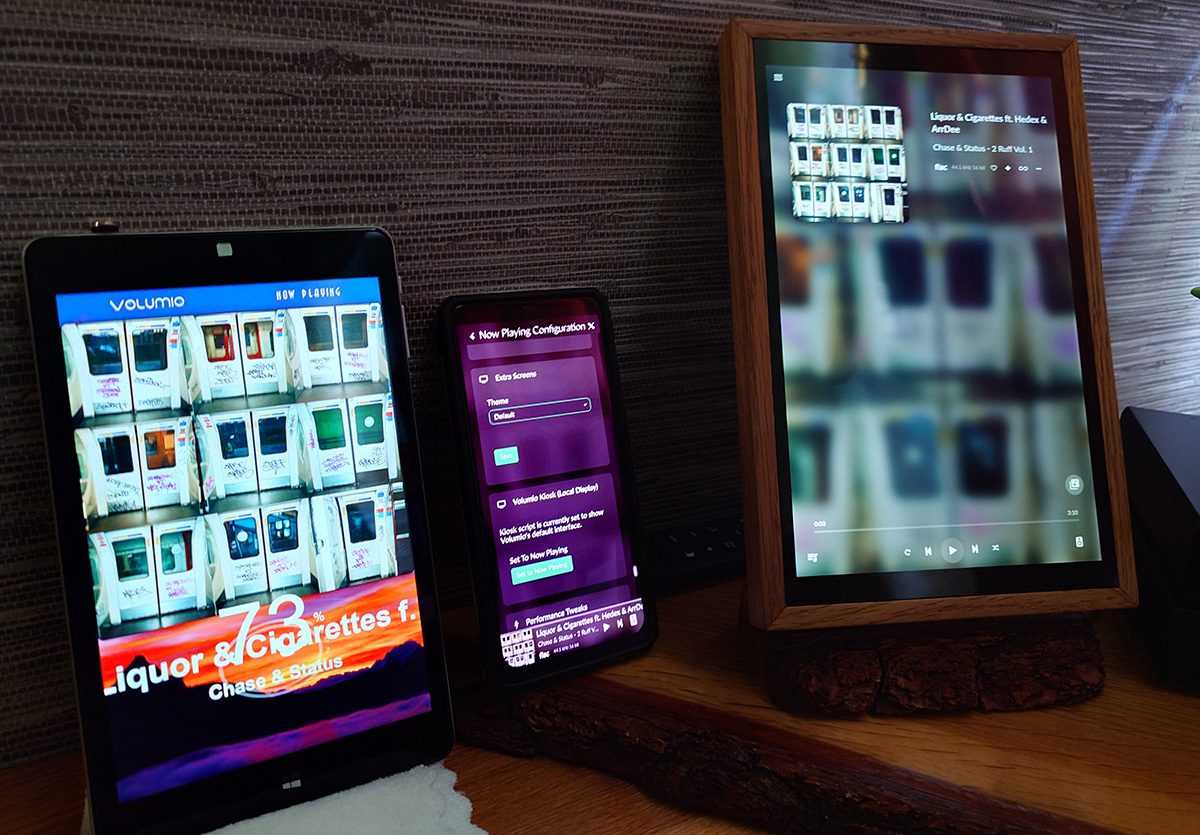
As above but the kiosk screen st to Volumio as shown in display 2
Ive tried to be as thorough as possible Any idea’s ?
Hmmm, now that you mentioned it, I can confirm that occasionally I’ve also experienced this glitch. I didn’t go deep into it, but I think it goes away when either switching to a different album, clearing the queue or re-adding the albums again. Sometimes after a restart the artwork would re-appeared by itself.
My queue is made up of random tracks. So yeah if you clear the queue and load a track or an album that is different from the originals first track, the artwork for that track is OK.
Its only ever the first track in a random queue( and any track from that same album as the first track ) that disappears.
Once the first tracks art has disappeared it doesn’t reappear on a simple reboot.
If i save the queue as a playlist, clear the queue, reboot, then reload the same playlist. The first tracks art is still gone. Only if I delete the contents of the volumiokiosk cache folder before rebooting does it reappear again.
Ive tried many many different scenarios, but you cant do anything quick as it takes a while for this issue to reappear.
Interesting. I think I recall it was not always the first track, but sometimes also 2nd, 3rd etc (but always only one track). As there were cases I was adding folder.jpg in between I thought it was a cover art library glitch, so I would refresh (update) the affected folder. But in 95% cases it was the first track of an album (my queue is usually not made of random tracks), even when there was cover art present in a folder.
There’s some thing strange going on, as it doesn’t effect Volumios Album Art on the wired (kiosk) screen or Now Playing Album art when connected on another machine via port 4004 just Now Playing wired (kiosk) screen.
Hope @patrickkfkan has time to have a look.
Seems unsplash is not pulling images anymore, I’m just getting a black screen, but I can see th weather and clock on the screen - any help/guidance appreciated.
Thanks
Seccond this, i just did a fresh install on a Usb stick to try and thought it was something wrong with the install but after putting in the safe sd install i see now that there are no images being pulled. Including the icon for bitrate/type.
*This last problem seems to be an issue with another plugin.