The display is undamaged. If you assure me that the plugin works with all SSD1309 displays, perhaps it arrived defective.
Thank you
The display is undamaged. If you assure me that the plugin works with all SSD1309 displays, perhaps it arrived defective.
Thank you
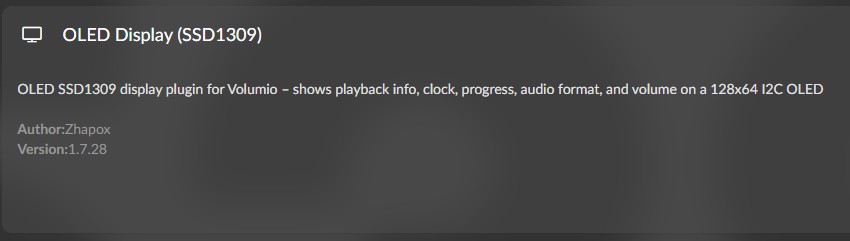
The plugin supports SD1309. I have tested these screens using the plugin. Did you change the screen type in the plugon’s config screen?
I tried the 2 SPI variants in the plugin
Ran a test, SPI is working.
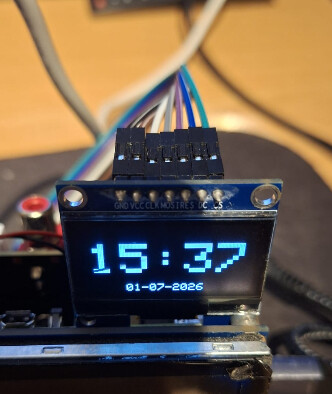
Grab a spare arduino, and try this project with your screen to test it:
or this:
Please. what is the command ?
I don’t have Arduino I only have an RPI5
Is no command, it’s just MPD_OLED on a SPI OLED 
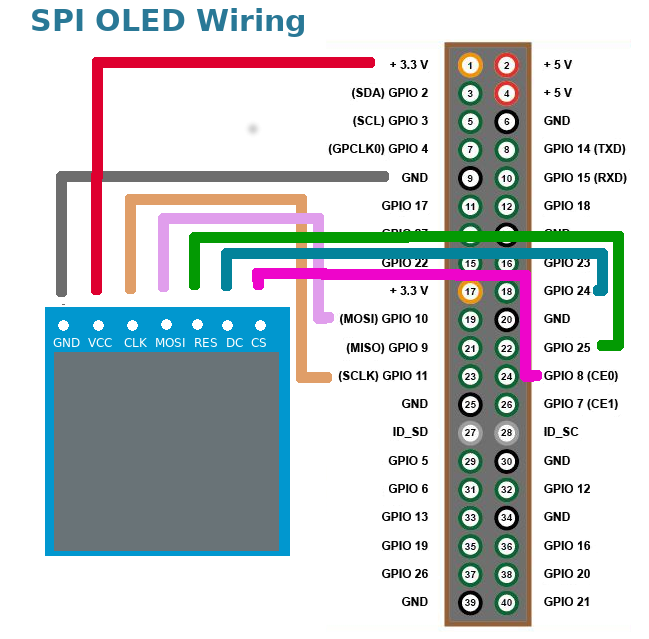
The schematic is from the waveshare website, but should these connections be left with the default GPIO settings?
What type of display should I set? Is the first one OK?
I would try both, as I don’t have your screen.
Should test both wiring diagrams.
The one from mpd_oled.
You can test both settings. (1st and last)
I confirm that I tried the scheme and settings you suggested but the screen is still off/dark
Thank you
Either buy a new screen to test or get an arduino to test the screen
Have you confirmed positions of soldered-in 0R (zero value) resistors? There are two options SPI or I2C - can you confirm mode of your screen first? Waveshare ships preconfigured in both flavors.
Kind Regards,
Yeah, that’s a good point! I think I had to solder mine…
they are soldered on SPI
Thanks for the mention, Wheaton!
@calzolaio: Just a note to add if you want to give my plugin a try: You’d need to solder the resistors for I2C as my plugin does not support SPI as for now.
What is your plugin? Do you know what the data and clock pins of the display are? Thanks
If the display is switched to I²C, connect:
| OLED | Raspberry Pi |
|---|---|
| VCC | 3V3 (Pin 1) |
| GND | GND (Pin 6) |
| SDA (DIN) | GPIO2 SDA1 (Pin 3) |
| SCL (CLK) | GPIO3 SCL1 (Pin 5) |
As SPI:
| OLED | Raspberry Pi |
|---|---|
| VCC | 3V3 (Pin 1) |
| GND | GND (Pin 6) |
| DIN | MOSI GPIO10 (Pin 19) |
| CLK | SCLK GPIO11 (Pin 23) |
| CS | CE0 GPIO8 (Pin 24) |
| DC | GPIO27 (Pin 13) |
| RST | GPIO25 (Pin 22) |
Check here: [Plugin] OLED SSD1309 Plugin for Volumio
It is available in the plugin store (see Wheaten’s screenshot above)
The display needs to be connected for I2C according to the table posted by Wheaten above.