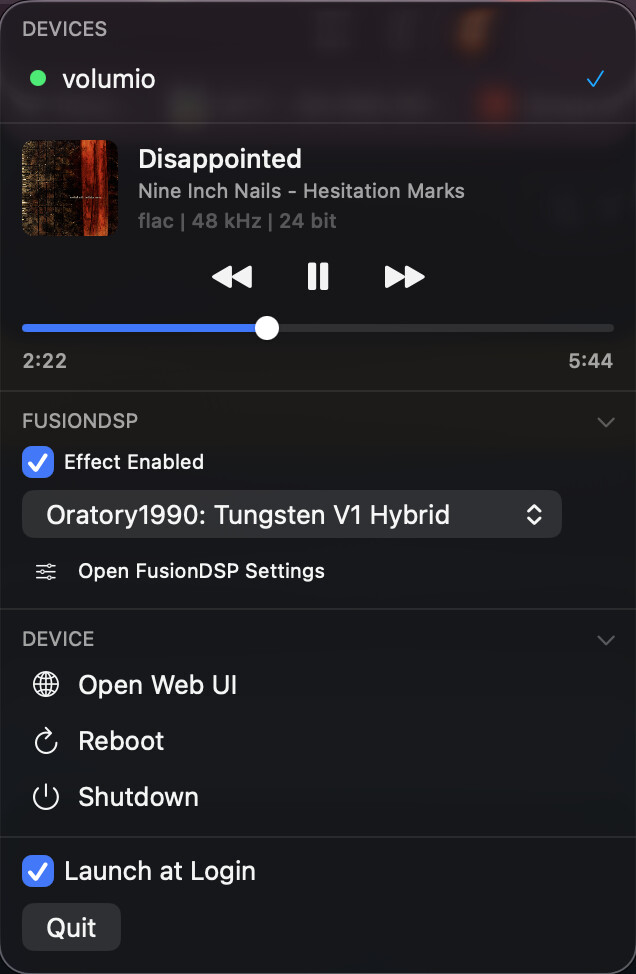
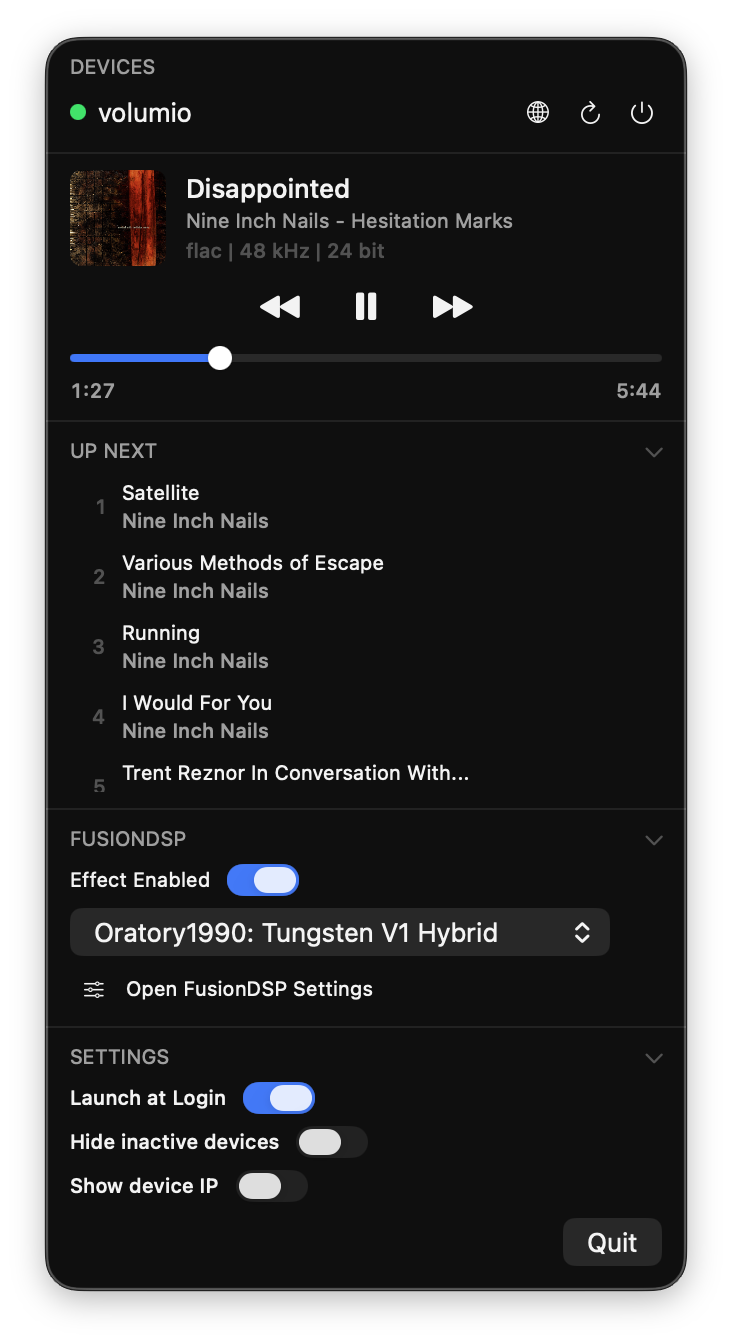
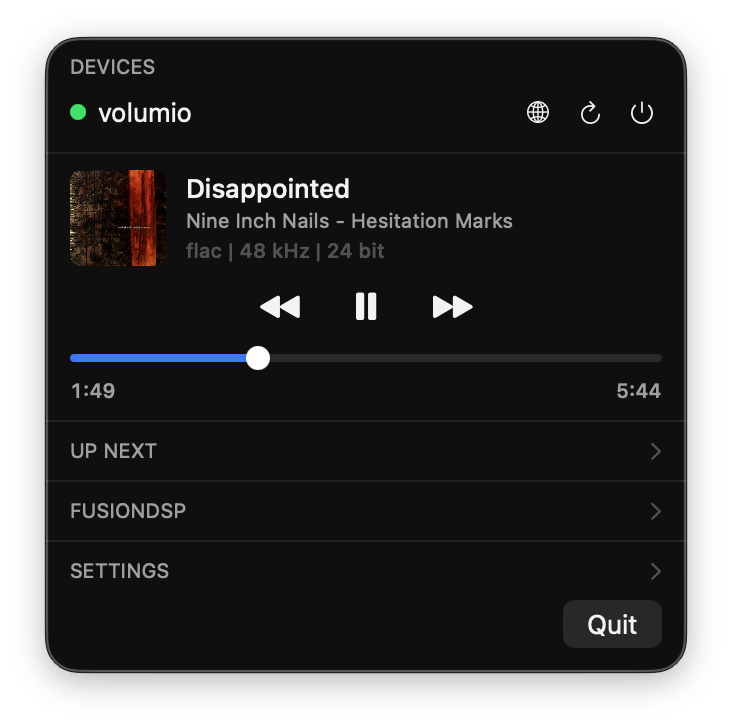
Hi everyone! I built a lightweight macOS menu bar app for controlling Volumio devices from your Mac. To me, it was always frustrating to quickly switch between devices, EQ presets, tracks, reboot/shutdown the device. Now you finally have it all in one place with one click access!
If the community shows some interest, I can work on a Windows solution.
It lives in the menu bar (no Dock icon) and auto-discovers your Volumio devices on the local network via Bonjour. Once connected, you get:
Now Playing — album art, track title, artist, album, and audio format details (codec, sample rate, bit depth)
Playback controls — play/pause, previous, next, and a seek bar with real-time progress
Volatile service support — works properly with Spotify Connect, Tidal Connect, and other volatile sources (seek bar greys out automatically for services that don’t support external seeking)
FusionDSP integration — enable/disable the DSP effect, switch between EQ presets, and jump to the full FusionDSP settings page
Device management — open the web UI, reboot, or shut down your device (with confirmation prompts)
Launch at login — so it’s always ready when you need it
Very minimalistic and does as promised in your openings post.
Tested with multiple devices on Buster and Bookworm successfully.
Some remarks:
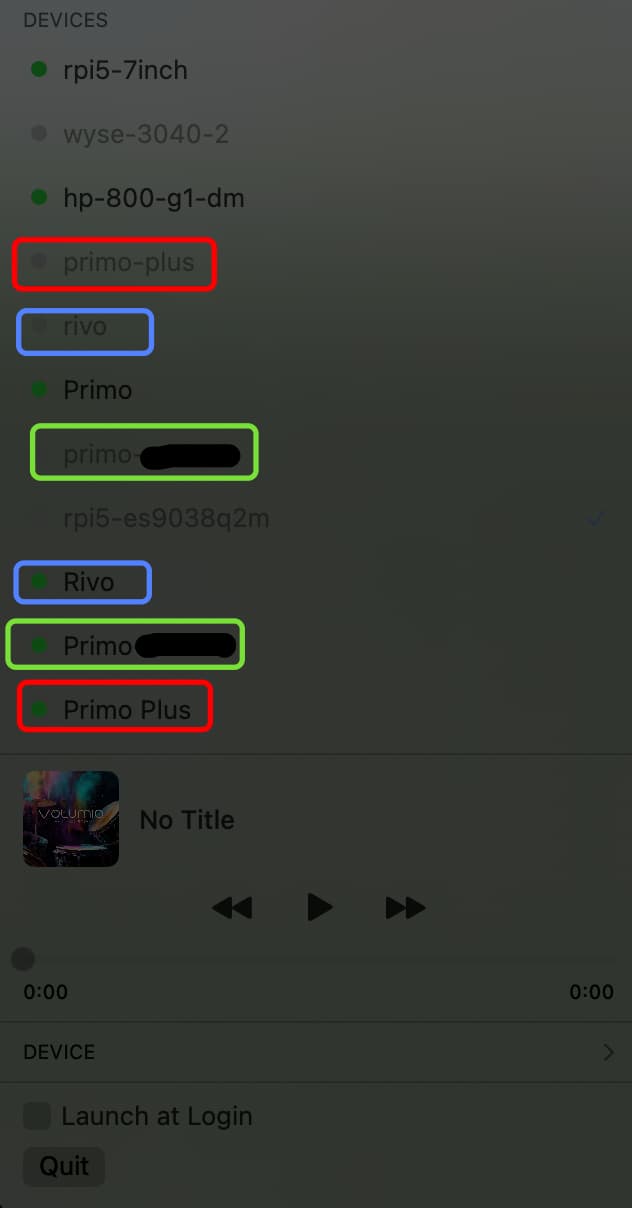
Option to show only active devices, as previous detected non active devices stay in the list. I have 14 devices (for testing) so it’s becoming a long list to sort out.
Option to show both device name and ip, like Primo (192.168.1.1)
There is some irregularity with Upper and lower cases. Some appear twice in the list. Like Rivo and rivo, Primo and primo, Primo-Plus and primo-plus
Thanks for the feedback! Addressed it. Unfortunately, I can’t test it properly, since I only have 1 volumio device and don’t really have time to work on a proper test framework.