Hey there.
Thank you @skikirkwood for your work.
I followed the above instructions but I’m totally noob at coding and got stuck in the process.
Here some info:
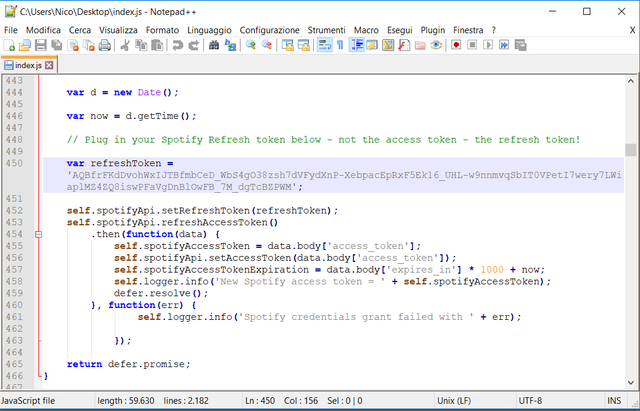
Download RAW file of index.js
Open it with text editor and replace “xxxxxxx” with the refresh token:
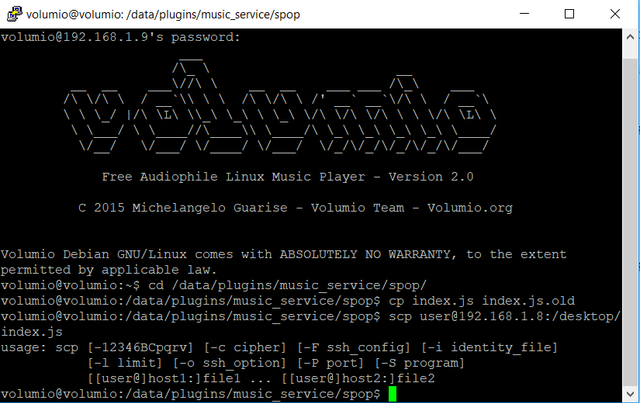
Open putty and then SSH to volumio. In my case it’s 192.168.1.9.
Look at the picture, I think the command isn’t working properly:
I try then to use the following coding:
cd to whatever directory your new index.js file is in
scp index.js volumio@volumio.local:/data/plugins/music_service/spop/index.js
But I got stuck with some message errors:
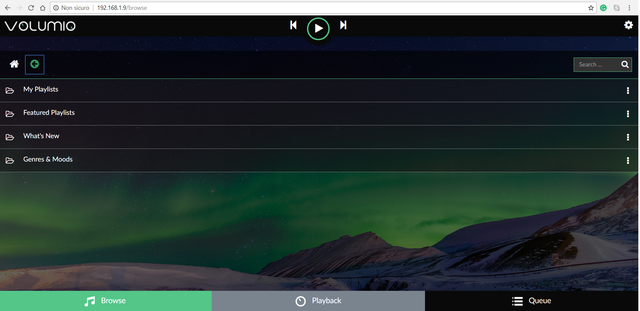
So when I reboot volumio and I access to Spotify I just see the following:
Do you have some advice? I think I’m just writing some incorrect code but can’t figure out where and how to correct it.
My volumio IP is 192.168.1.9 and my PC IP is 192.168.1.8.
Hi There, I think you’re pretty close but typing in the wrong path to the new index.js file on your PC. So the easiest thing to do is probably this:
On your PC bring up a Putty window (I’m a Mac guy so I can’t test this) and do not SSH into Volumio. Just cd to the folder where your new index.js file is. And then from your PC you can copy the index.js file to your Volumio device without ever ssh’ing into Volumio.
cd to whatever directory your new index.js file is in on your PC
scp index.js volumio@192.168.1.9:/data/plugins/music_service/spop/index.js
Reboot your Volumio and you should be good to go. You will know if you are using the new Plugin index.js file when you see a much larger number of options on the home page of the Spotify plugin.
If that doesn’t work, I recommend finding a friend who is a geek, buy them a beer, and let them do this.
We have an update to the plugin that will make this much easier, and when I get back from vacation in Lake Tahoe I will submit a pull request for the Volumio folks.
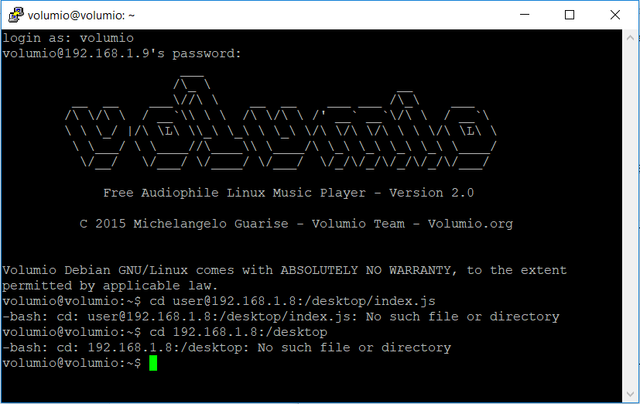
I have tried what you suggested using putty but I got the same error message every time:
Putty Fatal Error
“Network error: Connection refused”
What I typed was the following codes:
cd: user@192.168.1.8:/desktop
cd: user:/desktop
cd user@192.168.1.8:/desktop
cd @192.168.1.8:/desktop
cd desktop
cd /desktop
cd :/desktop
I then investigated a bit further about how to transfer files from a local drive on Windows to a Linux system and I stumbled across this great little program: WinSCP
I downloaded it, run it and then: Protocol: SCP
Server name: 192.168.1.9
Port number: 22
User: volumio
password: volumio
On the Left column, you choose the folder and file from your Window system, on the Right column you choose the folder of your Linux system. You just have to drag and drop the file from the left to the right and voilà!
I restarted Volumio and then opened Spotify tab. The personal playlists popped up but I was unable to open them.
I then opened again on my browser 54.86.144.136:8888/ and copied the Refresh token again to the index.js file, then re-transfer to Volumio using WinSCP.
Playlist showing up correctly now and I can also see the songs in them and play them, all is fine!
Is it normal that the Refresh token was everytime the same when I tried the procedure some days ago, while now I get a new Refresh token each time I log into that internet page?
I described the entire procedure so if any other newbie like encounter any problem, he should succeed.
Great news that you got it working and thanks for documenting the process for Windows users. I’m not sure about the refresh token, I thought it would generate a new one every time. But, you’re up and running!
We have a patch where people will be able to plug in their refresh token in the Volumio UI and not have to modify the plugin’s index.js file. Hopefully we’ll get that out in the next couple of weeks.
It’s something odd I can not figure out. The default number of results returned by the API is 20. But I’m passing in a parameter to return 50, the max. I have two Volumio systems, with the same exact software. One Pi returns 50 results, one returns 20. WTF!
Yes! Finally I can use Spotify on Volumio again. Thank you very much for this very valuable Volumio-plugin.
One question: is it possible to increase the number result of a Spotify-query?
Some of my Spotify playlists have more than 50 tracks, but these are not visible in the Volumio-Spotify plugin. When adding such a playlist to the que, not all tracks are added.
I tried to edit the index.js file by changing the limit: 50 to limit: 300 and restarted Volumio. This was not sucessfull. What to do next?
Hi Kas, Spotify’s API defaults most results to 20, and I’m hard-coding 50 into most of the calls, which is their upper limit. To get beyond that we need to do some kind of pagination, which is built into their API but not really built into the Volumio framework.
I’ve started to play around with some kind of solution here and hope to have something testable in the new few weeks.