The EC2 server gives you two tokens - an access token and a refresh token. The key is to plug in the refresh token into the Spotify index.js file. But from looking at the log file it looks like you’ve done that correctly and Spotify is authenticating correctly, so no idea as to why your playlists are not showing up. I assume the same is true for “My Saved Albums”, “My Saved Tracks”, etc. as they are using the same authentication token for their API calls.
Hi,
thank you for your feedback. I have make a couple of other tests:
first I took the access token from the EC2 server and I have used it in the web console. The returned json message was listing all my playlists.
Then I have rebooted volumio, checked the log and found the new access token. I have used this access token in the web console and still the returned json was correctly listing all my playlists.
Then I copied the curl command and executed directly from Volumio. Again all fine, I can see all my playlists!!
So it looks like the token is working but I do not understand why I cannot see my playlist.
I have reset my volumio to factory setting, re-installed spotify plug-in, copied again the index.js with the new refreshtoken. But still not working.
I will keep on checking and see if I can find something odd.
Could it be for this error that keeps showing in the log?
2018-08-03T16:42:57.927Z - error: TypeError: Cannot read property ‘0’ of undefined
at /volumio/app/plugins/music_service/upnp_browser/index.js:83:67
at /volumio/app/plugins/music_service/upnp_browser/index.js:594:21
at Parser. (/volumio/node_modules/xml2js/lib/xml2js.js:489:18)
at emitOne (events.js:96:13)
at Parser.emit (events.js:188:7)
at Object.onclosetag (/volumio/node_modules/xml2js/lib/xml2js.js:447:26)
at emit (/volumio/node_modules/sax/lib/sax.js:640:35)
at emitNode (/volumio/node_modules/sax/lib/sax.js:645:5)
at closeTag (/volumio/node_modules/sax/lib/sax.js:905:7)
at Object.write (/volumio/node_modules/sax/lib/sax.js:1452:13)
at Parser.exports.Parser.Parser.parseString (/volumio/node_modules/xml2js/lib/xml2js.js:508:31)
at Parser.parseString (/volumio/node_modules/xml2js/lib/xml2js.js:7:59)
at /volumio/app/plugins/music_service/upnp_browser/index.js:593:24
at Request.handleRequestResponse [as _callback] (/volumio/node_modules/unirest/index.js:463:26)
at Request.self.callback (/volumio/node_modules/unirest/node_modules/request/request.js:187:22)
Regards,
Alberto
Hi Alberto, I noticed your log files have a huge number of these errors. While it has nothing to do with the Spotify plugin, there’s always a chance it is somehow interfering with it. There’s definitely something about your configuration causing Spotify to not work as you’ve correctly diagnosed the API calls are working right. You may want to start with a fresh install of Volumio, just install Spotify with the modified index.js and edited refresh token and see if that works. Then add any other config changes and check each time to see if any of them break you.
 Hi,
Hi,
just have some success now. I put some additional logging and found that 13 playlists were found but while reading the 10th playlist it looked like the application was stopping without reading anything else.
I checked my Spotify application and I have noticed I had only 9 playlist. So why it was listing 13?
I connected to open.spotify.com/collection/playlists and found I had 4 additional playlists that were black. I think they were some old playlists that I could not see in the desktop application.
I have deleted them, restarted volumio and now I can see my playlist. Hooray!!
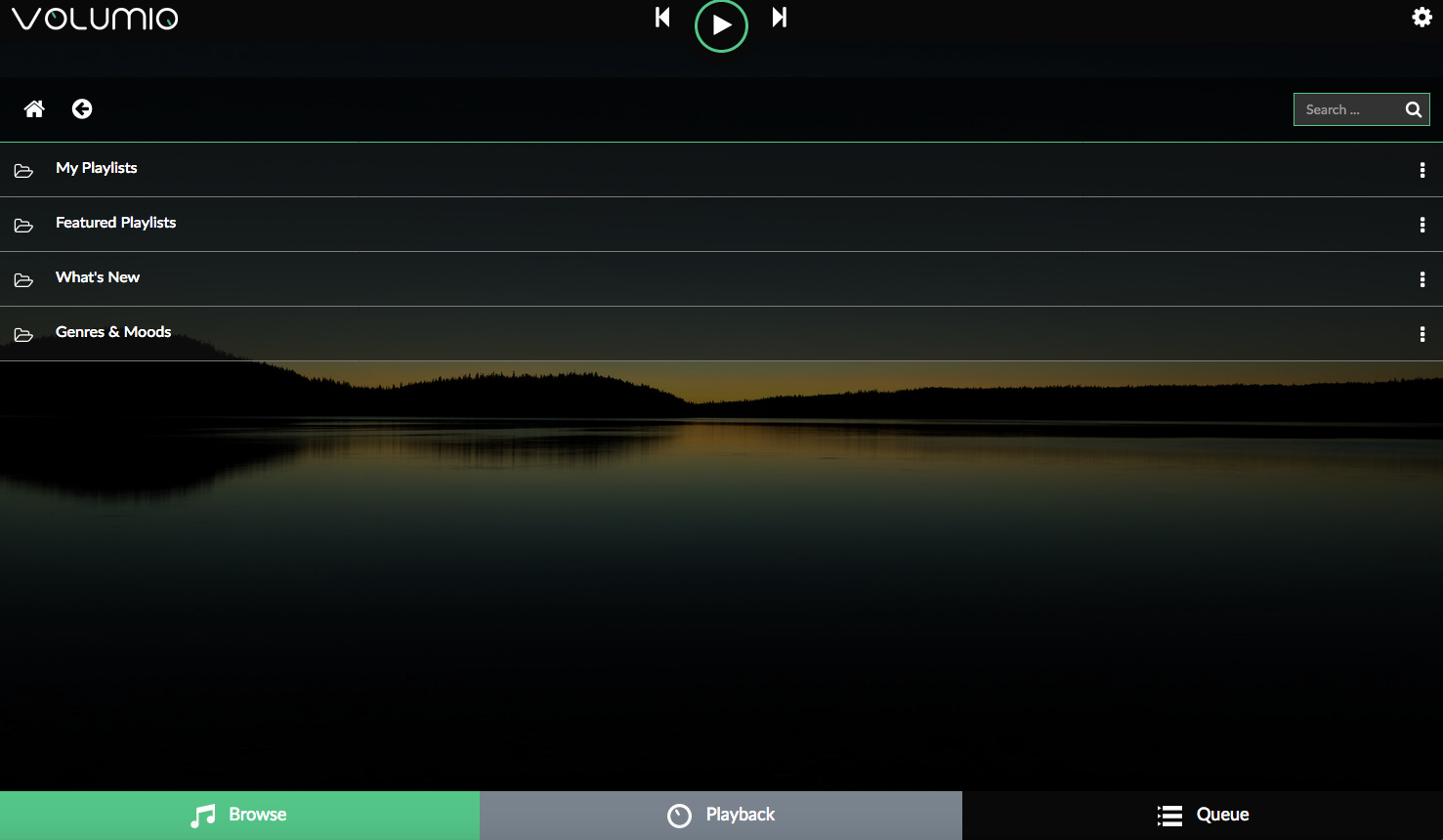
I have one additional question. Clicking on sportify I can see the screen above. No saved albums, no saved songs, etc.
Any idea why these are not showing up?
Regards,
Alberto
Great job debugging! Looks like I need some additional error checking somewhere.
But now I’m really confused. The updated index.js file I made available on Github that uses the Spotify refresh token also adds “My Saved Albums”, “My Saved Tracks”, … but your screenshot looks like the production plugin. You are using this version of the plugin file, right?
Hi skikirkwood,
thanks for the hint. I don’t know what I have done but actually the folders were missing in my index,js. I have downloaded the new version, updated everything, reboot and all is working now.
Still I have a lot of errors like this in volumio.log but I had already reset to factory setting and installed everything again and they don’t disappear:
2018-08-05T08:05:21.445Z - error: TypeError: Cannot read property ‘0’ of undefined
at /volumio/app/plugins/music_service/upnp_browser/index.js:83:67
at /volumio/app/plugins/music_service/upnp_browser/index.js:594:21
at Parser. (/volumio/node_modules/xml2js/lib/xml2js.js:489:18)
at emitOne (events.js:96:13)
at Parser.emit (events.js:188:7)
at Object.onclosetag (/volumio/node_modules/xml2js/lib/xml2js.js:447:26)
at emit (/volumio/node_modules/sax/lib/sax.js:640:35)
at emitNode (/volumio/node_modules/sax/lib/sax.js:645:5)
at closeTag (/volumio/node_modules/sax/lib/sax.js:905:7)
at Object.write (/volumio/node_modules/sax/lib/sax.js:1452:13)
at Parser.exports.Parser.Parser.parseString (/volumio/node_modules/xml2js/lib/xml2js.js:508:31)
at Parser.parseString (/volumio/node_modules/xml2js/lib/xml2js.js:7:59)
at /volumio/app/plugins/music_service/upnp_browser/index.js:593:24
at Request.handleRequestResponse [as _callback] (/volumio/node_modules/unirest/index.js:463:26)
at Request.self.callback (/volumio/node_modules/unirest/node_modules/request/request.js:187:22)
at emitTwo (events.js:106:13)
They are not affecting the system though. I can post a new thread in Help forum to see if someone can help about this.
Thanks a lot for your help.
Regards,
Alberto
Awesome, great to hear!
Thank you!
Actually i had to redo and retry it several times, i don’t think i did anything different but replacing or editing index.js did not work and actually broke the plugin.
In the end i just uninstalled plugin (again  and re-installed. This time i immediately edited the index.js (from within WinSCP) and rebooted.
Unlike the other attempts I activated the plugin and typed my login credentials from the Volumio Gui AFTER the reboot. Plugin still alive!
And…YES…it works now!!! Great!
PS. I also deleted ‘black’ playlists like mentioned in this thread from within spotify open webplayer
Ok, turns out I had a version control problem. 
Please get the latest Spotify plugin index.js file here:
github.com/skikirkwood/volumio- … y/index.js
Go ahead and plug your refresh token into line 451 and you should be good to go.
Just a quick note; last week I assembled my Pimoroni’s Pirate Radio (Raspberry Zero W, PHAT BEAT) but was not able to install the Spotify add-on.
So I went back to a project I looked into a year ago: Volumio!
A big dissappointment that the Spotify playlists didn’t work anymore, until I stumbled into this thread.
Dusting off my linux skills, following the instructions on the first page, and it works like a charm!
Please keep updating this plugin with “My Albums”, “My Tracks” and “My Artists”.
Best regards,
Wilco
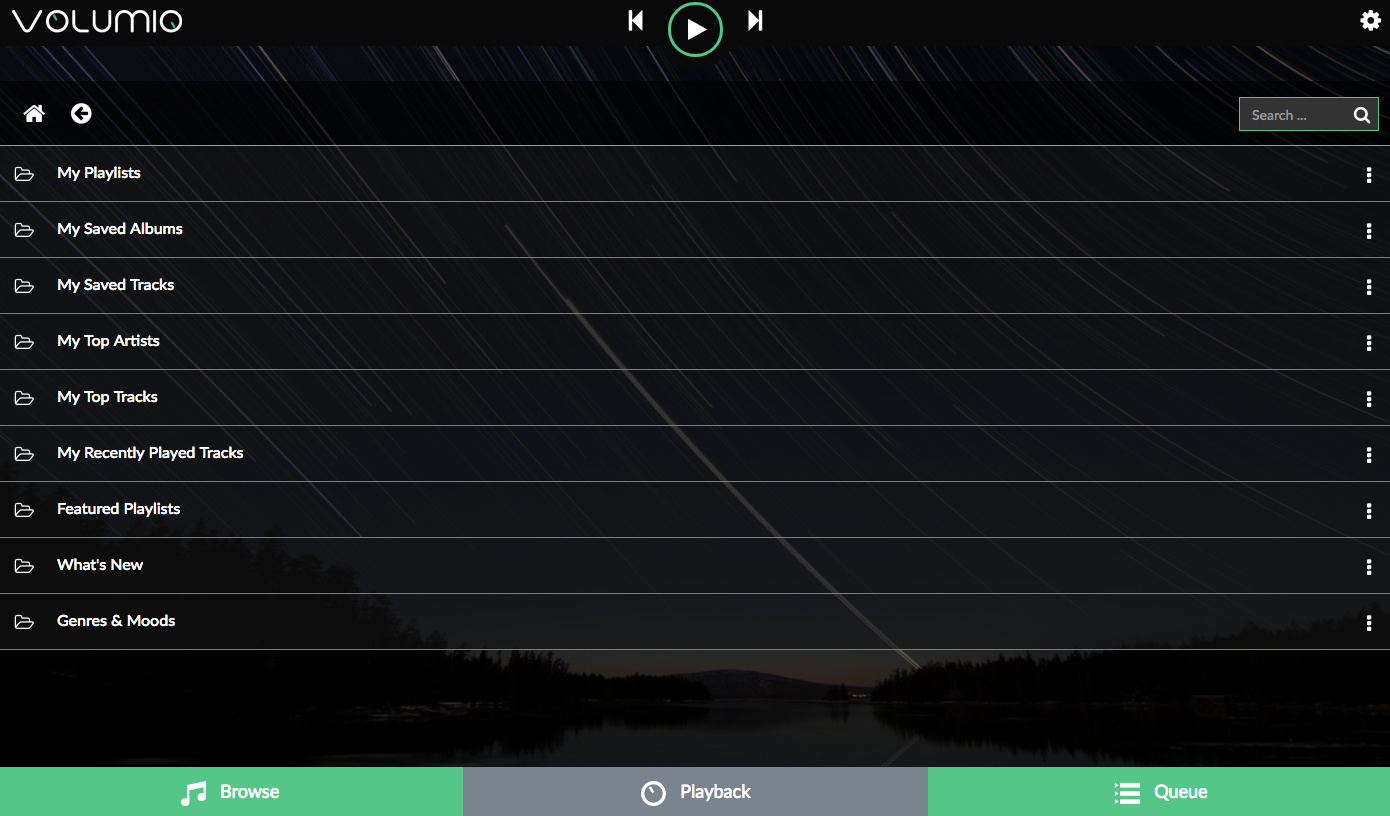
Hi Wilco, you should a screen with these options with the latest Spotify plugin. In addition to your playlists you should have:
My Saved Albums
My Saved Tracks
My Top Artists
My Top Tracks
My Recently Played Tracks
Featured Playlists
What’s New
Genre’s and Moods
Plus after the plug-in is installed you’ll see Spotify content in your search results which include:
Spotify Artists
Spotify Albums
Spotify Playlists
Spotify Tracks
When you click on a result in Spotify Artists you further see for that artist:
Top Tracks
Albums
Related Artists
It’s fun to chain through a set of Related Artists this way.
Taking in consideration I know zero about software and programing how do I update the code line? what software should I use? I have MAC.
Step one is to copy this file to your Mac:
github.com/skikirkwood/volumio- … y/index.js
Now bring up a browser and plug this URL into the the URL toolbar:
Click the button “Log in with Spotify” and plug in your Spotify Premium account credentials.
Now copy the refresh token, bring up the index.js file you copied to your Mac in the first step, and use any editor (e.g. the textedit app), go to line 451, and replace the x’s with your refresh token. Save the file.
Now you have to copy this newly edited index.js file to your Volumio device. To do that you need to “ssh” into your Volumio device. Before you can do that you need to give permission for Volumio to allow this.
Go to:
Click the “Enable” button under SSH. Now bring up a Terminal window on your Mac - it’s the application named “Terminal”. In the Terminal window log into your Volumio device as follows - when prompted for the password type “volumio” (with no quotes):
ssh volumio@volumio.local
cd /data/plugins/music_service/spop/
cp index.js index.js.old
scp user@<your PC>:/path/to/new/index.js .
The tricky part is on the last line with scp you need to replace the “” with the local IP address of your Mac. Now reboot your Volumio device and you should be running the new Spotify plugin. If you can’t figure out the local IP address of your Mac you can push the new index.js file on your Mac directly to your Volumio device like this:
cd to whatever directory your new index.js file is in
scp index.js volumio@volumio.local:/data/plugins/music_service/spop/index.js
Reboot your Volumio and you should be good. Good luck, and if you have problems, find a friend who is a hacker, buy them a beer, and let them do this for you.
Hi,
how far is a testing this plugin? Is it stable already? Are you thinking about automating to get refresh token or adding textbox for refresh token to UI?
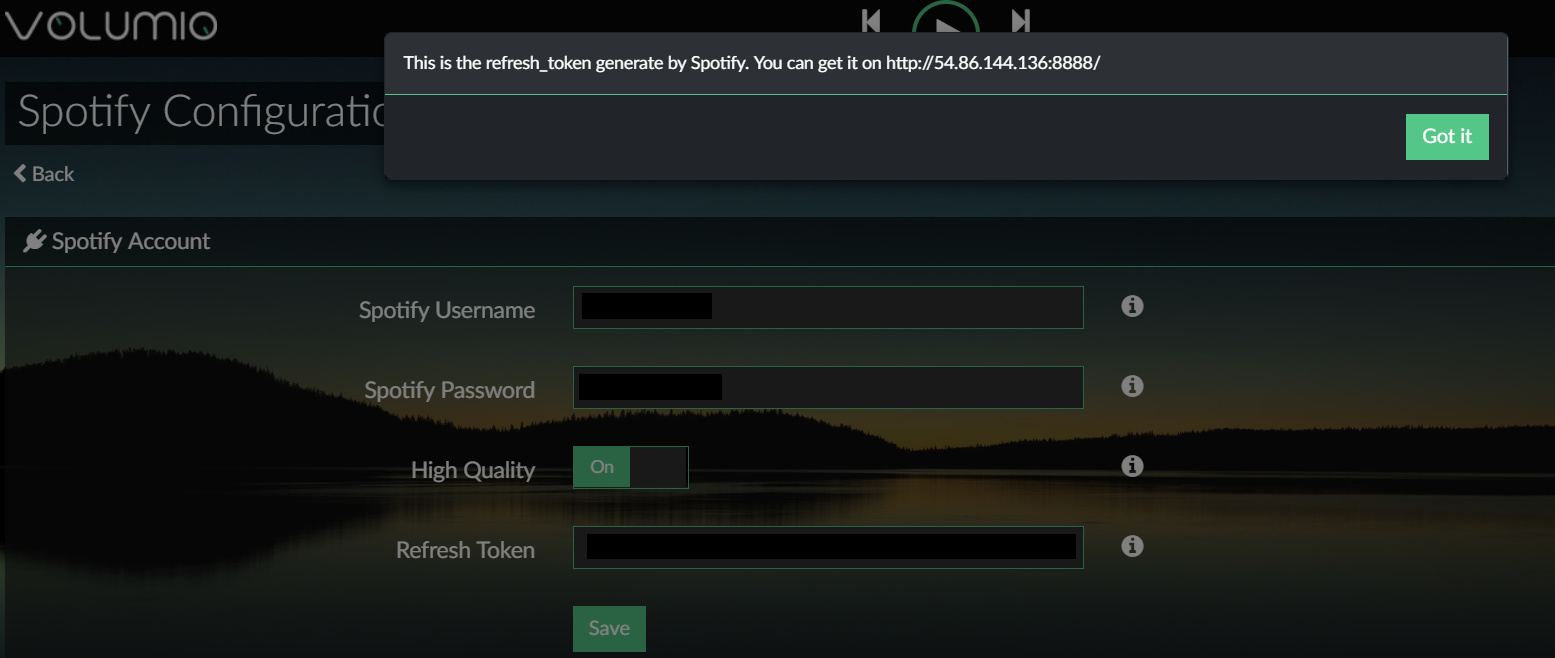
I believe it’s quite stable. I’d like to add a textbox to the credentials screen where you can add your refresh token, if someone could help me do that it would be great.
I’m going to hold off on integrating the OAuth server part until for now.
I looked into code. It looks not hard. I try add it, but without warnity.
Thanks! I took a quick try a while ago and didn’t get anywhere, so your help is greatly appreciated.
drive.google.com/drive/folders/ … sp=sharing
here is my little help. I have issue with github. I cannot publish my branch with changes, therefore I send link to zip with sources.
How I use this
- install plugin from volumio store
- replace
UIConfig.json
config.json
index.js
spop.conf.tmpl - enable plugin
- enter credentials
-disable plugin - change
/data/configuration/music_service/spop/config.jsonadd text
  "refresh_token": {
    "type": "string",
    "value": "cccc$
  },
-enable plugin
- NOW, entering credentials works properly
You can check if it work with
sudo journalctl -f
. Relevant log messages contains text DAVE.
I don’t know how to create plugin zip packages for better test 
Great work! I’ll try it out in the next couple of days and then merge your changes into a new branch and issue a Github PR to the Volumio folks. Thanks for this!
I hope, it will be usefull. My biggest issue was with
self.config.get('refresh_token')
, therefore the log messagess and changing
/data/configuration/music_service/spop/config.json