Hey @PluggedIn,
Remember when I said I would push for it? I pushed myself.
The plugin is built, submitted, and live in the store as beta:
Since it is beta, the plugin store will not show it unless you enable test mode. Go to:
http://volumio.local/dev
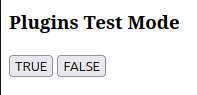
Scroll down to “Plugins Test Mode” and click TRUE. Then go to the plugin store in the Volumio UI and search for Audio Keepalive. Install it, enable “Keep audio device active”, save, and reboot.
After reboot, play an album. Tell me if those first two seconds are still missing.
You are the man with the Onkyo TX-RZ50, the rear HDMI input, CEC disabled, and the self-declared inability to tolerate missing music. This is your moment. Break it for me.
Kind Regards,