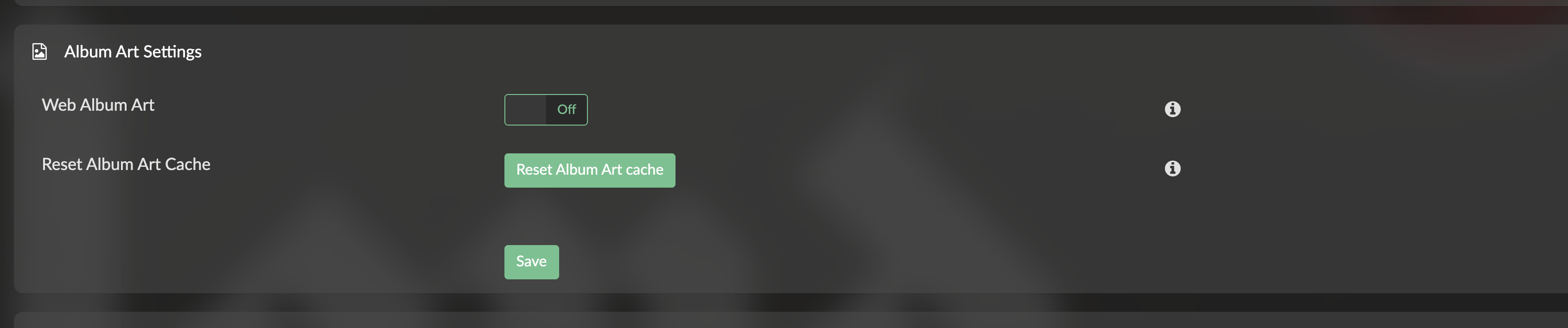
I use Picard to manage my music library, and have discovered that occasionally when it downloads a particularly hi-res album cover, Volumio won’t actually display it in its webui. If I downconvert that file to a smaller filesize, it works just fine.
Is this configurable? Is there a hard limit I can try and stay under?
You can allow for Extra-Large or Mega size covers in the Sources menu under Album Art Settings. After changing it to a higher (highest?) resolution, reset your album cache and allow for the system to reload.
Keep in mind that the larger album image sizes could tax loading times though, so depending on what you’re running and your library size, you may want to optimize. I have a growing library and usually run optimized artwork between 900x900 to 1400x1400. It may be overkill though. Hope this helps!
Yeah, I may try that. Unfortunately the toothpaste is sort of out of the tube at this point. If I “optimized” it I’d have to find a way to do so programatically
Short answer: yes, there is a fixed limit, and no, it is not configurable from the UI.
In the backend album art handler (volumio3-backend, app/plugins/miscellanea/albumart/albumart.js) every local cover file is size-checked before use. Only files smaller than 5,000,000 bytes are accepted (5 MB decimal, roughly 4.77 MiB). A file at or above that size is skipped.
What happens when your cover.jpg is too big:
Volumio looks for the standard names first (cover.jpg, Cover.jpg, folder.jpg, coverart.jpg, albumart.jpg and the .png / upper-case variants). Any of these 5 MB or larger is ignored.
It then tries any other .jpg / .jpeg / .png in the album folder, with the same 5 MB check.
If nothing qualifies, it tries art embedded in the audio files, and then an online lookup.
So what you see matches the code: a large cover is ignored, and a smaller version of the same image works.
About the settings in your screenshot: the album art quality option (small up to mega) only sets which size Volumio asks for from online sources. It does not affect local cover files and does not change the 5 MB limit. That is why changing it will not help here.
Practical options:
Keep cover.jpg under 5,000,000 bytes. In practice anything up to around 1500x1500 at normal JPEG quality is well below that.
Since you are using Picard, it can do this for you. Picard 3 has Cover Art Processing options that can resize images to a set size and set JPEG quality, and it can treat embedded images and images saved as separate files differently. Docs: Cover Art Processing — MusicBrainz Picard v3.0 documentation
To fix the existing library, load the albums back into Picard with these options set and save again (with “Overwrite existing” enabled under Cover Art Options so the old cover.jpg is replaced).
After replacing the covers, clear the album art cache in Volumio so the new images are picked up.
In practice, an optimized jpg file up to 1500x1500 px is usually in the kb’s range so yes, very well below the 5,000,000 byte limit. And while png’s also work, jpg’s are smaller.
However, regarding the Album Art Quality option has allowed me to view files beyond 900x900 (I believe, as well as specific kb sizing) that weren’t loading before adjusting. Album folders that didn’t load the enclosed folder.jpg file under the Large setting loaded correctly under the Extra-Large and/or Mega options. This, in 2 different systems, using the local file only, and not retrieving it from the web.
perfect this is exactly what I was looking for. Thank you!
I’ll start scripting something to get these >5MB files downsized. I’m hesitant to set Picard loose on my collection whole-cloth after the fact. I only use it to keep things hygienic on their way into my collection for the most part.