I developed a Plugin for the Chrome Browser for the following cases:
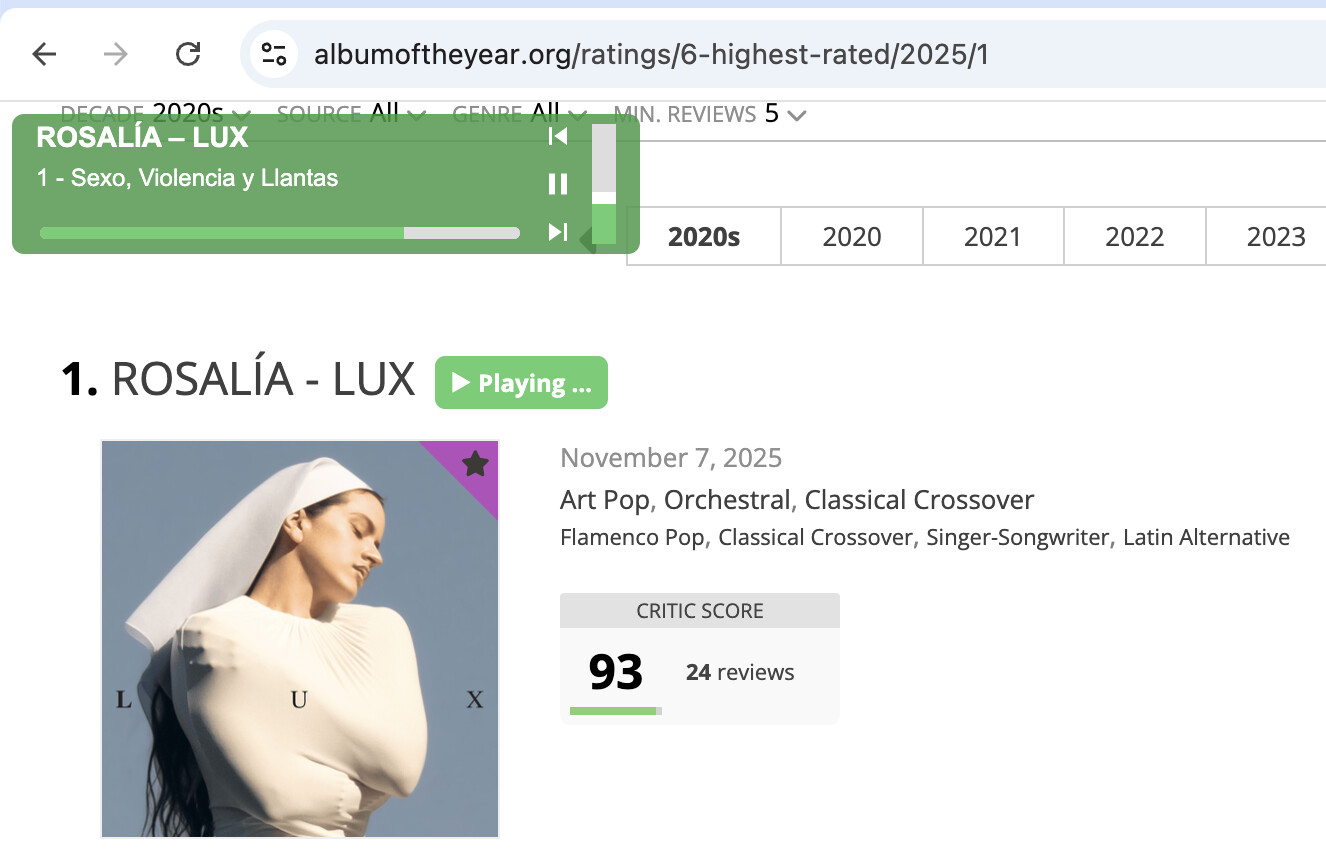
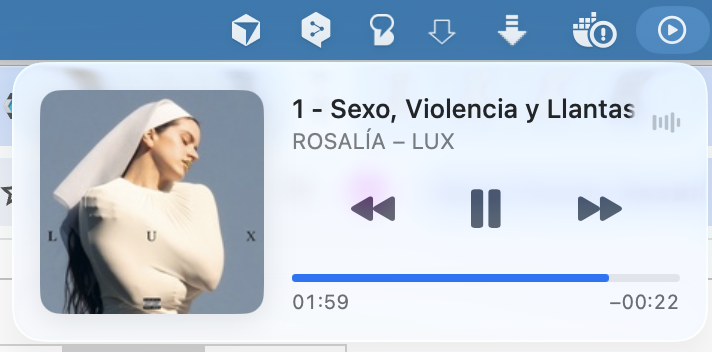
- Show the current song at the macOS Control Center and use the control tools
- Add “Play on Volumio” button to each album and song of the website albumoftheyear.org
- Add a Audio Control Layer to the website albumoftheyear.org
Here two pictures that shows the macOS Control Center and the integration into albumoftheyear.org
play-on-volumio-extension.zip (361.6 KB)
Installation
- Clone or download this repository:
git clone https://github.com/matze-media/play_on_volumio.git
or use the Zip at this Topic and extract it
- Open Chrome and go to
chrome://extensions/
- Enable Developer mode (top right)
- Click Load unpacked
- Select the folder containing the extension
- Configuration of your IP: 1. Right-click the extension icon → Options and set your Volumio IP
Maybe some else having the same value to it like me.
Here the full README of the project:
Play on Volumio
A Chrome extension that adds “Play on Volumio” buttons to albumoftheyear.org, so you can browse albums and play them directly on your local Volumio player.
Features
- Play on Volumio – One-click album playback from album pages
- Now playing overlay – Floating player on albumoftheyear.org (artist, album, track, seek bar)
- Media Session – Control playback from macOS Control Center, media keys, keyboard shortcuts
- Album art – Shown in OS media controls when available
- Works on Volumio tab – Media Session also controls when the Volumio Web UI tab is open
Requirements
- Chrome (or Chromium-based browser)
- Volumio running on your local network
- albumoftheyear.org – Extension only works on this site
Installation
- Clone or download this repository:
git clone https://github.com/matze-media/play_on_volumio.git
- Open Chrome and go to
chrome://extensions/
- Enable Developer mode (top right)
- Click Load unpacked
- Select the folder containing the extension
Configuration
- Right-click the extension icon → Options
- Set your Volumio settings:
| Setting |
Description |
| Volumio server IP |
Your Volumio device IP (e.g. 192.168.1.100) |
| Volumio API port |
REST API and WebSocket port (default: 3000) |
| Volumio Web UI port |
Optional. Port from the browser when Volumio is open. Use 80 for http://192.168.1.100, or 8080 for http://192.168.1.100:8080. Leave empty to use the API port. |
Usage
- Album pages – Click
 Play on Volumio to play the album
- Discover / artist / ratings pages – Play buttons on album cards
- Now playing – Use the floating overlay or OS media controls (play, pause, next, previous, seek)
Supported Pages
- Album detail pages (
/album/*)
- Artist pages (
/artist/*)
- Discover, search, genres, releases
- Ratings and lists
License
MIT
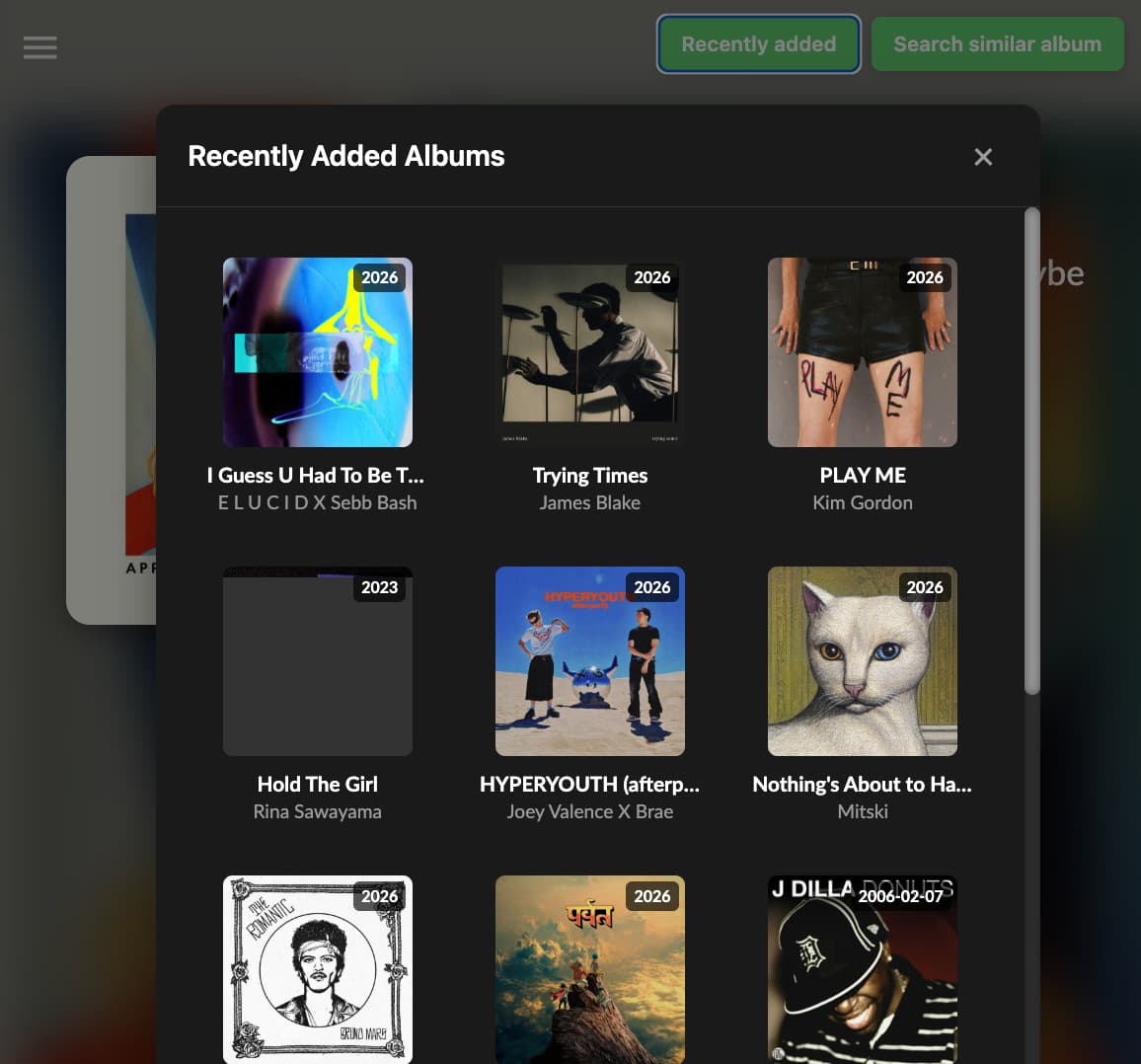
This weekend I developed two new functions into the Chrome Extension:
- A Button for “recently added albums”: This returns a list of all new album that you have copied to your local volumio server.
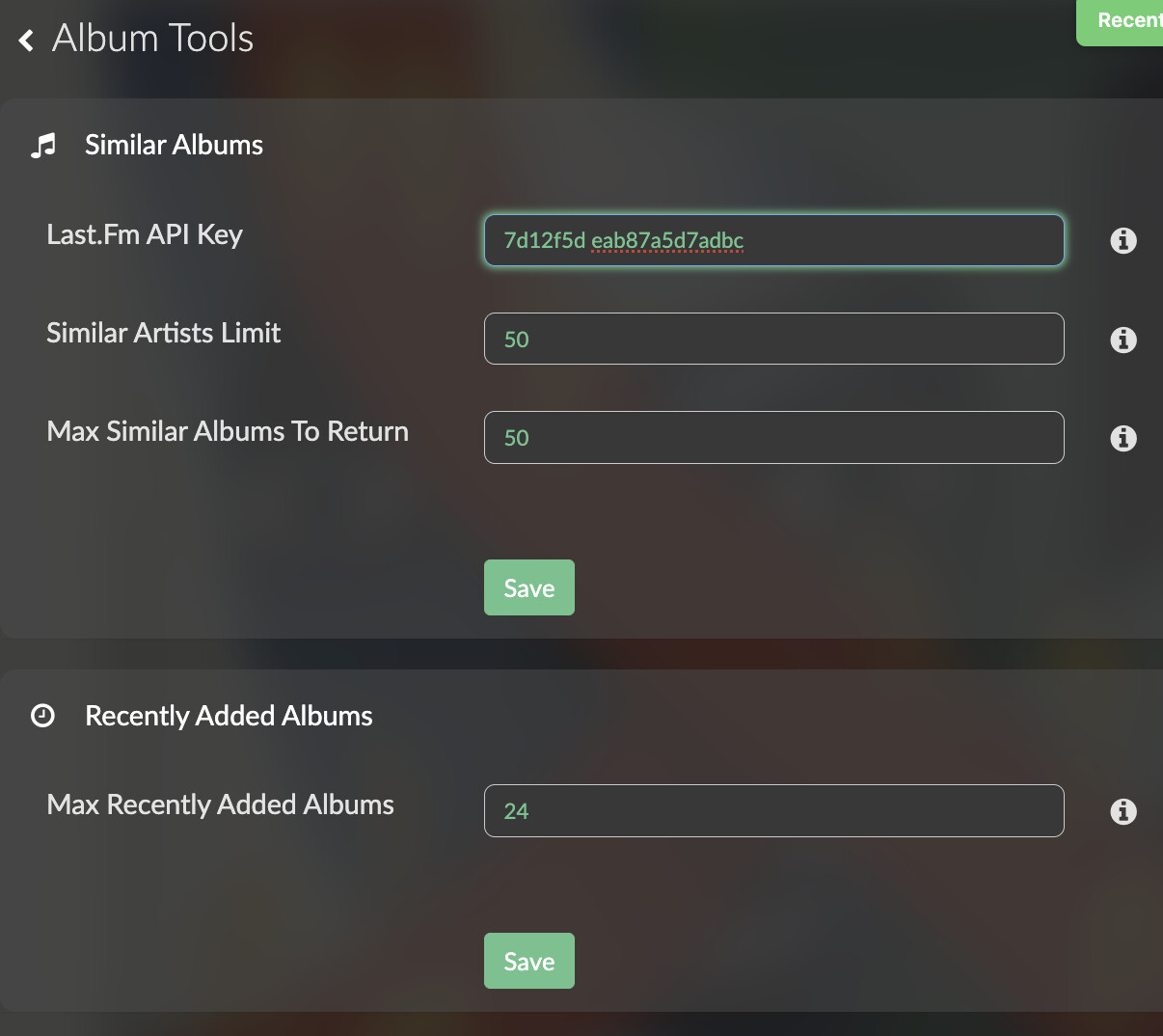
- A Button similar album: This shows a list of album that are similar to the one you are currently listen. It uses the last.fm api.
Both new button requires a new API endpoints at volumio: recently_added_albums and similar_albums. To get this I created a volumio plugin. similar_albums need a free Last.FM API Key.
To be fair: this is not the normal way of using volumio plugins. It is build for my usecase - and my way to use volumio. But maybe someone like the idea and see the value of this package as useful as me.
I put all changes to the github repository. Feel free to ask any question.