You generating 2 different IP’s now. Which is which?
volumio@192.168.1.10
volumio@192.168.1.180

You generating 2 different IP’s now. Which is which?
volumio@192.168.1.10
volumio@192.168.1.180
Hey @PluggedIn,
I am watching this thread from the shadows with the quiet reverence of a wildlife documentary narrator. Community members are helping. Unprompted. In the wild. I dare not type too loudly in case the magic dissipates like morning fog on a Scottish loch. My keyboard is clicking impatiently, each key twitching with unsolicited opinions, and I must resist with every fibre of my being because this - this right here - is what a community forum is supposed to look like.
I do need to interject on one thing before I retreat back into the undergrowth, because @Wheaten spotted it and it matters:
You are using two different IP addresses.
That is why SSH refused the connection. It is not a configuration problem. You are knocking on the wrong door. Fix the IP, and also make sure SSH is enabled first via http://volumio.local/dev - it is disabled by default.
Now if you will excuse me, I need some me time. I have thousands of ideas all pulling on my last remaining grey brain cell, demanding attention like seagulls fighting over a chip. The rest of them melted down years ago - some from staring at logs that were never provided, some from explaining the difference between config.txt and userconfig.txt for the four hundredth time, and one particularly promising cluster simply handed in their resignation after spending six hours on a problem that turned out to be a loose USB cable.
Kind Regards,
Well, don’t I feel stupid… although not surprised, my brain have been having these glitches for a few years.
But what I am surprised is that when I read this, I obviously thought “Ok, that was the problem” so I do
ssh volumio@192.168.1.180
and I get:
ssh: connect to host 192.168.1.180 port 22: Connection refused
So now I’m confused. I just confirmed that the IP is still Volumio’s, just in case because it’s set to always have that IP.
Didi you enable ssh in 192.168.1.180/dev ?
if your IP is 192.168.1.180, this command is ok:
ssh volumio@192.168.1.180
You’re a writer, right? With a focus on comedy I would guess?
Oh, gotcha. Now it works.
And now I have to remember what did I need this for.
Hey @PluggedIn,
Not a writer. Not a comedian. Hard core techie. Logic, facts, no speculation. If the results happen to be dramatic, that is because reality is dramatic when you stop decorating it and just describe what is actually happening. A fact delivered with precision is funnier than any joke because it is true and nobody can argue with it. Comedy is just tragedy plus accurate observation minus the social filter most people leave enabled.
Good - SSH works. That was the IP. 192.168.1.180 is your Volumio. 192.168.1.10 is not. Mystery solved. Now you have it in your back pocket for when you actually need it, which - based on your enthusiasm for “under the hood stuff” - about few hours before you are in there poking around voluntarily.
Kind Regards,
Yeah, but I’ve never seen a tech nerd with your writing skills, it’s just not normal. I don’t mean that nerds can’t write at all, but certainly not at your level.
Hey @PluggedIn,
It is not writing skill. It is obsessive clarity.
When you spend decades debugging systems where a single misplaced character causes silent failure, you develop an unhealthy relationship with precision. Every word gets the same treatment as every line of code - does it do what I think it does, does it do anything I did not intend, and can it be misinterpreted by “not a smart person” at 3am. If the answer to the third one is yes, rewrite it.
Most technical writing is bad not because engineers cannot write, but because they tolerate ambiguity in language that they would never tolerate in code. They will spend four hours tracking down a race condition but happily fire off a paragraph that could mean three different things depending on which word you stress. That is not a writing problem. It is a debugging problem applied to the wrong medium.
Good writing is just refactored English. Remove the dead code. Eliminate redundant variables. Make the logic flow in one direction. Stop nesting conditionals seven levels deep when a flat structure will do. If your sentence needs to be read twice to be understood, it has a bug.
The humour is a side effect. When you strip away every unnecessary word and say exactly what is true with no padding, the result is frequently funny because most communication is 70% padding, 20% hedge, and 10% content. Remove the first 90% and what is left tends to hit rather hard.
Kind Regards,
Yeah and still you can’t do it in just a one-liner 
Hey @Wheaten,
Fair point. Brevity is a work in progress - much like Volumio since day one.
Kind Regards,
Fellas, the time has come again when technology surpasses my knowledge and patience, so I must ask for help.
Recently I wiped my C drive completely and installed the most current version of Windows 11 along with updates, drivers, etc, etc. When the time came to restore my Volumio shares so I could copy more music to them, it wouldn’t work. So I left it for some other time when I could come back to this thread and read it with plenty of time to remember what were the steps I took back then, which ended up with me mounting the two shares, one for the internal storage, and the other one for an USB stick that I put in the Volumio Pi.
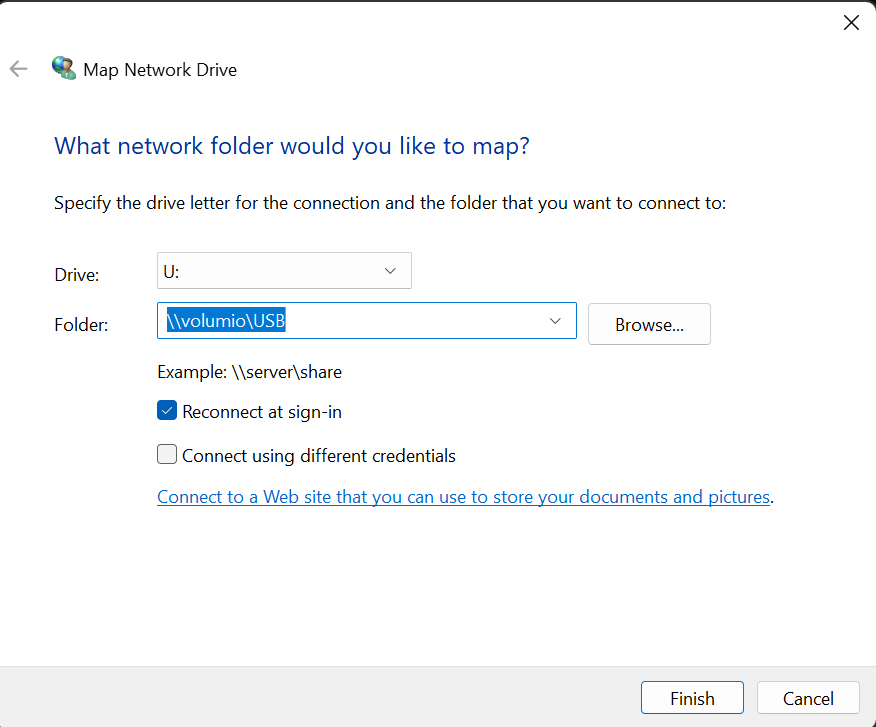
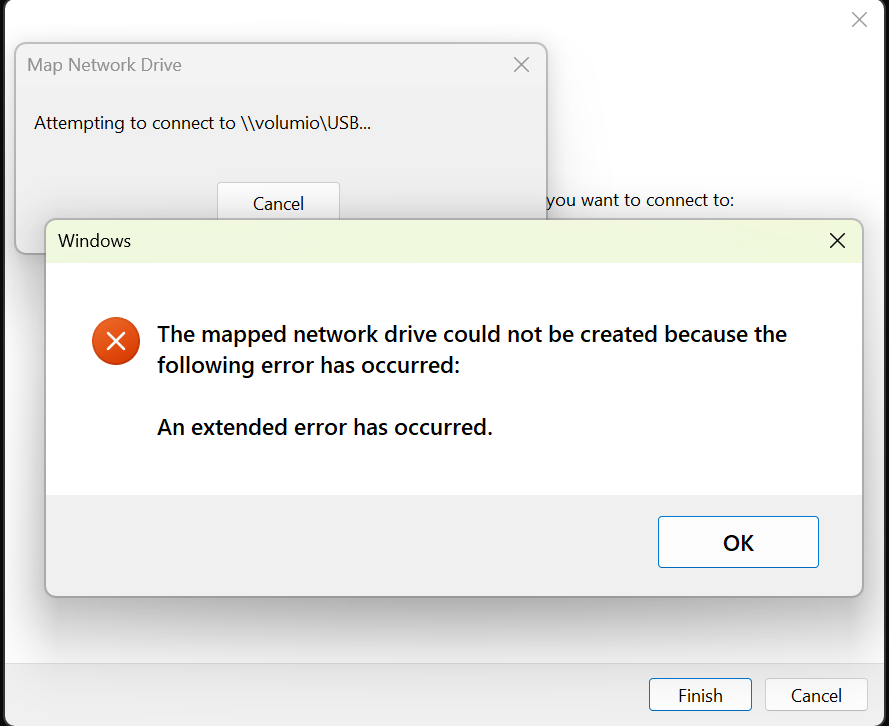
Well, I’ve done everything in this thread (not the FTP thing, I want to access the shares as I did before the reinstall), and in theory, it should work. This time I’m not confusing the IPs, the guest login for shares is enabled in the registry, and I found a screenshot of the File Explorer at the This PC location, showing all the drives, and I know the exact names of the shares I had and worked. But all I keep getting is this:
I also tried to mount the shares with the IP address, same result.
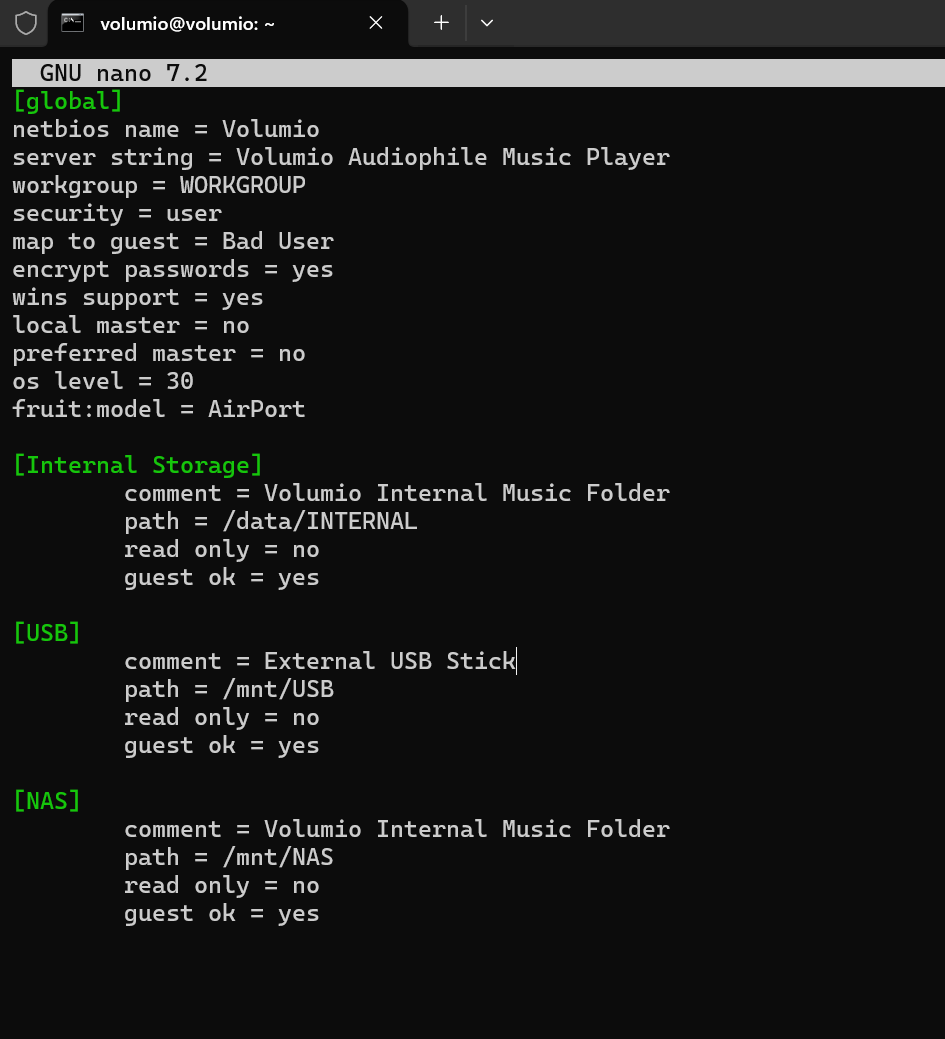
I logged into the Volumio Pi via SSH and opened the smb.conf, which shows me what I already knew:
I only edited the comment for the USB share because it was still set to the same as the other two. But that was just now, it has nothing to do with the error.
So after reading this thread up and down, and searching online, there doesn’t seem to be anything that I have yet to do. Any suggestions?
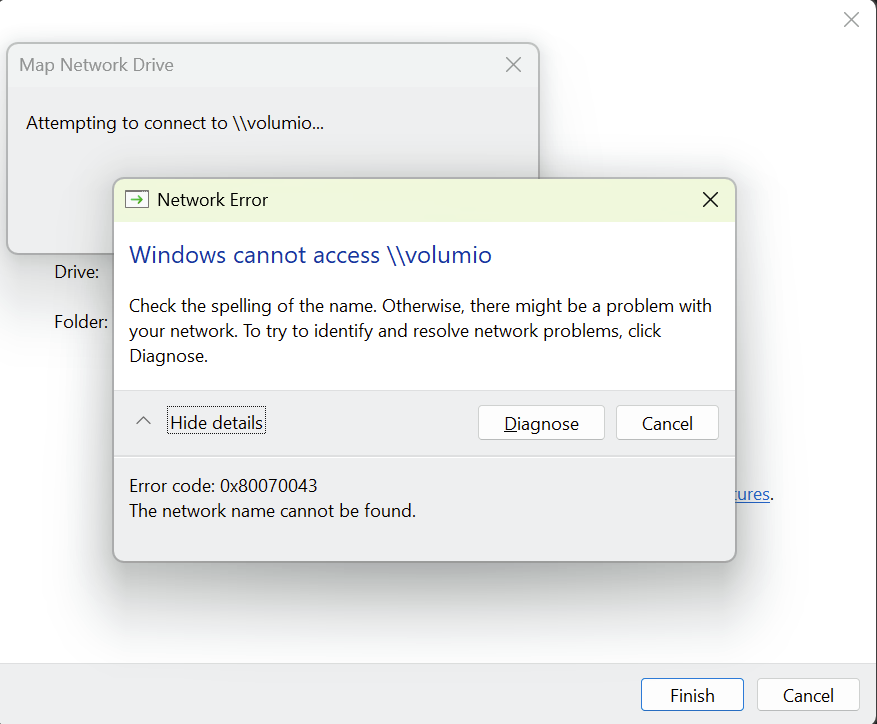
Edit: in case it helps, if I just try to mount \\volumio I get this:
BTW, I checked with my Mac and I can access both shares just fine. So if it’s something related to my Windows PC, and the guest login is already enabled, I’m not sure what else I can do.
Any suggestions?
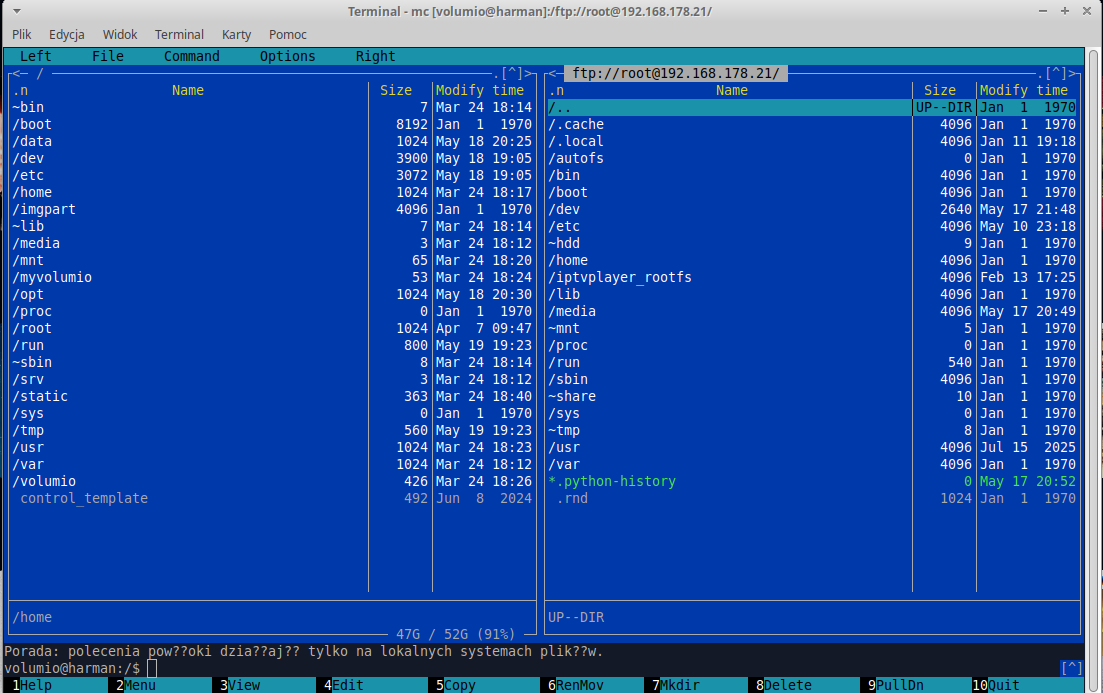
Once you’re logged into Volumio via SSH in the terminal, install Midnight Commander using the following commands:
sudo apt-get update
sudo apt-get install mc
Then launch Midnight Commander with the command:
mc
and you’ll have access to the SD card with the Volumio system 
Hey @PluggedIn,
Please take a look into legacy setting relaxing Redmond’s modern “I will not let you in” (through the front door only) posture.
Bear in mind, that this applies both ways - very likely guest access disabled by new install and already discussed in this thread (scroll up, then up, then a bit more up).
Kind Regards,
Thanks, but what I’m trying to achieve is what I had right before the install. It’s mounting the two Volumio shares on the File Explorer, so I can easily copy files back and forth. I buy music often, both on Qobuz and on CD, and when it’s on CD I rip it to FLAC to then put it in Volumio, which I do very easily with the File Explorer.
Right, but that was the main thing months ago that finally made it work, enabling the guest access that you showed me how. So I did that, but this time, no dice.
Hey @PluggedIn,
Your Mac works. Volumio’s Samba is fine. This is Windows being Windows - but which version of Windows being which version of Windows matters here.
Before I prescribe anything, I need to know exactly what we are dealing with. Fresh installs in 2026 could land you anywhere from 24H2 to 25H2, and Microsoft has been rearranging the security furniture with each release. The fix depends on which locks they bolted to the door this time.
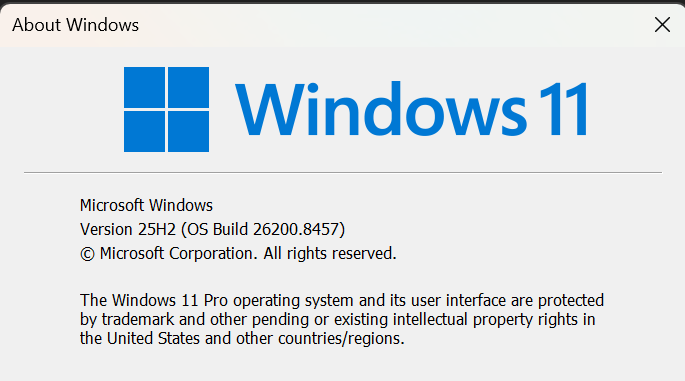
Open the Start menu, type winver, press Enter. Post a screenshot of the window that appears. I need the version number and the OS Build number.
While you are there, open an elevated PowerShell (right click Start, select “Terminal (Admin)”) and paste this (one line - watch it - Windows is being Windows when copying and pasting):
Get-SmbClientConfiguration | Select EnableInsecureGuestLogons,RequireSecuritySignature
Post the output. That tells me exactly which of Microsoft’s guest access locks are currently engaged.
The fact that it worked before your reinstall and does not work now, with the same registry key applied, tells me the new install has additional restrictions that your previous install did not. But I would rather see the evidence than guess at which ones.
Kind Regards,
It constantly amazes me that most of the world runs an OS that is so inept and unreliable, even for the most basic tasks.
EnableInsecureGuestLogons RequireSecuritySignature
------------------------- ------------------------
                     True                     True
I’m guessing perhaps the problem is in the security signature, whatever that is?
Thanks for looking into it!
What baffles me here is that it’s not that I’m trying to allow my Windows machine to accept guest logons. I’m trying to login into a guest account in another computer, so why does it care?
On the other hand, can’t I just set Volumio to have a regular non-guest share and that’s it?
OK so I googled this and the AI overlord came back with a suggestion to do this in Powershell admin:
Set-SmbClientConfiguration -RequireSecuritySignature $false
Set-SmbClientConfiguration -EnableInsecureGuestLogons $true
And it worked, so I’m guessing it was actually the required security signature that caused the problem.
But my question stands, can’t Volumio be set to have a regular SMB account with a login and password? I mean, after all it’s a Linux variant, and as such it should be the same process and setting up SMB in Linux, which I did a few months ago for my ZorinOS laptop, but I don’t remember right now, except that it was pretty easy.
Hey @PluggedIn,
Windows 11 Pro, 25H2, Build 26200.8457. And you fixed it yourself before I could even finish typing. I am both impressed and slightly wounded.
RequireSecuritySignature was the culprit. Microsoft added mandatory SMB signing in 24H2, kept it in 25H2, and presumably will keep tightening it until the only way to access a network share is a notarised letter delivered by a bonded courier. Guest logons do not support signing. So Windows sees the unsigned guest session and refuses it regardless of the AllowInsecureGuestAuth setting. Two independent locks, both must be opened. You found the second one via the “AI overlord” - which, I should note, is rapidly making my role here redundant. I am still baffled with AI acronym, perhaps my interpretation “Absolute Ignorance” is befitting. LLM - is nothing else than random word stitching with applied grammar. Oxford’s lingo does it better (sorry Cambridge folks).
To your question about authenticated Samba shares - it is a fair one. You are right that Volumio runs on Linux and Samba is Samba under the hood. The capability exists at the system level. Volumio is aware that guest-only shares create exactly this kind of friction with modern Windows security defaults. Whether authenticated share support makes it into the UI as a proper feature is not on the visible roadmap at this stage, but it is the kind of thing that tends to move up the priority list when enough people shout at their receivers. Or their PCs. Or both simultaneously.
For now, the PowerShell commands you ran are the correct and supported workaround. Both settings persist across reboots. They will also persist across Windows updates - until Microsoft decides they should not, at which point we will all be back here having this conversation again, and I will pretend to be surprised.
Kind Regards,