Quadify now working on Volumio 4 with a rpi4.
Hi Matt,
Thank you for your response.
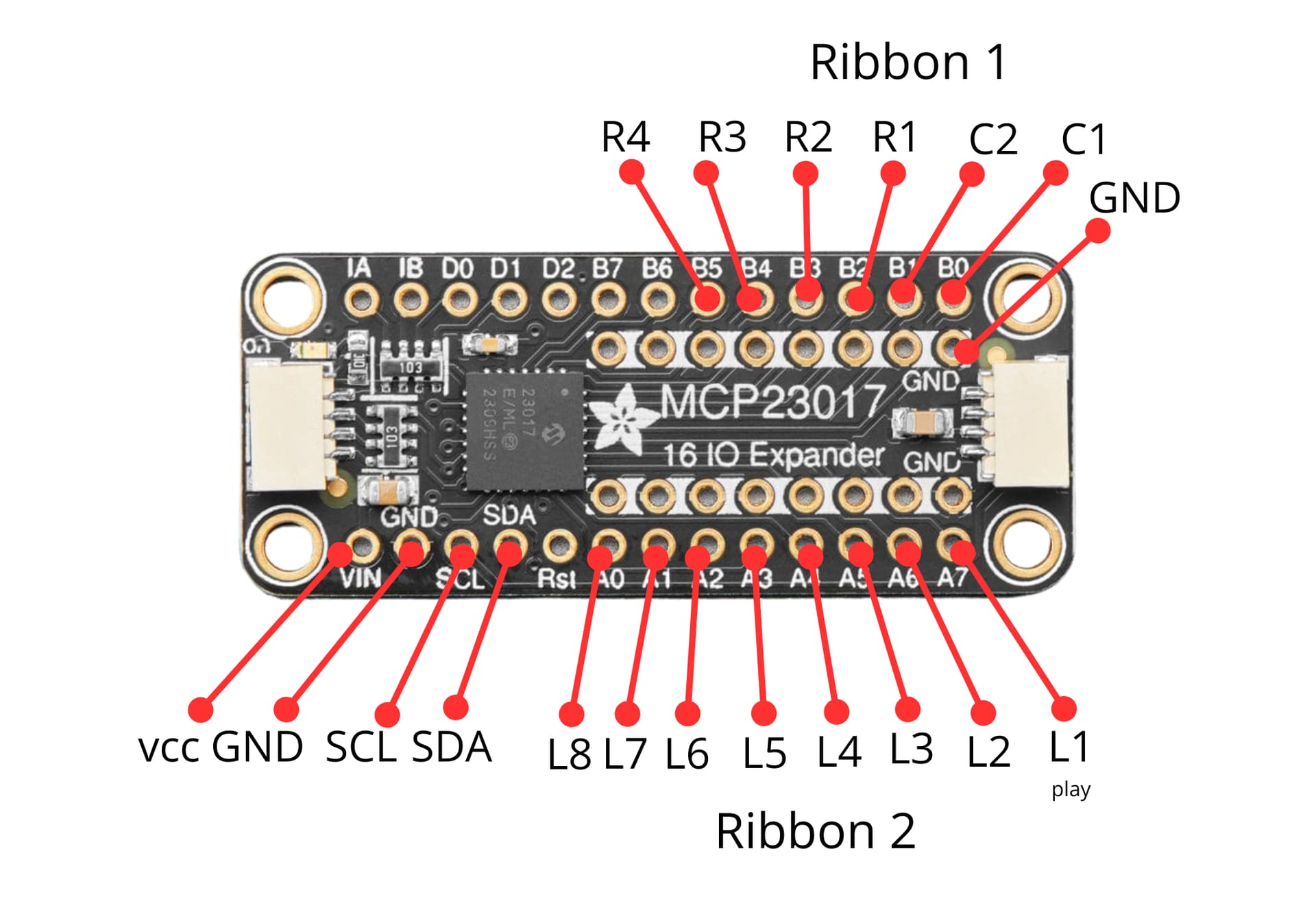
I don’t think that the problem is in mcp23017 board.
SDA and SCL pins of I2C bus. The I2C addresses of the mcp23017 and the Hifi Berry are different, so there will be no conflicts here.
At least my DAC initializes and runs at 44.1kHz sampling rate.
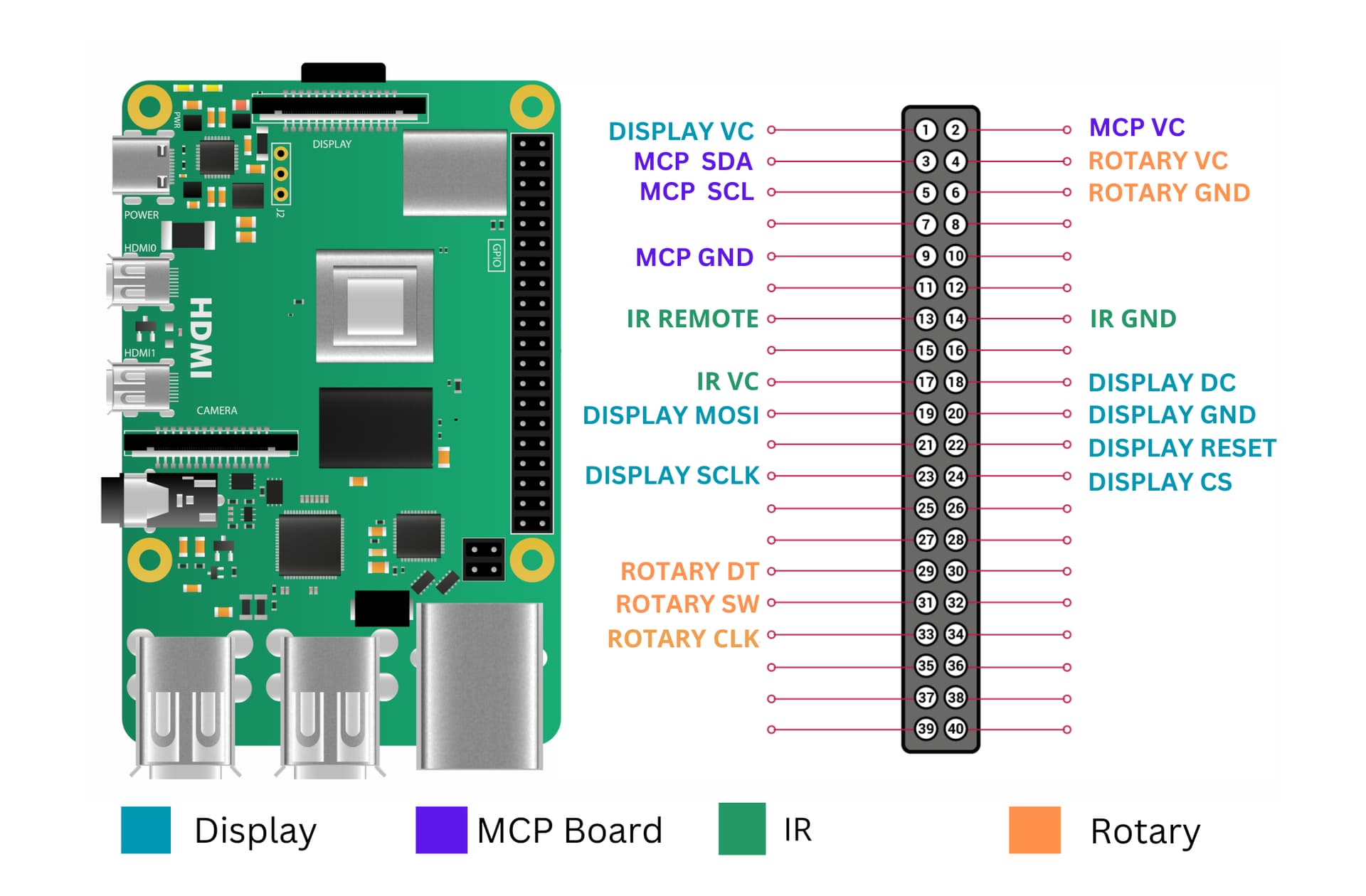
The problem is that the outputs of the encoder are connected to the ports GPIO 5,6,13 (pins 29,31,33).
The same pins are using by Hifi Berry as output pins to switch generators 44.1 or 48 kHz.
If you could explain how to change the port numbers the encoder is connected to, I would be very grateful.
Dmitry.
right, I understand now. Yes its very easy to change the pins for encoder.
look for the /config.yaml file inside /quadifyapp its the first 3 pins on that file.
Cheers
Matt
Hi Matt.
Today I installed Quadify on Volumio 4.073.
The installation on the RPi 3B was successful and it works.
Then I connected to RPi using WinSCP to fix config.yaml files as you mentioned.
I found two config.yaml files, one in /home/volumio/Quadify-Plugin/quadifyapp ; and second one in /data/plugins/system_hardware/quadify . I’ve changed both files to:
pins:
- clk_pin: 13
- dt_pin: 5 to15
- sw_pin: 6 to16
Then I did a hard reset with power off.
Unfortunately, nothing has changed in the system’s behavior. Ports GPIO 5,6(pins 29,31) do not change their state when playing signals with different sample rates. There are 1.5V on GPIO 5 (output for 44.1kHz) and 0.6V on GPIO 6 (output for 48kHz).
In normal condition,
for 44.1kHz, GPIO5 - 3.3V; GPIO6 - 0V.
for 48kHz, GPIO5 - 0V; GPIO6 - 3.3V
Addition,
I looked for references to the inputs (clk_pin=13, dt_pin=5, sw_pin=6) in other plugin files, and found the following code in the rotary_control.py files:
if gpio_setup is None:
            self.gpio_setup = GPIOSetup(clk_pin=13, dt_pin=5, sw_pin=6)
        else:
            self.gpio_setup = gpio_setup
        self.rotation_callback = rotation_callback
        self.button_callback = button_callback
        self.long_press_callback = long_press_callback
        self.long_press_threshold = long_press_threshold
After I changed the necessary pins (dt_pin=5 to 15, sw_pin=6 to 16), and restart the system, everything worked as it should be.
The question is, is it possible to do this?
1 Like
it sounds like you have it all under control mate, well done, glad it all works for you
Thank you for your kind words,
Continuing to test the plugin, I noticed that when Spotify is playing, Spectrum is not working.
I don’t know if this is important or not, but you asked to test the plugin in your first message, so I’m mentioning it.
Sincerely
Dmitry
Hello Matt. I’ve installed Your plugin on rpi 3 and volumio 4.073 I’ve got only ssd1322 and rotary encoder. I cant get the menu visualisation (booting,playing info, vu meters works great) Encoder is fine and tested, when i press encoder there goes black screen (no display), sometimes it goes to some submenu - unknown item or something. I’ve never got menu icons like on Your movie on top of the topic. Cheers.