I have been using Volumio since some time on Raspberry Pi and from the very beginning I was looking for a solution to provide me the convenience of switching the circuit on and off by a hardware switch. So, I have built a circuit to act as a power controller to control the power to the Raspberry Pi and other units of the player.
I had installed and use Volumio on two units, one running Version 3 on a Pi Zero 2 w and another one with Version 4 on a Pi 4B, so I designed the circuit to cover both cases, since I found that Pi gives different power status indications for the Volumio versions 3 and 4.
The circuit controls the 5V power provided to the Pi, so it is inserted between the 5V PSU and the Raspberry power USB socket. The power is controlled through an IRF4905 power MOSFET. The IRF4905 in addition to the Pi is able to provide power to other modules as a DAC or a display. If there is no a heatsink mounted to it, the current should not exceed the 5 Amperes. There is also a relay triggered simultaneously to the MOSFET, so you can use it to control any other power source. In my case I have used the relay contacts (since they are isolated) to provide 230V AC to the PSU of a DAC.
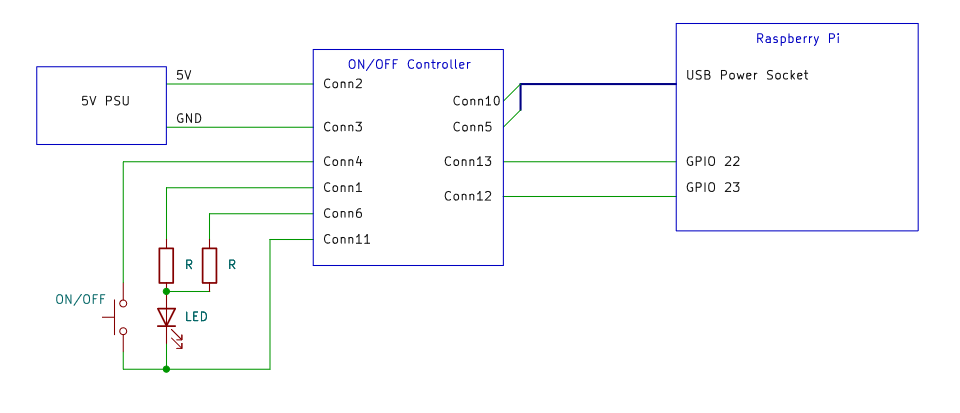
The circuit is driven by a single push button switch and two GPIO pins of Raspberry Pi.
To make the circuit work it is necessary to add two dtoverlay commands to the userconfig.txt file on the boot partition of the Volumio SD card.
One command is the dtoverlay=gpio-poweroff and it allows a specific GPIO pin to act as a power status indicator. The second is the dtoverlay=gpio-shutdown and it enables a safe Raspberry Pi shutdown, by triggering a specific GPIO pin.
I have used the GPIO 22 (physical pin 15) and GPIO 23 (physical pin 16) and added the following lines to userconfig.txt file
dtoverlay=gpio-poweroff,gpiopin=22
dtoverlay=gpio-shutdown,gpio_pin=23,active_low=1,gpio_pull=up,debounce=200
but I have also tried it several other GPIOs and works fine.
The circuit works as follows
The unit is OFF. Push the power button momentary → Power is provided → The unit boots
The unit is ON. Push the power button momentary (not less than 200ms) → The shutdown cycle starts → Power cuts in 27 seconds
The unit is ON. Select “Shutdown” on Volumio menu → The shutdown cycle starts → Power cuts in 27 seconds
The unit is ON. The program has crashed. Push the power button for four seconds → The power cuts and the unit is forced to shut down.
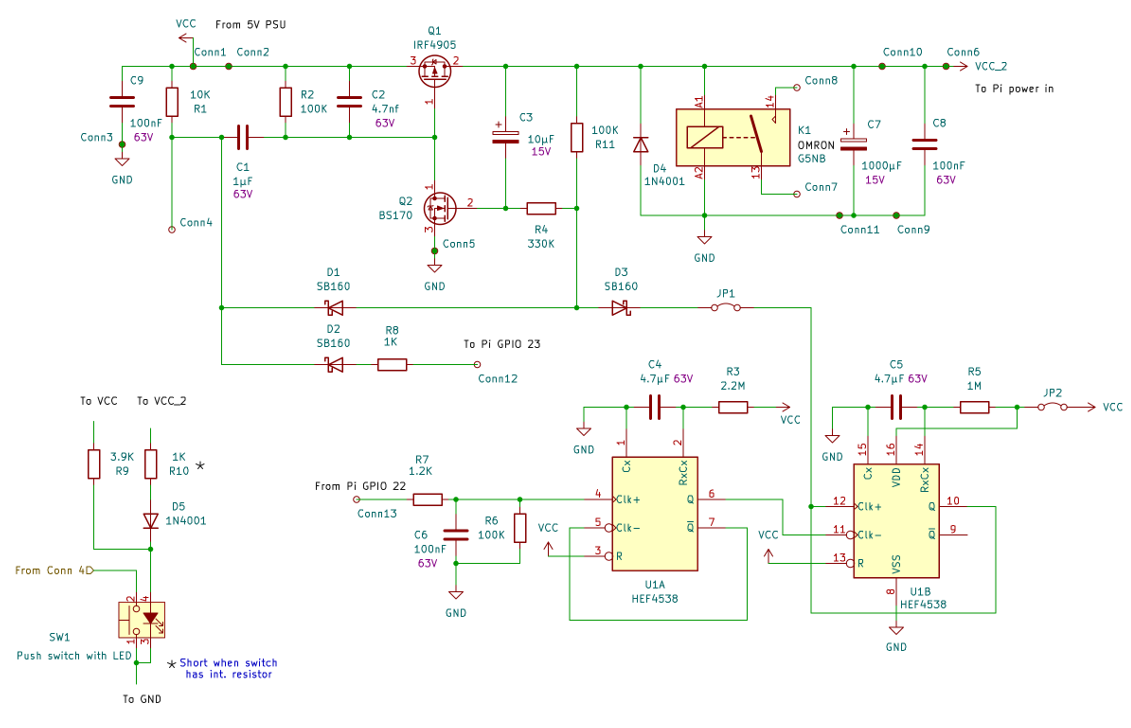
I have built the circuit using common easily found parts, as shown on the schematics below.
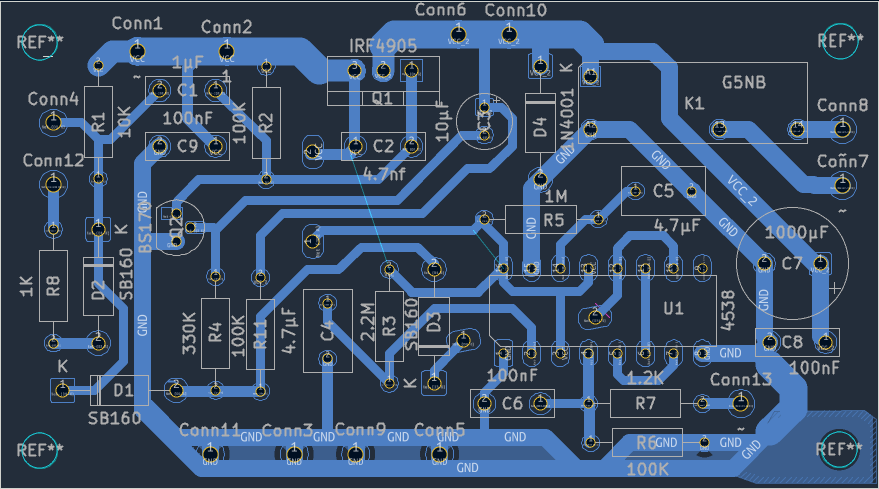
I would happy to share it with those who find it interesting to build it, so I post the circuit diagram and PCB schematics in KiCad format too.
pi_on_off_sch.zip (19.0 KB)
pi_on_off_pcb.zip (49.2 KB)