[PLUGIN] Touch Display

hi at alll friends and thank you @gvolt for you help.
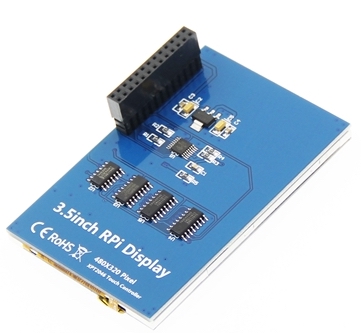
i’m on latest 3.817 volumio version and i have this display
http://www.lcdwiki.com/3.5inch_RPi_Display
i installed the touchdisplay plugin but my XY axis are stupid!!! (i’m stupid)
when push in the up left angle the mouse pointer is in the right buttom angle; when push on right up angle it’s correct and correct it’s when i’ll push on left bottom angle.
my /boot/userconfig.txt file is this:
cat /boot/userconfig.txt

config_hdmi_boost=4
hdmi_group=2
hdmi_mode=87
dtparam=spi=on
dtoverlay=ads7846
dtparam=cs=1
dtparam=penirq=25
dtparam=penirq_pull=2
dtparam=speed=50000
dtparam=swapxy=0
dtparam=InvertY=1
dtparam=InvertX=0
dtparam=pmax=255
dtparam=xohms=150
dtparam=xmin=200
dtparam=xmax=3900
dtparam=ymin=200
dtparam=ymax=3900
hdmi_cvt 1920 1080 60 3 0 0 1

if i modify this value don’t change nothing
dtparam=swapxy=0
dtparam=InvertY=1
dtparam=InvertX=0

please help me

@gvolt can you help me?

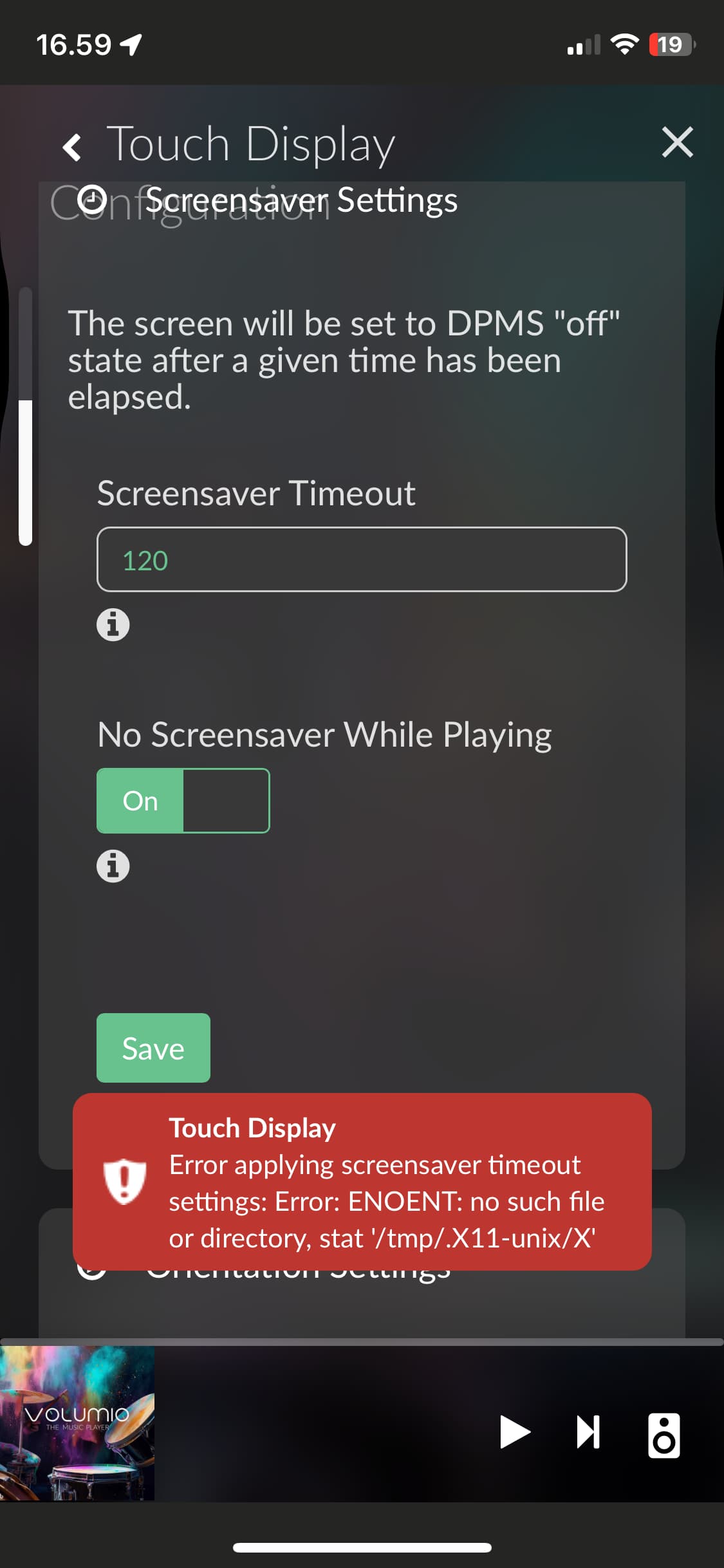
Have this 3.5 LCD. Working very well. It stands with the connector facing down (lower right corner).
MPI3501.zip (15.3 KB)
All files from goodtft/LCD-show

ok… thankyou! i’ll try

Hi mate! How do i execute this on command shell? After transfer this, file to /home/volumio via filezilla?

Unzip first. Then copy LCD folder and:

cd LCD
sudo ./install.sh

1 Like

Most likely you can use the waveshare35a overlay.
The tft35 has very bad performance (5fps)

cd~
wget https://files.waveshare.com/upload/1/1e/Waveshare35a.zip
miniunzip Waveshare35a.zip
mv /home/volumio/waveshare35a.dtbo /boot/overlay/waveshare35a.dtbo

nano /boot/userconfig.txt
dtoverlay=waveshare35a:rotate=90,speed=41000000,fps=50

Touch Display and Peppy Meter Basic working just fine. That’s enough for me.

No. I can not. The color depth and resolution indicate that the driver is not suitable. I better stay on 5 fps.

Strange your screenshot is exactly what I had using the TFT35 overlay, hence moved to the Waveshare one.

The wiki says that this is (MPI3501) not a Waveshare display and provides a link to goodtft. Maybe you have a Waveshare. Maybe something in the air…

Guess the air it is, for sure not a Waveshare screen.

Perhaps both copies of the same file are required?

waveshare35a-overlay.dtb & waveshare35a.dtbo
like
tft35a-overlay.dtb & tft35a.dtbo

We have very different screens:

61vDp0lClfL.AC_SL1000
MPI3501-001

I have install a fresh Volumio 3.378, on my Rasp 3B+ because on that version Tidal works fine
and install Touch Display version 3.5.2 but i have an Error

Removing plugin directory /data/plugins/user_interface/touch_display
An error occurred while installing the plugin Error
Removing temporary directory /tmp/touch_display-S07jIx90DC

This indicates that not all software packages the plugin requires succeeded to download. Most often either sytem time ist not set correctly or a network issue is the reason for failing downloads.

So at first check and set the date and time on your system. If they are already correct, changing the repository mirror as described here may help.

If you should be using something like pi-hole or special DNS settings in your network, make sure to rule them out as a possible cause, too.

Hi again @gvolt

I have tried 10 different mirrors still with the same result unfortunately…
Time is also set.

Is the really nothing else to do?:slightly_smiling_face:

Would a reinstall of Volumio on a clean SD work?

Thanks in advance :smiling_face:

It is at least worth a try. If possible, also try a different SD card.

1 Like

Thanks @gvolt

Fresh install at a brand new SD card and I was able to install the Touch display plugin.
I have set my HDMI screen settings in the userconfig.txt file in the boot folder and the screen works and with the Volumio logo at startup.
Unfortunately there is no image at the screen once booted into Volumio and this error appears when I try to change any settings:

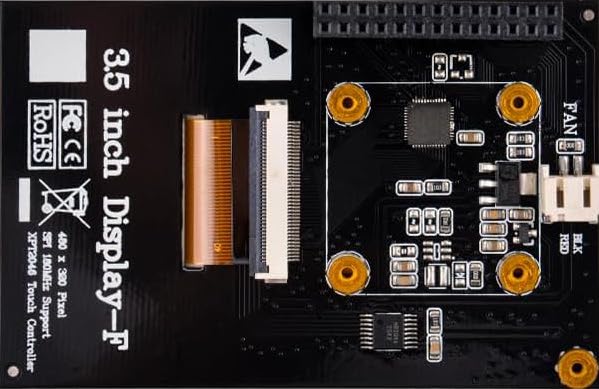
Any thought please? :slight_smile:

My screen is a 8.9" 1920x480 HDMI screen and I am using the following settings:

#Control of 1920x480 8.8" screen
hdmi_timings=480 0 30 30 30 1920 0 6 6 6 0 0 0 60 0 55296000 8
hdmi_group=2
hdmi_mode=87
#hdmi_drive=2
display_rotate=1
hdmi_force_mode=1
hdmi_blanking=1
framebuffer_width=1920
framebuffer_height=480
max_framebuffer_width=1920
max_framebuffer_height=1920

Thanks in advance :slight_smile:

What are make and model of the display?

What is your Pi model?