[PLUGIN] Glass - Phoenix risen from the PeppyMeter Screensaver ashes

Dear Volumionauts,

Actually - hey @SimonE,

You were almost embarrassed to ask. This evening you can press it. Glass 0.11.16 and glass-evo 0.11.16: Play here.
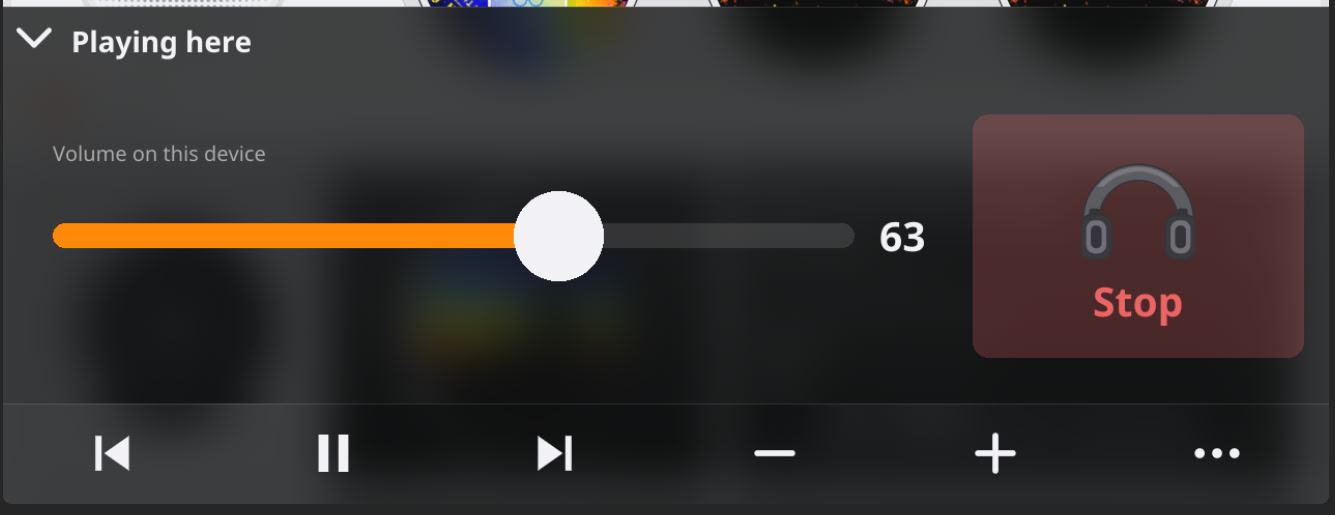
And it came out better than the surgeon promised you. No encoder, no FLAC, no compromise in between: the player’s own stream, as it is - 16-bit as 16-bit, 24-bit as 24-bit, at its own rate - carried to your device by Outcast Lite, the small signed sibling of Outcast that ships inside Glass. Outcast itself was not even needed. Somewhere a broadcaster weeps.

Turning it on

The Manager’s System tab, Play here - off unless you set it. Then:

  • On Anymote and the Face tab: a Play here tile in the More sheet, beside Mute. It starts the sound and opens a page with a large volume slider and one big Stop card, made for a hand at arm’s length - your car dash included. The page leaves by itself after eight seconds; the sound plays on, and the tile says “Playing here” until you stop it.
  • On a phone: the sound goes on with the screen locked, the track on the lock screen with a control to stop.
  • On a remote display - Linux, Windows or Android - it plays through the remote’s own speakers: the same tile on the face, or Play here on the remote’s settings page with its own volume.

What to expect

  • A quarter to half a second behind the room. One for the next room, not the same one.
  • At full level: the sound is taken before the player’s volume, so the page’s own slider sets it.
  • A weak link or a TV: “Sends up to” on the System tab caps the rate at 96 or 48 kHz.
  • DSD plays on the player only, and the page says so. Up to eight listeners at once; the ninth is told politely.
  • Nothing new opened on the player: it all travels over the Manager’s own port.

Something silent? Find a problem has a new symptom, “Play here is silent or missing”, and the Status tab’s Audio section says whether the sound is served, to whom and in what shape. Then post 2, as always.

The surgeon, meanwhile, awaits his letter of excommunication from the audio purists, with Outcast proper still on the table. Being outcast suits me.

Kind Regards,
I don’t think it can have anything to do with upgrading Glass, but my system just died. I couldn’t see the option in Manager, so I tried a reboot, but my Pi5 is not booting. Screen is blank, fan is running, USB DAC is without power. I’ll rebuild it tomorrow.

All rebuilt from scratch - thankfully, good backups!

Thank you again @nerd! The button works perfectly. With volume muted on my amp, I have an amazing portable Volumio with meters!

Can a default language be set in Glass Manage? I don’t want it to be selected automatically.(0.11.16)

@nerd

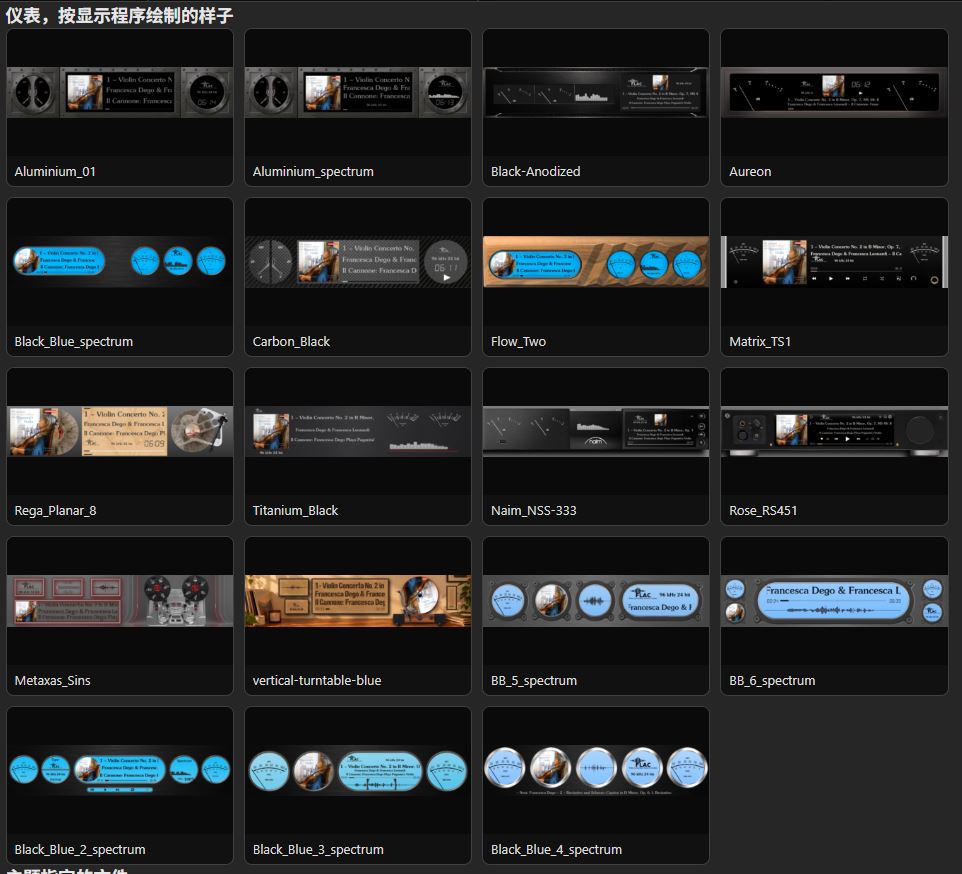
Who is the creator of the 1920x440 themes? I’ve looked through everything carefully but couldn’t find the answer. I also noticed that there are some new themes.

Hey @Lee.Yan,

These are generously donated by our own @Wheaten.

Kind Regards,

Hi @nerd

this overlay is working, thanks:

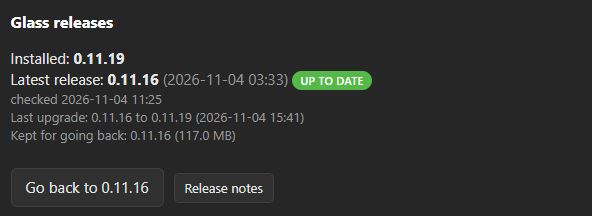
Currently using version 0.11.19.

When looking at the settings, it’s better to use the English version to ensure the original meaning is accurately conveyed. I’m not entirely confident in the Chinese translation, as it frequently suffers from shifts in meaning. While this might not be a major issue for simple feature selections, it’s still a concern.

@nerd

Thanks!

Package for a 1920x440 theme.
All files in format-icons are in SVG format, ensuring your style is fully preserved.

Using the SVG format allows the icons to adapt to the colors of different theme environments.

@Wheaten

That’s up to you. templates are free to use and modify.

Hi @nerd ,

Another awesome feature implemented in, what I believe it’s now more of a central major hospital than a clinic :slight_smile: .

On my setup (might well be related with overall sound system latency) I got spot on meters and sound with around 170ms setting.

Awesome! It works flawless.

yeah they call the clinic “The Knick”

Glass is thriving! It’s becoming increasingly powerful—the “Play here” feature is quite an extraordinary evolution, and its future potential is anyone’s guess.

Remote playback on Android works very well.

Dear Volumionauts,

@pjorgenunes - 170 ms, measured by ear and confirmed by eye. That is how far your picture’s path runs behind your sound’s, now on record - and exactly why the setting is a number for each player, not a guess. A central hospital, you say. @Wheaten has already named it: The Knick. Fitting - pioneering surgery, questionable hours, and a surgeon who should probably sleep more.

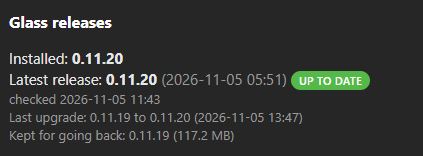
@Lee.Yan, glad Android plays it well. The rest of the ward has been busy too: Glass 0.11.20 and glass-evo 0.11.20.

Play here, bit-perfect (0.11.18)

On a Linux remote, the remote’s settings page now takes an ALSA device under Play here (hw:0,0, hw:CARD=DAC, as aplay -L lists them). The remote opens it directly at each stream’s own rate and width - no resampling, no conversion - so at volume 100 the bits reach the DAC exactly as the player sent them. Below 100 the samples are scaled on the remote, in the stream’s own format.

A device the system’s sound server holds, or one that cannot take a stream’s shape, falls back to the system’s output, and the Status panel’s Play here row says why. Leave the field empty and the sound goes through the system’s output as before. A player in one room, a DAC in another, nothing touched in between: the purists’ letter of complaint may yet be withdrawn.

A language of Glass’s own (0.11.17)

Asked for by @Lee.Yan: Language on the plugin’s page under Glass Manager and on the Manager’s System tab - “As the player’s”, or any of the eleven languages Glass speaks, applied at once. The Manager, Anymote and the face’s dates follow it. A remote can choose its own for its face’s dates. The Status tab says which is in force and whose word it is. And a player set to a regional code such as pt_BR now finds its language rather than falling back to English.

Fixes

  • Fanart, back covers and logos stay in their places after a meter switch (0.11.20). Since 0.11.14, a theme with several meters could show them at the previous meter’s places and sizes until the page was refreshed. Reported on the forum; cured on the player’s screen, the Face tab and Anymote alike.
  • A remote with no window ends cleanly on a termination signal while it plays the sound (0.11.19). Found by the bit-perfect proof’s own timed exits.

Getting it, problems

You know what does and does not work when troubleshooting. Your cal if you want it quick or endless quiz.

Kind Regards,

Used 0.11.20 three hours ago.

Package a theme

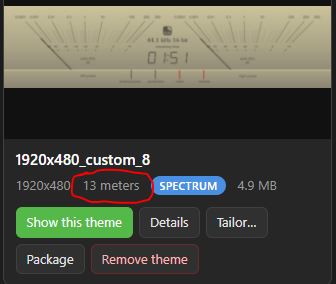
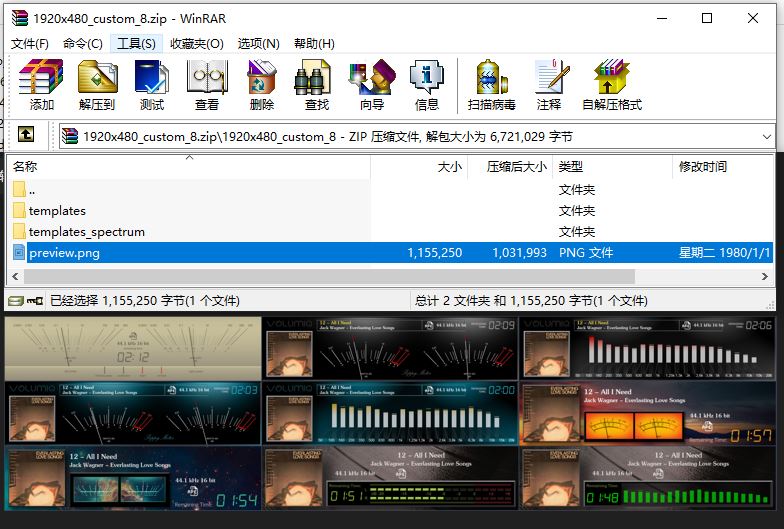
In Glass-Manager-Themes, when you choose to package a theme, the preview.png file included in the generated ZIP archive will contain previews for a maximum of 9 meters—even if the theme itself includes more than 9 meters.

Some themes contain as many as 20 to 30 meters.

I checked ‘/data/INTERNAL/glass/previews’, and the folder corresponding to the theme contains preview images for each meter.

I noticed this issue a few days ago. At first, I assumed the “preview.png” file was one I had created previously, but upon closer inspection today, I realized it is being automatically generated. I tested another theme that contains multiple “meters” and observed the same result; I can confirm that this is a program bug.

@nerd

It is extremely difficult to reply to you. If someone has already provided an answer, DO NOT edit your previous post.

Looking at your reply, I’m not sure if it’s actually relevant to the question I raised, so let me provide some further clarification.
Furthermore, you didn’t explicitly state that your response was addressing my question. You also included two images without any explanation, and they don’t seem to have any direct connection to the issue at hand—I’m quite puzzled and don’t really understand what you mean.

Hi everyone,

I am having an issue with :
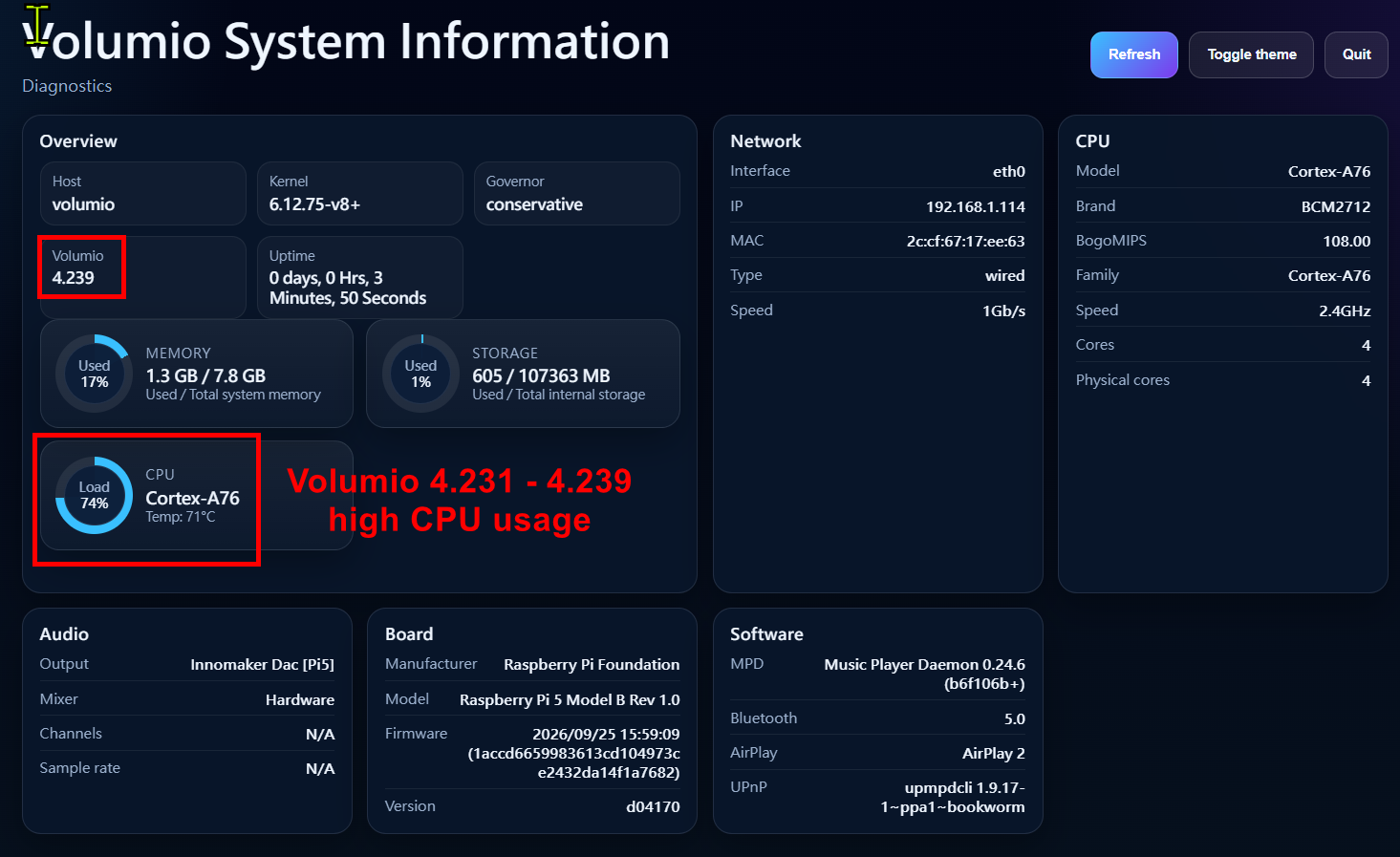
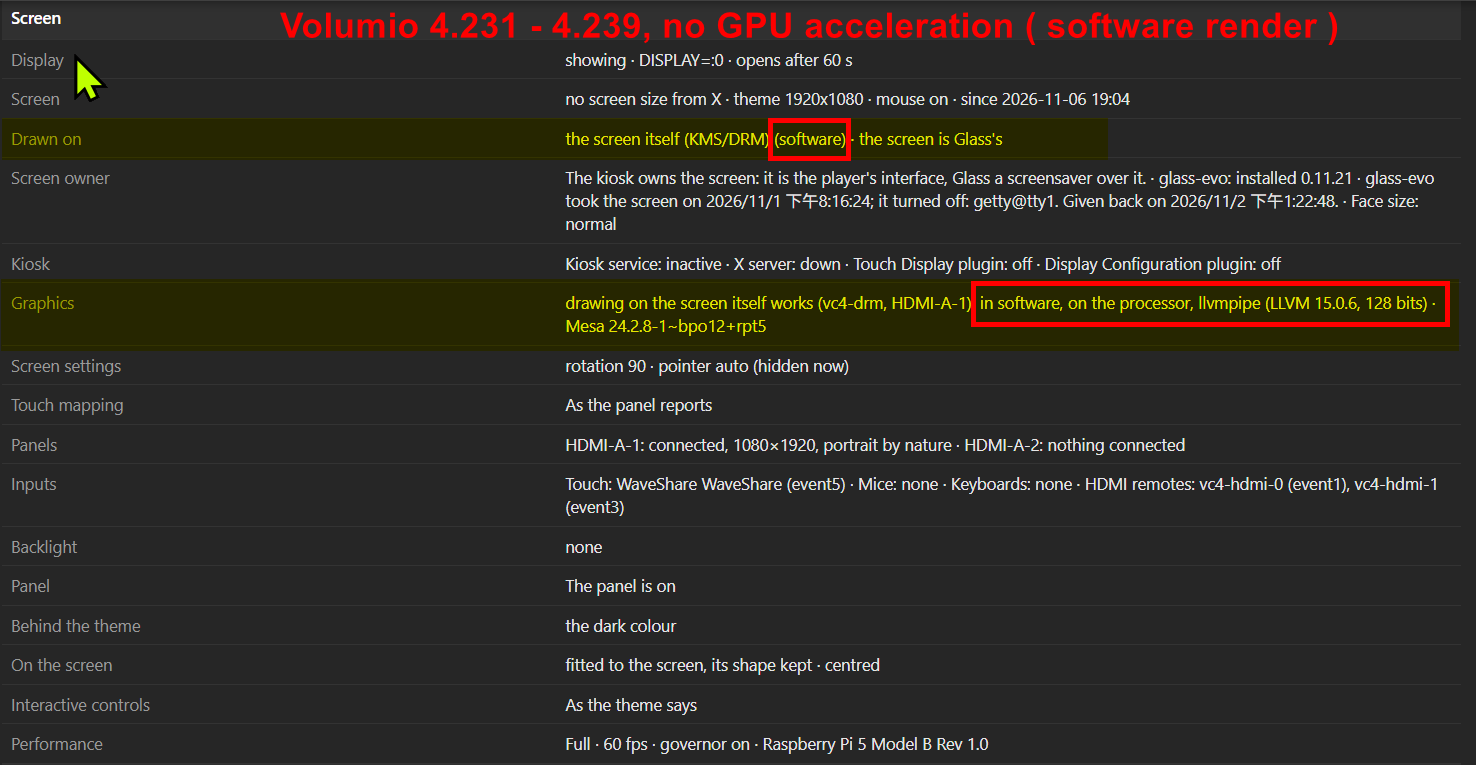
Pi 5 + Local Display (Waveshare 5.5" AMOLED): Loss of GPU acceleration on Volumio v4.231/v4.239

I would like to report and inquire about a graphics performance issue on the Raspberry Pi 5 after updating Volumio to v4.231 / v4.239.

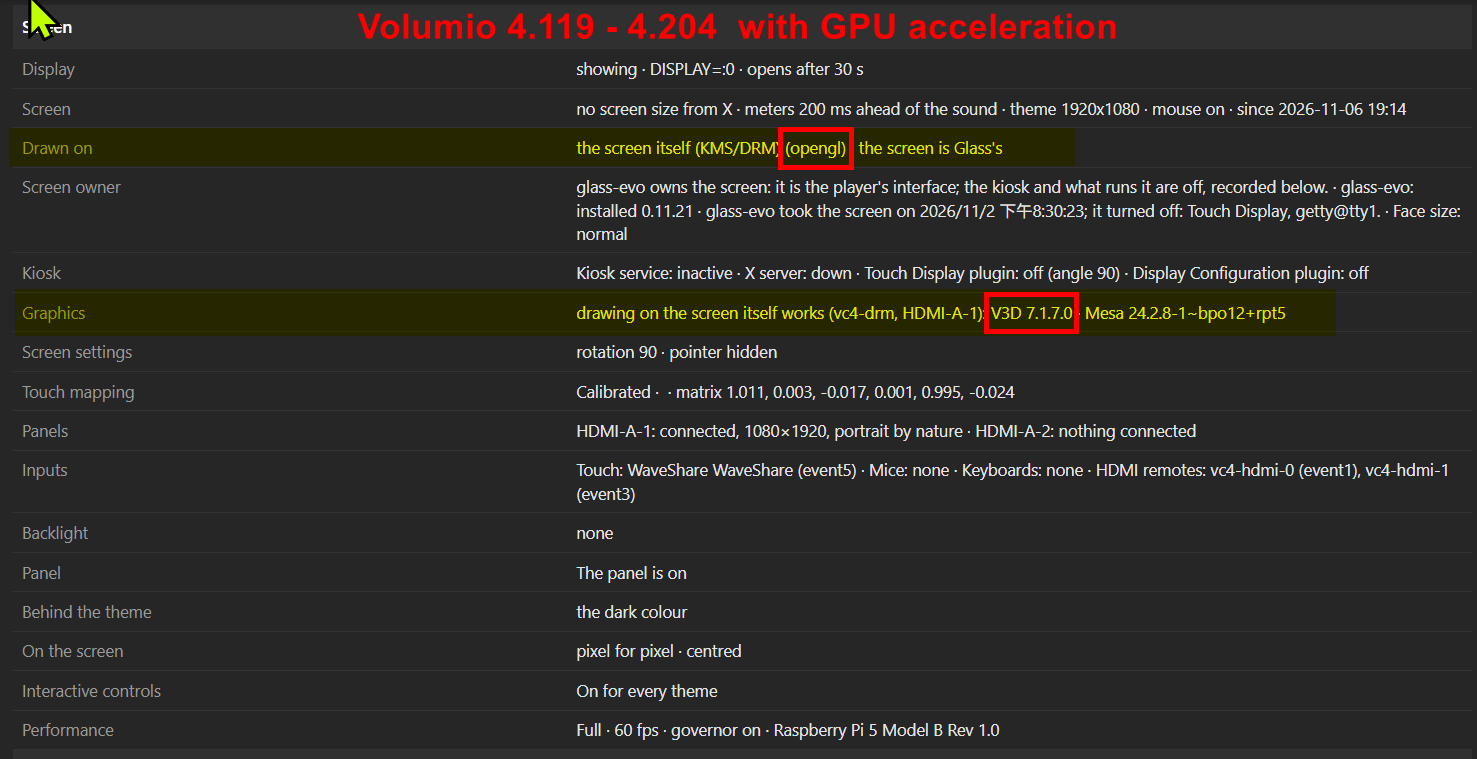
It appears that when using a custom local display resolution, the system loses GPU hardware acceleration on newer versions, forcing Glass into software rendering (llvmpipe) and significantly increasing CPU load.

Could other Pi 5 users running Volumio v4.231 or above with a local display please check and share their Glass Manager → Status → Screen → Graphics status for comparison?

1. System Environment

  • Device: Raspberry Pi 5 Model B Rev 1.0 (8GB RAM), Firmware: 2026-09-25T15:59:09.000Z

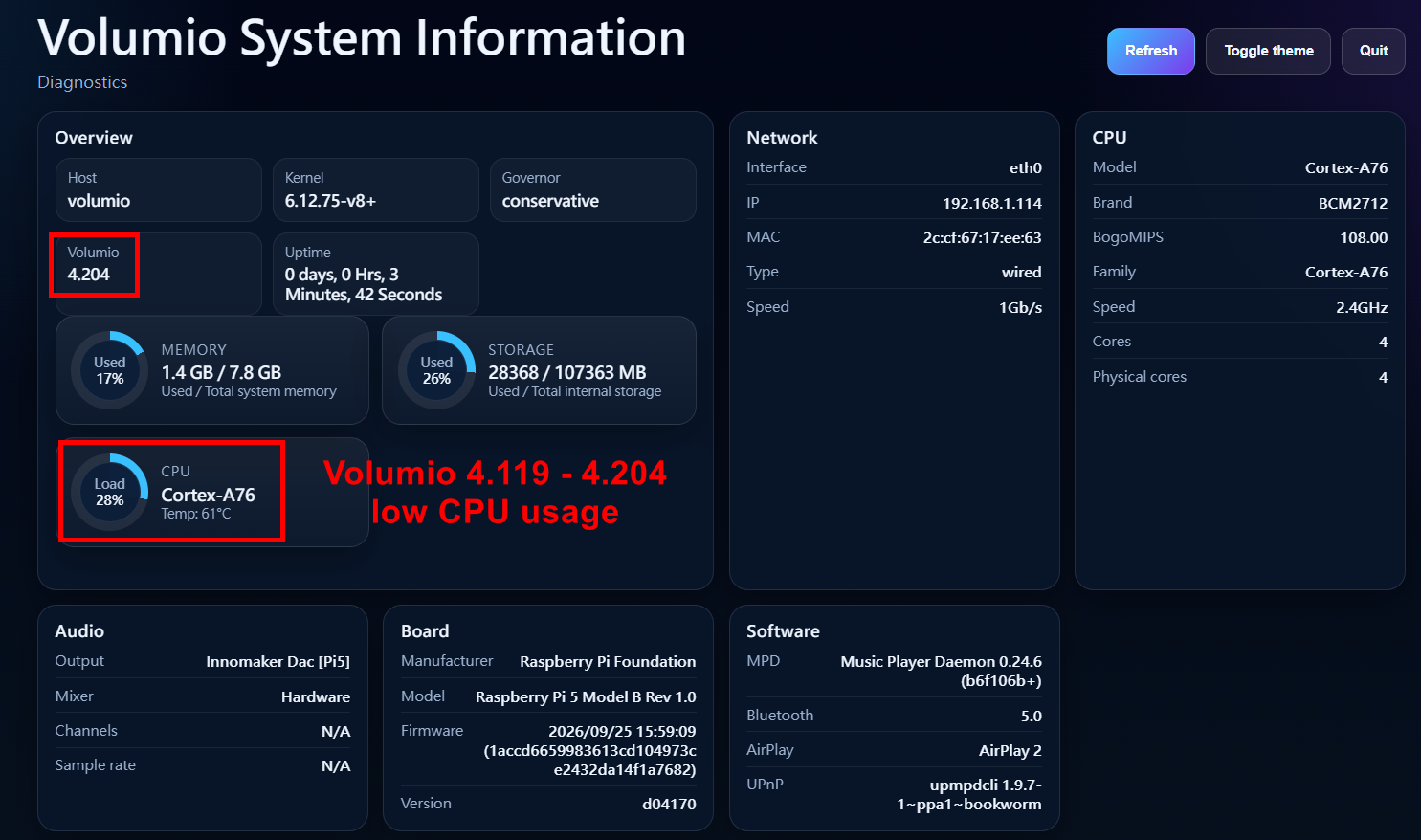
  • Volumio Versions Tested: v4.119 / v4.204 (Working) vs. v4.231 / v4.239 (Issue observed)

  • Screen: Waveshare 5.5-inch AMOLED (HDMI-A-1 connected, 1080x1920 portrait)

  • Glass / Glass-evo Version: 0.11.21

  • Theme & Meter: 1920x1080_g5_TouchMetGBS, 804G5_Helix Touch (Source: Spotify)

  • Installed Plugins: Pi Screen Setup (1.0.0), System Information (3.1.1), Spotify (4.5.0)

2. The Issue & Workaround

  • What happens: When updating Volumio from v4.119/v4.204 to v4.231 / v4.239, the local screen turns white/gray upon boot.

  • The workaround: To bring the display back, adding custom timings manually or via the Pi Screen Setup plugin in /boot/videoconfig.txt recovers the image:

    ### pi_screen_setup managed - DO NOT EDIT ###
    # Generated: 2026-11-06T10:50:12.079Z
    # Model: Raspberry Pi 5 Model B Rev 1.0
    [all]
    
    # KMS Display Driver
    dtoverlay=vc4-kms-v3d-pi5,cma-512
    
    # HDMI0 Configuration
    hdmi_group=2
    hdmi_mode=87
    hdmi_timings=1080 1 26 4 50 1920 1 8 2 6 0 0 0 60 0 135580000 3
    max_framebuffer_height=1920
    config_hdmi_boost=10
    hdmi_drive=2
    
    
  • The Problem: While the screen lights up, hardware GPU acceleration is lost, falling back to CPU software rendering. Spectrum animations become sluggish.

3. Behavior & Performance Comparison

4. Logs Reference

Call for Comparison

If you are using a Raspberry Pi 5 with a local display on Volumio v4.231 or higher, could you please check your Glass Manager -> Status -> Screen -> Graphics?

Are you seeing hardware acceleration (V3D ...), or has it also fallen back to software (llvmpipe) like mine?

Any insights, suggestions, or fixes would be greatly appreciated. Thank you!

Hey @dewen,

This thread is dedicated to glass plugin, although I do step in to resolve Volumio OS glitches.

Is there any reason at all why do you not follow discussion here?

The reason for the thread is to capture what does and does not help with latest config changes on Volumio OS itself.

Kind Regards,