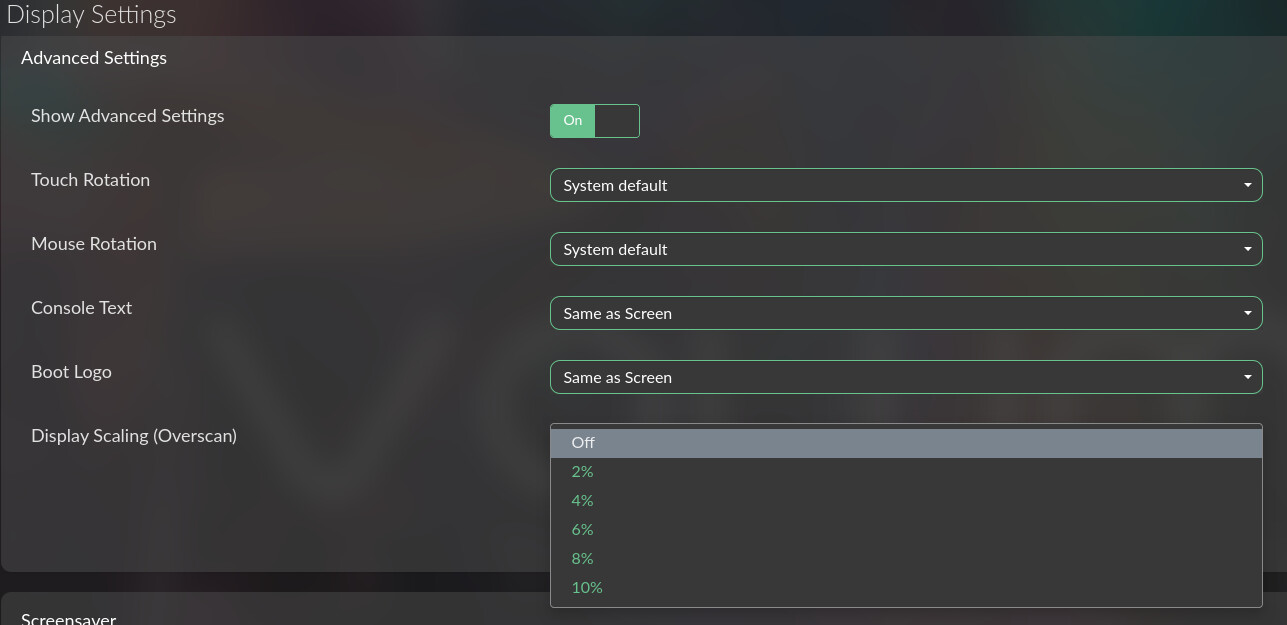
Hello!Display configuration Volumio4 only.
This a first version, other features are coming.@nerd @Wheaten @gkkpch
oh! this you the first downloader
There might be a small chance
Yes it’s working.
really?
Damn the dog, bad dog…
euh… Almost impossible to see “Hide”
Sorry, I can’t do anything for you.
Any way to add “disable-overscan=1” for HDMI on X86?
balbuze
January 16, 2026, 1:56pm
10
This is not for x86 but only RPI as far as I know. Am I wrong?
gkkpch
January 16, 2026, 5:29pm
11
google “x86 xrandr overscan correction”, this may show some ways of adding it to the plugin, but no guarantee. I suggest to test this first using ssh on @pauljwells installation.
balbuze
January 16, 2026, 6:05pm
12
yes I found this too
Enable underscan (this usually shrinks the image by about 5%):
xrandr --output HDMI-1 --set underscan on
If underscan is not supported, you can manually resize the output:
xrandr --output HDMI-1 --transform 0.95,0,-10,0,0.95,-10,0,0,1
(Replace HDMI-1 with your actual display name).
To be tested. Then could be added in the plugin.
You’re right, it is RPi. I only have X86 running at the moment.
gkkpch
January 17, 2026, 12:14am
14
Correct, x86 out-of-the-box has been configured as a generic setup, this plugin is extremely valuable to add machine-specific settings and does it in its own way. Everything you read about RPi and config.txt or userconfig.txt is not x86-related and therefore completely irrelevant.
balbuze
January 17, 2026, 10:47am
15
but do you need to underscan on your display?
Flowta
June 19, 2026, 11:33am
16
Do you know if you’ll be putting this or adding an option to change the overscan amounts in the near future?
The screen I have just cuts off the edges
I have a version nearly ready. I try to push a beta tomorrow
Hello!
add overscan. Use HW capabilities if available or fallback to software mode.(software mode still needs some ajustement…)
This is a beta. Remove previous, reboot, install beta.
Display configuration v0.0.43 beta
This is a beta. Remove previous, reboot, install beta.
Flowta
June 24, 2026, 2:07pm
20
Thank you @balbuze
Missed your previous messages. Going to try it in the next couple days