FusionDsp : the complete Dsp center for Volumio3!

Thanks for your quick support. I thought there were many people using both :slight_smile:

I’m willing to participate in RC 4.02x. Didn’t at the right time because I’ve been a bit away from this hobby and didn’t have Rapsberry Pi.

Can I upgrade to RC 4.02x just by putting TEST MODE = ON on http://volumio-ip/dev?

I’m willing to explore. Saw several interesting new things like support of bluetooth remotes, mouses, etc.

No, you need to do a fresh flash. You can’t OTA from V3 to V4

1 Like

Thanks. I’ll try it tonight :wink:

Hi @balbuze

Looking for a way to push a PRESET to FushionDSP and have it reloaded. Is there way to push/execute ā€œLoad and Useā€ from outside the plugin?

Why?
I am extracting Genres from playing tracks and want to use DSP filters depending on genres, without needing to open the plugin, select Filter and push ā€œLoad and Useā€. With random playlists it’s very convenient to have this available.

Script to detect playing genre (WIP):

#!/bin/bash
# /home/volumio/scripts/genre_switch.sh

GENRE=$(mpc --format "%genre%" current | tr '[:upper:]' '[:lower:]' | sed 's/[^a-z0-9]//g')

case "$GENRE" in
  country)   PRESET="S2 Country EQ Preset" ;;
  rock)      PRESET="S2 Rock EQ Preset" ;;
  pop)       PRESET="S2 Pop EQ Preset" ;;
  reggae)    PRESET="S2 Reggae EQ Preset" ;;
  neutral)   PRESET="S2 Neutral EQ Preset" ;;
  "")        PRESET="S2 Neutral EQ Preset" ;;  # Empty genre fallback
  *)         PRESET="S2 Neutral EQ Preset" ;;  # All other genres fallback
esac

echo "Genre detected: ${GENRE:-unknown} → Loading preset: $PRESET"

PRESET_PATH="/data/INTERNAL/FusionDsp/presets/PEQ/${PRESET}.json"
CONFIG_PATH="/data/configuration/audio_interface/fusiondsp/config.json"

if [ -f "$PRESET_PATH" ]; then
  # Update config.json with selected preset name
  jq --arg preset "${PRESET}.json" '.PEQpreset.value = $preset' "$CONFIG_PATH" > "${CONFIG_PATH}.tmp" && mv "${CONFIG_PATH}.tmp" "$CONFIG_PATH"

  # Reload FusionDSP to apply changes
  ????????????????????

  echo "Loaded preset: $PRESET"
else
  echo "Preset not found: $PRESET"
fi
volumio@rivo:~/scripts$ ./genre_switch.sh
Genre detected: alternative → Loading preset: S2 Neutral EQ Preset
Loaded preset: S2 Neutral EQ Preset
volumio@rivo:~/scripts$ ./genre_switch.sh
Genre detected: pop → Loading preset: S2 Pop EQ Preset
Loaded preset: S2 Pop EQ Preset
volumio@rivo:~/scripts$ ./genre_switch.sh
Genre detected: rock → Loading preset: S2 Rockl EQ Preset
Loaded preset: S2 Rock EQ Preset
volumio@rivo:~/scripts$ cat /data/configuration/audio_interface/fusiondsp/config.json | jq '.PEQpreset'
{
  "type": "string",
  "value": "S2 Rock EQ Preset.json"
}
2 Likes

Hello,
Playing with WebSocket APIs | Volumio Developers Documentation
and the function
usethispreset in FusionDsp (line 3508)
should do the trick.

Aha, that’s helpfull advise :slight_smile:

line 4109 (BW):
{
ā€œendpointā€:ā€œaudio_interface/fusiondspā€,
ā€œmethodā€:ā€œusethispresetā€,
ā€œdataā€: {}
}

Darn that was hard labor.
Seems IO via bash is impossible, so converted everything to Python (off coarse Python :wink: )
And magic happens.

1 Like

Hey @Wheaten I hope you will share it! :stuck_out_tongue_winking_eye:

3 Likes

I will, but I need to add volumio push state to it, so it executes on track changes and play/stop. Below the complete script.

  • Monitors Volumio’s push state
  • Some logic to avoid the script from stopping when ā€œpacket queue is emptyā€
  • Put filters in a group so it is easier to add genres instead of copying the same every time.

Tested on:

  • Buster V3.843
  • Bookworm V4.061
volumio@rivo:~/scripts$ ./switch_genre.py
Genre changed: pop → Preset: S2 Pop EQ Preset
Updated config.json → PEQpreset = S2 Pop EQ Preset.json
Applied preset: S2 Pop EQ Preset.json
Genre changed: unknown → Preset: S2 Neutral EQ Preset
Updated config.json → PEQpreset = S2 Neutral EQ Preset.json
Applied preset: S2 Neutral EQ Preset.json
Genre changed: pop → Preset: S2 Pop EQ Preset
Updated config.json → PEQpreset = S2 Pop EQ Preset.json
Applied preset: S2 Pop EQ Preset.json
Genre changed: unknown → Preset: S2 Neutral EQ Preset
Updated config.json → PEQpreset = S2 Neutral EQ Preset.json
Applied preset: S2 Neutral EQ Preset.json
Genre changed: rock → Preset: S2 Rock EQ Preset
Updated config.json → PEQpreset = S2 Rock EQ Preset.json
Applied preset: S2 Rock EQ Preset.json

Run:
sudo apt update && sudo apt install python3-socketio python3-websocket

#!/usr/bin/env python3

import subprocess
import socketio
import os
import json
import time
import threading

# Volumio WebSocket endpoint
VOLUMIO_HOST = 'http://127.0.0.1:3000'

# Grouped genre aliases
GENRE_GROUPS = {
    "S2 Country EQ Preset": ["country"],
    "S2 Rock EQ Preset": ["rock", "rockhard"],
    "S2 Pop EQ Preset": ["pop"],
    "S2 Reggae EQ Preset": ["reggae", "dub", "dancehall"],
    "S2 Neutral EQ Preset": ["classical", "neutral", ""]
}

# Flattened genre-to-preset mapping
GENRE_PRESETS = {
    genre: preset
    for preset, genres in GENRE_GROUPS.items()
    for genre in genres
}

CONFIG_PATH = "/data/configuration/audio_interface/fusiondsp/config.json"
PRESET_DIR = "/data/INTERNAL/FusionDsp/presets/PEQ"

sio = socketio.Client()
last_genre = None

def sanitize_genre(raw):
    return ''.join(c for c in raw.lower() if c.isalnum())

def get_current_genre():
    try:
        raw = subprocess.check_output(
            ['mpc', '--format', '%genre%', 'current'],
            stderr=subprocess.DEVNULL
        ).decode().strip()
        return sanitize_genre(raw)
    except Exception:
        return ""

def apply_preset(preset):
    preset_file = f"{preset}.json"
    preset_path = os.path.join(PRESET_DIR, preset_file)

    if not os.path.isfile(preset_path):
        print(f"Preset file not found: {preset_path}")
        return

    try:
        with open(CONFIG_PATH, "r") as f:
            config = json.load(f)

        config["PEQpreset"] = {
            "type": "string",
            "value": preset_file
        }

        with open(CONFIG_PATH, "w") as f:
            json.dump(config, f, indent=2)
            f.flush()
            os.fsync(f.fileno())

        print(f"Updated config.json → PEQpreset = {preset_file}")
    except Exception as e:
        print(f"Failed to update config.json: {e}")
        return

    try:
        sio.emit('callMethod', {
            "endpoint": "audio_interface/fusiondsp",
            "method": "usethispreset",
            "data": {
                "usethispreset": { "value": preset_file }
            }
        })
        print(f"Applied preset: {preset_file}")
    except Exception as e:
        print(f"Failed to emit WebSocket call: {e}")

@sio.event
def connect():
    print("Connected to Volumio — listening for playback changes...")

@sio.on('pushState')
def on_push_state(data):
    try:
        global last_genre
        genre = get_current_genre()
        if genre == last_genre:
            return
        last_genre = genre
        preset = GENRE_PRESETS.get(genre, "S2 Neutral EQ Preset")
        print(f"Genre changed: {genre or 'unknown'} → Preset: {preset}")
        apply_preset(preset)
    except Exception as e:
        print(f"Error in pushState handler: {e}")

@sio.event
def disconnect():
    print("Disconnected from Volumio")

@sio.event
def connect_error(data):
    print("WebSocket connection failed:", data)

def keep_alive():
    while True:
        try:
            if not sio.connected:
                print("Reconnecting to Volumio...")
                sio.connect(VOLUMIO_HOST, transports=['websocket'])
            sio.wait()
        except Exception as e:
            print(f"Listener error: {e}")
            time.sleep(2)

# Start listener thread
threading.Thread(target=keep_alive, daemon=True).start()

# Keep main thread alive
try:
    while True:
        time.sleep(60)
except KeyboardInterrupt:
    print("Script interrupted by user")
    sio.disconnect()

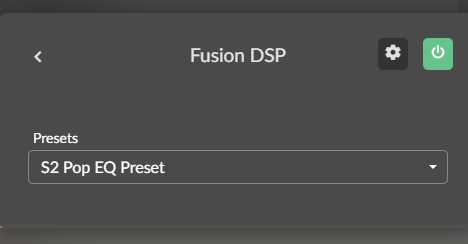
Only thing I miss or don’t understand. If I go to the plugin teh correct filter is loaded and applied. If I select the speaker icon, bottom right, it shows incorrect filter setting.
image

2 Likes

Greetings. Regarding convolution filter auto-switching: if Fusion’s resampling is enabled (and Volumio resampling disabled), will the resampled bit rate automatically follow the currently active filter?

If it does, is it possible to set the resampled bit rate to a power of 2 (ie 44.1 → 88.2)?

More generally, when the enable/disable effects button is used in the filter section, does that also control resampling options, if they were enabled?

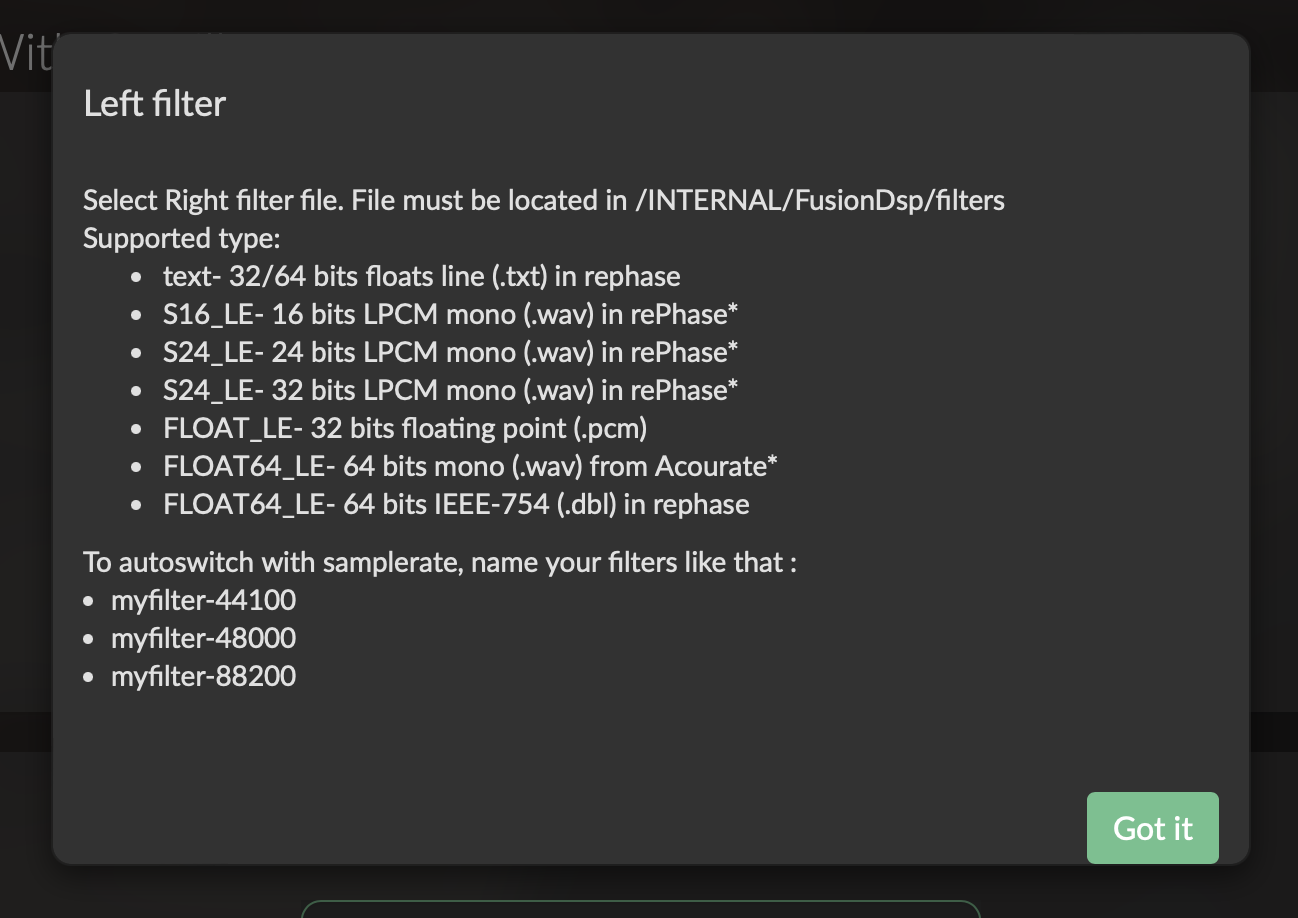
May I suggest aligning the help doc’s info on filter auto-switching with the info in the tool tip within volumio? I first tried the naming scheme in the help doc which did not work (with file names following the help doc verbatim). The tool tip’s naming scheme did work.

Thank you.

Hello,
If you enable resampling in FusionDsp, you have to choose a filter that matches with the samplrate selected. In that case, there is no switching.
If the samplrate is different, it will work, but the signal will not be corrected as it should and the same for the sound. Do not use!
When effects are enabled/disabled, it doesn’t affect samplrate.
For the online help, I don’t see what is wrong. Files naming for auto switch is ok. Can you elaborate?
Thanks you for your feedback!
:grinning:

Thanks for explaining. I think it would be useful to include both those points in your how-to doc and/or tool tips because it’s not clear based on the plugin GUI: 1) do not use resampling with variable filters, and 2) that effects enable/disable does not effect resampling.

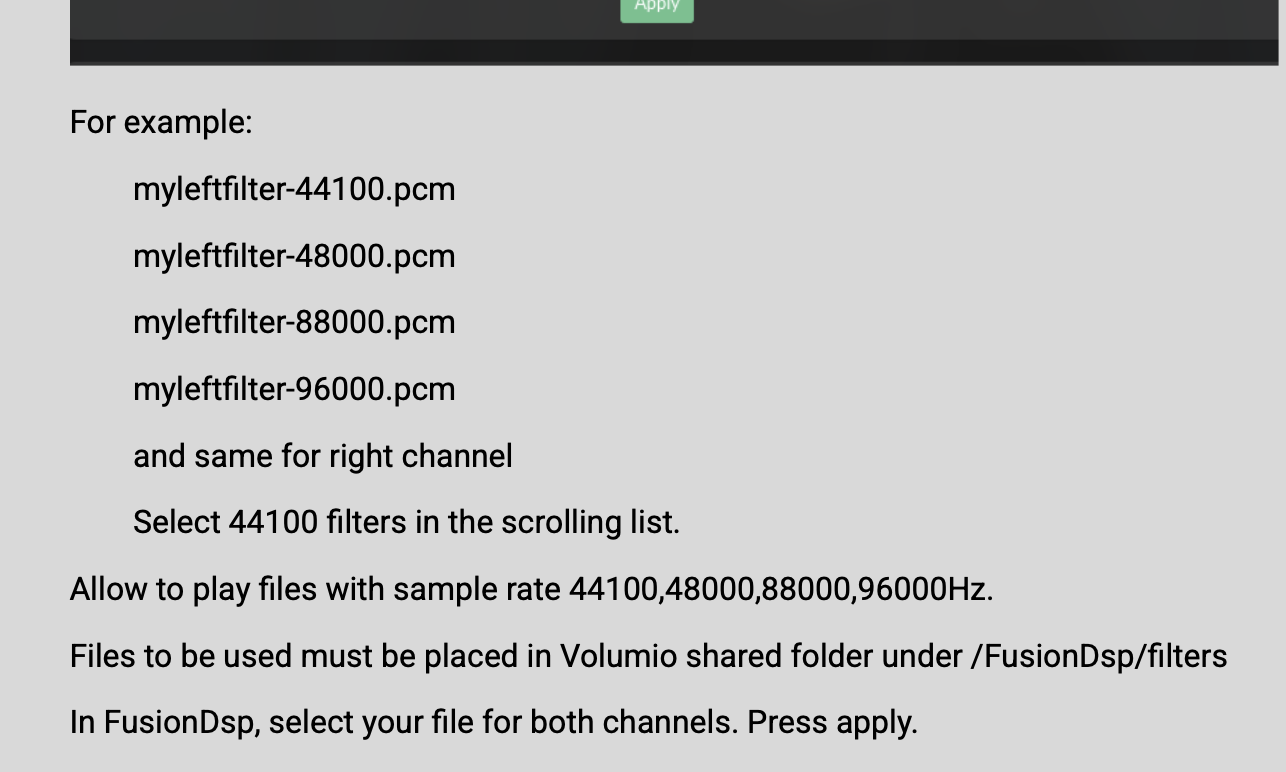
Re file naming: your how-to doc gives incorrect numerical suffixes (at least they didn’t work for me):

Tool tip appears correct:

Thank you! I updated the online help! :wink:

I’m using this plugin on V4. Seems ok. I have used the REW software to get my room signature, then REW made a correction file that I load into the plugin usiing the parametric equalizer.
What a fantastic feature. I can now optimize the sound for the room.
Thanks for this plug-in!

2 Likes