I am experiencing a critical and persistent bug in the latest version of FusionDSP on Volumio, which prevents CamillaDSP from running.
1. Problem Description (Critical Crash Loop)
CamillaDSP fails to start (State: Offline) because the FusionDSP plugin forces an overwrite of the camilladsp.yml file with a corrupted template every time the service is restarted (Off -> On or sudo reboot).
2. The Core Bug (YAML Syntax Error)
The corrupted template being forced by FusionDSP contains a fatal YAML syntax error on the devices section:
Hello, I just wanted to report after a few days of frustration and trying to figure out whats wrong that having DSP plugin activated makes all my streamers not play music. I re-installed, rolled back. jumped between volumio 3 and 4 and nothing worked untill started activating and de-activating every single setting in the streamers and when i inactivated DSP music started playing again.
Hello,
Thank you for reporting this.
Just to better understand what happens.
Does this happen just after plugin install, with no eq change?
Can you make it work if you change eq type to let’s say EQ15?
I’m investigating, but I made no change for months and I don’t see (yet) why it fails…
edit : I found an error when resampling is enabled in FusionDsp. I’m going to fix it. Can you confirm on your side this?
Thank you for your quick response. Unfortunately that wasnt the issue in my case, I do not have resampling enabled. Therefore the update did not solve the problem for me. I made another Log: http://logs.volumio.org/volumio/IeVB7i2.html
I will try with other EQ settings and let you know about the outcome later
Thanks
Thank you so much for trying balbuze. Unfortunatley updating and trying different kinds of EQ didnt help in my case. The only thing that makes it play again is inactivating the plugin so far.
Hey!
Can you please disable all plugins, reboot and enable only FusionDsp with a 15 bands EQ?
Test with a track or radio , enable disable efffect and post a new log link.
Thank you.
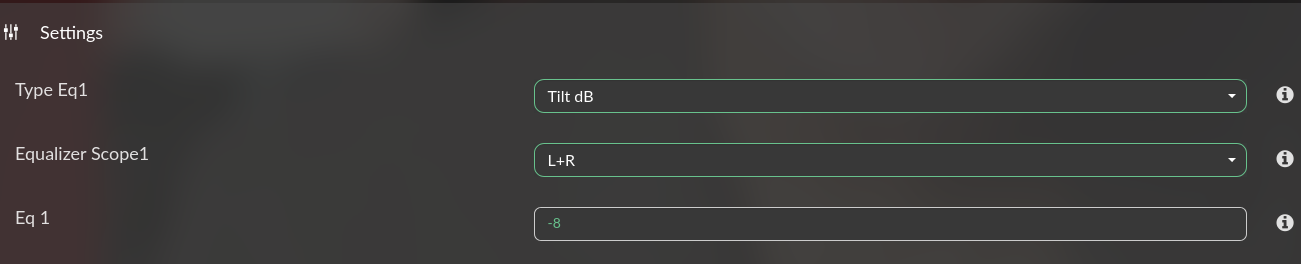
I think i found the issue with my setup. The problem seems to only occur when I set the first (and only) parametric eq to „None“. I currently only need the loudness and the distance settings, so that was always set to none. When I change it to a Peaking eq with some random values I can here music again.
While reviewing my logs and troubleshooting my touchscreen over a month back, my AI agent pointed out the following:
At present, PeppyMeter captures audio via an ALSA loopback device (snd_aloop).
This method is reliable and works across a wide range of environments, even for users without DSP engines or advanced configurations — an excellent default choice. However, when FusionDSP (CamillaDSP) is active, the audio path becomes:
Volumio → FusionDSP (CamillaDSP) → ALSA loopback → PeppyMeter → DAC
Suggested Enhancement
Add an optional “CamillaDSP Monitor / FIFO mode” inside PeppyMeter’s configuration or Advanced tab.
When enabled:
PeppyMeter would read the signal directly from a secondary CamillaDSP output (monitor branch) or a FIFO file (e.g., /tmp/peppyfifo).
No ALSA loopback would be needed.
The signal would remain perfectly synchronized with CamillaDSP’s main output and share the same clock domain.
Users who do not use FusionDSP would continue to use the default loopback path — nothing changes for them.
No critique…more an observation from someone who uses both FusionDSP and peppymeter basic.
Closing Note
I hope this suggestion is received in the spirit intended — as a respectful contribution from an enthusiastic user who deeply values your work.
Thank you once again for maintaining and improving this wonderful project.
Hello,
thank you for your suggestion…
But…
I don’t get any advantage of doing it.
FusionDsp and Peppymeter/spectrum must run alone, or both activated. The alsa path can’t be different for each config.
The loopback device in peppy do not alter the signal because there is no conversion in it
pcm.peppy_inx_raw {
   type meter
    slave.pcm "hw:Loopback"
    scopes.0 peppyalsa
}
and it is used as a fake output, sending to nothing! A null or Dummy would do the same…
The AI can give good or bad info…
Really great work! Much appreciated and long awaited! I love the fact hat you are listen to us regular Volumio users, So a big THANKs to all of you fantasic developers here!


 thank you!
 Suggested Enhancement
 Closing Note