I really need a “Scan BT on boot” button, toggle, checkbox, function - whatever. Thanx.
Please use and apply commands I gave in my previous post!
Not sure it’s a scan issue.
Do you press save in a plugin?
In the plugin it does more than scan…
We are going in circles. At the “first time” (before using) RC, I followed the entire procedure:
power on, scan, pair, trust, connect - RC is connected.
After that I select the AP in “Select A Device To Connect” (the scan was already done and it found the RC). “Connected Device”: AR (address :41:42:67:01:D0:10) appears, I press APPLY and have a perfectly working RC. End of the first stage.
Now, every time I boot Volumio, I see my device with command “bluetoothctl devices”: Device 41:42:67:01:D0:10 AR and I see that it is not connected on the bluetoothctl info 41:42:67:01:D0:10 command. By repeatedly pressing the buttons on the remote control, 1 out of 10+ times the RC connects, in the remaining 90% do not. In 90% I have:
Select A Device To Connect: No Device … (xx in dropdown list)
Connected Device: No devices …
After press “Scan BT” and press button on RC once:
Select A Device To Connect: No Device … (AR in dropdown list)
Connected Device: AR (address :41:42:67:01:D0:10)
Conclusion: for a stable working RC, I have to go into plugins every time I boot Volumio, press “Scan BT” and the button on the RC. It would be magical if scanning would start automatically at every boot (optional, of course).
I can’t explain it any other way. Thank you.
Hey @VictorDUA,
Thanks for the detailed feedback and testing.
The new MyVolumio Bluetooth plugin in the current Bookworm-based builds is designed specifically for A2DP audio devices and input streams, with the primary goal of providing the shortest possible audio path for high-quality playback.
Right now, the plugin’s stop() function performs a full teardown of the Bluetooth environment.
This means:
- All connected Bluetooth devices are disconnected, regardless of type.
- The Bluetooth agent is stopped, and the A2DP agent is terminated.
- Any HID remote that might have been connected will also be dropped.
This approach is deliberate for now because the focus is audio performance and reliability, not persistent support for auxiliary devices like remotes.
HID support is currently courtesy and convenience, and not part of the primary design goals.
I am considering a more selective approach in the future so that audio devices and auxiliary devices can be handled differently.
However, audio integrity remains the main priority. Any extended handling for remotes or low-power HID devices would need to be carefully isolated, likely a plugin feature that manages wake and reconnect behavior without interfering with the audio path.
For now:
- HID devices may require manual scanning or wake-up to reconnect after a reboot.
- Automatic reconnect or auto-scan on boot remains experimental and is best suited for a dedicated plugin or script for those who want persistent remote functionality.
Kind Regards,
Raspberry Pi 5 - Volumio 4.028 - Bluetoothremote plugin
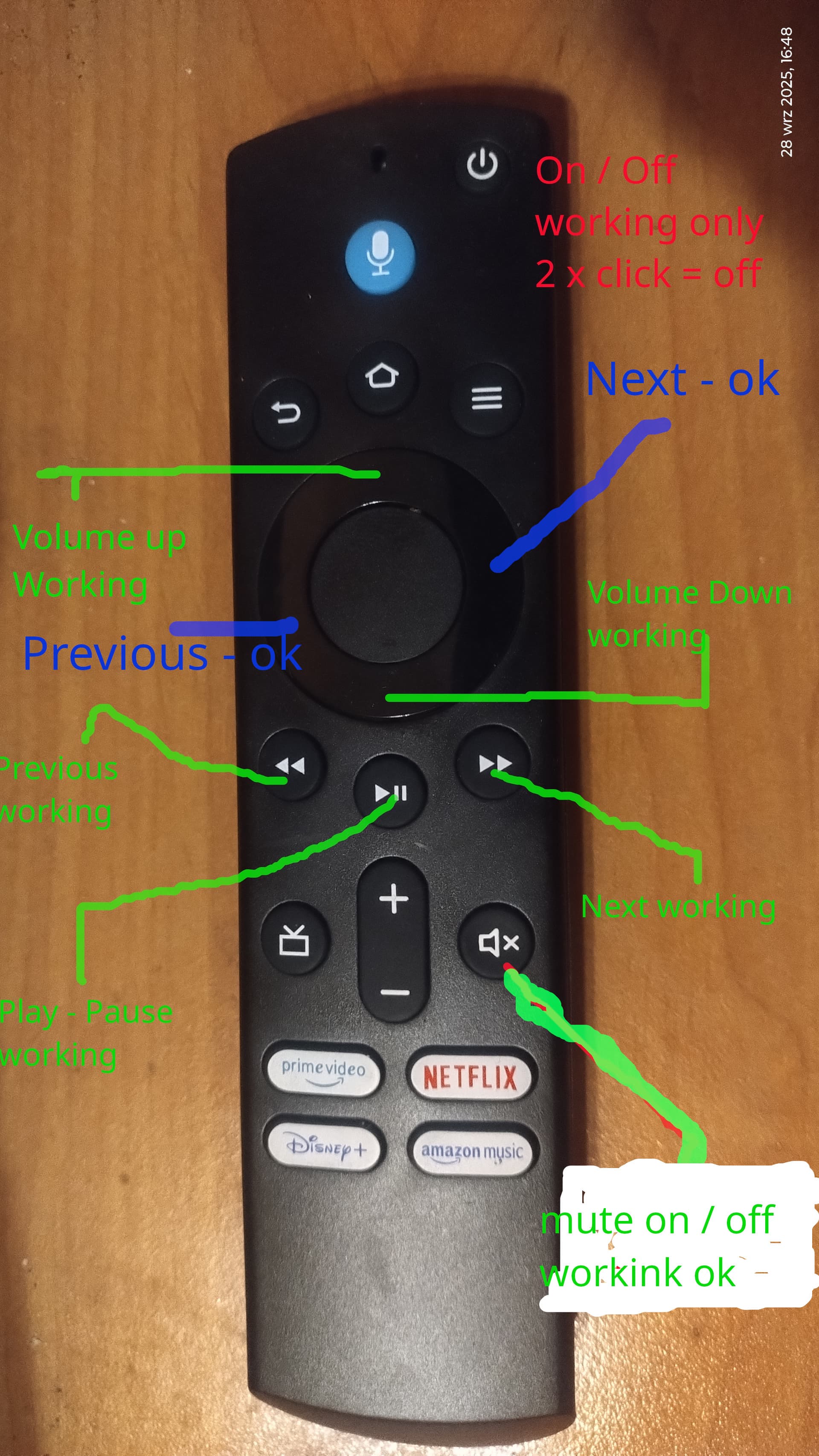
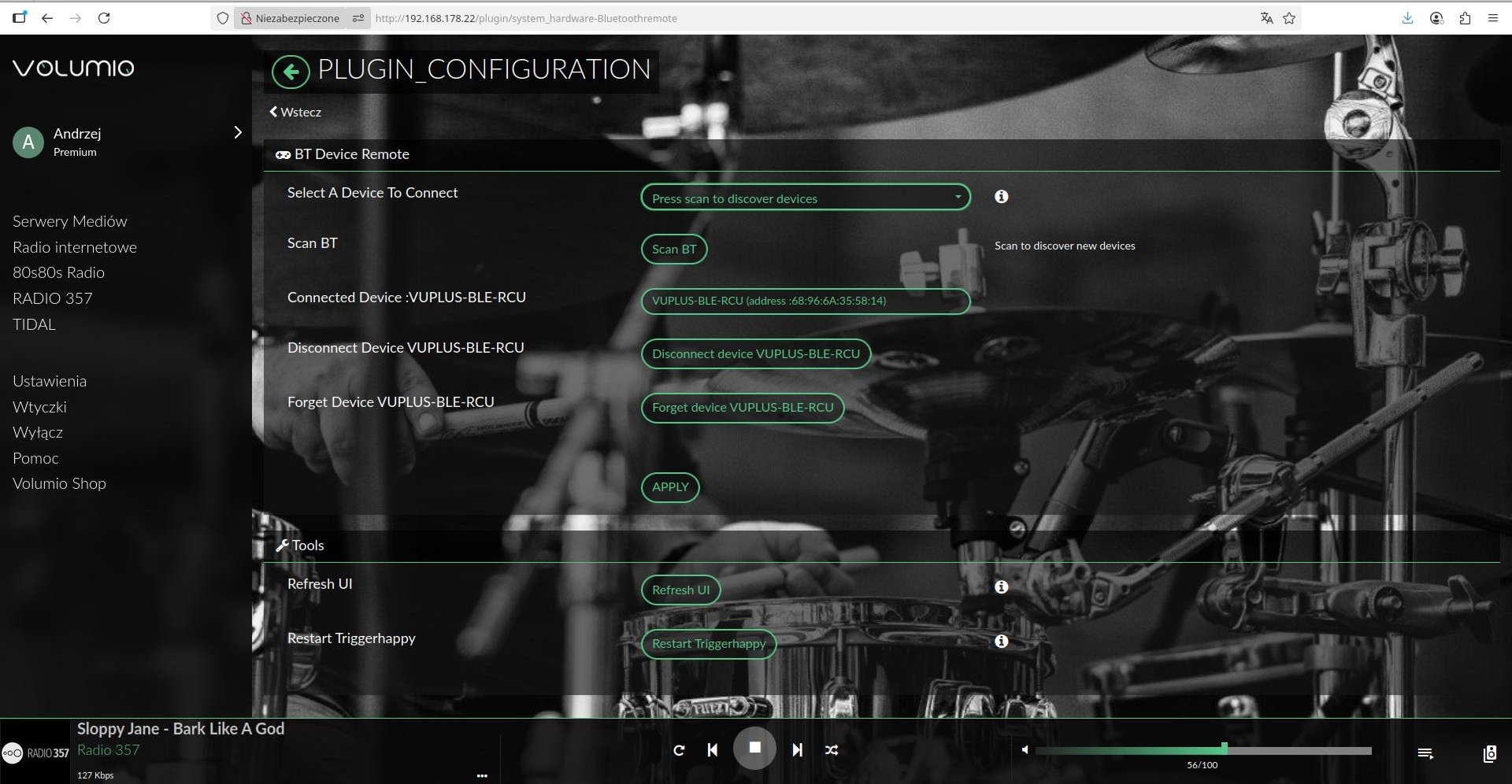
Remote control from the photo below.
In the file:
/data/INTERNAL/Bluetooth_Remote/triggerhappy.conf
After adding:
KEY_MUTE 0 volumio volume toggle
The mute on/off button works after restarting the Raspberry Pi.
The next keys work ok - links in blue in the photo - after adding entries as below.
KEY_LEFT 1 volumio previous
KEY_RIGHT 1 volumio next
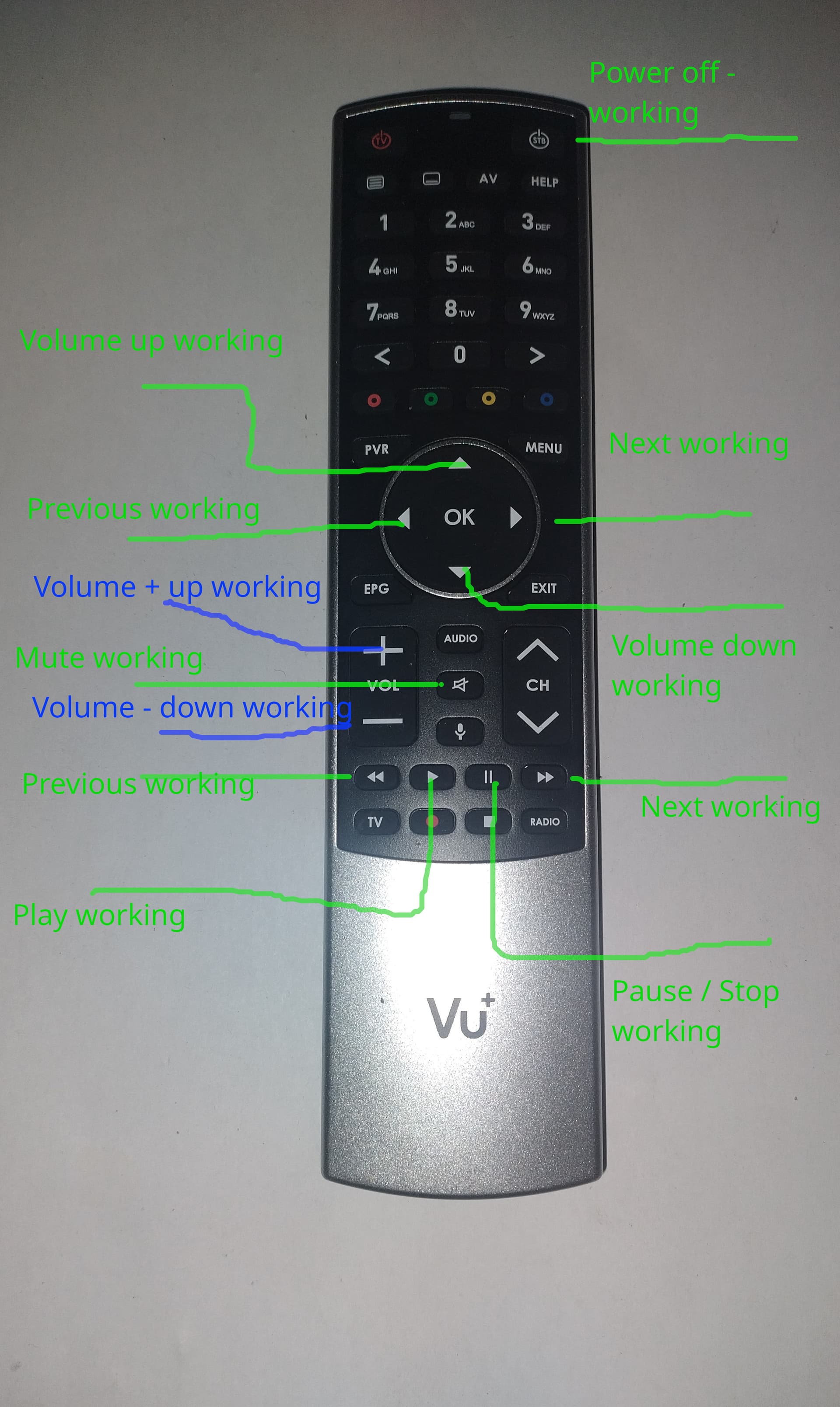
I have a Vu+ Ultimo 4K satellite decoder based on Linux.
The decoder has a Bluetooth remote control like the one in the photo below.
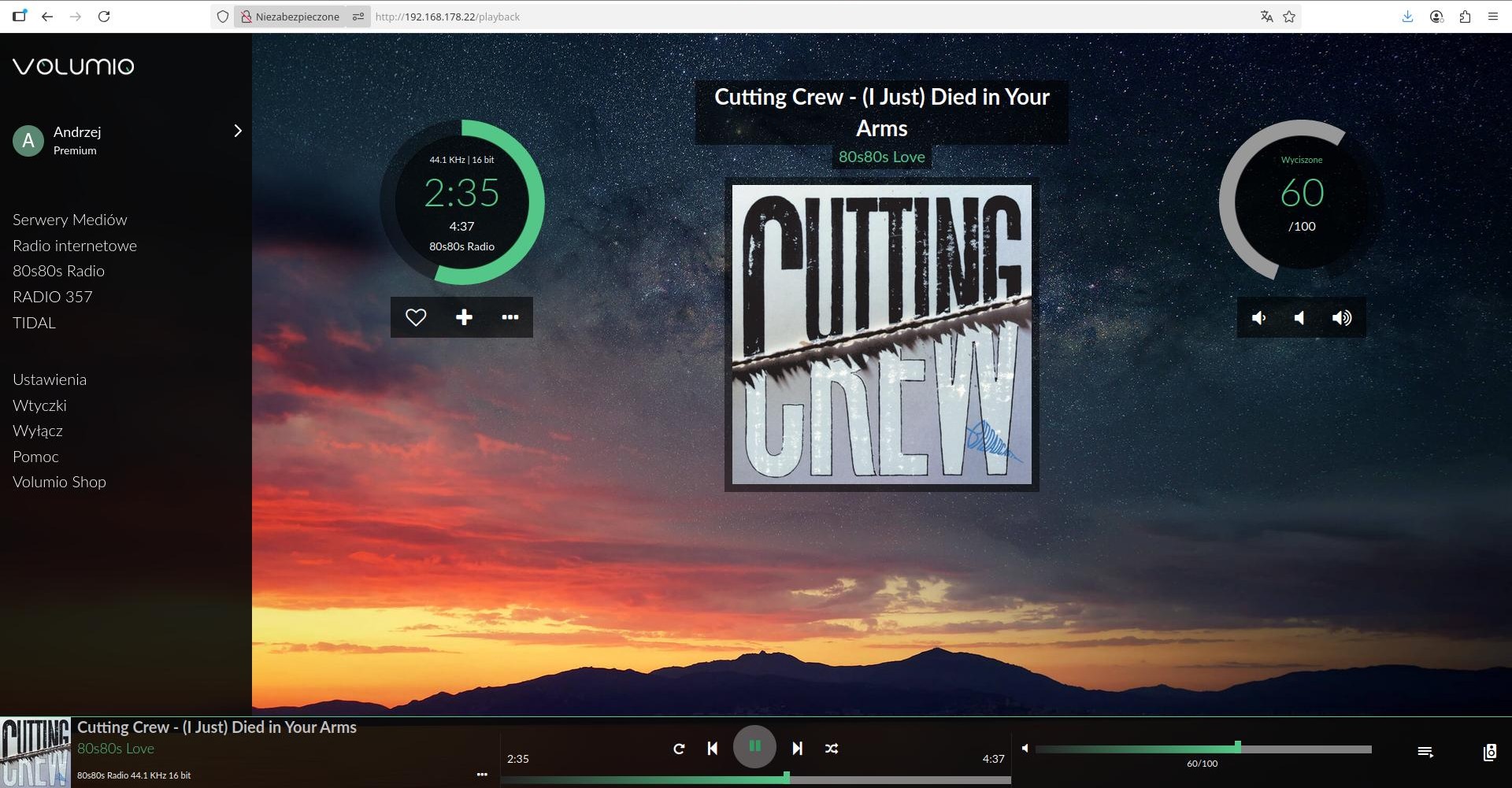
Raspberry Pi 5 - Volumio 4.029 and Vu+ Bluetooth remote control working ok
After adding additional entries in
/data/INTERNAL/Bluetooth_Remote/triggerhappy.conf
KEY_PLAYPAUSE 1 volumio toggle
KEY_UP 1 volumio volume plus
KEY_DOWN 1 volumio volume minus
KEY_NEXTSONG 1 volumio next
KEY_REWIND 1 volumio previous
KEY_FASTFORWARD 1 volumio next
KEY_FASTFORWARD 2 volumio seek plus
KEY_REWIND 2 volumio seek minus
KEY_MUTE 0 volumio volume toggle
KEY_LEFT 1 volumio previous
KEY_RIGHT 1 volumio next
KEY_PLAY 1 volumio toggle
KEY_PAUSE 1 volumio toggle
KEY_VOLUMEUP 1 volumio volume plus
KEY_VOLUMEDOWN 1 volumio volume minus
the buttons marked in the photo work.
1 Like
Thanks for your feedback!
Could you permanently add additional entries to the triggerhappy.conf file? The ones mentioned in my last two posts.
KEY_MUTE 0 volumio volume toggle
KEY_LEFT 1 volumio previous
KEY_RIGHT 1 volumio next
KEY_PLAY 1 volumio toggle
KEY_PAUSE 1 volumio toggle
KEY_VOLUMEUP 1 volumio volume plus
KEY_VOLUMEDOWN 1 volumio volume minus
Hello,
Thanks for your suggestion 
The problem is that this not universal.
Each remote have its own configuration.
Mine can’t work with your conf…
Sorry  [quote=“tweed77, post:28, topic:73199, full:true”]
@balbuze
Could you permanently add additional entries to the triggerhappy.conf file? The ones mentioned in my last two posts.
KEY_MUTE 0 volumio volume toggle
KEY_LEFT 1 volumio previous
KEY_RIGHT 1 volumio next
KEY_PLAY 1 volumio toggle
KEY_PAUSE 1 volumio toggle
KEY_VOLUMEUP 1 volumio volume plus
KEY_VOLUMEDOWN 1 volumio volume minus
[/quote]
No problemo amigo 
I added additional entries to the file:
triggerhappy.conf
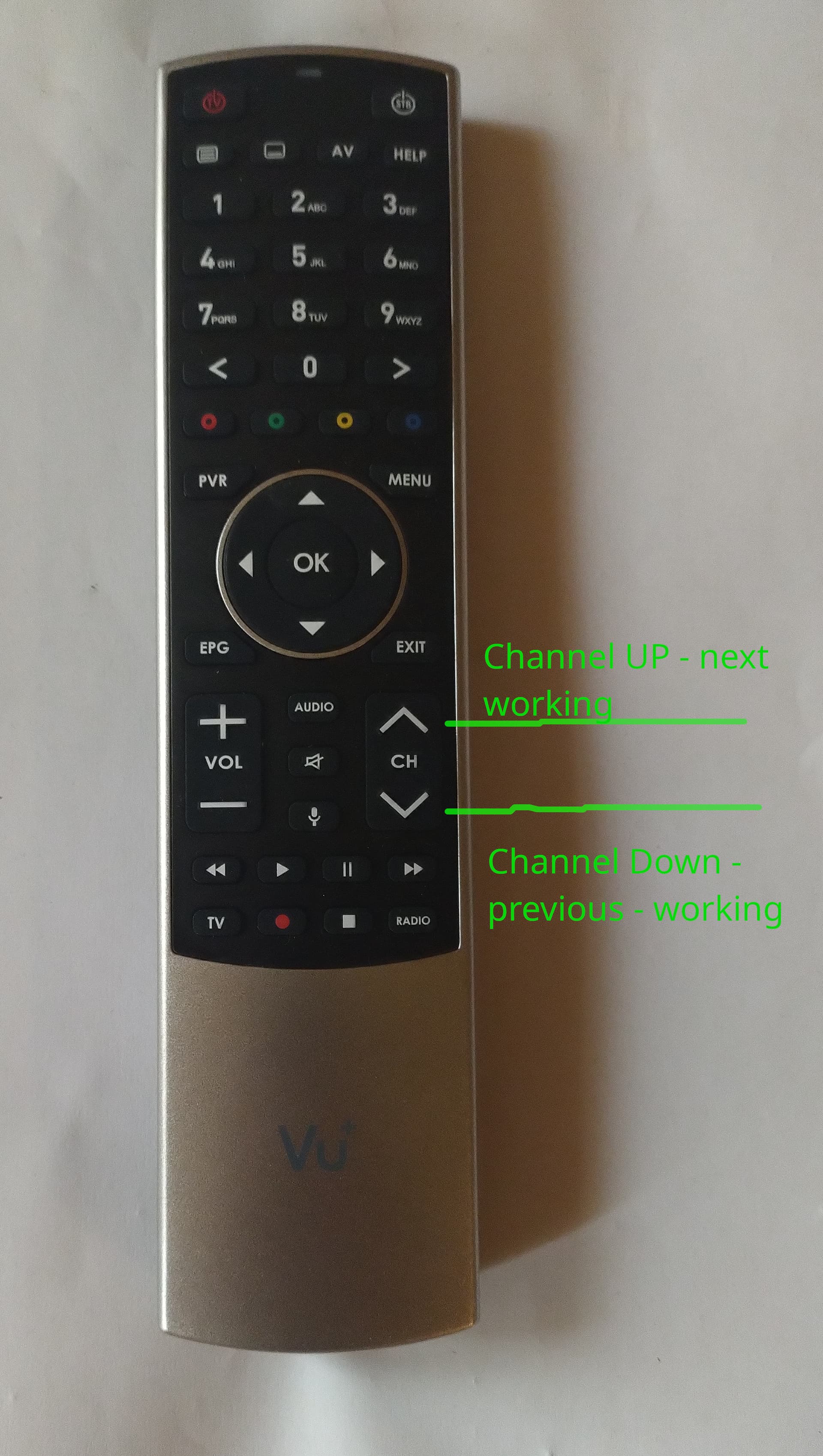
KEY_CHANNELUP 1 volumio next
KEY_CHANNELDOWN 1 volumio previous
Restart plugin triggerhappy and:
The CH UP / CH DOWN button changes song files next - previous when playing music from Tidal
You can get names for all your buttons for .conf by terminal:
sudo thd --dump /dev/input/event1
1 Like
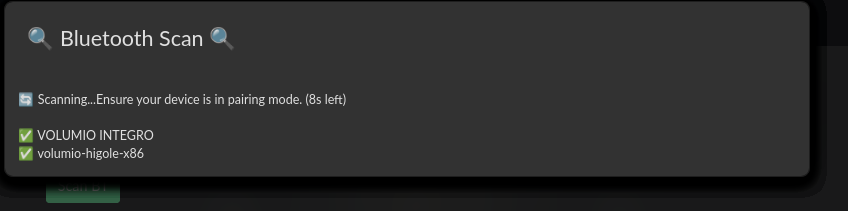

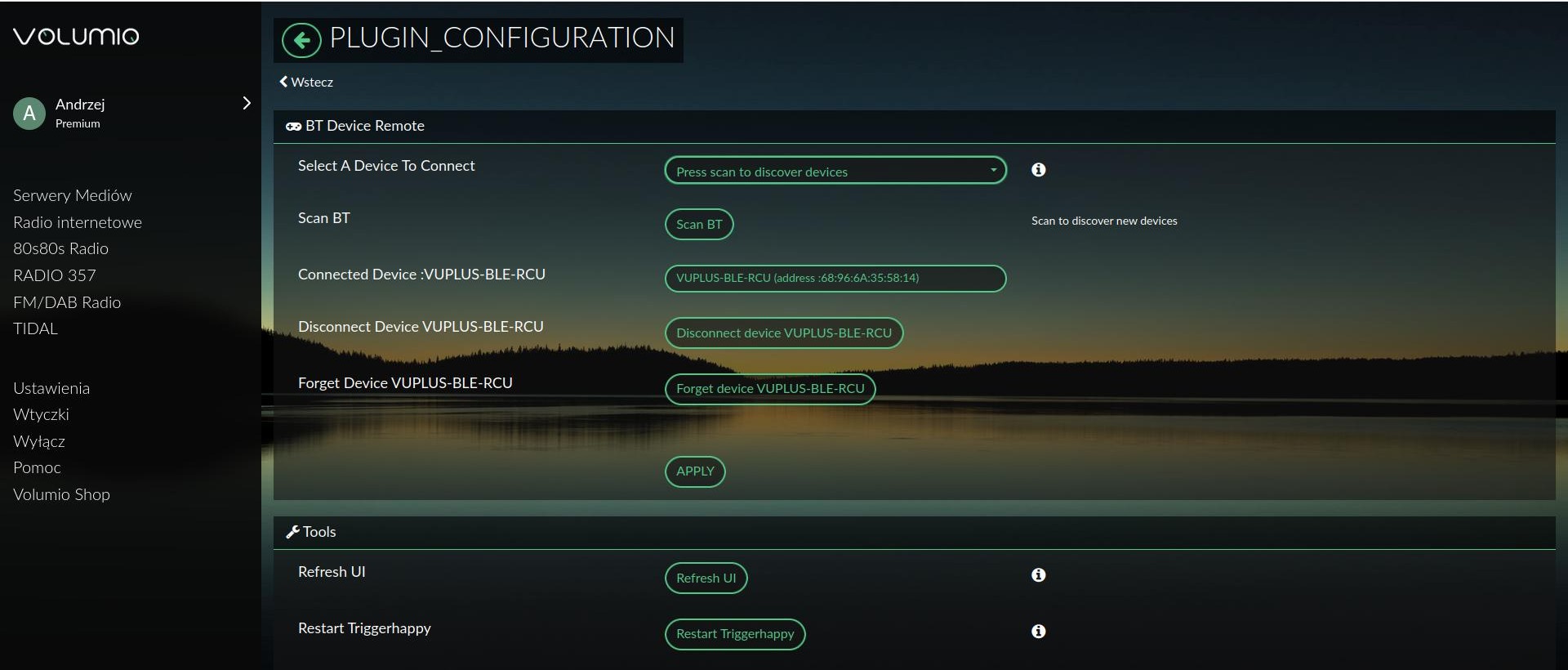
Would it be possible to Play certain Playlists with Button 1,2,3,4 on some BT remotes?
Then i could put a Radio station in a Playlist and play it. Therefore switching through station. I do that with a Http Request widget on my mobile phone at the moment.
Like:
KEY1 curl "localhost:3000/api/v1/commands/?cmd=playplaylist&name=BBC1"
for example?